1. Вовед
This manual provides detailed instructions for the WUUK Baby 2K Video Baby Monitor, Model BA530 BAP01. This system is designed to help you monitor your baby with advanced features including 2K video resolution, a 5.5-inch display, 360-degree pan/tilt/zoom, 135-degree wide-angle viewing, night vision, and smart alerts. Please read this manual thoroughly before using the product to ensure proper operation and safety.
2. Содржина на пакетот
Проверете дали сите артикли се присутни во вашиот пакет:
- Baby Camera (x1)
- Мониторски дисплеј (x1)
- USB Power Adapter (x2)
- 1.5M Type-C Power Cable (x2)
- Thermometer Hygrometer (x1)
- Упатство за употреба (x1)
- Mount Plate & Mounting Screw Pack (x1)
3. Производот завршиview
The WUUK Baby 2K Video Baby Monitor system consists of a camera unit and a portable monitor display, with optional smartphone app connectivity.

Figure 3.1: WUUK Baby 2K Video Baby Monitor system showing the camera, 5.5-inch monitor, and smartphone app interface.
3.1 Единица за камера
- 2K QHD резолуција: Provides clear video feed.
- 360-degree Pan & 110-degree Tilt: Allows comprehensive room coverage.
- 135-degree Wide-Angle Lens: Captures a broader view на животната средина.
- Инфрацрвено ноќно гледање: Enables clear monitoring in low-light conditions.
- Двонасочно аудио: For communication with your baby.
- Сензор за температура и влажност: Monitors nursery conditions.
- Детекција на плач и движење: Alerts for baby's activity.
- Physical Privacy Cover: Lens can be moved upwards to block view.
3.2 Monitor Display
- 5.5-инчен екран во боја: For live video feed.
- Батерија на полнење од 3700 mAh: Up to 10 hours of continuous streaming.
- Контроли: Buttons for pan/tilt, zoom, two-way talk, menu, and volume.
- SUB 1G Wireless Technology: For extended range connectivity.
4. Поставување
4.1 Поставување на камерата
Place the camera on a flat surface such as a dresser or shelf, or mount it to a wall or ceiling using the provided mounting kit. Ensure the camera has a clear, unobstructed view of the baby's crib or play area. Position it at a safe distance from the baby, out of reach of small hands and cords.
4.2 Вклучување
- Connect one USB power adapter to the camera unit using a Type-C power cable. Plug the adapter into a power outlet.
- Connect the second USB power adapter to the monitor display using the other Type-C power cable. Plug the adapter into a power outlet.
- Press and hold the power button on the monitor display to turn it on. The camera and monitor should automatically pair.
4.3 App Installation and Pairing (Optional)
За далечински viewing and additional features, download the WUUK app on your smartphone.
- Download the 'WUUK' app from your device's app store (iOS or Android).
- Направете сметка или најавете се.
- Follow the in-app instructions to add your WUUK Baby Monitor. This typically involves scanning a QR code on the camera or monitor, or following a guided pairing process.
5. Упатства за работа
5.1 Во живо View
Once powered on and paired, the live video feed from the camera will automatically display on the 5.5-inch monitor. You can also view the live feed through the WUUK app on your smartphone.
5.2 Панорамирање, навалување и зумирање (PTZ)
Use the directional buttons on the monitor display or the controls within the WUUK app to remotely adjust the camera's viewing angle. The camera supports 355-degree pan and 110-degree tilt. Use the zoom function to get a closer look at your baby.

Слика 5.1: Истовремено viewing on monitor and smartphone app.
5.3 Двонасочно аудио
Press and hold the microphone button on the monitor display or the talk button in the app to speak through the camera to your baby. Release the button to listen.
5.4 Ноќно гледање
The camera automatically activates infrared night vision in low-light conditions, providing a clear black and white image on the monitor and app.
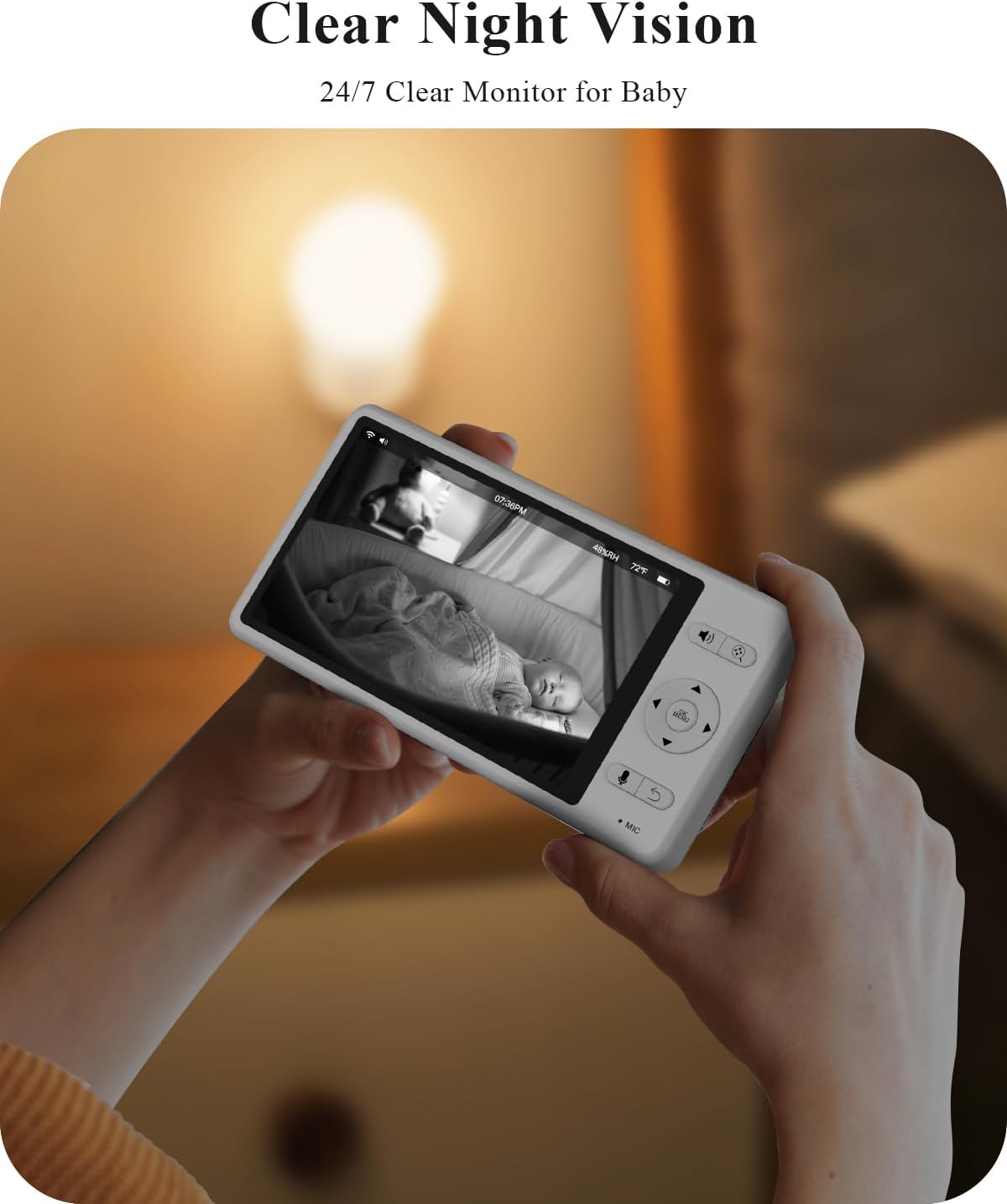
Figure 5.2: Clear night vision display.
5.5 Smart Alerts (Motion, Cry, Sound)
The monitor can detect motion, crying, and other sounds. Configure alert sensitivity and notification preferences in the monitor's menu or the WUUK app. When an alert is triggered, the monitor screen may light up, and an audible alarm may sound.

Figure 5.3: Smart alerts for baby's activity and environment.
5.6 Temperature & Humidity Monitoring
The integrated thermometer and hygrometer provide real-time temperature and humidity readings of the nursery, displayed on the monitor. Set custom alert ranges in the settings to be notified if conditions fall outside the desired parameters.
5.7 Lullabies and White Noise
Access the menu on the monitor or app to select and play from a variety of pre-loaded lullabies or white noise sounds to soothe your baby.
5.8 Режим на приватност
For enhanced privacy, the camera features a physical lens cover. You can manually move the lens upwards to completely block the camera's view when monitoring is not required, such as during feeding or diaper changes.

Figure 5.4: Physical privacy lens cover.
6. Одржување
- Чистење: Користете мека, сува крпа за чистење на објективот на камерата и екранот на мониторот. Не користете течни средства за чистење или аеросоли.
- Нега на батеријата: To prolong battery life, avoid fully discharging the monitor's battery frequently. Charge it regularly.
- Складирање: Доколку го складирате уредот подолг временски период, осигурајте се дека е целосно наполнет и чувајте го на ладно и суво место.
7 Смена на проблеми
- No Signal/Disconnected: Ensure both the camera and monitor are powered on and within range. If using the app, check your Wi-Fi connection. Try restarting both devices.
- Мониторот не се вклучува: Verify the monitor is charged or connected to a power source. If the issue persists, try a different power adapter or cable.
- Лош квалитет на видеото: Ensure the camera lens is clean and free from obstructions. Check for adequate lighting (night vision will activate in low light).
- Аудио проблеми: Check volume settings on the monitor and your smartphone. Ensure no objects are blocking the microphone or speaker on either unit.
- Проблеми со поврзувањето на апликациите: Ensure your smartphone has a stable internet connection. Restart the app and try pairing again. Check if your router is operating on a compatible frequency (e.g., 2.4GHz for some Wi-Fi connections).
8. Спецификации
| Карактеристика | Спецификација |
|---|---|
| Број на модел | BA530 BAP01 |
| Резолуција за снимање видео | 2 илјади (1296p) |
| Големина на екранот на мониторот | 5.5 инчи |
| Viewинголен агол | 135 степени |
| Опсег на пан/навалување | Панорама од 355 степени, навалување од 110 степени |
| Battery Capacity (Monitor) | Литиум јон од 3700 mAh |
| Опсег на ноќни визии | До 33 стапки |
| Технологија за поврзување | SUB 1G Wireless Technology, Wi-Fi |
| Опции за складирање | Up to 256GB SD card (not included), Optional Cloud Storage |
| Димензии (камера) | 2 x 2 x 3.5 инчи |
| Тежина на ставката | 2.49 фунти (вкупно пакување) |
9. Гаранција и поддршка
For warranty information, technical support, or service inquiries, please refer to the warranty card included in your package or visit the official WUUK website. You can also contact WUUK customer service directly through the contact information provided on their webсајт.


