Вовед
Ви благодарам за купувањетоasing the Greadio GB-W18 Portable CD Player Boombox. This device offers multiple audio playback options including CD, cassette, FM radio, Bluetooth, USB, AUX, and TF/SD card. Please read this manual carefully before using the product to ensure proper operation and to maximize your listening experience. Keep this manual for future reference.
Информации за безбедност
- Не го изложувајте уредот на дожд или влага за да спречите пожар или електричен удар.
- Не го отворајте casing. Целото сервисирање обратете се на квалификуван персонал.
- Избегнувајте поставување на уредот во близина на извори на топлина или на директна сончева светлина.
- Обезбедете соодветна вентилација околу уредот.
- Use only the specified power adapter (if applicable) or charge with a compatible 5V/2A Type-C charger.
- Да се чува подалеку од дофат на деца.
Содржина на пакетот
Проверете дали сите предмети се присутни:
- Greadio GB-W18 Portable CD Player Boombox
- Далечински управувач (1)
- Упатство за употреба (овој документ)
- USB кабел за полнење (тип-C)
Производот завршиview
Familiarize yourself with the various parts and controls of your Greadio GB-W18 boombox.
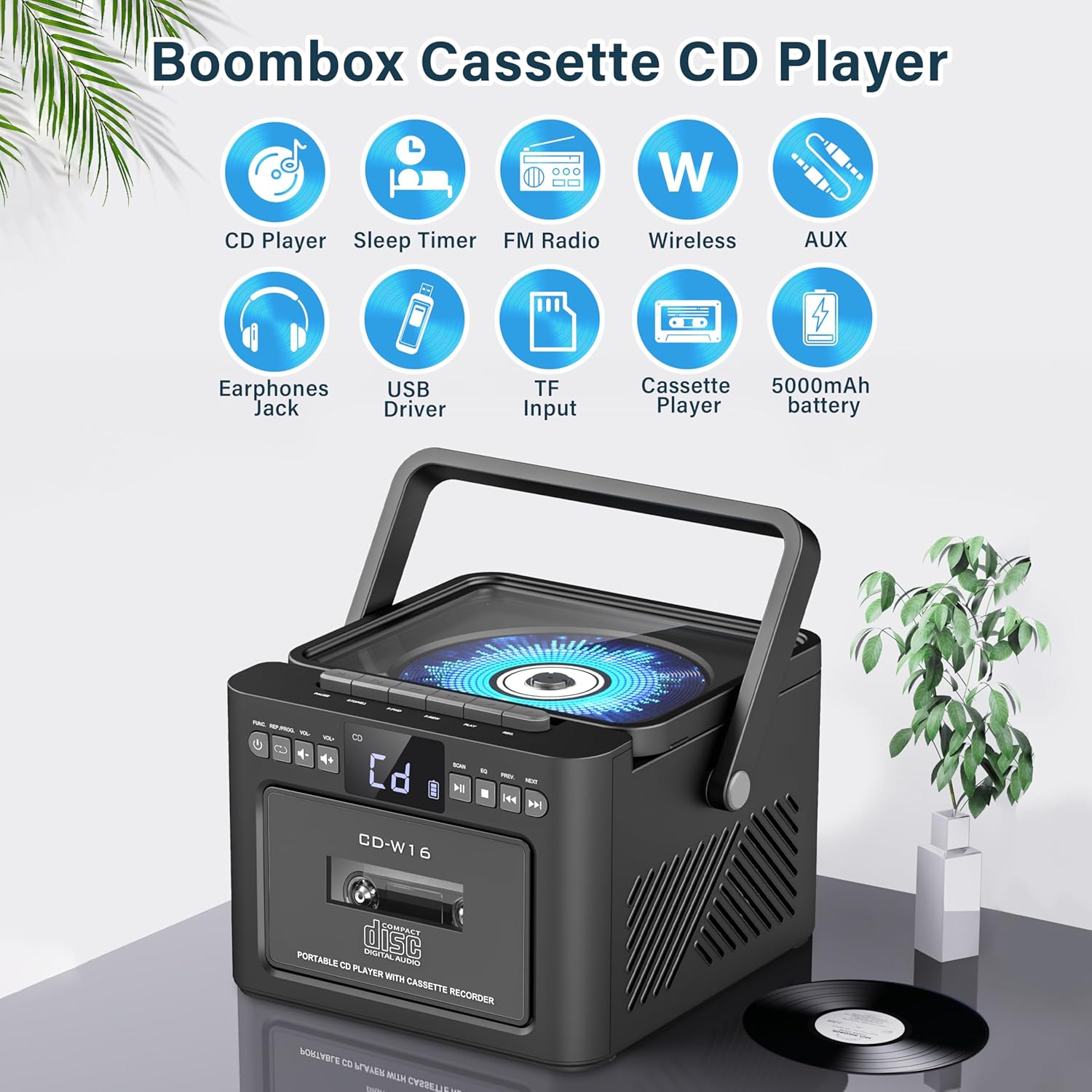
Слика: Во текот наview of the Greadio GB-W18 Portable CD Player Boombox, highlighting its multi-functional capabilities including CD, cassette, FM radio, Bluetooth, USB, TF/SD card, AUX, and a built-in 5000mAh rechargeable battery.
Контроли на предниот панел
- Лед екран: Го прикажува тековниот режим, бројот на песната, фреквенцијата итн.
- Копче за вклучување: Го вклучува/исклучува уредот.
- Копче за режим: Switches between CD, Cassette, FM, Bluetooth, USB, AUX, TF/SD modes.
- Контрола на јачината на звукот: Го прилагодува нивото на аудио излезот.
- Копче за репродукција/пауза: Controls playback for CD, USB, TF/SD, Bluetooth.
- Копче запирање: Ја запира репродукцијата.
- Skip/Search Buttons: Skips tracks or searches radio frequencies.
- Копче за снимање: Initiates cassette recording.
Side/Rear Panel Ports
- Преграда за CD: ЦД плеер со вчитување од горе.
- Палуба со касети: Front-loading cassette player/recorder.
- USB порта: За репродукција од USB уред.
- TF/SD Card Slot: For TF/SD card playback.
- Влез AUX: 3.5 мм приклучок за надворешни аудио уреди.
- Jackек за слушалки: 3.5 мм приклучок за приватно слушање.
- DC 5V Input (Type-C): За полнење на внатрешната батерија.
- FM антена: Телескопска антена за радио прием.
Поставување
Напојување на единицата
The Greadio GB-W18 can be powered by its built-in rechargeable battery or via a Type-C USB power source.
- Полнење на батеријата: Connect the provided USB Type-C cable to the DC 5V input port on the unit and the other end to a compatible USB power adapter (e.g., car charger, power bank, computer USB port). The LED display will indicate charging status. A full charge provides extended portable use.

Слика: The Greadio GB-W18 boombox with its USB and TF/SD card slots highlighted, along with illustrations of various 5V Type-C charging methods: car charger, power bank, and computer.
Почетно напојување
Притиснете го Моќ button to turn on the unit. The LED display will light up, and the unit will typically default to the last used mode or CD mode.
Упатства за работа
Користете го Режим button to switch between different playback sources.
Репродукција на ЦД
- Притиснете го Режим button until 'CD' appears on the display.
- Отворете го капакот на преградата за ЦД-а.
- Place a CD (CD, CD-R, CD-RW) with the label side facing up onto the spindle.
- Close the CD compartment lid. The CD will begin to play automatically.
- Користете го Пушти/Пауза, Стоп, и Прескокни/Барај копчиња за контрола на репродукцијата.

Слика: A user operating the Greadio GB-W18 boombox, demonstrating CD playback and the use of the remote control for convenient operation.
Репродукција и снимање на касета
- Притиснете го Режим button until 'TAPE' appears on the display.
- Отворете ја вратата од касетофонот.
- Вметнете касетна лента со отворениот раб свртен нагоре.
- Затворете ја вратата на касетофонот.
- Притиснете го Играј button on the cassette deck controls to start playback.
- На Снимајте: Ensure a blank or recordable cassette is inserted. Select your desired input source (e.g., FM radio, AUX, Bluetooth). Press the Снимајте button on the unit. Press Стоп да заврши снимањето.

Слика: The Greadio GB-W18 boombox in a social setting, illustrating the cassette player function with a hand inserting a tape.
Работа на FM радио
- Extend the telescopic FM antenna for optimal reception.
- Притиснете го Режим копчето додека на екранот не се појави „FM“.
- Притиснете и задржете го Прескокни/Барај buttons to automatically scan for available stations. The unit can preset up to 30 stations.
- Притиснете го Прескокни/Барај buttons briefly to manually tune or cycle through preset stations.
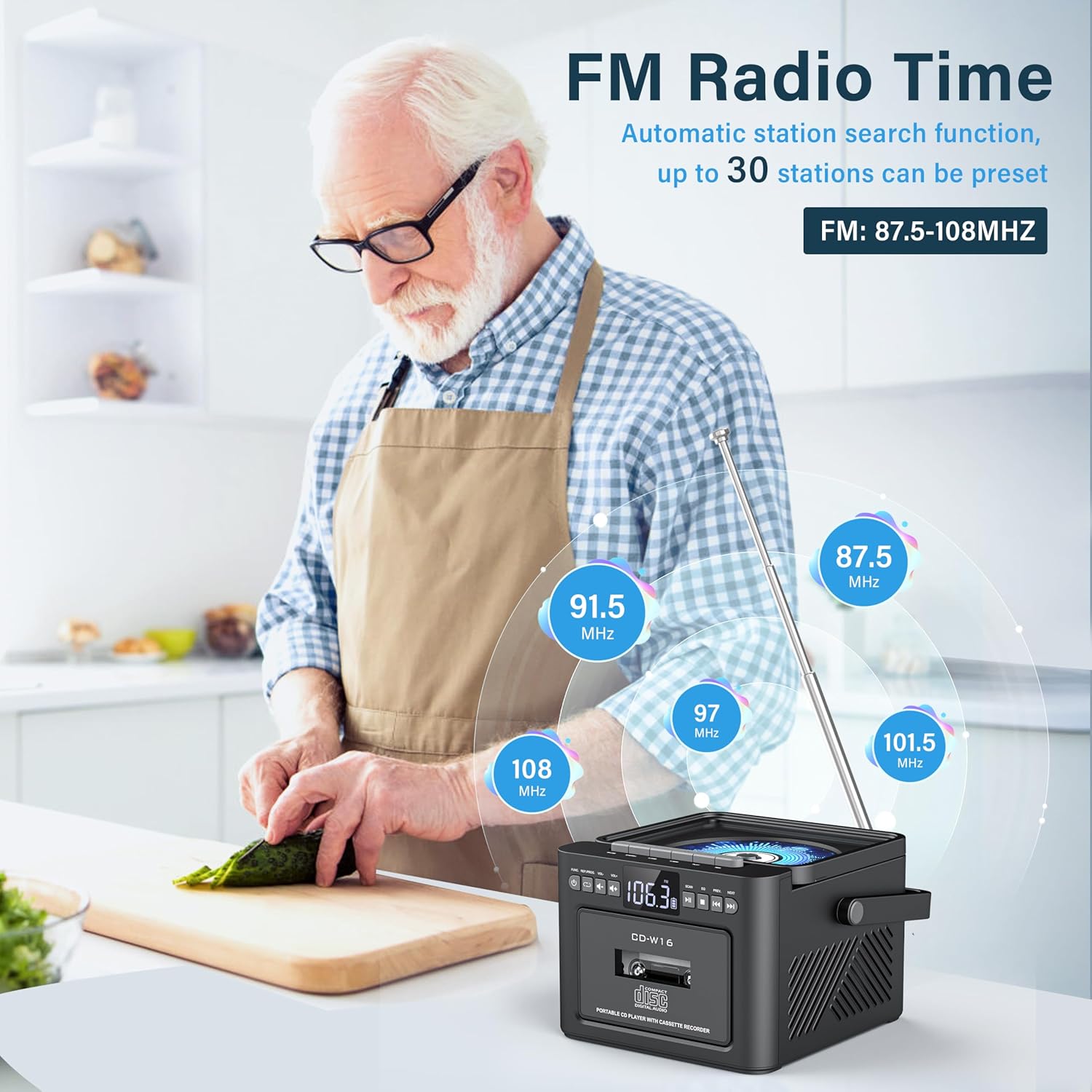
Слика: A user in a kitchen setting with the Greadio GB-W18 boombox, demonstrating its FM radio capabilities and the range of frequencies it can receive.
Bluetooth (Wireless Receiver)
- Притиснете го Режим button until 'BLUE' or 'BT' appears on the display. The unit will enter pairing mode, indicated by a flashing Bluetooth icon.
- На вашиот мобилен уред (паметен телефон, таблет итн.), овозможете Bluetooth и пребарајте достапни уреди.
- Select 'Greadio GB-W18' (or similar name) from the list to pair.
- Once paired, you can play audio from your device through the boombox.
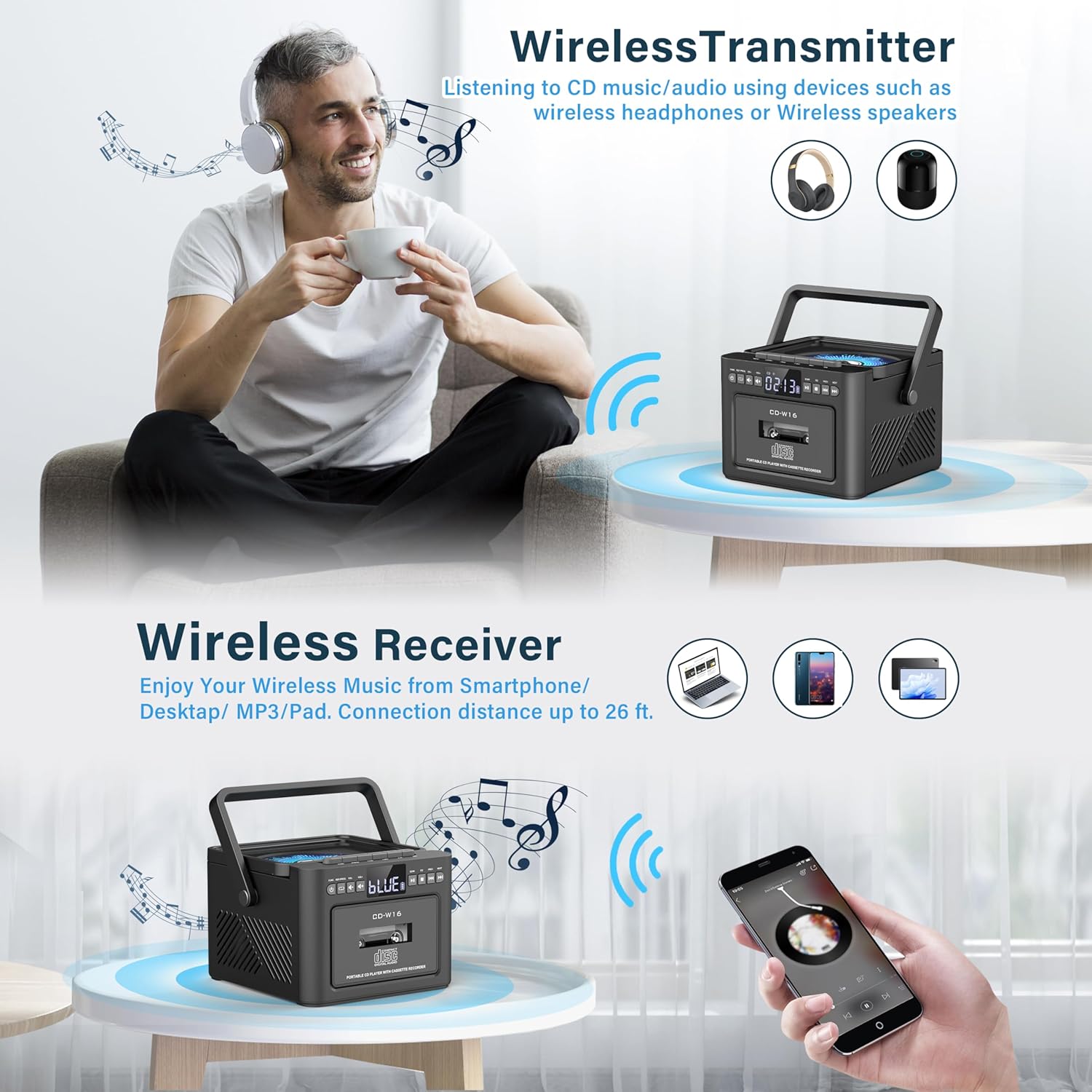
Слика: The Greadio GB-W18 boombox demonstrating its wireless capabilities, functioning as both a wireless transmitter (for headphones/speakers) and a wireless receiver (for streaming from smartphones/tablets).
USB Drive & TF/SD Card Playback
- Insert a USB drive into the USB port or a TF/SD card into the TF/SD card slot.
- Притиснете го Режим копчето додека на екранот не се појави „USB“ или „TF“.
- The unit will automatically detect and play MP3 files од уредот за складирање.
- Користете го Пушти/Пауза, Стоп, и Прескокни/Барај копчиња за контрола на репродукцијата.
AUX влез
- Connect an external audio device (e.g., MP3 player, smartphone) to the AUX input jack using a 3.5mm audio cable (not included).
- Притиснете го Режим копчето додека на екранот не се појави „AUX“.
- Play audio from your external device. The sound will be output through the boombox speakers.
Далечински управувач
The included remote control allows for convenient operation of most functions from a distance. Point the remote control directly at the front panel of the boombox. Functions include power on/off, mode selection, volume adjustment, playback controls (play, pause, stop, skip), and radio tuning.
Тајмер за спиење
The unit features a sleep timer function. Refer to the remote control or specific button on the unit (if available) to set a timer for automatic power-off. This feature is useful for falling asleep to music.
Одржување
- Чистење: Користете мека, сува крпа за чистење на надворешноста на уредот. Не користете абразивни средства за чистење или растворувачи.
- Грижа за CD објективот: If CD playback issues occur, use a specialized CD lens cleaner disc.
- Чистење на главата на касетата: Regularly clean the cassette heads with a cotton swab lightly dampзбогатен со изопропил алкохол за да се обезбеди оптимален квалитет на звукот и да се спречи оштетување на лентата.
- Нега на батеријата: For optimal battery life, avoid fully discharging the battery frequently. Charge the unit regularly, even if not in use for extended periods.
- Складирање: When not in use for a long time, store the unit in a cool, dry place away from direct sunlight and extreme temperatures.
Решавање проблеми
| Проблем | Можна причина | Решение |
|---|---|---|
| Уредот не се вклучува. | Батеријата е испразнета. | Поврзете го уредот со извор на енергија користејќи го USB кабелот Type-C и оставете го да се полни. |
| Нема звук од звучниците. | Volume is too low or muted. Incorrect mode selected. Headphones connected. | Зголемете ја јачината на звукот. Притиснете го Режим button to select the correct source. Disconnect headphones. |
| CD-то прескокнува или не се репродуцира. | CD is dirty, scratched, or inserted incorrectly. CD lens is dirty. | Clean the CD. Reinsert the CD correctly. Use a CD lens cleaner. |
| Слаб FM радио прием. | Антената не е продолжена. Слаб сигнал. | Целосно извлечете ја FM антената. Преместете го уредот за подобар прием. |
| Bluetooth уредот не може да се спари. | Boombox not in pairing mode. Device too far. | Ensure boombox is in Bluetooth mode and flashing. Move device closer (within 26 ft). |
| Cassette playback distorted. | Cassette heads are dirty. Tape is old or damaged. | Clean cassette heads. Try a different tape. |
Спецификации
- Број на модел: GB-W18
- Димензии на производот: 7.56 x 7.56 x 5.16 инчи
- Тежина на ставката: 2.99 фунти
- Технологија за поврзување: Bluetooth 5.0
- Тип на звучник: Двоен стерео звучник
- Батерија: Built-in 5000mAh Rechargeable Lithium Ion Battery
- Влез на енергија: DC 5V (тип-C)
- Поддржани медиуми: CD, CD-R, CD-RW, Cassette Tape, USB Drive (MP3 format, up to 32GB), TF/SD Card (MP3 format, up to 32GB), AUX Input
- FM радио фреквенција: 87.5-108 MHz
Гаранција и поддршка
Greadio products are designed for reliability and performance. For any questions, technical support, or warranty inquiries, please refer to the contact information provided with your purchase or visit the official Greadio webстраница. Ве молиме задржете го доказот за купување за гаранциски барања.


