1. Вовед
The Parsonver Smartwatch Z139 is designed to enhance your daily life with a variety of intelligent functions. This manual provides detailed instructions for setting up, operating, and maintaining your smartwatch to ensure optimal performance and user experience.
Key features include Bluetooth calling, comprehensive health monitoring (heart rate, blood oxygen, sleep), over 100 sports modes, and smart notifications.
2. Започнување: Поставување
2.1 Содржина на пакетот
- Parsonver Smartwatch Z139
- Кабел за полнење
- Упатство за употреба
2.2 Полнење на паметниот часовник
Пред првата употреба, целосно наполнете го вашиот паметен часовник. Поврзете го магнетниот кабел за полнење со контактите за полнење на задната страна од часовникот и вклучете го USB крајот во адаптер за напојување (не е вклучен) или USB порт на компјутерот.
2.3 Инсталација и спарување на апликацијата
To unlock the full potential of your Parsonver Smartwatch, download the companion app on your smartphone. The app is compatible with iOS 9.0/Android 6.0 or above.
- Scan the QR code in the manual or search for "Parsonver" in your phone's app store (Google Play Store for Android, Apple App Store for iOS).
- Инсталирајте ја и отворете ја апликацијата.
- Follow the on-screen instructions in the app to create an account and pair your smartwatch via Bluetooth. Ensure Bluetooth is enabled on your smartphone.
- During pairing, grant necessary permissions for notifications, location, and health data synchronization.

Image: The Parsonver Smartwatch Z139, showcasing its main display with time, date, and step count.
3. Упатства за работа
3.1 Bluetooth повици и паметни известувања
Once connected via Bluetooth, you can manage calls directly from your smartwatch.
- Одговарање/Воспоставување повици: Use the watch's interface to answer incoming calls or dial numbers. The watch features high-quality speakers and a high-definition microphone for clear communication.
- Известувања: Receive alerts for SMS, WhatsApp, Facebook, emails, and other app notifications directly on your watch. The watch will vibrate to inform you of new messages.
- Гласовен асистент: Utilize the integrated voice assistant for hands-free control and information access.
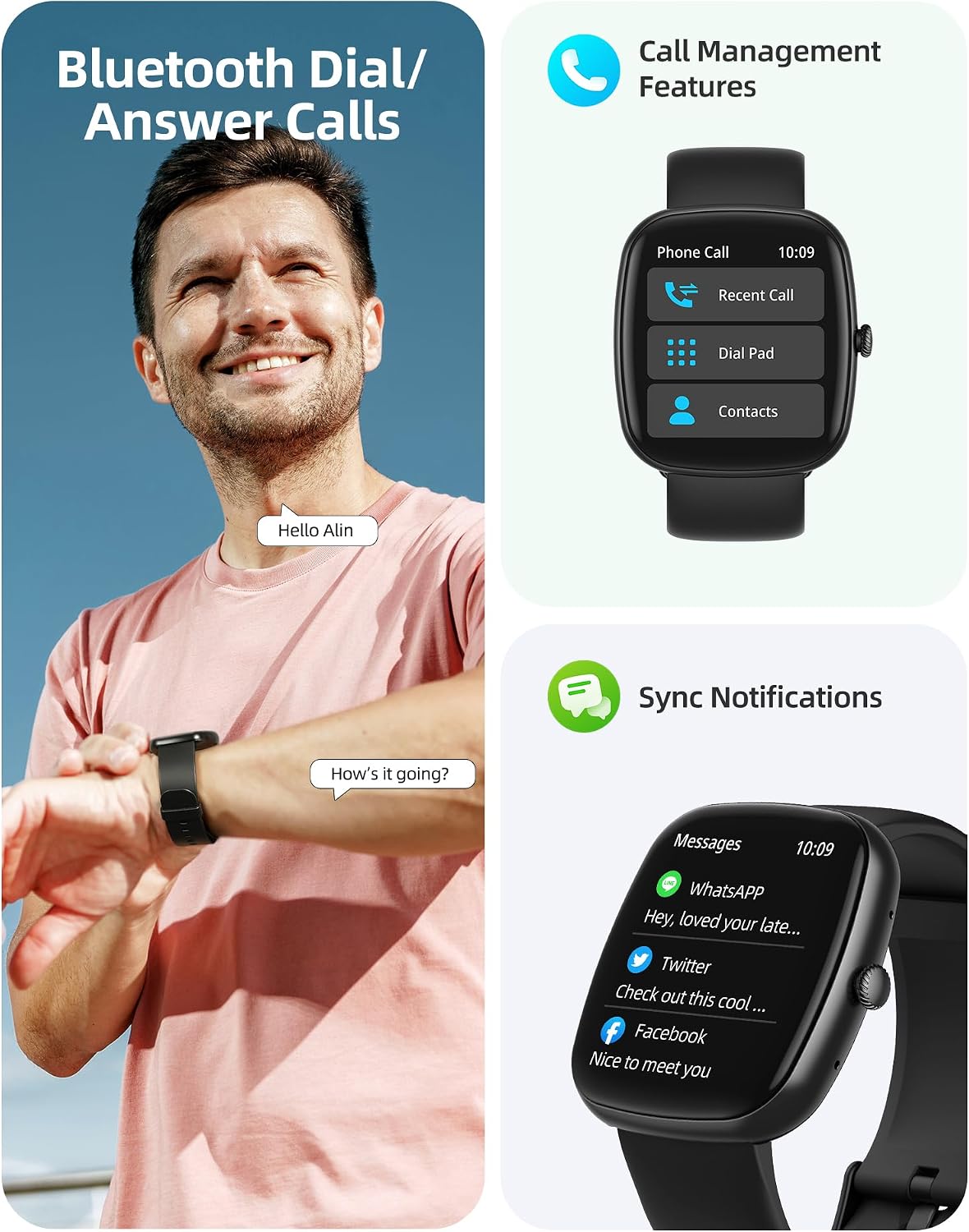
Image: A user interacting with the smartwatch for Bluetooth calls, demonstrating the call management interface.
3.2 Мониторинг на здравјето
The smartwatch features advanced sensors for continuous health tracking.
- Мониторинг на отчукувањата на срцето: Measures and records your heart rate throughout the day. The app displays trends and alerts for abnormal readings.
- Мониторинг на кислород во крвта (SpO2): Tracks your blood oxygen saturation levels.
- Следење на сонот: Analyzes your sleep patterns, including deep sleep, light sleep, and awake times, to help optimize your sleep habits.
- Следење на стресот: Дава информации за вашите нивоа на стрес.
- Следење на здравјето на жените: Records menstrual cycles and ovulation periods.

Image: Visual representation of the smartwatch's health monitoring capabilities, including heart rate, blood oxygen, and pressure readings.
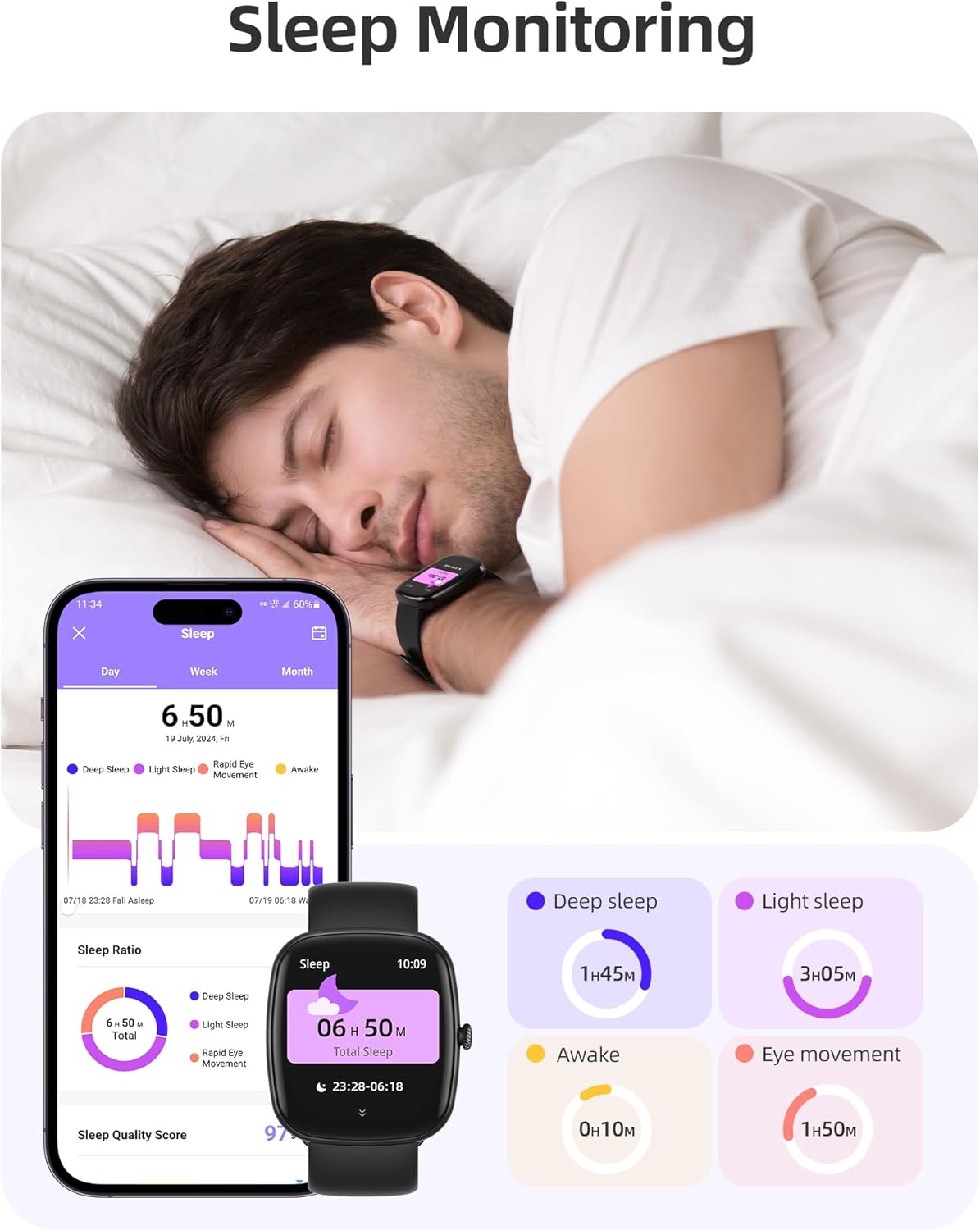
Image: The smartwatch monitoring sleep, with a detailed breakdown of sleep stages displayed on the companion app.
3.3 Спортски режими и следење на активностите
The activity tracker supports over 100 sports modes to monitor your workouts effectively.
- Достапни режими: Includes yoga, running, jumping, cycling, badminton, football, rowing, and many more.
- Следење на податоци: Records steps, distance, calories burned, and real-time heart rate during exercise.
- Дневен резултат за подготвеност: Provides a summary of your daily activity and recovery.

Image: The smartwatch tracking a user's activity during a run, displaying key metrics like calories, steps, heart rate, and distance.
3.4 App Experience and BMI Tracking
The companion app offers additional features for health management.
- Weight and BMI Tracking: Manually input your weight in the app to track changes and automatically calculate your Body Mass Index (BMI). View daily, weekly, monthly, and yearly weight trends.
- Training Courses: Access integrated training courses from beginner to advanced levels.
- Relaxation Features: Includes white noise, meditation exercises, and relaxation training.

Image: The companion app displaying weight and BMI tracking features, helping users monitor their body composition.
3.5 приспособливи лица на часовникот
Personalize your smartwatch with over 200 different watch face designs available through the app.

Image: A selection of customizable watch faces, demonstrating the variety of styles and information layouts available.
3.6 Други практични функции
Паметниот часовник има уште неколку корисни функции:
- Временска прогноза: View 7-day weather forecasts.
- Контрола на музика: Control music playback directly from your wrist.
- Контрола на камерата: Далечинско управување со камерата на вашиот паметен телефон.
- Аларм: Поставете повеќе аларми.
- Штоперица и тајмер: Точно време за различни активности.
- Седентарен потсетник: Ве поттикнува да се движите по периоди на неактивност.
- Вежби за дишење: Guided exercises to reduce stress.
- Најдете телефон: Locate your paired smartphone with a tap on your watch.
- Прилагодување на осветленоста: Continuously adjustable screen brightness for optimal visibility in any lighting condition.

Слика: Надview of the various practical functions available on the Parsonver Smartwatch Z139.
4. Одржување
Соодветната грижа гарантира долготрајност и перформанси на вашиот паметен часовник.
- Чистење: Regularly clean the watch and strap with a soft, dry cloth. Avoid harsh chemicals.
- Отпорност на вода: The smartwatch has an IP68 water resistance rating, meaning it can withstand hand washing, rain, and splashes. Do not use it for swimming, diving, or in saunas.
- Полнење: Use only the provided charging cable. Avoid exposing charging contacts to moisture.
- Складирање: Чувајте го часовникот на ладно и суво место кога не е во употреба.
5 Смена на проблеми
Ако наидете на проблеми со вашиот паметен часовник, обидете се со следниве чекори:
- Часовникот не се вклучува: Проверете дали часовникот е целосно наполнет.
- Не може да се спари со телефон:
- Проверете дали Bluetooth е овозможен на вашиот телефон и часовник.
- Проверете дали часовникот е во домет на вашиот телефон.
- Рестартирајте ги и часовникот и телефонот.
- Обидете се со распарување и повторно спарување преку апликацијата.
- Не се примени известувања:
- Check app permissions on your phone to ensure notifications are allowed for the Parsonver app.
- Verify that notifications are enabled within the Parsonver app settings.
- Проверете дали часовникот е правилно поврзан преку Bluetooth.
- Неточни здравствени податоци:
- Осигурајте се дека часовникот е цврсто носен на вашиот зглоб, не е премногу тесен или премногу лабав.
- Исчистете го сензорот на задната страна од часовникот.
- Избегнувајте прекумерно движење за време на мерењата.
- Екранот не реагира: Try restarting the watch. If the issue persists, contact customer support.
6. Спецификации
| Карактеристика | Спецификација |
|---|---|
| Бренд | Парсонвер |
| Број на модел | Z139 |
| Големина на екранот | 1.83 инчи |
| Компатибилност на оперативниот систем | iOS 9.0/Android 6.0 or above Smartphones |
| Технологија за поврзување | Bluetooth |
| Посебни карактеристики | Bluetooth Calls, 100+ Sports Modes, Heart Rate Monitoring, SpO2 Monitoring, Sleep Monitoring, IP68 Water Resistance, Music Control, Camera Control, Weather, Alarm, Timer, Stopwatch, Sedentary Reminder, Breathing Exercises, Find Phone, Brightness Adjustment, Women's Health Tracking |
| Состав на батерија | Литиум-полимер |
| Капацитет на батеријата | 230 mAh |
| Оценка за отпорност на вода | IP68 (Not for swimming/diving/sauna) |
| Капацитет за складирање на меморија | 512 MB |
| GPS | Преку паметен телефон |
7. Гаранција и поддршка
For warranty information and customer support, please refer to the documentation included with your purchase or visit the official Parsonver website. Typically, products are covered by a manufacturer's warranty against defects in materials and workmanship for a specified period from the date of purchase. Please retain your proof of purchase.
If you experience any issues not covered in this manual, or require further assistance, please contact Parsonver customer service.


