Вовед
This manual provides essential information for the setup, operation, and maintenance of your HP Wired Mouse 105. Designed for reliability and comfort, this optical mouse offers precise control with its 1600 DPI sensor and a versatile ambidextrous design. It connects via a standard USB-A cable, ensuring a stable and uninterrupted connection for your computing needs.
Поставување
The HP Wired Mouse 105 is designed for quick and easy plug-and-play setup.
- Распакувајте го глувчето: Внимателно извадете го глувчето од пакувањето.
- Поврзете се со USB порт: Locate an available USB Type A port on your computer (PC or Mac). Insert the mouse's USB connector firmly into the port.
- Инсталација на драјвери: Your operating system (Windows 7, 8, 10, 11, or Mac OS) should automatically detect and install the necessary drivers. No additional software installation is typically required.
- Потврдете ја функционалноста: Once connected, the optical sensor on the underside of the mouse will emit a red light. Move the mouse to confirm cursor movement on your screen.
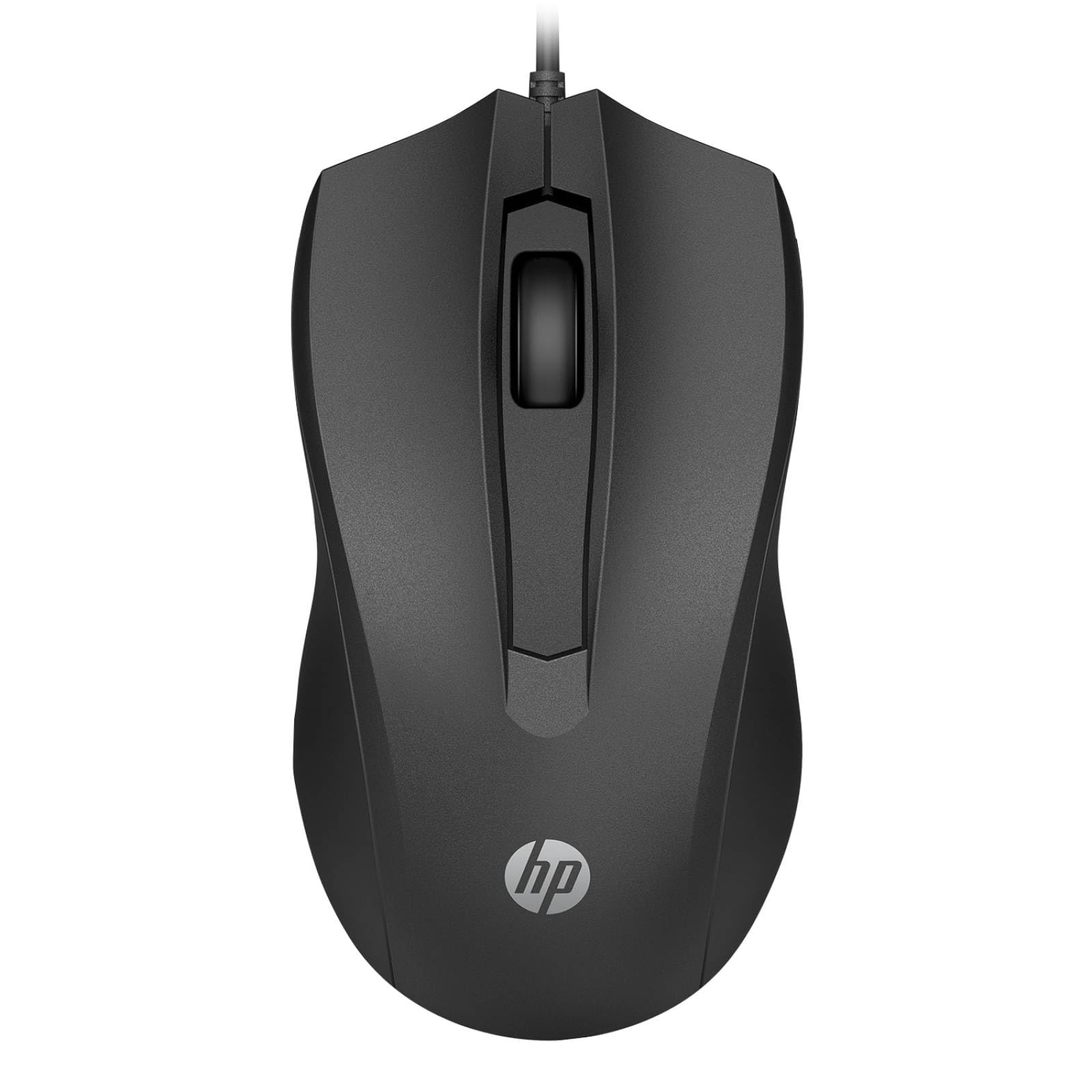
Image: The HP Wired Mouse 105 features a sleek black design and connects via a USB cable for reliable performance.
Упатства за работа
The HP Wired Mouse 105 is a standard 3-button optical mouse, offering intuitive control for everyday computing tasks.
- Лево копче: Се користи за избирање предмети, отворање files и извршување на команди.
- Десно копче: Used to open context-sensitive menus, providing quick access to options.
- Тркало за скролување (средно копче):
- Лизгање: Вртете го тркалото нагоре или надолу за да се движите низ документите и web страници.
- Среден клик: Pressing the scroll wheel can open links in new tabs or activate other functions depending on the application.
- Оптички сензор: The 1600 DPI optical sensor provides precise and responsive cursor tracking on most surfaces.
- Амбидекстрен дизајн: The symmetrical design ensures comfortable use for both left-handed and right-handed users.
Одржување
To ensure optimal performance and longevity of your HP Wired Mouse 105, follow these simple maintenance guidelines:
- Чистење на глувчето:
- Користете мека крпа без влакненца малку гampизмијте со вода или благ раствор за чистење за да ја избришете надворешноста на глувчето.
- Избегнувајте употреба на груби хемикалии или абразивни материјали, бидејќи тие можат да ја оштетат површината.
- For the optical sensor, use a dry cotton swab to gently remove any dust or debris. Do not spray liquids directly onto the sensor.
- Грижа за кабел:
- Avoid bending or twisting the USB cable sharply, as this can damage the internal wires.
- Do not pull the mouse by its cable; always grasp the USB connector when plugging or unplugging.
- Складирање: Кога не го користите, чувајте го глувчето во чиста, сува средина, подалеку од екстремни температури.
Решавање проблеми
If you encounter issues with your HP Wired Mouse 105, try the following troubleshooting steps:
- Глувчето не реагира:
- Осигурајте се дека USB кабелот е безбедно приклучен во функционален USB порт на вашиот компјутер.
- Обидете се да го вклучите глувчето во друг USB порт.
- Рестартирајте го компјутерот.
- Неправилно движење на курсорот:
- Исчистете го оптичкиот сензор на долната страна од глувчето за да отстраните прашина или остатоци.
- Ensure you are using the mouse on a suitable surface. Highly reflective or transparent surfaces may interfere with optical tracking. A mouse pad is recommended.
- Копчињата или тркалото за скролување не работат:
- Проверете дали има физички пречки околу копчињата или тркалото за скролување.
- Тестирајте го глувчето на друг компјутер за да утврдите дали проблемот е во глувчето или во софтверот/драјверите на компјутерот.
Спецификации
| Тип на производ | Глувче |
| Бренд | HP |
| Број на модел | 105 (Manufacturer Part Number: 822M9UT#ABA) |
| Технологија за поврзување | Cable (USB Type A) |
| Детекција на движење | Оптички |
| Резолуција за движење | 1600 dpi |
| Вкупен број на копчиња | 3 |
| Ергономски фит | Symmetrical, Ambidextrous |
| Димензии (В x Ш x Д) | 1.5" x 4.6" x 2.5" (3.8 см x 11.7 см x 6.4 см) |
| Тежина | 3.17 oz (90 g) |
| Компатибилност на оперативниот систем | Виндоус 7, Виндоус 8, Виндоус 10, Виндоус 11, Mac OS |
| Поддржана платформа | PC, Mac |
Гаранција и поддршка
The HP Wired Mouse 105 comes with an HP standard one-year limited warranty. For detailed warranty terms and conditions, please refer to the documentation included with your product or visit the official HP support website. If you require technical assistance or have questions not covered in this manual, please contact HP customer support.