Вовед
This manual provides essential information for the proper use and care of your Accutime Hot Wheels Kids Watch, model HTW4018AZ. This watch features a clear LCD display for time-telling and exciting rotating dial lights. Please read these instructions carefully to ensure optimal performance and longevity of the product.
Производот завршиview

Figure 1: Hot Wheels Kids Watch and collectible tin packaging.
The Accutime Hot Wheels Kids Watch is designed for young users, combining a durable construction with engaging features. Key components include:
- LCD дисплеј: Digital screen for displaying time.
- Rotating Dial Lights: Multi-colored lights around the watch face that activate with a button press.
- Издржливо пластично куќиште: Protects the internal components.
- Adjustable Plastic Strap: Features Hot Wheels artwork and a secure buckle for a comfortable fit.
- Контролни копчиња: Located on the sides of the watch for setting time and activating lights.
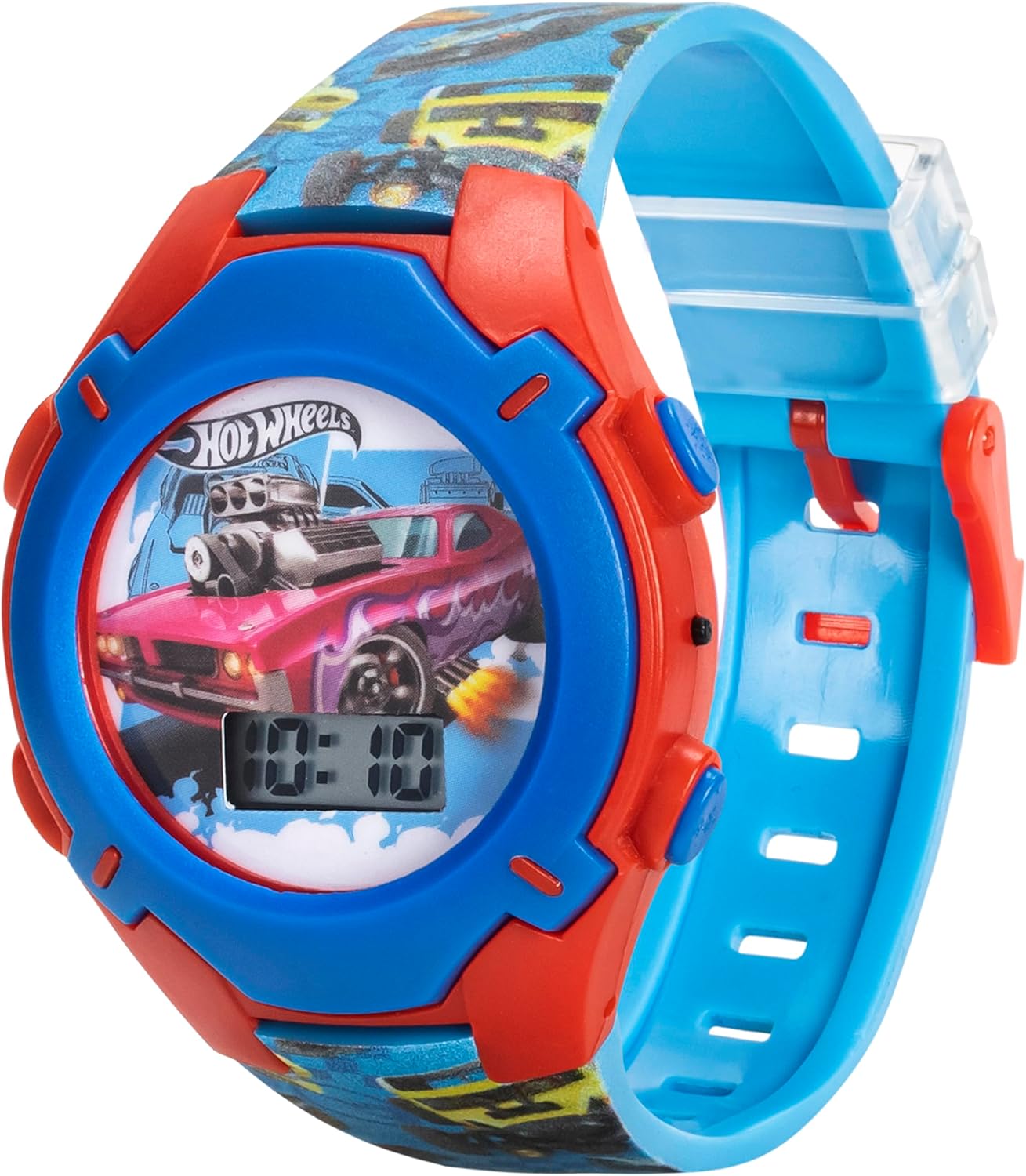
Figure 2: Close-up of the watch face with LCD display and light indicators.
Поставување
1. Откачување и првична проверка
- Carefully remove the watch from its collectible tin packaging.
- Inspect the watch for any visible damage or loose parts.

Figure 3: Watch in its collectible tin.
2. Прилагодување на ременот
The watch features an adjustable plastic strap to fit various wrist sizes.
- Place the watch on the wearer's wrist.
- Thread the strap through the buckle and secure it in a comfortable hole.
- Ensure the strap is snug but not too tight, allowing for proper circulation.

Слика 4: Целосно view of the watch and strap.
Упатства за работа
1. Читање на времето
The watch displays time in a clear digital LCD format. The time is continuously shown on the lower part of the watch face.
2. Activating Dial Lights
To activate the rotating dial lights:
- Locate the button on the side of the watch, typically on the upper right or left.
- Press this button once to illuminate the multi-colored lights around the dial.
- The lights will typically stay on for a few seconds before automatically turning off.

Figure 5: Watch face with lights activated.
3. Поставување на времето
To set the time on your Hot Wheels Kids Watch:
- Locate the small button on the side of the watch, often recessed to prevent accidental changes. You may need a small pointed object (like a pen tip) to press it.
- Press and hold this button until the hour display begins to flash.
- While the hour is flashing, press the same button repeatedly to advance the hour.
- Once the correct hour is set, press and hold the button again until the minute display begins to flash.
- Притискајте го копчето повеќе пати за да ги поместите минутите напред.
- After setting the minutes, press and hold the button one last time to confirm the time and exit setting mode. The display will stop flashing.
Одржување
1. Чистење на вашиот часовник
- Избришете го куќиштето и ременот на часовникот со мека крпаamp крпа.
- Avoid using harsh chemicals or abrasive cleaners, as these can damage the plastic and artwork.
- Do not submerge the watch in water. While durable, it is not designed for swimming or bathing.
2. Battery Information and Replacement
The watch is powered by batteries. When the display dims or the lights stop working, the battery may need replacement.
- Battery type: 3 x LR41 (1.5V)
- Battery replacement should ideally be performed by an adult or a qualified technician to avoid damaging the watch.
- Refer to Figure 6 for the location of the battery compartment screws on the back of the watch.
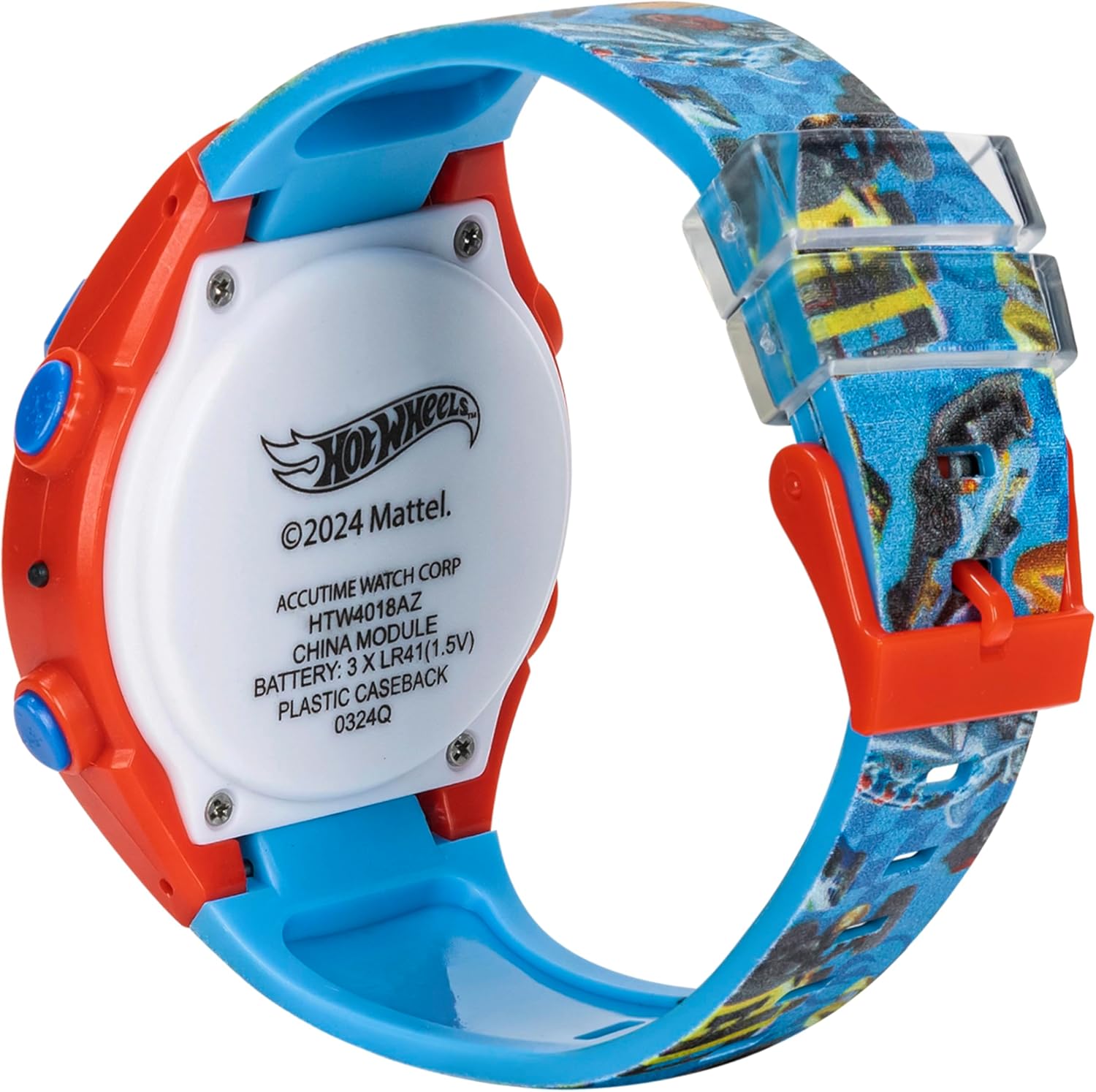
Figure 6: Back of the watch with battery information.
Warning: Dispose of used batteries responsibly. Keep new and used batteries away from children.
Решавање проблеми
- Екранот на часовникот е празен:
This usually indicates a depleted battery. Replace the battery as described in the Maintenance section.
- Светлата не работат:
Check the battery. If the battery is low, the lights may not function even if the time display is still visible. Ensure the light activation button is not stuck.
- Времето е неточно:
Follow the "Setting the Time" instructions in the Operating Instructions section to reset the time. If the time consistently loses accuracy, the battery may be very low or require replacement.
- Strap or Buckle Damage:
While the watch is designed for durability, excessive force can cause damage. If the strap or buckle breaks, contact customer support for possible replacement options.
Спецификации
| Карактеристика | Детал |
|---|---|
| Број на модел | HTW4018AZ |
| Тип на дисплеј | LCD дигитален |
| Посебни карактеристики | Rotating Dial Lights |
| Материјал на случајот | Пластика |
| Материјал за ремен | Пластика |
| Тип на батерија | 3 x LR41 (1.5V) |
| Производител | Акутима |
| Димензии на пакетот | 5.28 x 5.16 x 3.11 инчи |
| Тежина на ставката | 4 унци |
Гаранција и поддршка
For warranty information or product support, please contact Accutime customer service. Details regarding specific warranty periods and coverage may be available on the manufacturer's official webстраницата или вклучено во пакувањето на вашиот производ.
Manufacturer: Accutime
За дополнителна помош, посетете ја страницата Продавница Accutime на Amazon.