1. Вовед
The Moman CP-S Motorcycle Intercom System is designed to provide clear and reliable communication for motorcyclists. Featuring advanced Bluetooth 5.1 technology, noise reduction, and a robust waterproof design, it enhances your riding experience by allowing group communication, music sharing, and hands-free phone calls.

Figure 1: Moman CP-S Intercom Unit with key features.
2. Содржина на пакетот
The Moman CP-S package includes the following items:
- Moman CP-S Intercom Unit
- Headphone and Microphone Set
- Mounting Clip (for helmet edge)
- Adhesive Mount (for helmet surface)
- USB кабел за полнење
- Interchangeable Decorative Shells (3 colors)
- Упатство за употреба
- Алатки за инсталација (шрафцигер)
3. Водич за инсталација
Proper installation ensures optimal performance and comfort. Follow these steps to install your Moman CP-S intercom system on your helmet.
3.1. Preparing the Helmet
- Remove the helmet's inner lining and cheek pads if they are removable. This provides easier access for speaker and microphone placement.
- Идентификувајте соодветни локации за звучниците (во близина на вашите уши) и микрофонот (во близина на вашата уста).
3.2. Монтирање на интерфонската единица
Choose between the clip mount or the adhesive mount based on your helmet type and preference.
Using the Clip Mount:
- Олабавете ги завртките на држачот со помош на приложениот шрафцигер.
- Slide the clip mount onto the bottom edge of your helmet, ensuring it is securely fastened.
- Tighten the screws to secure the clip mount in place.
Користење на лепливата монтажа:
- Темелно исчистете ја саканата површина за монтирање од страната на кацигата.
- Peel off the protective film from the adhesive mount and firmly press it onto the helmet surface for at least 30 seconds. Allow sufficient time for the adhesive to bond before attaching the intercom unit.
Attaching the Intercom Unit:
- Slide the Moman CP-S intercom unit onto the installed clip or adhesive mount until it clicks securely into place.
3.3. Инсталирање на звучници и микрофон
- Attach the adhesive pads to the back of the speakers.
- Carefully place the speakers inside the helmet, aligning them with your ears. Press firmly to secure.
- Attach the adhesive pad to the microphone.
- Position the microphone near your mouth, ensuring it is not obstructed by the helmet's padding.
- Connect the speaker and microphone cables to the appropriate ports on the intercom unit.
3.4. Управување со кабли
Tuck all excess cables neatly under the helmet's inner lining to prevent discomfort and ensure they do not interfere with helmet function. Reinstall any removed inner lining or cheek pads.
Video 1: Installation guide for Moman H2 Intercom (similar to CP-S).
4. Упатства за работа
4.1. Вклучување/исклучување
- Вклучување: Press and hold the Power button for 3 seconds until the indicator light turns on.
- Исклучено: Притиснете и задржете го копчето за вклучување 3 секунди додека индикаторската ламбичка не се изгасне.
4.2. Bluetooth спарување
- With the device off, press and hold the Function button for 3 seconds. The red and blue indicator lights will flash, indicating pairing mode.
- On your mobile phone, enable Bluetooth and search for "FODSPORTS FX-S" (or similar device name). Select it to pair. The pairing is complete when the indicator light changes.
4.3. Репродукција на музика
- Пушти/Пауза: Кратко притиснете го копчето Функција.
- Следна песна: Rotate the control knob forward once.
- Претходна песна: Rotate the control knob backward once.
- Прилагодување на јачината на звукот: Rotate the control knob forward or backward for 1 second to increase or decrease volume.

Figure 2: Music sharing feature between two riders.
4.4. Телефонски повици
- Одговори/заврши повик: Кратко притиснете го копчето Функција.
- Одбијте го повикот: Долго притиснете го копчето Функција 1 секунда.
- Гласовен асистент: Single click to activate AI voice assistant (e.g., Siri, Google Assistant).
- Префрли рачно/автоматско одговарање повици: Long press the Function button and ON/OFF button for 3 seconds.

Figure 3: AI Voice Assistant and FM Radio features.
4.5. Интерфонска комуникација
- The Moman CP-S supports intercom communication for up to 8 riders within a 2000m range, and 2 riders within a 1000m range.
- It is compatible with other intercom brands.
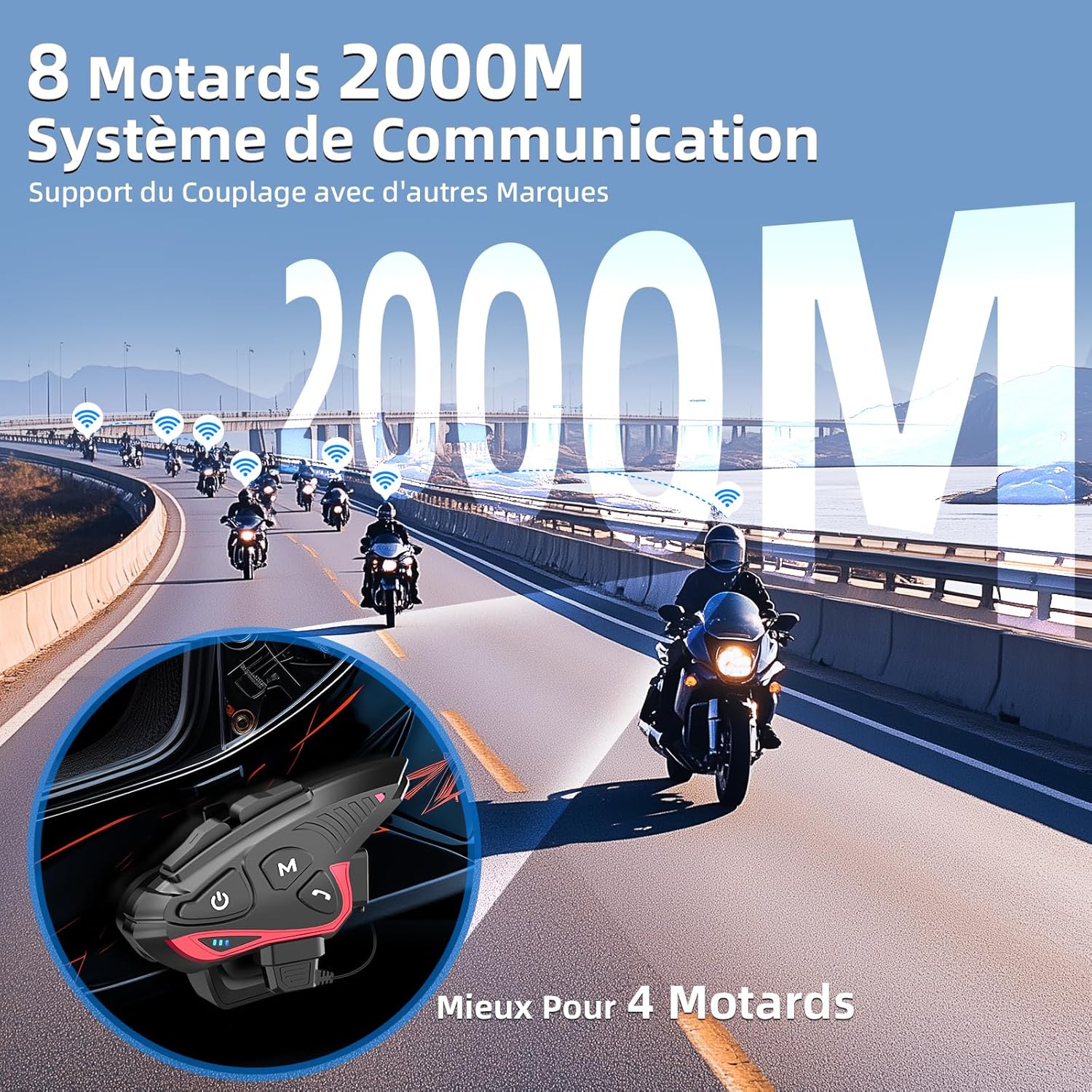
Figure 4: Group intercom communication range and capabilities.
4.6. FM радио
- Activate the FM radio function to listen to broadcasts while riding.
Видео 2: Надview of Moman H2S Intercom features (similar to CP-S).
5. Спецификации
| Карактеристика | Опис |
|---|---|
| Број на модел | CP-S |
| Безжична технологија | Bluetooth 5.1 |
| Опсег на домофон | Up to 2000m (8 riders), 1000m (2 riders) |
| Капацитет на батеријата | 900 mAh |
| Време на полнење | 2 часа |
| Време на домофон | До 28 часа |
| Време на репродукција на музика | До 33 часа |
| Време на мирување | До 300 часа |
| Отпорност на вода | IP65 (Водоотпорен) |
| Намалување на бучавата | DSP and 12th Gen CVC |
| Големина на звучникот | 40mm Hi-Fi |
| Контролен метод | Voice, Buttons |
| Гласовни инструкции | 8 languages (Chinese, English, Japanese, German, French, Italian, Spanish, Korean) |
| Материјал | Пластика |
| Посебни карактеристики | Noise cancellation, Water resistant, Music sharing, FM Radio, AI Voice Assistant, Interchangeable shells |

Слика 5: Детали за траење на батеријата и полнење.
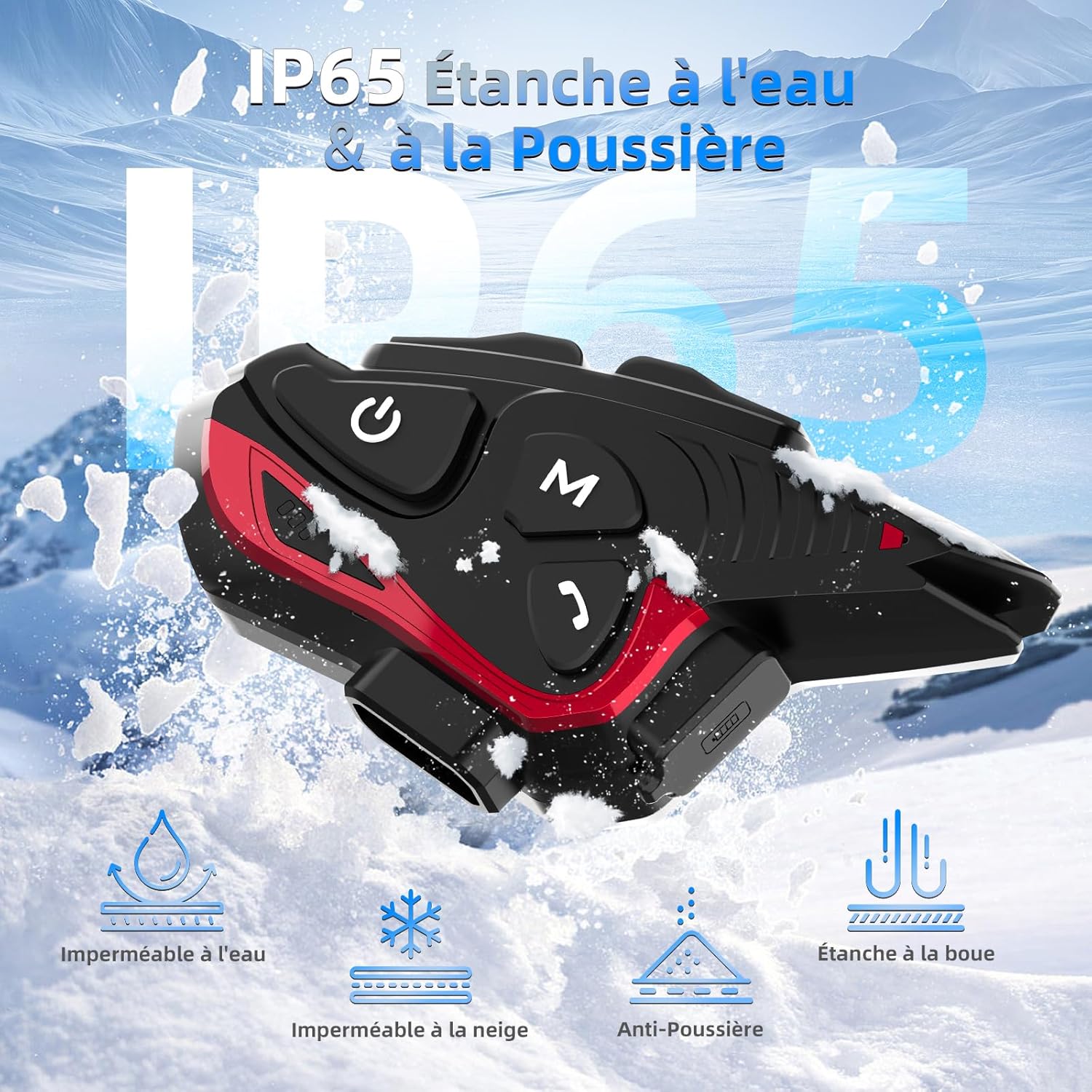
Figure 6: IP65 Water and Dust Resistance.
6. Одржување
- Чувајте го уредот чист и сув. Избришете со мека,amp крпа.
- Избегнувајте изложување на уредот на екстремни температури или директна сончева светлина подолг период.
- Осигурајте се дека капакот на приклучокот за полнење е безбедно затворен кога не се полни за да се одржи водоотпорноста.
- Полнете го уредот редовно, дури и ако не е во употреба, за да ја одржите состојбата на батеријата.
7 Смена на проблеми
7.1. Нема моќ
- Проверете дали батеријата е наполнета. Поврзете го уредот со извор на енергија користејќи го испорачаниот USB кабел.
- Check if the power button is being held for the correct duration (3 seconds).
7.2. Cannot Pair with Phone
- Ensure the device is in pairing mode (red and blue indicator lights flashing).
- Исклучете го и вклучете го Bluetooth-от на вашиот телефон.
- Осигурајте се дека уредот е во опсегот на вашиот телефон.
- Forget previous Bluetooth connections on your phone and try pairing again.
7.3. Poor Audio Quality/Noise
- Ensure speakers are correctly positioned near your ears and the microphone is close to your mouth.
- Check for any obstructions around the microphone.
- Verify that the volume is adjusted appropriately.
- The device features DSP and CVC noise reduction, which should minimize ambient noise. If issues persist, ensure the microphone is not picking up excessive wind noise.
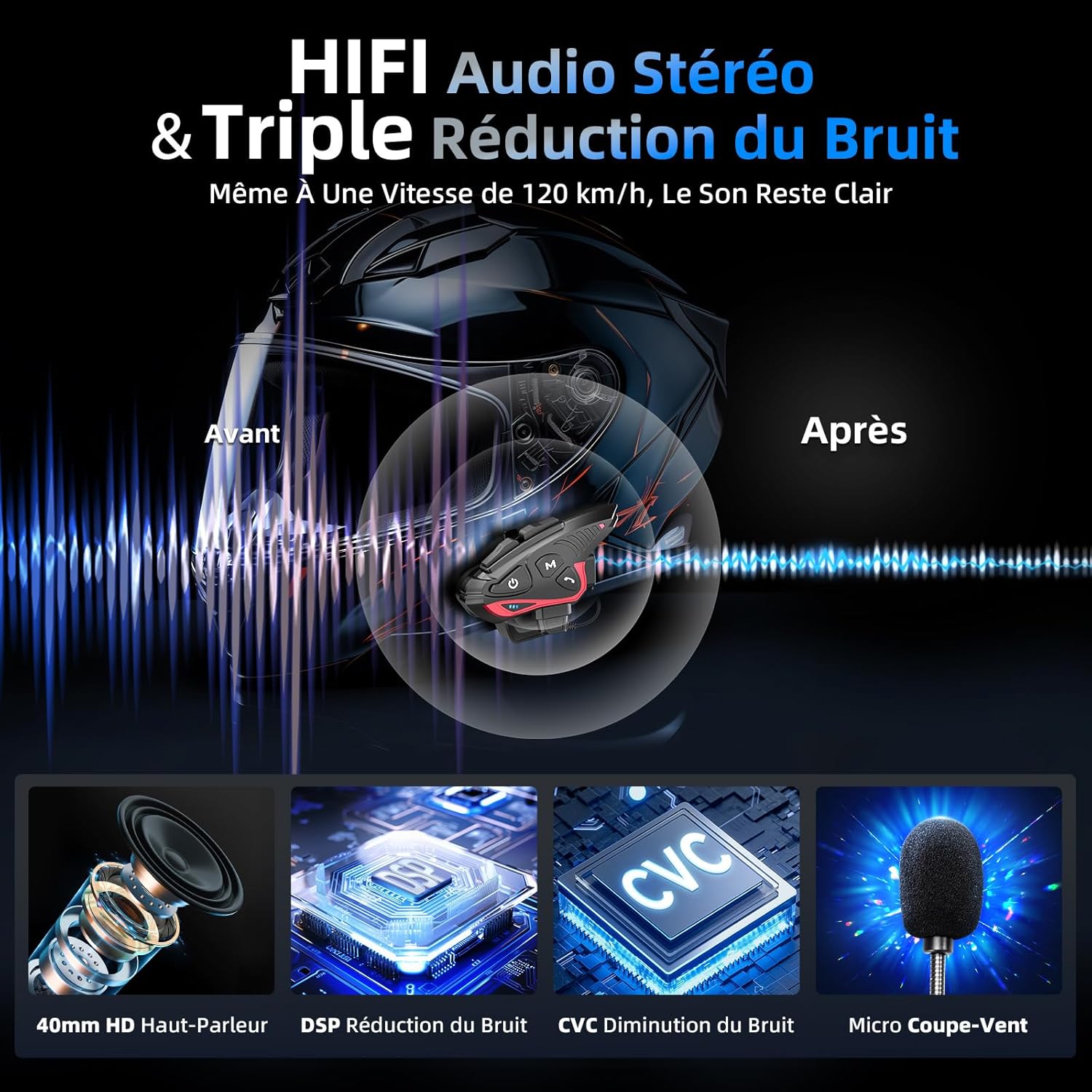
Figure 7: Audio quality and noise reduction technology.
8. Гаранција и поддршка
The Moman CP-S Motorcycle Intercom System comes with a 2-year manufacturer's warranty. For technical support, warranty claims, or any other inquiries, please contact Moman customer service through their official channels.


