Вовед
The Raycon Open Headphones are engineered to provide an immersive audio experience while maintaining real-time awareness of your surroundings. Their lightweight, over-ear design ensures comfort for extended wear, making them suitable for various activities from work to exercise. This manual will guide you through the essential steps to set up, operate, and maintain your headphones.
Клучни карактеристики:
- Real-Time Awareness: Non-intrusive design keeps ear canals free, allowing environmental sounds to be heard.
- Surround Sound Quality: Delivers rich, detailed audio with advanced surround sound technology.
- 12 часа траење на батеријата: Provides extended listening time on a single charge.
- Двојни микрофони: Ensures clear call quality with maximum audio pickup.
- 5.3 Bluetooth Technology: Offers a strong and stable wireless connection to your devices.
Што има во кутијата
Upon opening your Raycon Open Headphones package, please ensure all the following components are present:
- Raycon Open Headphones (Black)
- Упатство за употреба (Овој документ)
- Charging Cable (Proprietary)
Поставување
1. Полнење на слушалките
Before initial use, fully charge your Raycon Open Headphones. Connect the provided charging cable to the charging port on the headphones and plug the other end into a compatible USB power source. The LED indicator will show charging status and turn off when fully charged.
2. Вклучување/исклучување
- Вклучување: Press and hold the Power button until the LED indicator lights up and you hear an audible prompt.
- Исклучено: Притиснете и задржете го копчето за вклучување додека LED индикаторот не се исклучи и не слушнете звучен сигнал.
3. Bluetooth спарување
- Проверете дали слушалките се исклучени.
- Притиснете го и држете го копчето за вклучување приближно 5-7 секунди додека LED индикаторот не трепка брзо, што укажува на режим на спарување.
- На вашиот уред (паметен телефон, таблет, компјутер), овозможете Bluetooth и пребарајте достапни уреди.
- Select "Raycon Open Headphones" from the list of found devices.
- Once connected, the LED indicator will stop flashing and remain solid, and you will hear a confirmation tone.
4. Носење слушалки
The Raycon Open Headphones are designed for a comfortable and secure fit. Place the ear hooks over your ears, ensuring the speakers are positioned just outside your ear canals. Adjust the band around the back of your neck for optimal comfort and stability.
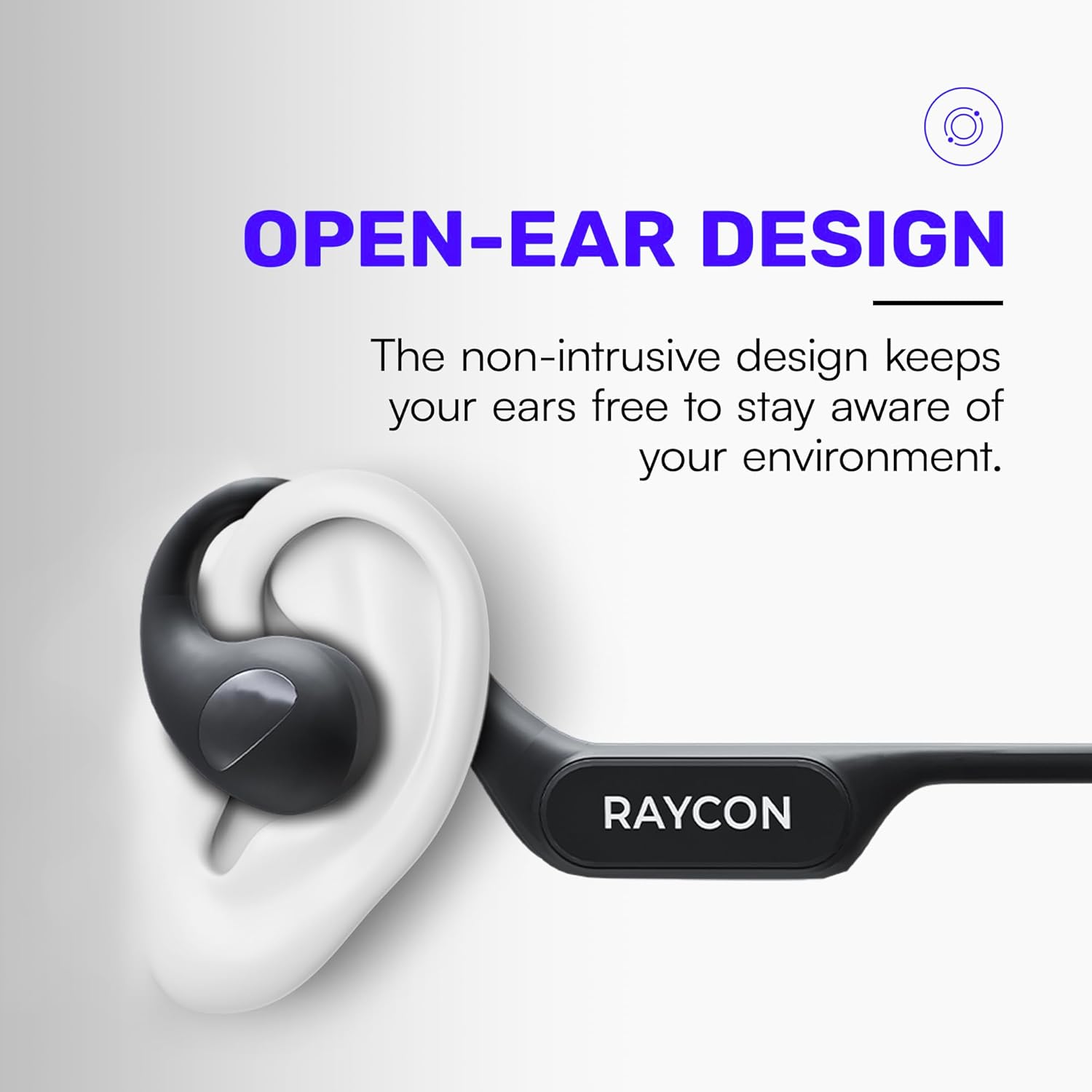
Image: Proper placement of the Raycon Open Headphones, highlighting the open-ear design for comfort and awareness.
Упатства за работа
Контролите се завршениview

Image: The control buttons are located on the left side of the headphone band.
- Копче за вклучување: Притиснете и задржете за вклучување/исклучување.
- Јачина на звук (+): Кратко притиснете за да ја зголемите јачината на звукот.
- Намалување на јачината на звукот (-): Кратко притиснете за да ја намалите јачината на звукот.
- Пушти/Пауза: Double-tap the main control button to play or pause audio.
- Следна песна: Triple-tap the main control button to skip to the next track.
- Претходна песна: (Functionality may vary, refer to device settings or specific app controls).
- Одговори/заврши повик: Double-tap the main control button during an incoming call.
- Одбијте го повикот: Press and hold the main control button during an incoming call.
- Активирајте го гласовниот асистент: Quadruple-tap the main control button to activate your device's voice assistant (e.g., Siri, Google Assistant).
Поврзување со повеќе точки
The Raycon Open Headphones support multi-point connection, allowing you to connect to two devices simultaneously. This feature enables seamless switching between audio sources without re-pairing.

Image: The headphones can connect to multiple devices simultaneously for versatile use.
To use multi-point connection:
- Pair the headphones with your first device as described in the "Bluetooth Pairing" section.
- Оневозможете го Bluetooth на првиот уред. Слушалките повторно ќе влезат во режим на спарување.
- Спарете ги слушалките со вашиот втор уред.
- Повторно овозможете Bluetooth на првиот уред. Слушалките треба автоматски да се поврзат со двата уреди.
- Аудио ќе се репродуцира од уредот што активно емитува звук.
Одржување
Чистење
Regularly clean your headphones to ensure optimal performance and hygiene. Use a soft, dry, lint-free cloth to wipe down the surfaces. For stubborn dirt, slightly dampen the cloth with water. Avoid using harsh chemicals, cleaning solvents, or strong detergents.
Складирање
When not in use, store your headphones in a cool, dry place away from direct sunlight and extreme temperatures. Avoid placing heavy objects on top of the headphones to prevent damage.
Нега на батерии
To prolong battery life, avoid fully discharging the headphones frequently. Charge them regularly, even if not in constant use. If storing for an extended period, charge the battery to approximately 50% before storage.

Image: The headphones offer up to 12 hours of battery life for extended use.
Решавање проблеми
If you encounter any issues with your Raycon Open Headphones, please refer to the following common solutions:
- Нема звук: Ensure the headphones are powered on, paired correctly, and the volume is turned up on both the headphones and the connected device. Check if the audio source is playing.
- Проблеми со спарување: Turn off Bluetooth on all previously paired devices. Power off the headphones, then re-enter pairing mode and try connecting again. Ensure the headphones are within the Bluetooth range of your device.
- Проблеми со полнење: Verify that the charging cable is securely connected to both the headphones and the power source. Try a different USB port or power adapter. Ensure the charging cable is not damaged.
- Лош квалитет на звукот: Ensure the headphones are fully charged. Check for any obstructions between the headphones and your device. Move closer to your device to reduce interference.
- Микрофонот не работи: Ensure the headphones are properly connected. Check the microphone settings on your connected device to ensure the Raycon headphones are selected as the input device.
If the issue persists after trying these steps, please contact Raycon customer support for further assistance.
Спецификации
| Карактеристика | Детал |
|---|---|
| Име на моделот | RBO841-24E-BLA |
| Технологија за поврзување | Безжичен |
| Технологија на безжична комуникација | Bluetooth 5.3 |
| Траење на батеријата | 12 часа |
| Облик на слушалката | Над уво |
| Поставување на увото | Отворено уво |
| Форма фактор | Над уво |
| Контрола на бучава | Звучна изолација |
| Тежина на ставката | 5.6 унци |
| Производител | Рејкон |
| UPC | 811162032347 |
Гаранција и поддршка
Your Raycon Open Headphones are covered by a return policy allowing for a refund or replacement within 30 days of purchase. For detailed warranty information or technical support, please contact Raycon customer service directly.


