1. Вовед
Thank you for choosing the Holyton Drone Strobe Light. This anti-collision lamp is designed to enhance the visibility of your drone during night flights and in various other scenarios. It features multiple colors and modes, ensuring compliance with aviation regulations and improving safety. Please read this manual thoroughly before use to ensure proper operation and maintenance.
2. Информации за безбедност
- Always ensure the strobe light is securely attached to your drone or other object before operation.
- Adhere to all local aviation authority regulations regarding drone lighting, especially for night flying. This light meets FAA requirements for anti-collision lighting.
- Do not expose the device to extreme temperatures, direct sunlight for prolonged periods, or moisture.
- Да се чува подалеку од дофат на деца.
- Do not attempt to disassemble or modify the light, as this will void the warranty and may cause damage.
3. Содржина на пакетот
- Holyton Drone Strobe Light (1 unit)
- USB кабел за полнење
- Mounting Accessories (e.g., adhesive pads, rubber bands)
- Упатство за употреба
4. Карактеристики на производот
- Висока видливост: 120 lumens brightness with 360° coverage.
- Multiple Colors & Modes: 7 switchable colors and 7 adjustable flashing modes.
- Батерија на полнење: Provides extended use time after a quick charge.
- Лесен и компактен: Weighs only 6.5g, ideal for various drones and other applications.
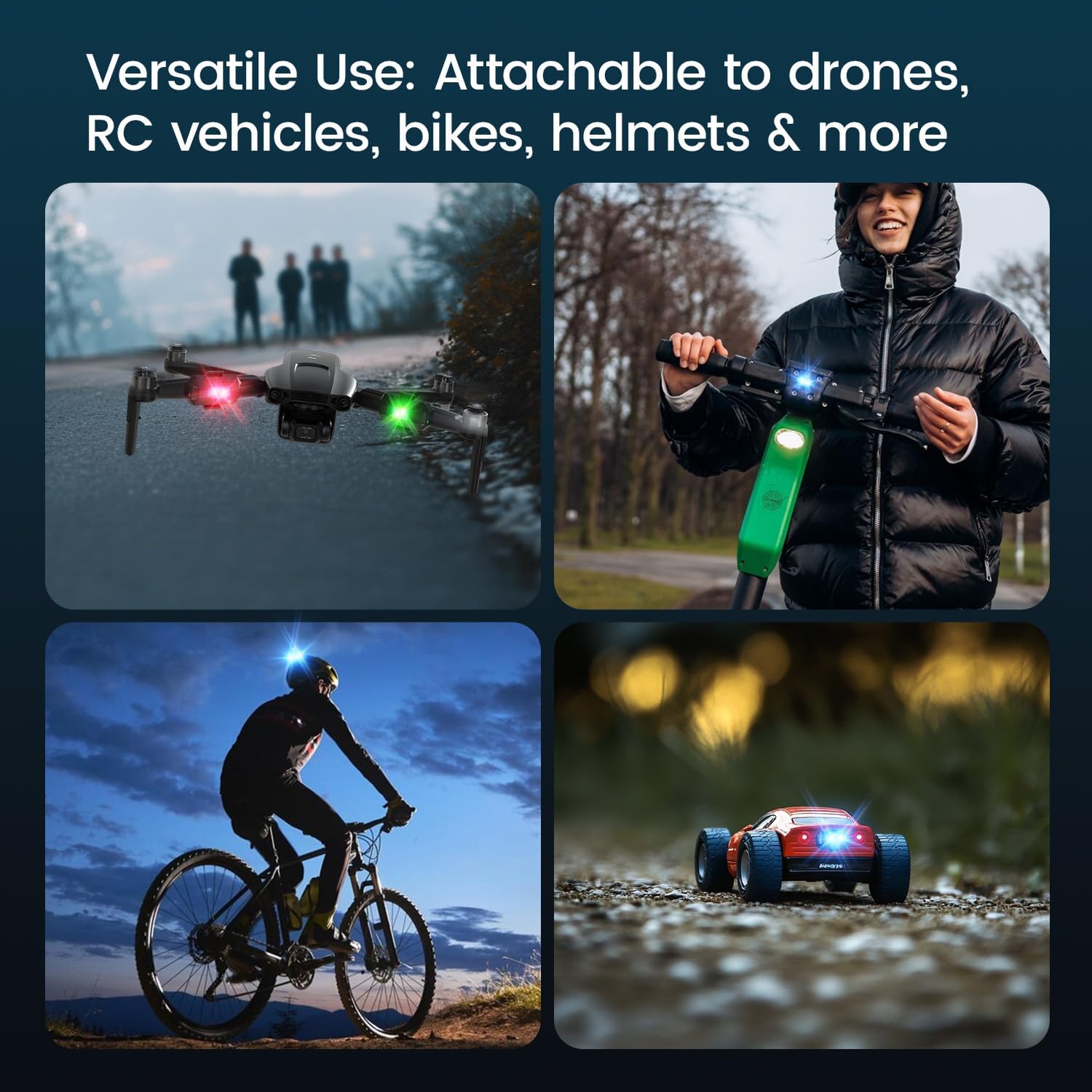
- Разновидна апликација: Suitable for drones, RC vehicles, bicycles, motorcycles, helmets, and more.
- FAA Compliant: Meets requirements for anti-collision lighting during night flights.
5. Поставување и инсталација
5.1 Почетно полнење
Before first use, fully charge the strobe light. Refer to Section 6 for charging instructions.
5.2 Mounting the Strobe Light
The Holyton Drone Strobe Light can be attached to various objects using the provided mounting accessories. For drones, ensure the light does not interfere with propellers, sensors, or flight stability.
- Чиста површина: Ensure the mounting surface on your drone or object is clean and dry.
- Нанесете лепило: Peel the backing from an adhesive pad and firmly press it onto the designated area on the strobe light.
- Attach to Drone: Peel the remaining backing from the adhesive pad and attach the strobe light to your drone. Apply firm pressure for a few seconds to ensure a secure bond. Alternatively, use rubber bands or other suitable fasteners for temporary attachment.

6. Упатства за работа
6.1 Вклучување/исклучување
- Вклучување: Press and hold the power button for approximately 2 seconds until the light illuminates.
- Исклучено: Press and hold the power button for approximately 2 seconds until the light turns off.
6.2 Changing Colors and Modes
The strobe light offers 7 different colors and 7 distinct flashing modes.
- Промени боја: While the light is on, short press the power button to cycle through the available colors (e.g., white, red, green, blue, yellow, pink, ice blue).
- Промени го режимот: Double-press the power button quickly to cycle through the different flashing modes (e.g., constant, slow flash, fast flash, alternating colors).

7. Полнење
The Holyton Drone Strobe Light is equipped with a rechargeable Lithium Ion battery.
- Порта за полнење: Микро USB
- Време на полнење: Приближно 12 минути за целосно полнење.
- Време на употреба: Up to 5 hours on a full charge, depending on the selected mode and color.
To charge, connect the provided USB charging cable to the Micro USB port on the strobe light and plug the other end into a standard USB power source (e.g., computer, wall adapter).

8. Одржување
- Чистење: Use a soft, dry cloth to clean the light. Do not use harsh chemicals or abrasive materials.
- Складирање: Store the strobe light in a cool, dry place away from direct sunlight when not in use.
- Нега на батеријата: За оптимален век на траење на батеријата, избегнувајте често целосно празнење на батеријата. Полнете го уредот редовно, дури и ако не е во употреба, за да ја одржите состојбата на батеријата.
9 Смена на проблеми
| Проблем | Можна причина | Решение |
|---|---|---|
| Светлото не се вклучува. | Батеријата е испразнета. | Charge the strobe light fully. |
| Светлината не се полни. | Charging cable or power source is faulty. | Try a different USB cable or power adapter. Ensure the Micro USB connector is inserted correctly. |
| Светлината не е доволно светла. | Слаба батерија или неправилен режим. | Charge the device. Ensure a bright mode is selected (e.g., constant white light). |
| Light falls off during use. | Improper mounting or worn adhesive. | Ensure the mounting surface is clean and dry. Use new adhesive pads or more secure fastening methods. |
10. Спецификации
| Карактеристика | Детал |
|---|---|
| Број на модел | US03A76731000HT70402 |
| Бренд | Холитон |
| Боја | Црното |
| Облик | Правоаголни |
| Тип на завршница | Насликани |
| Тип на извор на светлина | Диода што емитува светлина (LED) |
| Материјал за сенка | Пластика |
| Тежина на ставката | 0.352 унци (приближно 10 грама) |
| Број на батерии | 1 литиум јон (вклучен) |
| Стил | Компактен |
| Осветленост | 120 лумени (максимална светлосна моќност) |
| Тип на монтирање | Drone Mount (Adhesive/Strap) |
| Карактеристики на сијалицата | Strobe, Flashing, Anti-Collision, Search and Rescue |
| Димензии на производот | 1"Д x 1"Ш x 1"В (приближно) |

11. Гаранција и поддршка
Holyton products are designed for reliability and performance. This product comes with a standard manufacturer's warranty against defects in materials and workmanship. Please refer to the product packaging or our official webстраница за специфични услови за гаранција.
За техничка поддршка, помош при решавање проблеми или барања за гаранција, ве молиме контактирајте го нашиот тим за корисничка поддршка:
- Е-пошта: holyton@foxmail.com
- Телефон: +1 (866) 514-8669
Our support team is available to assist you within 24 hours.


