1. Вовед
This manual provides instructions for the safe and effective use of your GT POWER AC/DC Power Adapter, Model 109. This adapter is designed to provide power to compatible TP-Link Mesh Wi-Fi 7 Systems, specifically Deco BE63, BE10000, and BE11000 models. Please read this manual thoroughly before use and retain it for future reference.
2. Информации за безбедност
WARNING: To reduce the risk of fire or electric shock, carefully follow these instructions.
- Проверете ја јачината на звукот на адаптеротtage and current ratings match the requirements of your device.
- Do not expose the adapter to rain or moisture.
- Do not open the adapter casing. Внатре нема делови што може да ги сервисира корисникот.
- Keep the adapter away from excessive heat sources.
- Always unplug the adapter from the power outlet before cleaning or if it will be unused for an extended period.
- Не користете го адаптерот ако кабелот или приклучокот се оштетени.
- This adapter is designed for indoor use only.
- The adapter features Over Voltage Protection (OVP), Over Current Protection (OCP), and Short Circuit Protection (SCP) for enhanced safety.
3. Производот завршиview
The GT POWER AC Adapter (Model 109) is a compact power supply unit designed for specific TP-Link Deco Mesh Wi-Fi systems. It converts AC wall power to the DC power required by your device.

Слика 1: Предна страна view of the GT POWER AC Adapter. The label indicates input voltage (AC100-240V) and output (DC12V 3A).
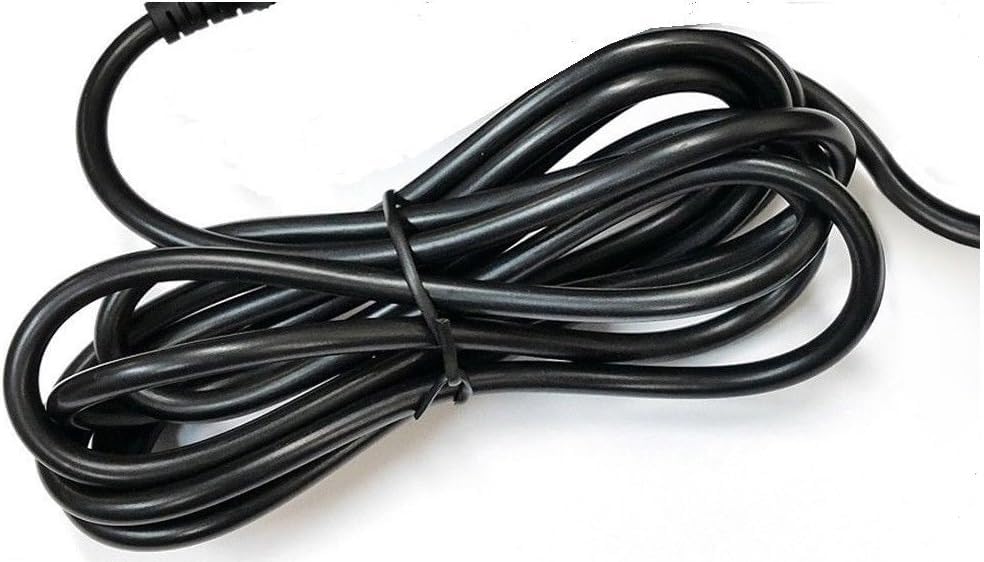
Слика 2: Страна view of the adapter, highlighting the barrel connector that plugs into your device.
4. Поставување
Follow these steps to connect your GT POWER AC Adapter to your TP-Link Deco Mesh Wi-Fi System:
- Ensure your TP-Link Deco device is powered off.
- Locate the power input port on your TP-Link Deco device. This is typically a circular port.
- Insert the barrel connector of the GT POWER AC Adapter firmly into the power input port of your Deco device.
- Вклучете го адаптерот за наизменична струја во стандарден ѕиден штекер од 110V.
- Power on your TP-Link Deco device.
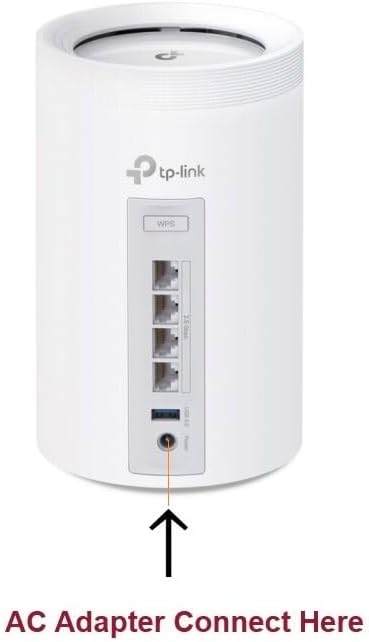
Слика 3: Example of connecting the AC adapter to a compatible TP-Link Deco device. The arrow indicates the power input port.
5. Упатства за работа
Once properly connected and plugged into a power outlet, the GT POWER AC Adapter will continuously supply power to your TP-Link Deco device. No further user interaction is required for operation.
- Ensure the adapter is always plugged into a functional power outlet.
- Avoid disconnecting the adapter during critical operations of your Deco device.
6. Одржување
The GT POWER AC Adapter requires minimal maintenance:
- Keep the adapter clean and free from dust. Use a dry, soft cloth for cleaning.
- Не користете течни средства за чистење или аеросоли.
- Regularly inspect the power cord and connector for any signs of damage. If damage is observed, discontinue use immediately.
- Чувајте го адаптерот на ладно и суво место кога не е во употреба.
7 Смена на проблеми
If your TP-Link Deco device is not receiving power, consider the following:
- Без моќност:
- Verify the adapter is securely plugged into both the wall outlet and the Deco device.
- Тестирајте го ѕидниот штекер со друг уред за да се осигурате дека работи.
- Inspect the adapter's cable and connector for any visible damage.
- Испрекината моќност:
- Проверете дали сите врски се цврсти.
- Avoid bending or stressing the power cord.
Ако проблемите продолжат, контактирајте со поддршката за корисници.
8. Спецификации
| Карактеристика | Детал |
|---|---|
| Бренд | GT POWER |
| Број на модел | 109 |
| Влез волуменtage | AC 100-240V |
| Излез Voltagд/Струја | DC 12V / 3A |
| Формат на приклучок | Type A (US Standard) |
| Карактеристики на заштита | OVP (Над томtage заштита), OCP (заштита од прекумерна струја), SCP (заштита од краток спој) |
| UPC | 781834735527 |
9. Гаранција и поддршка
This GT POWER AC Adapter comes with a Една година гаранцијаДополнително, Враќање на пари за 30-дена се нуди гаранција.
For technical support or warranty claims, please contact the seller, GTXPower, through the platform where the product was purchased.


