Вовед
Ви благодарам за купувањетоasing the Boytone BT-63K Bluetooth Party Speaker Karaoke Machine. This all-in-one portable speaker is designed to deliver powerful audio and an immersive entertainment experience with its high-fidelity sound, vibrant LED lights, and versatile connectivity options. This manual provides essential information for setting up, operating, and maintaining your device to ensure optimal performance and longevity.

Image: The Boytone BT-63K speaker, a wired microphone, and a remote control. The speaker features a black casing with a large front grille and multi-colored LED lights around the speaker cone.
Информации за безбедност
- Внимателно прочитајте ги сите упатства пред да го користите производот.
- Не го изложувајте уредот на вода, влага или екстремни температури.
- Чувајте го уредот подалеку од директна сончева светлина и извори на топлина.
- Не обидувајте се сами да го расклопите или поправите уредот. За сите сервиси обратете се на квалификуван персонал.
- Use only the specified charging adapter to avoid damage.
- Обезбедете соодветна вентилација околу звучникот за време на работата.
- Отстранете ги батериите одговорно во согласност со локалните прописи.
Содржина на пакетот
Проверете дали сите артикли се присутни во пакувањето:
- Boytone BT-63K Party Speaker
- Iredичен микрофон
- Далечински управувач
- Charging Cable (AC/DC adapter not explicitly listed but implied for charging)
- Упатство за употреба (овој документ)
Производот завршиview
Предни и задни панели
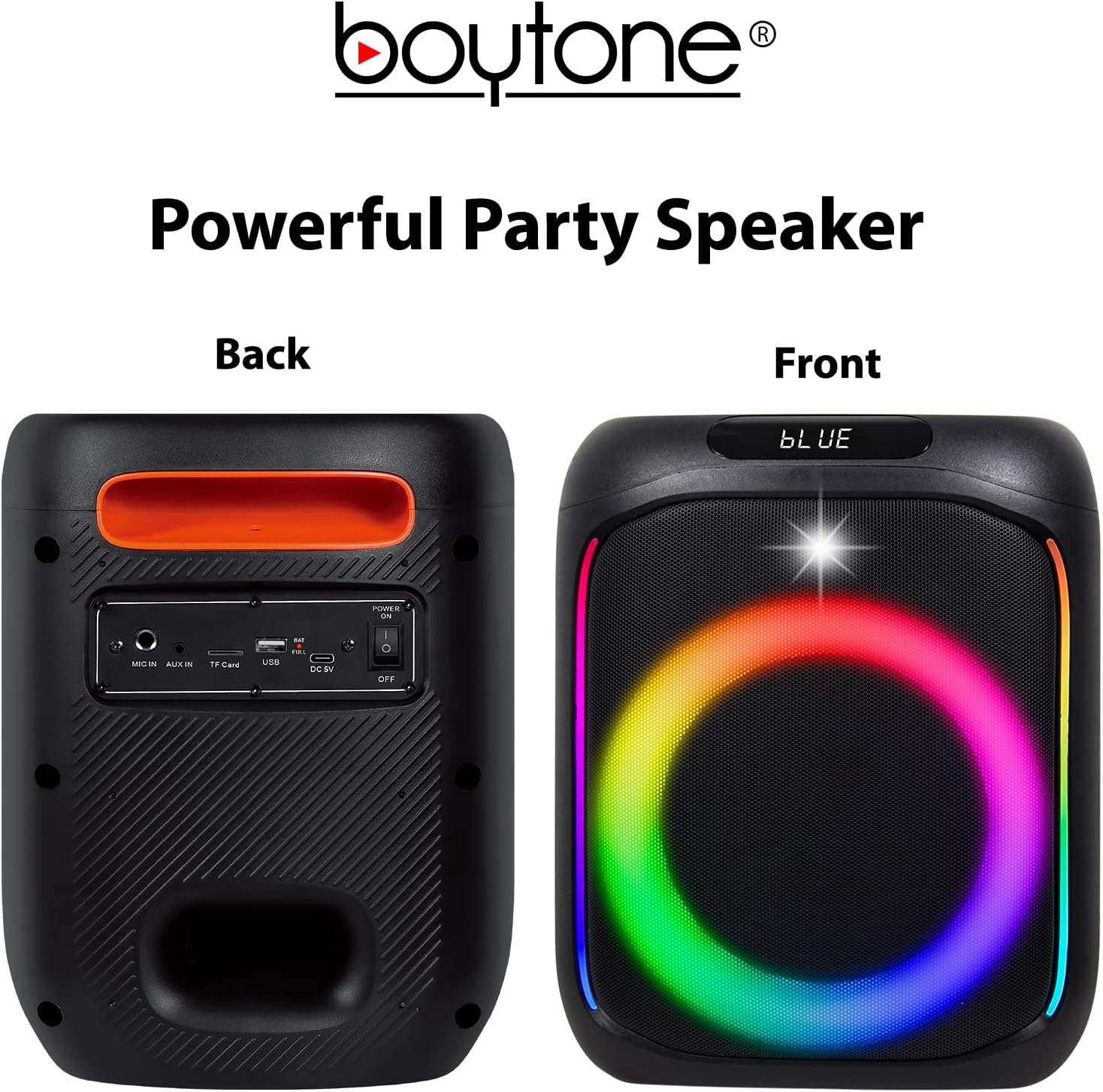
Image: The front of the speaker displays the LED-lit grille. The back panel shows various input ports and controls, including MIC IN, AUX IN, TF Card slot, USB port, DC 5V charging port, and a Power ON/OFF switch.
Контроли на врвните панели

Image: The top panel of the speaker features volume controls (- and +), mode selection, track navigation (previous/next), play/pause, LED light control, and a record button.
- MODE/TWS: Press to switch between Bluetooth, FM, AUX, USB, TF Card modes. Long press for TWS pairing.
- ПРЕТХОДНО/ВОЛ-: Press for previous track. Long press to decrease volume.
- ПРОИГРАЈ/ПАУЗИРАЈ: Притиснете за да го репродуцирате или паузирате звукот.
- СЛЕДНО/VOL+: Press for next track. Long press to increase volume.
- MENU/M.PRI: Menu button, possibly for EQ or other settings.
- LED: Press to cycle through LED light modes or turn off.
- REC: Притиснете за да започнете/стопирате снимање.
Поставување
Полнење на звучникот
Before first use, fully charge the speaker. Connect the charging cable to the DC 5V port on the back of the speaker and plug the other end into a suitable power source. The charging indicator will illuminate. Once fully charged, the indicator may change color or turn off.
The built-in 3600mAh battery provides approximately 6-10 hours of playback depending on volume level and usage.
Поврзување со микрофон
Insert the wired microphone's plug into the "MIC IN" port on the back panel of the speaker.
Упатства за работа
Вклучување/исклучување
Locate the Power ON/OFF switch on the back panel of the speaker. Slide the switch to "ON" to power on the device. Slide it to "OFF" to power off.
Bluetooth спарување
- Power on the speaker. It will automatically enter Bluetooth pairing mode, indicated by a voice prompt or flashing LED.
- Овозможете Bluetooth на вашиот мобилен уред (паметен телефон, таблет итн.).
- Пребарај за "BT-63K" in the list of available Bluetooth devices.
- Select "BT-63K" to connect. Once paired, you will hear a confirmation sound.
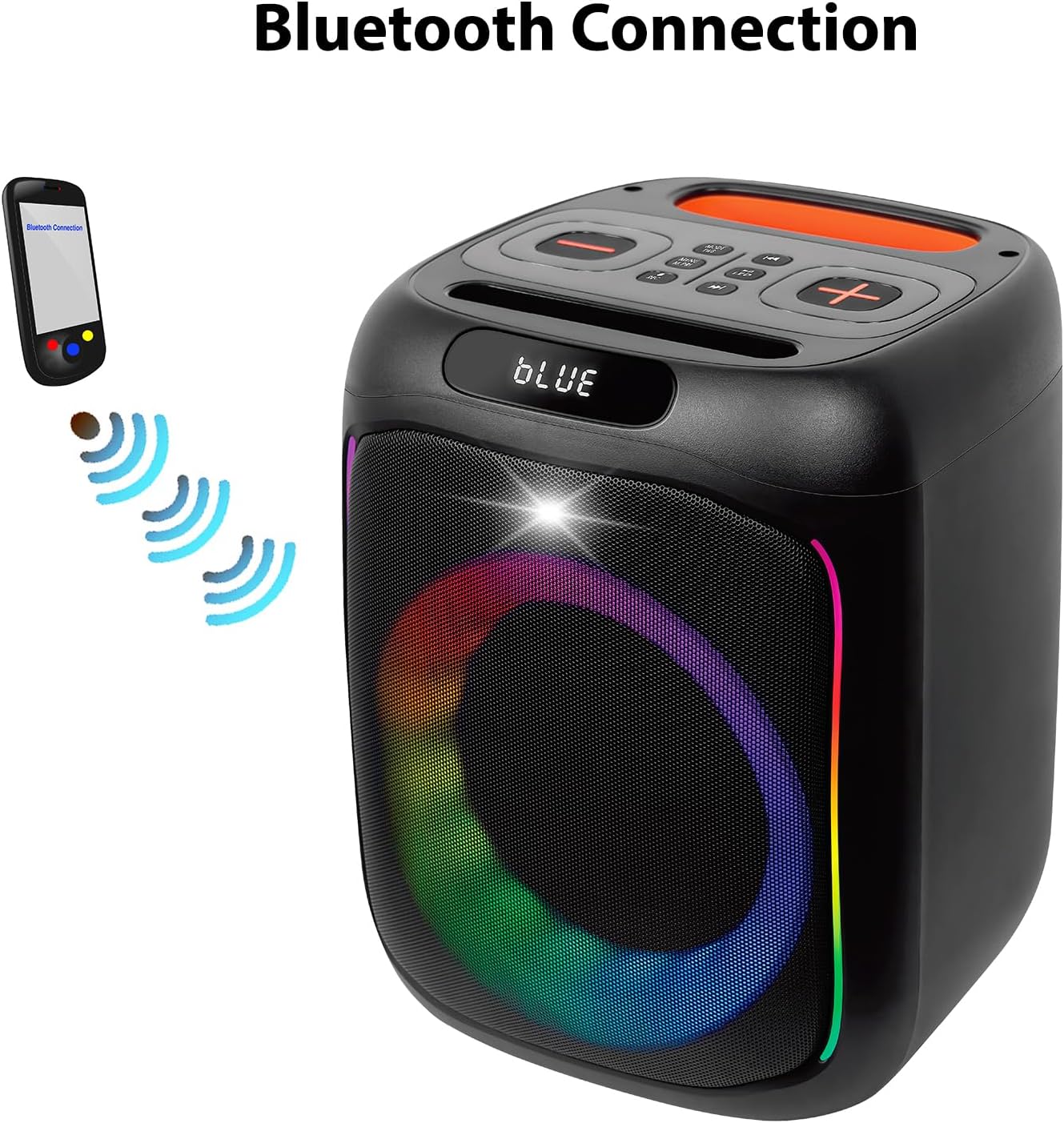
Image: A visual representation of a smartphone wirelessly connecting to the Boytone BT-63K speaker via Bluetooth, indicated by signal waves.
The Bluetooth working distance is up to 100 feet (30 meters) in an open area.
Функција TWS (Вистински безжичен стерео)
The TWS function allows you to pair two BT-63K speakers together for a true stereo sound experience.
- Ensure both BT-63K speakers are powered on and not connected to any Bluetooth device.
- On one of the speakers (this will be the primary speaker), long press the "MODE/TWS" button. You will hear a prompt indicating TWS pairing mode.
- Двата звучника автоматски ќе се поврзат еден со друг. Откако ќе се поврзат, ќе слушнете звук за потврда.
- Сега, поврзете го вашиот мобилен уред со примарниот звучник преку Bluetooth како што е опишано во делот „Спарување преку Bluetooth“. И двата звучника ќе репродуцираат аудио во стерео.
Image: Two Boytone BT-63K speakers are shown, one from the front and one from the top, demonstrating their ability to pair together for a TWS system.
FM радио
- Притискајте го копчето „MODE“ неколку пати додека не влезете во режим на FM радио.
- Press the "PLAY/PAUSE" button to automatically scan and save available FM stations.
- Use the "PREV" and "NEXT" buttons to navigate between saved stations.
Репродукција на USB/TF картичка
Insert a USB flash drive or a TF (microSD) card into the respective port on the back panel. The speaker will automatically detect the storage device and begin playing compatible audio files (на пр., MP3).
- Use "PREV" and "NEXT" buttons to skip tracks.
- Use "PLAY/PAUSE" to pause or resume playback.
AUX влез
Connect an external audio device (e.g., smartphone, MP3 player) to the "AUX IN" port on the back panel using a 3.5mm audio cable. The speaker will automatically switch to AUX mode or you may need to press the "MODE" button to select AUX.
Функција за снимање
To record audio (e.g., your voice through the microphone):
- Ensure a USB flash drive or TF card is inserted into the speaker.
- Поврзете го микрофонот.
- Press the "REC" button on the top panel to start recording.
- Press "REC" again to stop recording. The recorded file will be saved to the USB drive or TF card.
EQ прилагодување
The speaker features EQ adjustments. Press the "MENU/M.PRI" button to access EQ settings and use the volume buttons to adjust. Refer to the on-screen display for specific options.
LED светла
The speaker features dynamic, multi-colored LED lights. Press the "LED" button on the top panel to cycle through different light modes or to turn the lights off.

Слика: Детална view of the speaker's internal components, highlighting the subwoofer and the vibrant, multi-colored LED lighting effect around the speaker cone.
Одржување
Чистење
Избришете ја надворешноста на звучникот со мека, сува крпа. Не користете абразивни средства за чистење, восоци или растворувачи. Уверете се дека нема течности да влезат во отворите на звучникот.
Складирање
When not in use for extended periods, store the speaker in a cool, dry place away from direct sunlight and extreme temperatures. It is recommended to charge the battery periodically (e.g., every 3 months) to maintain its lifespan.
Решавање проблеми
| Проблем | Можна причина | Решение |
|---|---|---|
| Нема моќ | Батеријата е празна; Прекинувачот за напојување е исклучен. | Charge the speaker; Ensure power switch is in "ON" position. |
| Нема звук | Јачината на звукот е прениска; Избран е неточен режим; Уредот не е поврзан. | Increase volume; Press MODE button to select correct input; Re-pair Bluetooth device or check AUX/USB connection. |
| Bluetooth врската не успее | Speaker is too far from device; Speaker is connected to another device; Bluetooth not enabled on device. | Move device closer to speaker; Disconnect from other devices; Enable Bluetooth on your device and re-pair. |
| Микрофонот не работи | Microphone not properly plugged in; Microphone volume too low. | Ensure microphone is fully inserted into "MIC IN" port; Check microphone volume settings on the speaker. |
| Спарувањето на TWS не успее | Speakers are too far apart; One speaker is already connected to a Bluetooth device. | Ensure speakers are within close proximity; Disconnect any Bluetooth devices from both speakers before attempting TWS pairing. |
Спецификации
- Тип на производ: Преносен звучник со Bluetooth
- Број на модел: BT-63K
- Bluetooth верзија: 5.0
- Bluetooth Работно растојание: До 100 стапки (30 м)
- Излезна моќност на звучникот: 30 W
- Единица за звучници: 2 x 6" woofer
- Фреквентен одговор: 80Hz-20KHz
- Време на играње: Approximately 6-10 hours (depends on playing volume)
- Капацитет на батеријата: 3.5V 3600mAh (литиум-јонски)
- Поврзување: Bluetooth, USB MP3 music player, TF Card, AUX, USB Port
- Карактеристики: Microphones (Wired & Wireless), Remote Control, FM Radio, TWS Function, Recorder Function, EQ Adjustment, LED Lights
- Аудио влез: AUX, Microphone (Wired & Wireless)
- Димензии на производот (Д x Ш x В): 8.1 x 7.1 x 17.1 инчи
- Тежина на ставката: 8.2 фунти
- Материјал: Метал, пластика
- Извор на енергија: AC/DC
Гаранција и поддршка
Boytone products are designed for reliability and performance. For any questions, technical support, or warranty inquiries, please contact Boytone customer service. As a U.S.-based company, Boytone is available to assist you.
While specific warranty terms are not detailed here, please retain your proof of purchase for any warranty claims. Protection plans may be available for extended coverage.
Note: For the most current support information, please refer to the official Boytone webлокација или контакт информации дадени со пакувањето на вашиот производ.

Image: An American flag graphic with text emphasizing the company's U.S. base and accessibility for customer support.


