1. Вовед
Thank you for choosing the OMOTON KB568 Foldable Bluetooth Keyboard with Touchpad. This compact and versatile keyboard is designed to enhance your productivity across various devices. Featuring a foldable design, integrated touchpad, and multi-device Bluetooth connectivity, it is an ideal companion for your iPad, iPhone, Windows PC, Android tablet, or smartphone.
This manual provides detailed instructions for setting up, operating, and maintaining your keyboard to ensure optimal performance.
2. Содржина на пакетот
- OMOTON KB568 Foldable Bluetooth Keyboard with Touchpad
- USB-C кабел за полнење
- Упатство за употреба
3. Производот завршиview
Familiarize yourself with the keyboard's components and layout.

Image: The OMOTON KB568 keyboard unfolded, showing its dimensions (11.9in width, 3.8in height, 0.7in thickness) and key features like the USB-C port, power switch, Bluetooth indicator, power indicator, and touchpad. The folded size is also shown as 5.9in x 3.8in x 0.7in, comparable to a mobile phone.
Клучни компоненти:
- Прекинувач: Located on the side for manual power control.
- Приклучок за полнење USB-C: За полнење на внатрешната батерија.
- Индикатор за Bluetooth: Lights up during pairing and connection.
- Индикатор за моќност: Го прикажува статусот на батеријата.
- Подлога за допир: Integrated for mouse functionality, with separate left and right click buttons.
- Foldable Hinges: Allows the keyboard to fold for portability and automatically powers off when folded.
4. Поставување
4.1. Полнење на тастатурата
Before first use, fully charge the keyboard. Use the provided USB-C cable to connect the keyboard to a USB power source (e.g., computer, wall adapter).
- Целосното полнење трае приближно 2 часа.
- The keyboard provides up to 60 часа of continuous use on a single charge.
- Индикаторската ламба за напојување ќе го покаже статусот на полнење.
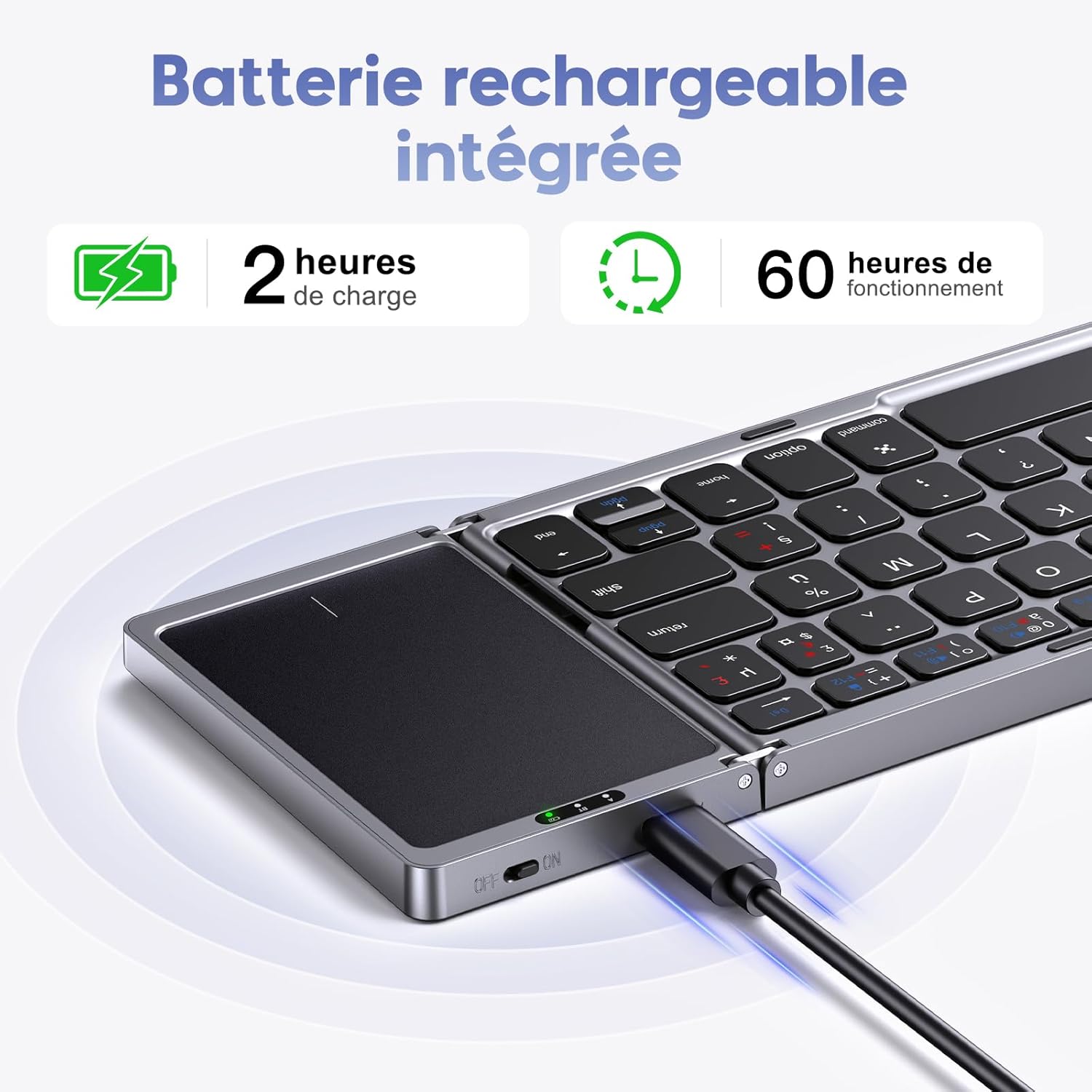
Image: The OMOTON KB568 keyboard being charged via its USB-C port, with icons indicating 2 hours of charge time for 60 hours of operation.
4.2. Вклучување/исклучување
- За вклучување: Unfold the keyboard. The keyboard will automatically power on. Alternatively, use the physical ON/OFF switch located on the side.
- За исклучување: Fold the keyboard. It will automatically power off. Alternatively, use the physical ON/OFF switch.
4.3. Bluetooth спарување
The OMOTON KB568 keyboard supports connecting to two Bluetooth devices simultaneously within a 10-meter range.
Компатибилност:
- iPad (iPad OS 13 and above)
- iPhone (iOS 13 and above)
- PC (Windows 7/8/10 and above)
- Android/Tablet/Mobile Phone (Android 4.3 and above)
- Not compatible with Linux.
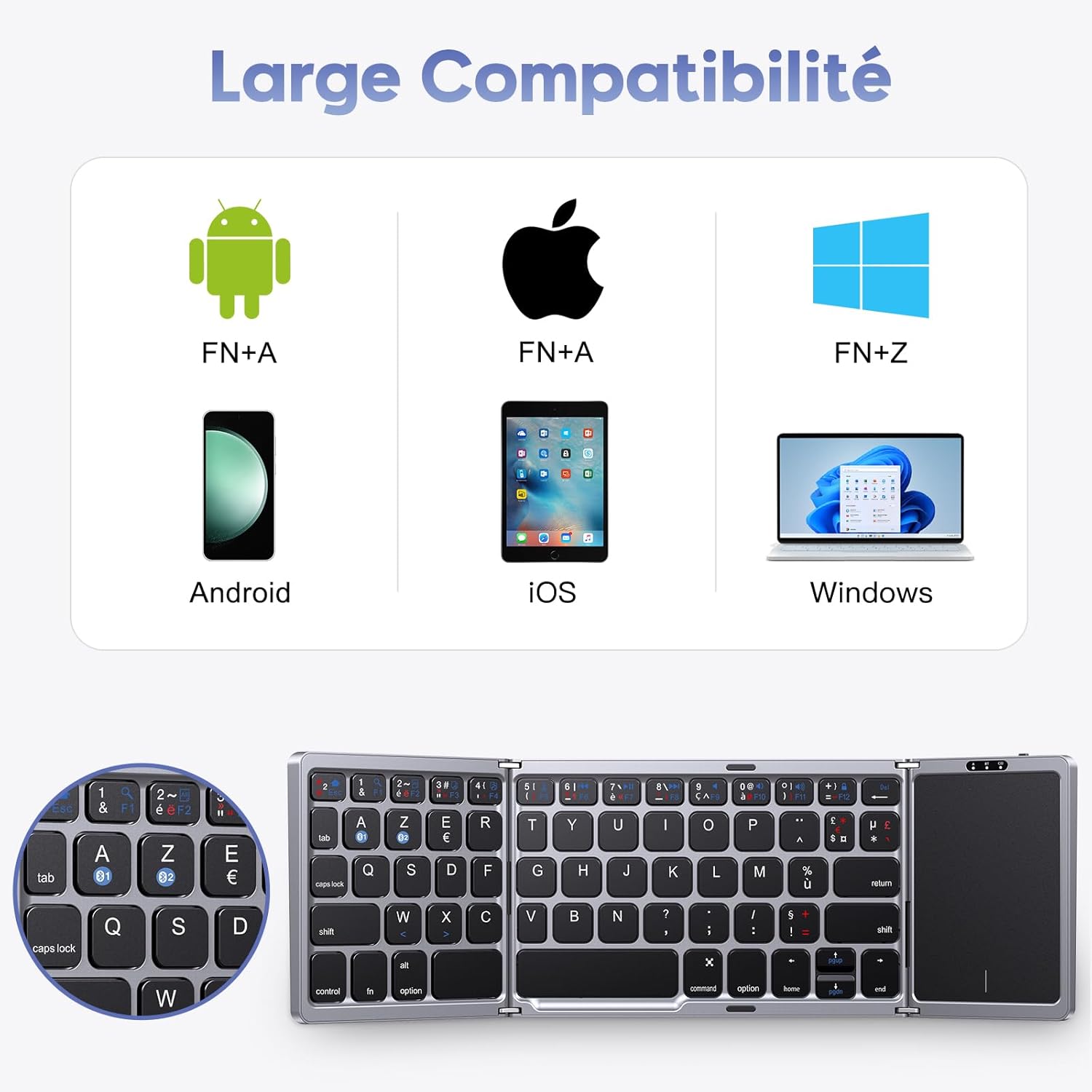
Image: A visual representation of the keyboard's broad compatibility with Android (FN+A), iOS (FN+A), and Windows (FN+Z) operating systems, showing corresponding device types.
Чекори за спарување:
- Осигурајте се дека тастатурата е наполнета и вклучена.
- On your device (iPad, PC, Android, etc.), enable Bluetooth.
- Притиснете го fn + A keys simultaneously to select the first Bluetooth channel (BT1) for Android/iOS devices, or Fn+Z for Windows devices. The Bluetooth indicator will flash, indicating pairing mode.
- On your device, search for Bluetooth devices. You should see "OMOTON Keyboard" or a similar name. Select it to connect.
- Once connected, the Bluetooth indicator on the keyboard will stop flashing and remain solid for a few seconds, then turn off.
- To pair a second device, repeat steps 3-5, but select the other Bluetooth channel (e.g., if you used BT1, now use BT2).
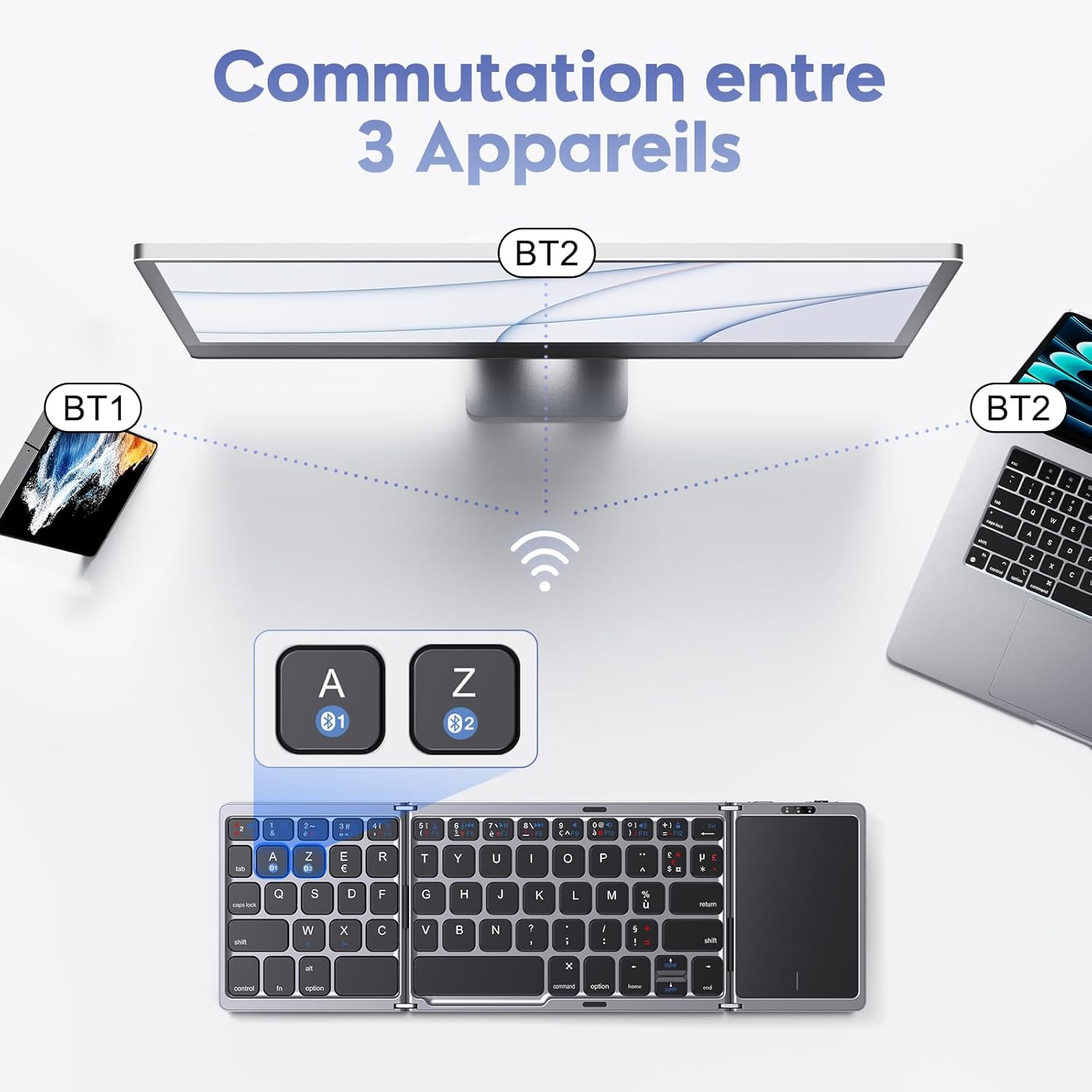
Image: An illustration showing the OMOTON KB568 keyboard connected to a smartphone (BT1) and a laptop (BT2), with the ability to switch between them using the A and Z keys (likely Fn+A and Fn+Z).
5. Упатства за работа
5.1. Употреба на тачпед
The integrated touchpad functions as a wireless mouse, offering enhanced navigation and control. It features separate left and right click buttons for convenience.
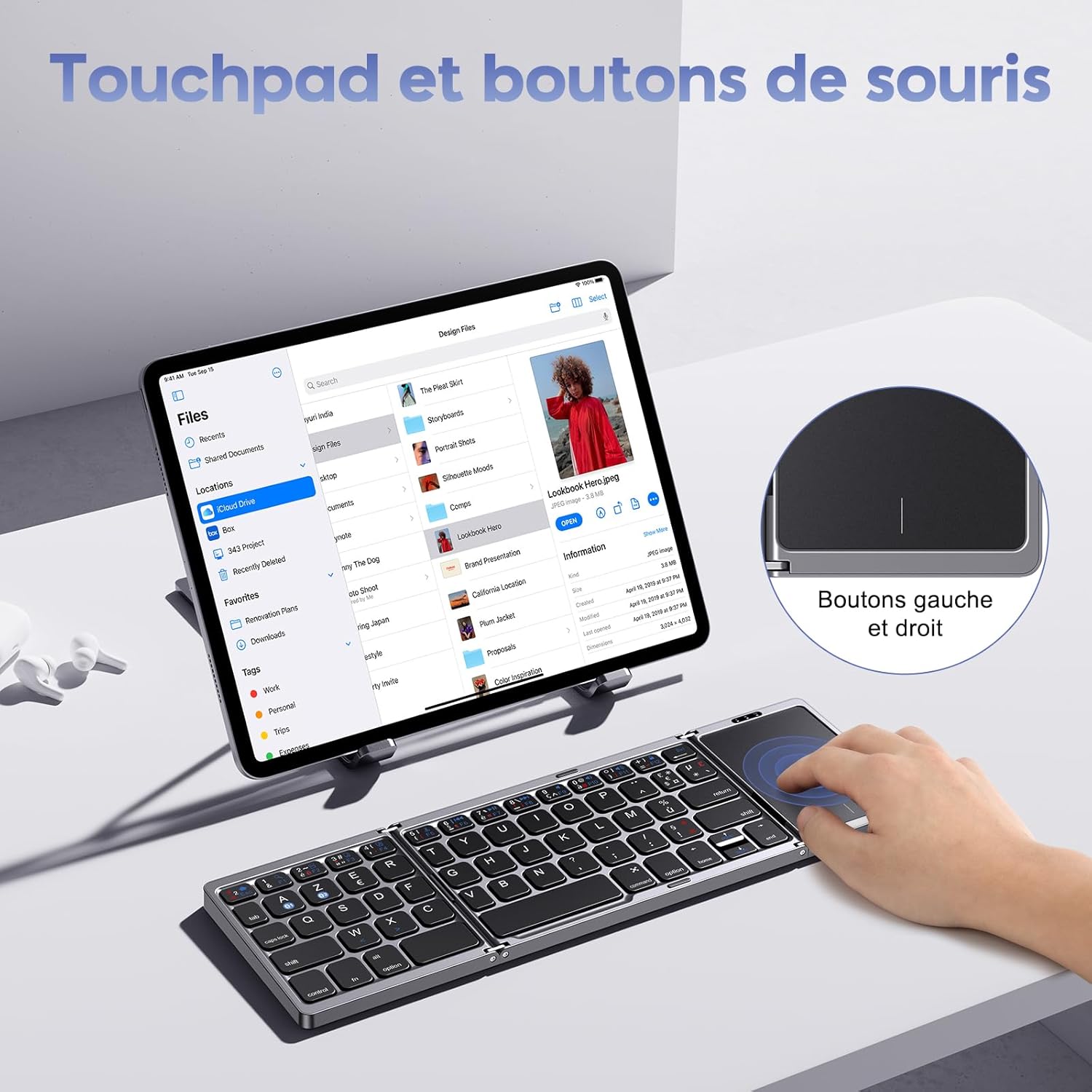
Image: A user interacting with the touchpad of the OMOTON KB568 keyboard, highlighting the dedicated left and right mouse buttons.
- Допир со еден прст: Лев клик.
- Допирање со два прста: Right click (or use the dedicated right-click button).
- Лизгање со два прста: Скролувајте нагоре или надолу.
- Dedicated Left/Right Buttons: For precise clicking actions.
5.2. Keyboard Layout and Special Keys
The keyboard features an AZERTY layout (FR-Layout) and includes function keys that can be accessed using the Fn клуч.
- Fn + A: Switch to Android/iOS operating system mode.
- Fn + Z: Switch to Windows operating system mode.
- Fn + [Function Key]: Access multimedia controls or system functions (e.g., volume, playback, screen lock). Refer to the keycap legends for specific functions.
5.3. Режим на спиење
To conserve battery, the keyboard will automatically enter sleep mode after 10 минути of inactivity. To wake it up, simply press any key.
6. Одржување
6.1. Чистење
- Use a soft, dry, lint-free cloth to clean the keyboard surface.
- За тврдокорна нечистотија, малку дampmk крпата со вода или благо, неабразивно средство за чистење.
- Avoid using harsh chemicals, solvents, or abrasive materials, as these can damage the keyboard.
- Ensure no liquid enters the keyboard's internal components.
6.2. Складирање
- When not in use, fold the keyboard to protect the keys and touchpad.
- Store the keyboard in a cool, dry place, away from direct sunlight and extreme temperatures.
- If storing for an extended period, ensure the keyboard is fully charged to maintain battery health.
7 Смена на проблеми
7.1. Keyboard Not Pairing or Connecting
- Проверете ја моќноста: Осигурајте се дека тастатурата е вклучена и дека батеријата е доволно наполнета.
- Овозможи Bluetooth: Потврдете дека Bluetooth е овозможен на вашиот уред.
- Растојание: Make sure the keyboard is within the 10-meter Bluetooth operating range of your device.
- Повторно спарување: Delete the keyboard from your device's Bluetooth list and attempt to pair it again following the steps in Section 4.3.
- Режим на оперативен систем: Ensure you have selected the correct operating system mode (Fn+A for Android/iOS, Fn+Z for Windows).
7.2. Touchpad Not Responding
- Напојување на тастатурата: Confirm the keyboard is powered on and not in sleep mode.
- Чистење на тачпедот: Ensure the touchpad surface is clean and free from obstructions.
- Повторно поврзување: Обидете се да ја исклучите и повторно да ја поврзете Bluetooth конекцијата.
7.3. Копчињата не реагираат
- Ниво на батерија: Проверете дали батеријата на тастатурата е празна и наполнете ја.
- Bluetooth конекција: Проверете дали Bluetooth конекцијата е стабилна.
- Рестартирајте: Power off and then power on the keyboard and your device.
8. Спецификации
| Бренд | ОМОТОН |
| Модел | KB568 |
| Технологија за поврзување | Bluetooth |
| Посебни карактеристики | Foldable, Integrated Touchpad |
| Компатибилни уреди | Windows, iOS, Android, Tablet, PC, Smartphone, Laptop |
| Распоред на тастатура | AZERTY (FR-Layout) |
| Боја | Црното |
| Траење на батеријата | Up to 60 hours (40 hours mentioned in text) |
| Време на полнење | Прибл. 2 часа |
| Оперативен опсег | До 10 метри (33 стапки) |
| Преклопени димензии | 15.18 x 9.8 x 2 cm (5.9 x 3.8 x 0.7 инчи) |
| Вклучени компоненти | USB-C кабел |
9. Гаранција и поддршка
For warranty information or technical support, please refer to the contact details provided with your purchase or visit the official OMOTON webстраница. Зачувајте го доказот за купување за какви било гаранциски побарувања.


