Вовед
The HP 527pq 27-inch WQHD LED Monitor is designed to enhance productivity and provide a comfortable viewing experience. Featuring a 27-inch WQHD (2560 x 1440) resolution IPS panel with a 100 Hz refresh rate, it delivers clear and vibrant visuals with 100% sRGB color accuracy. The monitor offers 4-way adjustability for ergonomic comfort and includes HP Eye Ease technology to reduce blue light without impacting color. Its sleek design features a 3-sided micro-edge bezel, and it supports daisy-chaining with other compatible HP Series 5 Pro USB-C monitors or docks. Constructed with at least 90% recycled plastic content and sustainably sourced packaging, this monitor reflects a commitment to environmental responsibility.
Што има во кутијата
Проверете дали сите компоненти се присутни пред да продолжите со поставувањето.
- HP Series 5 Pro 27 inch QHD Monitor - 527pq
- Кабел за DisplayPort
- HDMI кабел
- Гарантна картичка
- USB кабел од тип B до A
- Постер за брзо поставување
- Кабел за напојување со наизменична струја
Поставување
1. Склоп на мониторот
Внимателно извадете го мониторот и компонентите на држачот од пакувањето. Прикачете ја основата на држачот на столбот, а потоа прицврстете го склопениот држач на задната страна од мониторот додека не кликне на своето место. Проверете дали сите врски се цврсти.
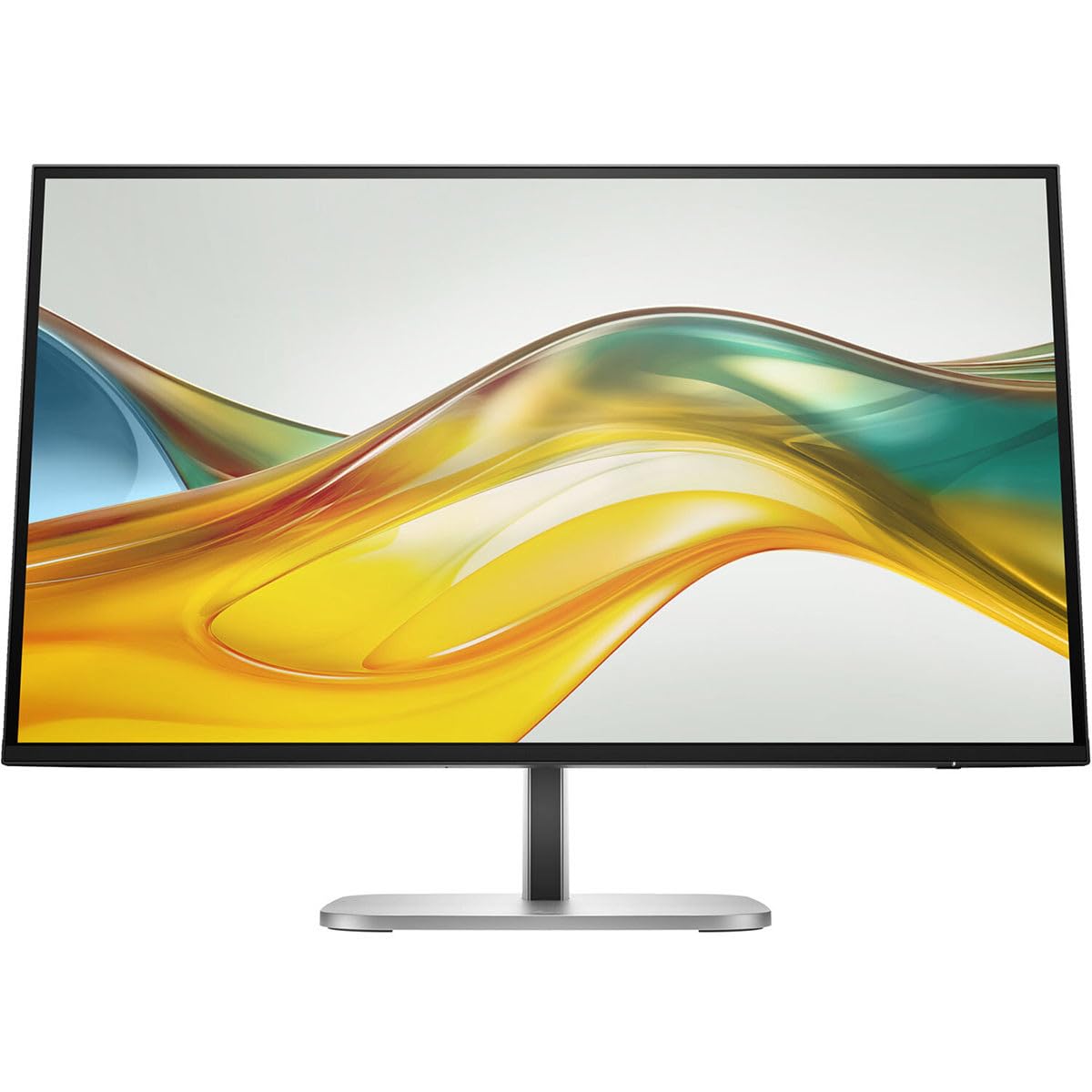
Слика 1: Предна страна view of the HP 527pq monitor with stand.
2. Кабли за поврзување
Connect the power cord to the monitor and a power outlet. For video input, use either the provided HDMI cable or DisplayPort cable to connect the monitor to your computer's video output port. To enable the integrated USB hub, connect the USB Type-B to A cable from the monitor to an available USB port on your computer.

Слика 2: Заден дел view of the monitor with connection ports and cable management slot.
Utilize the integrated cable management slot on the stand to organize your cables for a tidy workspace.
3. Ергономско прилагодување
Adjust the monitor's height, tilt, swivel, and pivot to achieve an optimal viewing position. Refer to the Quick Setup Poster for detailed ergonomic guidelines. The monitor's 4-way adjustability helps reduce strain during extended use.

Слика 3: Страна view illustrating the monitor's adjustable stand.
Упатства за работа
Вклучување/исклучување
Press the power button, usually located on the bottom right bezel or rear of the monitor, to turn the monitor on or off. The power indicator light will illuminate when the monitor is active.
Мени за приказ на екран (OSD).
Access the OSD menu by pressing the menu button on the monitor. Use the navigation buttons to browse through options such as brightness, contrast, color settings, and input selection. Press the select button to confirm changes and the exit button to close the menu.
Избор на влез
If you have multiple devices connected, use the OSD menu or a dedicated input select button to switch between HDMI and DisplayPort inputs.
Поставки за приказ
- Осветленост и контраст: Прилагодете ги овие поставки во менито на OSD за да одговараат на вашите потреби. viewна животната средина.
- Поставки за боја: The monitor supports 100% sRGB. Fine-tune color temperature and gamma for optimal visual fidelity. HP Progressive White Balance ensures consistent color representation.
- HP Eye Ease: This feature reduces blue light emissions without affecting color accuracy, contributing to eye comfort during prolonged use. It can be enabled or disabled via the OSD menu.
Одржување
Чистење на мониторот
- Екран: Нежно избришете го екранот со мека крпа што не остава влакненца. За тврдокорни дамки, лесно избришете гоampИзмијте ја крпата со вода или неабразивен чистач за екран. Избегнувајте употреба на средства за чистење на база на алкохол или груби хемикалии.
- Casing: Користете мека, сува крпа за чистење на мониторот casing. Do not spray cleaning solutions directly onto the monitor.
- Секогаш исклучувајте го мониторот од штекерот пред чистење.
Управување со кабли
Regularly check and adjust cables routed through the stand's cable management slot to prevent tangles and ensure proper airflow. This helps maintain a clean and organized workspace.
Решавање проблеми
| Проблем | Можна причина | Решение |
|---|---|---|
| Нема моќ | Power cable disconnected or power outlet issue. | Ensure the AC power cord is securely connected to both the monitor and a working power outlet. |
| No signal on screen | Video cable disconnected or incorrect input selected. | Check that the HDMI or DisplayPort cable is firmly connected to both the monitor and your computer. Select the correct input source via the OSD menu. |
| Треперење или искривена слика | Неточни поставки за резолуција или брзина на освежување. | Adjust your computer's display settings to the recommended WQHD (2560 x 1440) resolution and 100 Hz refresh rate. |
| USB-портите не работат | USB Type-B to A cable not connected. | Ensure the USB Type-B to A cable is connected from the monitor to your computer to activate the USB hub functionality. |
Спецификации
| Карактеристика | Детал |
|---|---|
| Број на модел | 9D9S0UT#ABA |
| Големина на екранот | 27 инчи |
| Резолуција | WQHD (2560 x 1440) |
| Панел технологија | Технологија за префрлување во рамнина (IPS) |
| Сооднос на аспект | 16:9 |
| Стапка на освежување | 100 Hz |
| Осветленост | 350 Nit |
| Време на одговор | 5 ms |
| Поврзување | HDMI, DisplayPort, USB Hub |
| Боја | Црното |
| Димензии на производот (ДxШxВ) | 1.8 x 24.1 x 14 инчи |
| Тежина на ставката | 10.1 фунти |
| Производител | Хјулит Пакард |
Гаранција и поддршка
This HP monitor comes with a manufacturer's warranty. Please refer to the included Warranty Card for specific terms, conditions, and duration of your product's warranty. For technical support, service, or additional information, please visit the official HP support website or contact HP customer service. Keep your purchase receipt and product serial number readily available when seeking support.