Производот завршиview
The Mesqool CR1025 is a versatile alarm clock radio designed to provide multiple functionalities in a compact form factor. It integrates an alarm clock, Bluetooth speaker, FM radio, LED night light, and dual USB charging ports for convenience.
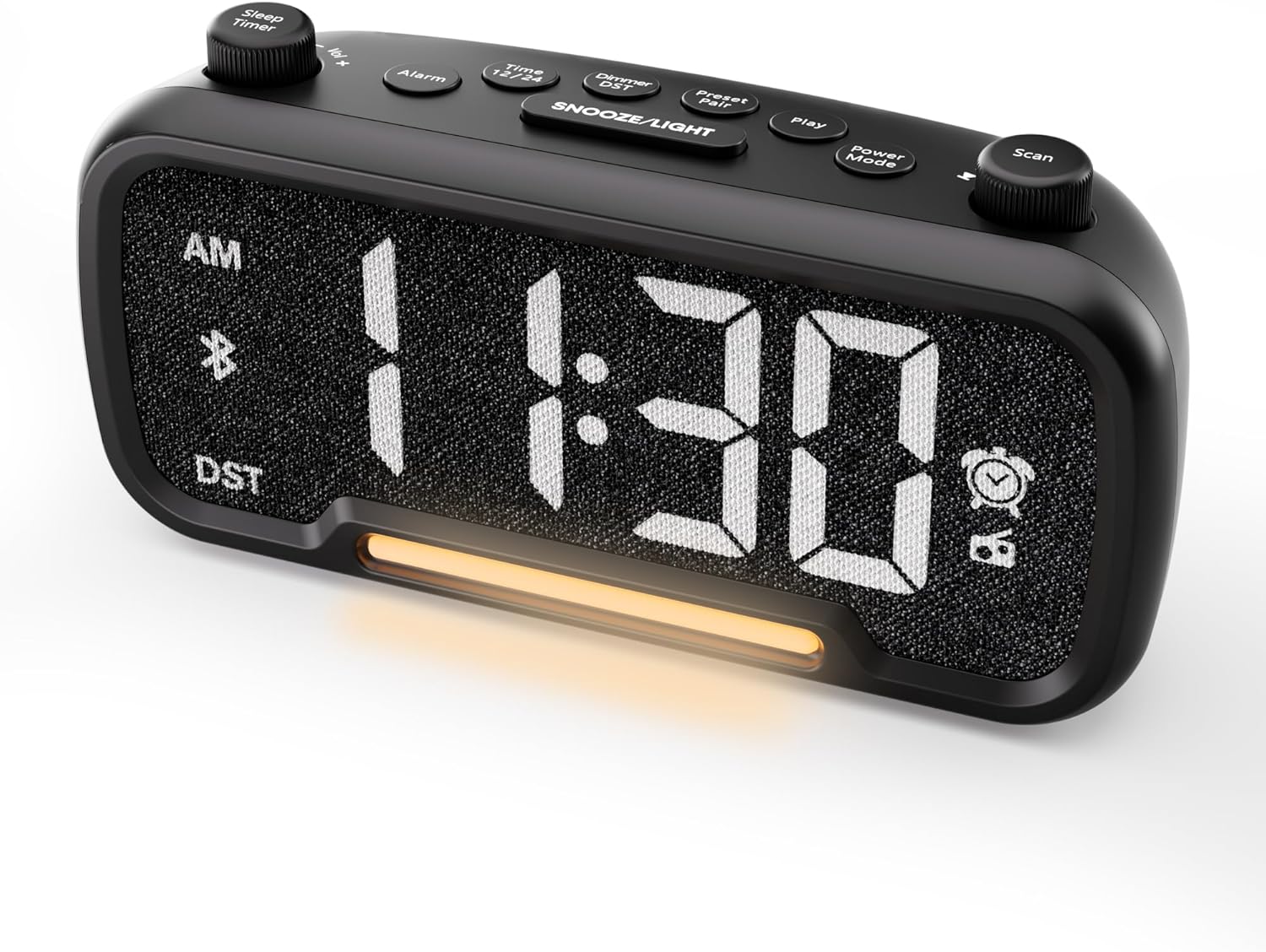
Слика 1: Предна страна view of the Mesqool CR1025 Alarm Clock Radio, displaying the digital time and control layout.

Figure 2: Key features of the Mesqool CR1025, highlighting its multi-functional design.
Водич за поставување
1. Поврзување за напојување
- Поврзете го испорачаниот адаптер за напојување со DC IN приклучокот на задната страна од будилникот.
- Plug the adapter into a standard electrical outlet. The clock will power on and the display will illuminate.

Figure 3: The alarm clock radio connected to power, ready for use.
2. Инсталација на резервна копија на батеријата
- The unit includes a CR2032 lithium battery for backup. This battery retains alarm settings and time during a power outage, but the display will not show the time and the alarm will not sound until power is restored.
- Пронајдете го преградата за батерии на дното од уредот.
- Insert the CR2032 battery with the correct polarity (+ side up).
- Добро затворете ја преградата за батерии.
3. Почетно поставување на времето
- Притиснете го Време 12 копче. Цифрите за часовите ќе трепкаат.
- Завртете го Скенирајте knob (right knob) to adjust the hour.
- Притиснете го Време 12 копчето повторно. Цифрите за минути ќе трепкаат.
- Завртете го Скенирајте копчето за прилагодување на минута.
- Притиснете го Време 12 притиснете го копчето уште еднаш за да потврдите и да излезете од поставувањето на времето.
4. Формат на 12/24 часовно време
- To switch between 12-hour and 24-hour time formats, press and hold the Време 12 копче за 2 секунди.
- In 12-hour format, 'AM' or 'PM' indicators will appear on the display.

Figure 4: Display options for 12-hour and 24-hour time formats.
5. Daylight Saving Time (DST) Mode
- To activate or deactivate Daylight Saving Time, press and hold the Dimmer DST копче за 2 секунди.
- The time will adjust by one hour forward or backward, and the 'DST' indicator will appear or disappear.
Упатства за работа
1. Поставување аларм
- Притиснете и задржете го Аларм button for 2 seconds. The hour digits will flash.
- Завртете го Vol -/+ knob (left knob) to adjust the alarm hour.
- Притиснете го Аларм копчето повторно. Цифрите за минути ќе трепкаат.
- Завртете го Vol -/+ knob to adjust the alarm minute.
- Притиснете го Аларм button again. The alarm source icon will flash. Rotate the Vol -/+ knob to select between buzzer or FM radio as the alarm sound.
- Притиснете го Аларм button again. The volume level will flash. Rotate the Vol -/+ knob to adjust the alarm volume (L01-L16).
- Притиснете го Аларм button once more to confirm and activate the alarm. The alarm icon will appear on the display.
Откажување на алармот
- To cancel the alarm, press the Аларм button. The alarm icon will turn off, indicating the alarm has been deactivated.
Функција за одложување
- Кога ќе се огласи алармот, притиснете на СНОЗА / СВЕТЛИНА копче за да ја активирате функцијата за одложување. Алармот ќе паузира 9 минути, а потоа повторно ќе се огласи.
- This can be repeated up to 9 times. To stop the alarm for the day, press the Аларм копче.

Figure 5: The alarm clock radio offers two alarm sound options: radio or buzzer.
2. Работа со Bluetooth звучник
- Притиснете го Режим на напојување button repeatedly until 'bt' appears on the display and the Bluetooth icon starts flashing. This indicates the clock is in Bluetooth pairing mode.
- On your mobile device, enable Bluetooth and search for available devices. Select 'CR1025' from the list.
- Once connected, the Bluetooth icon on the clock's display will stop flashing and remain solid. You can now play audio from your device through the clock's speaker.

Figure 6: Bluetooth 5.0 connectivity for wireless audio streaming.
3. Работа на FM радио
- Притиснете го Режим на напојување button repeatedly until the radio icon lights up on the display, indicating FM radio mode.
- Автоматско скенирање: Притиснете го Скенирајте button to automatically search for and store up to 20 FM radio stations. The clock will cycle through frequencies and save strong signals as presets (P01, P02, etc.).
- Рачно пребарување: Завртете го Скенирајте knob to manually browse FM frequencies.
- Зачувајте претходно поставено: To save a manually found station, press and hold the Preset Pair button for 2 seconds. The preset number will flash. Rotate the Скенирајте knob to select a preset slot, then press Preset Pair повторно за да заштедите.
- Потсети се претходно поставено: Во FM режим, кратко притиснете го копчето Preset Pair копче за да се движите низ зачуваните станици.
- Прилагодете ја јачината на звукот: Завртете го Vol -/+ knob to adjust the radio volume (16 levels).

Figure 7: Enjoying FM radio with a wide frequency range and 20 presets.
4. Night Light and Brightness Dimmer
- The clock features a built-in LED night light.
- Притиснете го СНОЗА / СВЕТЛИНА button to cycle through 5 adjustable brightness levels for the main display and the night light.
- The lowest setting is suitable for sleeping, while the brightest is for daytime visibility.

Figure 8: The 5-level brightness dimmer allows customization for various lighting conditions.
5. Phone Charging Ports
- The Mesqool CR1025 is equipped with two USB charging ports: one USB-C and one USB-A.
- Connect your devices (e.g., smartphone, smartwatch) to these ports using appropriate charging cables.
- The clock must be powered via its AC adapter for the charging ports to function.
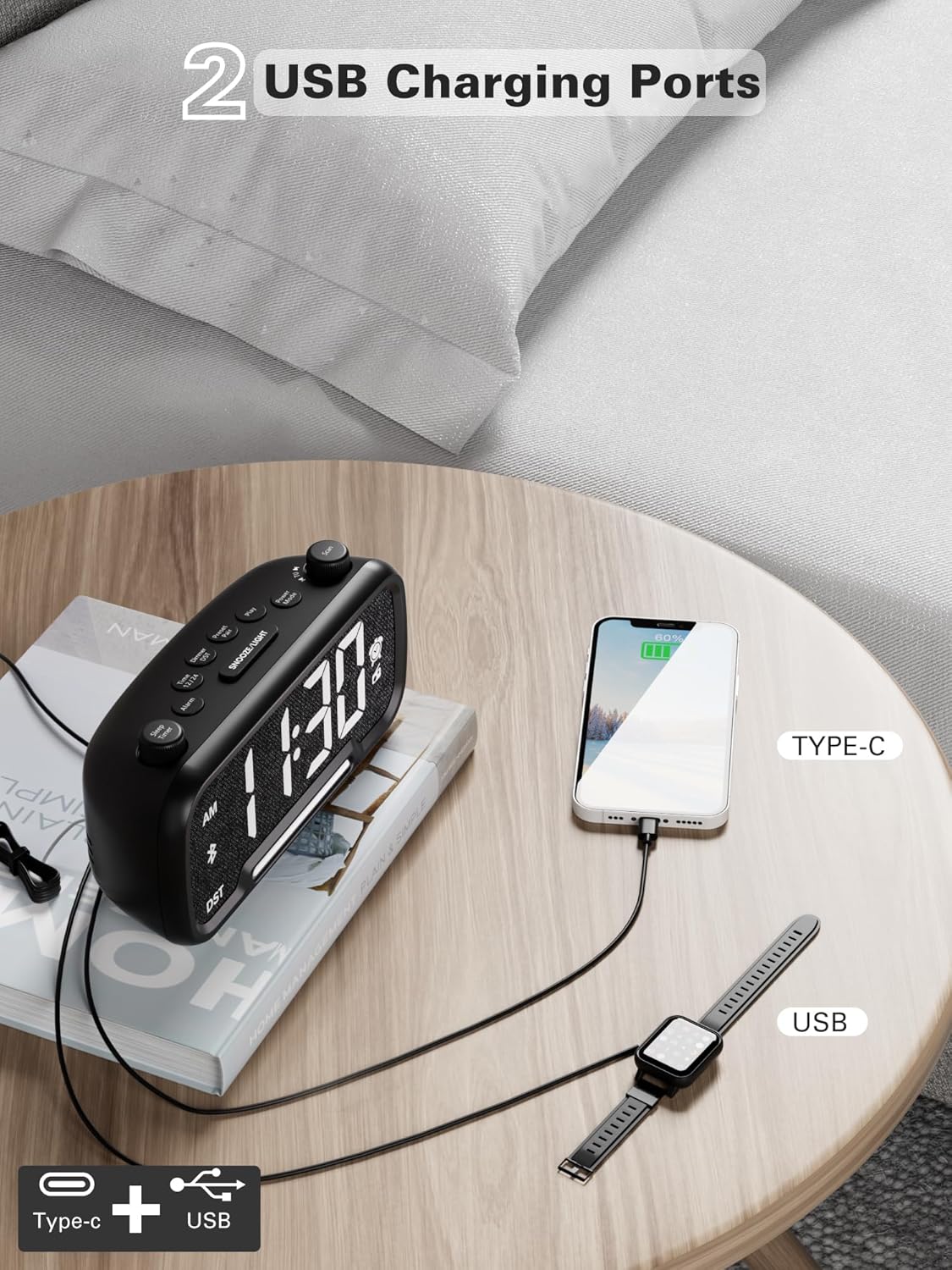
Figure 9: Dual USB charging ports for convenient device power.
6. Sleep Timer Setting
- When using the FM radio or Bluetooth speaker, you can set a sleep timer to automatically turn off playback after a set duration.
- Притиснете го Тајмер за спиење button (left knob) to access the settings.
- Завртете го Тајмер за спиење knob to select the desired duration: 15, 30, 60, 90, or 120 minutes, or OFF.
- The display will show the selected duration, and then return to the current time. The music/radio will play for the set time and then automatically turn off.
Инструктивно видео
Video 1: This instructional video demonstrates various settings for the Mesqool CR1025, including alarm setting, time setting, 12/24H format, DST mode, dimmer setting, Bluetooth pairing, FM radio operation, and sleep timer. Refer to the specific sections above for detailed steps.
Одржување
- Чистење: Use a soft, dry cloth to clean the surface of the alarm clock. Do not use liquid cleaners or abrasive materials.
- Замена на батерија: If the battery backup is no longer retaining settings during power outages, replace the CR2032 battery in the compartment on the bottom of the unit. Ensure correct polarity.
- Складирање: Доколку го складирате уредот подолг временски период, исклучете го од струја и извадете ја резервната батерија.
Решавање проблеми
- Нема напојување/исклучено екран: Ensure the power adapter is securely connected to both the clock and a working electrical outlet. Check if the outlet has power.
- Алармот не се огласува: Verify that the alarm is set correctly (time, source, volume) and that the alarm icon is visible on the display. Ensure the alarm volume is not set to L00.
- Слаб FM радио прием: Extend the FM antenna fully. Try repositioning the clock to improve signal reception. Perform an auto-scan to find stronger stations.
- Bluetooth не се поврзува: Ensure the clock is in Bluetooth pairing mode (flashing 'bt' icon). Make sure your device's Bluetooth is enabled and within range. Forget the device on your phone and try pairing again.
- USB полнењето не работи: Confirm the clock is connected to AC power. Check if the charging cable is functional and properly connected to both the clock and your device.
- Display Too Bright/Dim: Притиснете го СНОЗА / СВЕТЛИНА копче за прилагодување на нивото на осветленост.
Спецификации
| Карактеристика | Спецификација |
|---|---|
| Бренд | Месќул |
| Број на модел | CR1025 |
| Димензии на производот | 5.9 x 3.81 x 8.4 cm |
| Тежина на ставката | 216 гр |
| Материјал | Ткаенина |
| Тип на дисплеј | Дигитална LED диода |
| Посебни карактеристики | Radio Clock, LED Display, Bluetooth Speaker, Night Light, Phone Charger |
| FM радиофреквенција | 87.5 MHz - 108.0 MHz |
| Alarm Volume Levels | 16 (L01-L16) |
| Display Brightness Levels | 5 |
| USB излез за полнење | USB-C and USB-A ports |
| Резервна копија на батеријата | CR2032 (for settings retention) |
Гаранција и поддршка
For warranty information, technical support, or further assistance, please refer to the contact details provided with your product packaging or visit the official Mesqool webсајт.


