1. Вовед
The virtavo VistaFlask 2K Security Camera is a wireless, battery-powered outdoor camera designed to enhance your home security. Featuring 2K QHD imaging, AI motion detection, starlight lens for colorful night vision, and weatherproof construction, it provides reliable surveillance in various conditions. This manual provides detailed instructions for setting up, operating, maintaining, and troubleshooting your camera.

Image: Two virtavo VistaFlask 2K security cameras, designed for outdoor use.
2. Информации за безбедност
- Осигурајте се дека камерата е безбедно инсталирана за да спречите паѓање.
- Use only the specified charging cable and power adapter to charge the battery.
- Не го изложувајте фотоапаратот на екстремни температури надвор од неговиот работен опсег.
- Avoid disassembling or modifying the camera, as this will void the warranty and may cause damage.
- Држете го фотоапаратот и неговите додатоци подалеку од дофат на деца.
3. Содржина на пакетот
- virtavo VistaFlask 2K Security Camera(s)
- Држач(и) за монтирање
- USB кабел за полнење
- Упатство за употреба
- Монтажни завртки и сидра
4. Производот завршиview
The virtavo VistaFlask camera features a compact design with essential components for optimal performance. Key elements include the lens, IR LEDs for night vision, a microphone for audio input, a speaker for two-way communication, and a motion sensor. The power switch, sync button, and charging port are located at the bottom of the camera, alongside the microSD card slot for local storage.

Слика: Внатрешна view highlighting the battery and electronic components.

Слика: Долу view of the camera with power switch, charging port, sync button, and microSD card slot.
5. Водич за поставување
5.1 Почетно поставување
- Наполнете ја камерата: Before first use, fully charge the camera using the provided USB cable. The battery lasts 1-3 months per charge depending on usage.
- Преземете ја апликацијата: Пребарај за 'HOME V' in your smartphone's app store (iOS or Android) and download the application.
- Креирај сметка: Open the 'HOME V' app and follow the on-screen instructions to register a new account or log in if you already have one.
5.2 Camera Pairing and Connection
Follow these steps to pair your virtavo VistaFlask camera with the 'HOME V' app. For a visual guide, please refer to the official installation video below.
Video: Official virtavo VistaFlask Installation Guide Setup. This video demonstrates the step-by-step process of binding the camera to the 'HOME V' app using QR codes, including powering on the camera, confirming the red light flashing, connecting to the camera's hotspot, and connecting to your home Wi-Fi network.
- Додај уред: In the 'HOME V' app, tap the '+' icon to add a new device.
- Скенирајте QR -код: Grant camera access to the app. Scan the QR code located on the back of your virtavo VistaFlask camera.
- Вклучување: Ensure the camera is powered on. The power switch is located at the bottom.
- Confirm Flashing Light: Confirm that the camera's red indicator light is flashing rapidly. If not, press and hold the 'Sync' button for 5-10 seconds until you hear a 'Du' sound or see rapid flashing.
- Connect to Camera Hotspot: The app will prompt you to connect to the camera's Wi-Fi hotspot (e.g., 'IPC365_AP-XXXX'). Confirm and join this network.
- Select Home Wi-Fi: Choose your home 2.4GHz Wi-Fi network from the list and enter the correct password. Note: This device only supports 2.4GHz Wi-Fi.
- Name Your Camera: Once connected, name your camera for easy identification (e.g., 'Front Door', 'Living Room').
5.3 Физичка инсталација
The virtavo VistaFlask camera is designed for easy installation, both indoors and outdoors. Its weatherproof design ensures durability.

Image: Easy installation on smooth surfaces like glass or tiles, no drilling required.

Image: Wireless connection for remote access.
- Изберете локација: Select a location with good Wi-Fi signal strength and a clear view од областа што сакате да ја следите.
- Монтирање: Use the provided mounting bracket, screws, and anchors to securely attach the camera to a wall or other suitable surface. Ensure the camera is positioned to capture the desired field of view.
- Отпорен на временски услови: The camera is designed to withstand various weather conditions, making it suitable for outdoor use.
6. Упатства за работа
6.1 Во живо View и Двонасочно аудио
Access real-time video feed and communicate through the camera using the 'HOME V' app.
- Во живо View: Отворете ја апликацијата и изберете ја вашата камера за да view живата храна.
- Двонасочно аудио: Допрете ја иконата за микрофон во живо view to speak through the camera's speaker, and listen through its microphone.
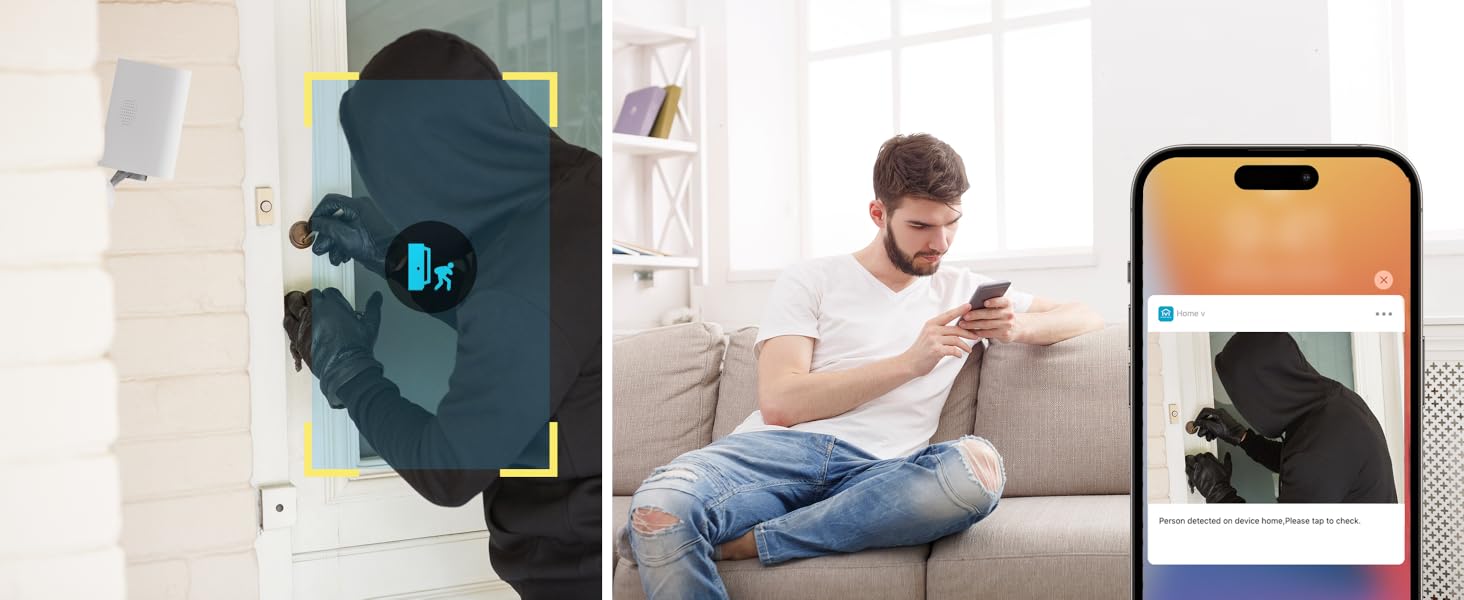
Image: Two-way audio feature for communication.
6.2 Детекција на движење и известувања
The camera features advanced PIR motion detection and AI capabilities to minimize false alarms.
- Откривање на движење PIR: Детектира движење до 30 стапки.
- Паметни предупредувања: Добивајте моментални известувања на вашиот паметен телефон кога ќе се открие движење.
- AI Detection (Cloud Subscription): With an optional cloud subscription, the camera can differentiate between humans, vehicles, and animals, reducing irrelevant alerts.
- Приспособливи зони за откривање: Set specific areas for motion detection to focus on critical zones and ignore others.
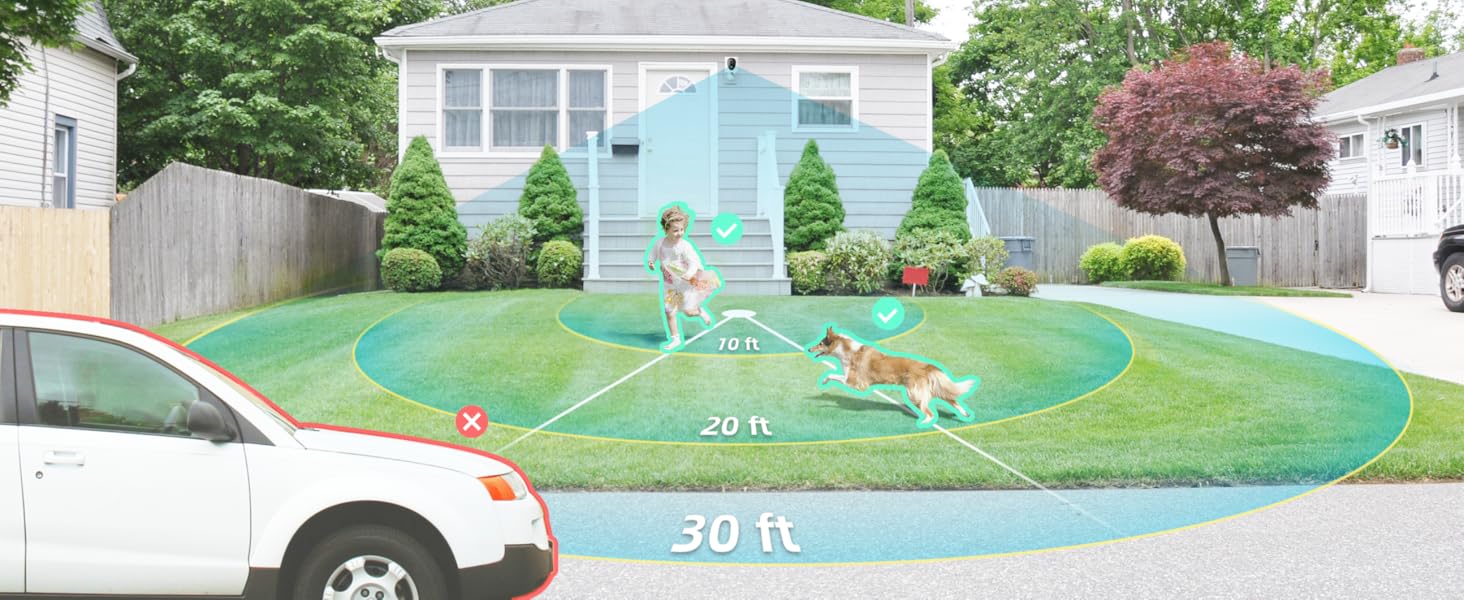
Image: Smart detection distinguishing between people, vehicles, and animals.
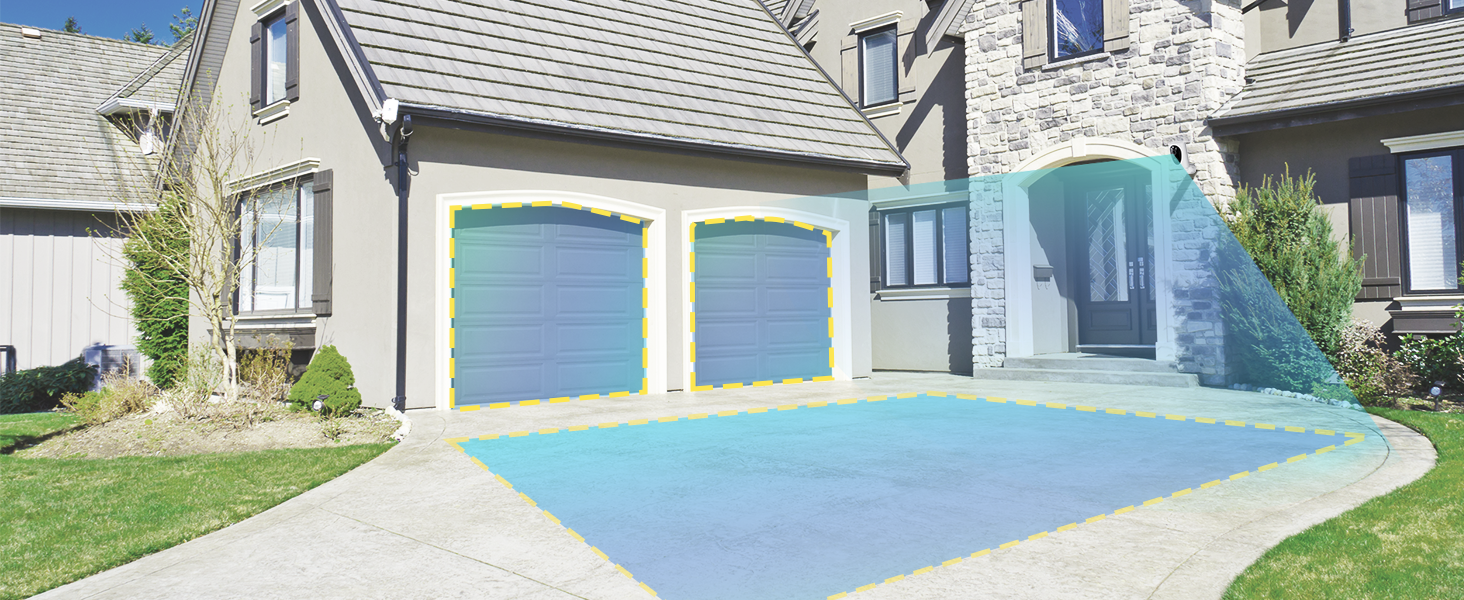
Image: Customizable motion detection zones.

Image: Instant alerts with image previews.
6.3 Ноќно гледање
The camera provides clear vision even in low-light conditions.
- Ноќно гледање во боја: Utilizes Starlight technology and a wide F1.6 aperture for vivid, color-rich images in low light.
- IR ноќна визија: Equipped with 2 high-intensity IR LEDs for clear black-and-white viewing in complete darkness.

Image: Superior 2K QHD imaging and color-rich night vision.
6.4 Снимање и складирање
Your data is secured with flexible storage options.
- Локално складирање: Supports microSD cards from 32GB to 256GB for continuous recording, even without network access. (MicroSD card not included).
- Складирање во облак: Optional cloud storage plans offer additional features like snapshot alerts and advanced AI capabilities. Video encryption ensures privacy.
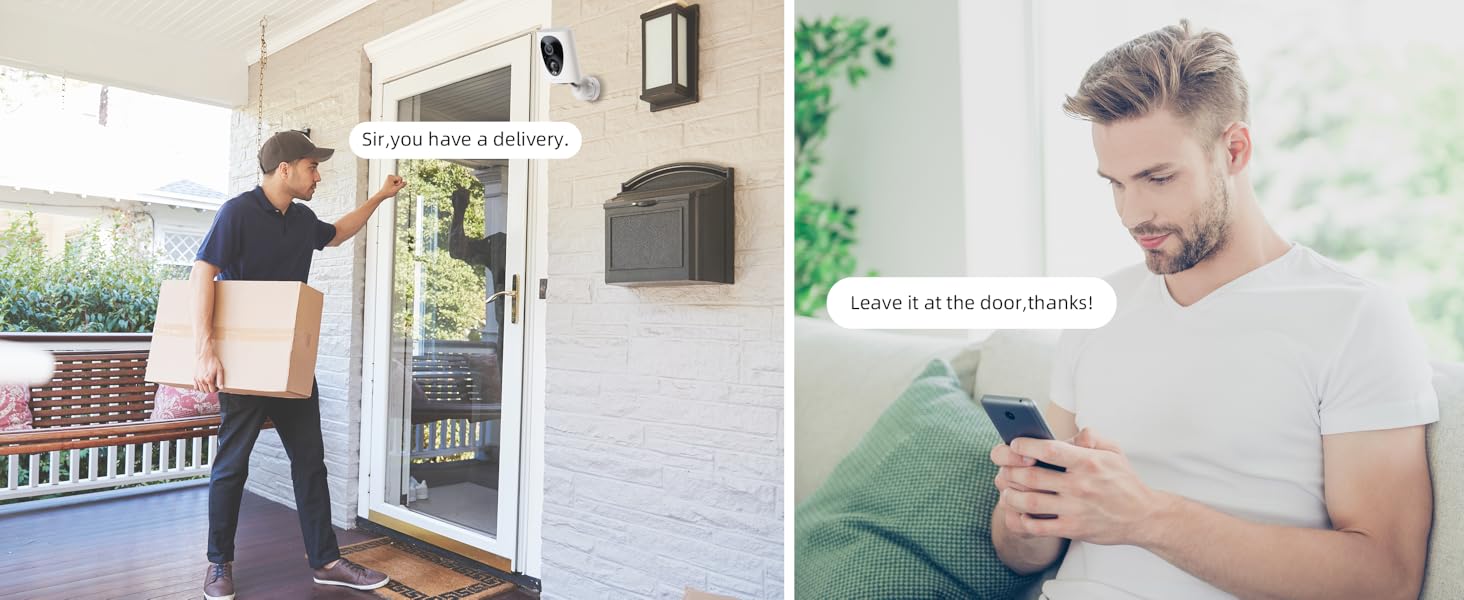
Image: Comparison of no-fee basic storage (SD card) and cloud storage options.
6.5 App Features and Remote Access
Manage and control your security remotely via the 'HOME V' app.
- Далечинско следење: Monitor your home from anywhere with an internet connection.
- Мултикориснички пристап: Споделете го пристапот до камерата со членовите на семејството.
- Закажување: Set schedules for recording or alerts.

Image: Remote access and multi-user monitoring via the 'HOME V' app.
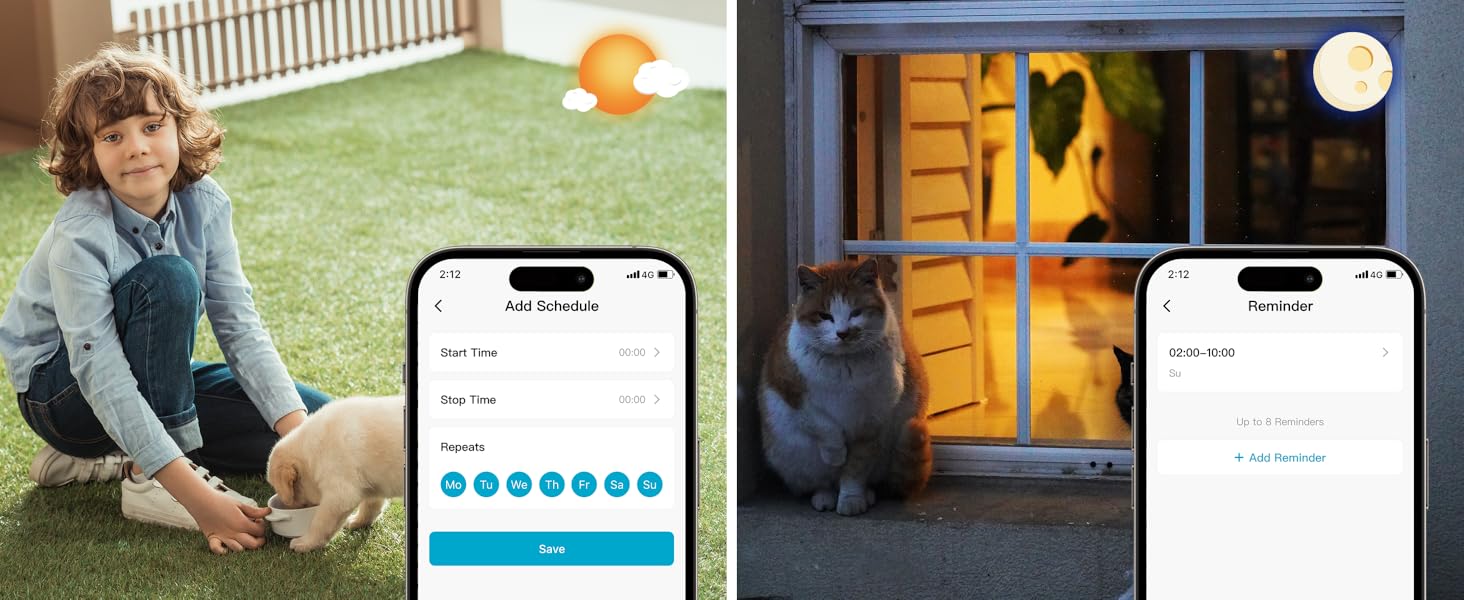
Image: App features including scheduling and reminders.
7. Одржување
- Полнење на батеријата: Recharge the camera battery when prompted by the app. A full charge can last 1-3 months depending on activity.
- Чистење: Нежно избришете го објективот и телото на фотоапаратот со мека, дamp крпа. Избегнувајте абразивни средства за чистење.
- Ажурирања на фирмверот: Regularly check the 'HOME V' app for firmware updates to ensure optimal performance and security.
8 Смена на проблеми
| Прашање | Можна причина | Решение |
|---|---|---|
| Камерата не се вклучува | Battery depleted; Power switch off | Charge the camera fully; Ensure power switch is in the 'ON' position. |
| Не може да се поврзе на Wi-Fi | Incorrect Wi-Fi password; 5GHz Wi-Fi network; Weak Wi-Fi signal | Потврдете ја лозинката; Уверете се дека сте поврзани на мрежа од 2.4 GHz; Доближете ја камерата до рутерот или користете Wi-Fi проширувач. |
| Чести лажни аларми | High motion sensitivity; Unfiltered motion sources (e.g., trees, animals) | Adjust motion sensitivity in app; Set up detection zones to exclude irrelevant areas; Consider cloud subscription for AI detection. |
| Poor night vision clarity | Dirty lens; Obstruction in front of camera; Insufficient ambient light for color night vision | Clean the lens; Remove obstructions; Ensure adequate ambient light for color mode or switch to IR night vision. |
| Батеријата брзо се троши | High activity/recordings; Frequent live view access; Weak Wi-Fi signal | Reduce motion detection sensitivity; Limit live view sessions; Improve Wi-Fi signal strength. |
9. Спецификации
| Карактеристика | Детал |
|---|---|
| Име на моделот | LJH10 |
| Внатрешна/надворешна употреба | Затворен, Надворешен |
| Извор на енергија | Battery Powered (4400mAh rechargeable Lithium battery) |
| Протокол за поврзување | Wi-Fi (само 2.4 GHz) |
| Тип на контролер | HOME V App |
| Тип на монтирање | Монтирање на ѕид |
| Резолуција за снимање видео | 2K QHD |
| Viewинголен агол | 120 степени (поле од View: 130 Degrees) |
| Опсег на ноќни визии | 30 стапки |
| Технологија на слаба осветленост | Starlight (F1.6 aperture, 3.0mm focal length) |
| Број на IR LED диоди | 2 |
| Ниво на отпорност на вода | Водоотпорен |
| Димензии (Д x Ш x В) | 2.7 x 1.3 x 3.2 инчи |
| Тежина на ставката | 1.41 фунти |
| Опции за складирање | MicroSD (32GB-256GB), Cloud Storage |
| Посебни карактеристики | 2-Way Audio, Battery Powered, Local Recording, Motion Sensor, Night Vision, AI Motion Detection |
10. Гаранција и поддршка
virtavo products are designed for reliability and performance. For information regarding product warranty, please refer to the warranty card included in your product packaging or visit the official virtavo website. If you encounter any issues or have questions not covered in this manual, please contact virtavo customer support through the 'HOME V' app or their official support channels for assistance.


