Вовед
This manual provides essential information for the safe and efficient installation, operation, and maintenance of your GIGABYTE AORUS Elite P1000W Ice Power Supply. Please read this manual thoroughly before using the product and retain it for future reference.

Слика 1: Аголна view of the GIGABYTE AORUS Elite P1000W Ice Power Supply, highlighting the 1000W rating.
Информации за безбедност
Секогаш почитувајте ги следниве безбедносни мерки за да спречите повреди и оштетување на вашата опрема:
- Пред инсталација или ракување, проверете дали напојувањето со електрична енергија е исклучено од штекерот за наизменична струја.
- Не го отворајте напојувањето. Висок волуменtages are present inside, and there are no user-serviceable parts.
- Инсталирајте го напојувањето во добро проветрено место, подалеку од извори на топлина и директна сончева светлина.
- Користете само модуларните кабли што се испорачуваат со ова напојување. Употребата на некомпатибилни кабли може да предизвика оштетување.
- Избегнувајте изложување на напојувањето на влага или екстремни температури.
Содржина на пакетот
Проверете дали сите артикли се присутни во пакувањето:
- GIGABYTE AORUS Elite P1000W Ice Power Supply Unit
- Modular Cable Set (including ATX 24-pin, EPS/CPU 8-pin, PCIe 6+2-pin, 12VHPWR, SATA, Peripheral)
- AC Power Cord (EU Plug)
- Завртки за монтирање
- Упатство за употреба (овој документ)
Карактеристики на производот
- ATX 3.0 and PCIe Gen 5.0 ready (ATX 3.1 compatible)
- Certified 80 PLUS Platinum efficiency
- 100% Japanese Capacitors for enhanced reliability
- 120mm Dynamic Fluid Ball Bearing (FDB) Fan for quiet and efficient cooling
- Compact design for easier installation
- Fully modular design for improved cable management
- Powerful single rail +12V output
- Comprehensive protection features: OVP (Over Voltage Protection), OPP (Over Power Protection), SCP (Short Circuit Protection), UVP (Under Voltage Protection), OCP (Over Current Protection), OTP (Over Temperature Protection)
Поставување и инсталација
Следете ги овие чекори за да го инсталирате напојувањето:
- Подгответе го вашиот систем: Ensure your computer case is open and all existing power supply cables are disconnected.
- Монтирајте го напојувањето: Carefully place the GIGABYTE AORUS Elite P1000W into the power supply bay of your computer case. Secure it with the provided mounting screws.

Слика 2: Севкупно view of the GIGABYTE AORUS Elite P1000W Ice Power Supply. This image shows the main unit with its fan grill and modular cable ports.
- Поврзете модуларни кабли: Identify the necessary cables for your motherboard and components (CPU, GPU, storage drives). Connect the appropriate modular cables to the power supply's output ports.

Слика 3: Детално view of the modular cable connectors on the GIGABYTE AORUS Elite P1000W Ice Power Supply. This image illustrates the clearly labeled ports for M/B, CPU/PCI-E, Peripheral, and 12VHPWR connections.
- 24-пински ATX кабел: Поврзете го со главниот конектор за напојување на матичната плоча.
- 8-pin EPS/CPU Cable: Connect to the motherboard's CPU power connector.
- PCIe 6+2-пински кабли: Connect to your graphics card(s) if they require additional power.
- 12VHPWR кабел: Connect to PCIe Gen 5.0 graphics cards that utilize this connector.
- SATA кабли: Connect to SSDs, HDDs, and optical drives.
- Периферни (Molex) кабли: Connect to other components requiring Molex power.
- Поврзете се со компоненти: Route the connected modular cables neatly to their respective components and plug them in securely.
- Поврзете AC напојување: Ensure the power supply's main switch is in the OFF (0) position. Connect the AC power cord to the power supply and then to a wall outlet.
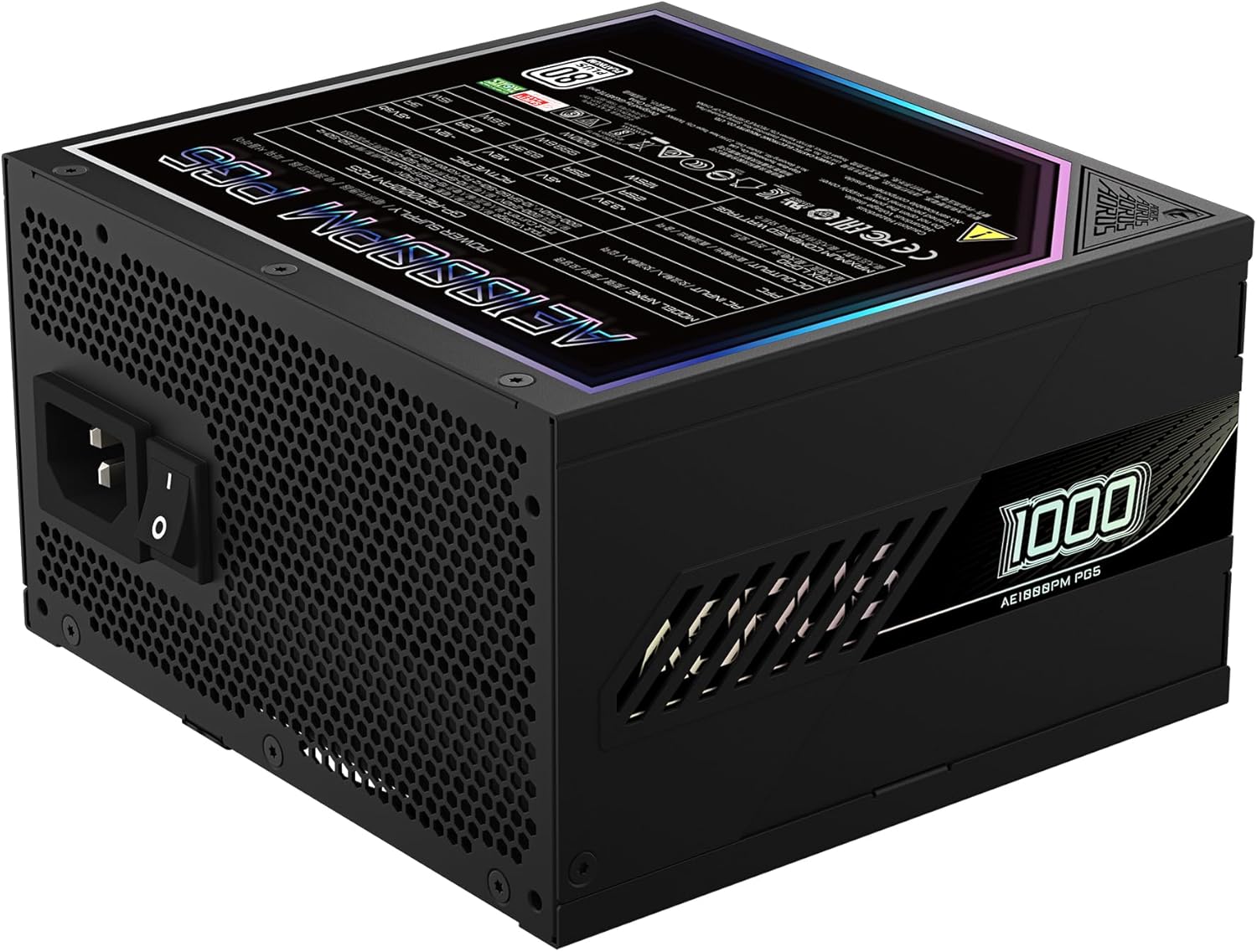
Figure 4: Rear panel of the GIGABYTE AORUS Elite P1000W Ice Power Supply, showing the AC power input and power switch. Ensure the switch is set to '0' before connecting the AC cord.
Упатства за работа
After installation, follow these steps to power on your system:
- Вклучување: Префрлете го главниот прекинувач за напојување на задната страна од напојувањето во положба ВКЛУЧЕНО (I).
- Системско подигање: Притиснете го копчето за вклучување на куќиштето на компјутерот за да го стартувате системот.
- Исклучено: To shut down your system, perform a proper shutdown through your operating system. Once the system is off, you may flip the power supply's main switch to the OFF (0) position for complete power disconnection.

Слика 5: Од горе надолу view of the 120mm fan with the AORUS logo on the GIGABYTE AORUS Elite P1000W Ice Power Supply. The fan provides active cooling during operation.
Одржување
Редовното одржување помага да се обезбеди долготрајност и оптимални перформанси на вашето напојување:
- Чистење прашина: Periodically clean dust from the power supply's fan grill and vents using compressed air. Ensure the power supply is turned off and unplugged before cleaning.
- Управување со кабли: Ensure cables are neatly routed and do not obstruct airflow within the computer case.
- Еколошки услови: Maintain a cool, dry, and well-ventilated environment for your computer system.
Решавање проблеми
Доколку наидете на проблеми, погледнете ги следниве вообичаени чекори за решавање проблеми:
- Без моќност:
- Проверете дали кабелот за наизменична струја е безбедно поврзан и со напојувањето и со ѕидниот штекер.
- Уверете се дека главниот прекинувач на напојувањето е во положба ВКЛУЧЕНО (I).
- Verify that all modular cables are correctly seated in both the power supply and the components.
- Тестирајте го штекерот со друг уред за да потврдите дека има струја.
- System Shuts Down Unexpectedly:
- This could indicate an overload or overheating. Ensure your system's power requirements do not exceed the PSU's 1000W capacity.
- Check for proper ventilation and clear any dust buildup.
- Verify that all power connections are secure.
- Невообичаени звуци:
- A clicking sound might indicate a protective mechanism engaging. Disconnect power and recheck all connections.
- If the fan is making excessive noise, ensure it is free from obstructions.
If issues persist after following these steps, contact GIGABYTE customer support.
Спецификации

Figure 6: Product label on the GIGABYTE AORUS Elite P1000W Ice Power Supply, displaying electrical specifications and certifications. Refer to this label for detailed electrical ratings.
| Карактеристика | Детал |
|---|---|
| Име на моделот | AORUS ELITE P1000W |
| Број на модел на ставка | GP-AE1000PM PG5 EU |
| Излезен Ватtage | 1000 вати |
| 80 ПЛУС Сертификација | Платина |
| Форма фактор | ATX |
| ATX Version Compatibility | ATX 3.0 (ATX 3.1 compatible) |
| PCIe Version Compatibility | PCIe Gen 5.0 |
| Големина на вентилаторот | 120 мм |
| Тип на вентилатор | Dynamic Fluid Ball Bearing (FDB) |
| Кондензатори | 100% јапонски кондензатори |
| Модуларен дизајн | Целосно модуларен |
| Заштити | OVP, OPP, SCP, UVP, OCP, OTP |
| Димензии на производот (Д x Ш x В) | 5.51 x 5.91 x 3.39 инчи |
| Тежина на ставката | 6.79 фунти (3080 грама) |
Информации за гаранцијата
The GIGABYTE AORUS Elite P1000W Ice Power Supply comes with a 10 година гаранција from the date of purchase. This warranty covers defects in materials and workmanship under normal use. Please retain your proof of purchase for warranty claims. For full warranty terms and conditions, refer to the official GIGABYTE webсајт или контактирајте со поддршката за корисници.
Поддршка
For technical assistance, troubleshooting beyond this manual, or warranty inquiries, please visit the official GIGABYTE support website or contact their customer service department. You can typically find contact information on the GIGABYTE webна локацијата или на пакувањето на производот.
Официјален претставник на GIGABYTE Webсајт: www.gigabyte.com


