Вовед
Thank you for choosing the Socool D22 Camping Fan with Light. This portable and versatile fan is designed to provide cooling and illumination for various indoor and outdoor activities, including camping, home use, and emergency situations. Please read this manual thoroughly before operating the device to ensure safe and optimal performance.
Важни безбедносни инструкции
- Прочитајте ги сите упатства пред да го користите вентилаторот.
- Не ставајте прсти или какви било предмети во решетката на вентилаторот.
- Држете го вентилаторот подалеку од вода или други течности за да спречите електричен удар.
- Не ракувајте со вентилаторот со оштетен кабел или приклучок.
- Ensure the fan is placed on a stable, flat surface when in use.
- Да се чува подалеку од дофат на деца.
- Не обидувајте се сами да го расклопите или поправите вентилаторот. Контактирајте квалификуван сервисер.
- За полнење користете го само испорачаниот USB-C кабел.
- Избегнувајте изложување на батеријата на екстремни температури или директна сончева светлина.
Содржина на пакетот
- Socool D22 Camping вентилатор
- Далечински управувач
- USB-C кабел
- Упатство за употреба
Производот завршиview
The Socool D22 Camping Fan features a robust design with multiple functionalities for enhanced user experience.

Предна страна view of the Socool D22 Camping Fan, showcasing the fan blades and control panel.
Клучни карактеристики:
- Батерија на полнење од 20000 mAh: Provides up to 112 hours of continuous operation at low speed.
- Прилагодување на ветерот со 8 брзини: Offers a range from gentle breeze to strong airflow (up to 1970 RPM).
- Автоматска осцилација: Features 45° and 90° automatic oscillation for wider air distribution.
- 270° Manual Pivot: Allows for precise vertical airflow adjustment.
- 16 LED Lights with 3 Brightness Levels: Provides adjustable illumination for various needs.
- Енергетска банка за итни случаи: Equipped with a 5V-2A USB output to charge mobile devices.
- Далечински управувач: Conveniently adjust settings from a distance, with a dedicated storage slot.
- Дигитален екран: Shows current wind speed and remaining battery percentage.
- Функција на тајмер: Set the fan to operate for 1, 2, 4, or 8 hours.
- Ноќен режим: Turns off the digital display for undisturbed sleep.
- Hidden Hanging Hook: Supports 360° rotation and 180° flip for versatile placement.
- Преносен дизајн: Features a soft silicone handle for easy transport and a durable ABS build.
Поставување
1. Почетно полнење
Before first use, fully charge the fan. Connect the provided USB-C cable to the fan's Type-C input port (5V-3A) and plug the other end into a compatible power source (wall adapter, car charger, laptop, or power bank). The digital display will show the charging progress. A full charge typically takes 9-10 hours.

The fan can be charged using the Type-C input. It can also operate while charging.
2. Подготовка на далечински управувач
The remote control is stored in a dedicated slot on the side of the fan's base. Slide it out for use. Ensure the battery in the remote is functional.

The remote control conveniently stores in a slot on the fan's base to prevent loss.
Операција
Вентилаторот може да се управува со помош на контролната табла на основата или со далечинскиот управувач.
1. Вклучување/исклучување
- Притиснете го Копче за напојување (or fan icon on remote) to turn the fan on. It will start at a low speed.
- Притиснете го Копче за напојување повторно за да го исклучите вентилаторот.
2. Прилагодување на брзината на вентилаторот
The fan has 8 adjustable speed levels. Use the „+“ or '-' buttons on the control panel or remote to increase or decrease the wind speed. The current speed will be displayed on the digital screen.

The fan offers 8 wind speed settings, from gentle to powerful, indicated by CFM values.
3. Oscillation and Pivot
- Автоматска осцилација: Притиснете го Копче за осцилација (circular arrow icon) to cycle through 45°, 90° oscillation, or turn oscillation off.
- Manual Pivot: The fan head can be manually adjusted up to 270° vertically to direct airflow.

The fan features 45°/90° auto oscillation and a 270° manual pivot for wide-ranging airflow.
4. Функција на светло
The fan is equipped with 16 LED lights. Press the Копче за светло (sun icon) to cycle through 3 dimmable brightness settings (Low, Medium, High) or turn the light off.
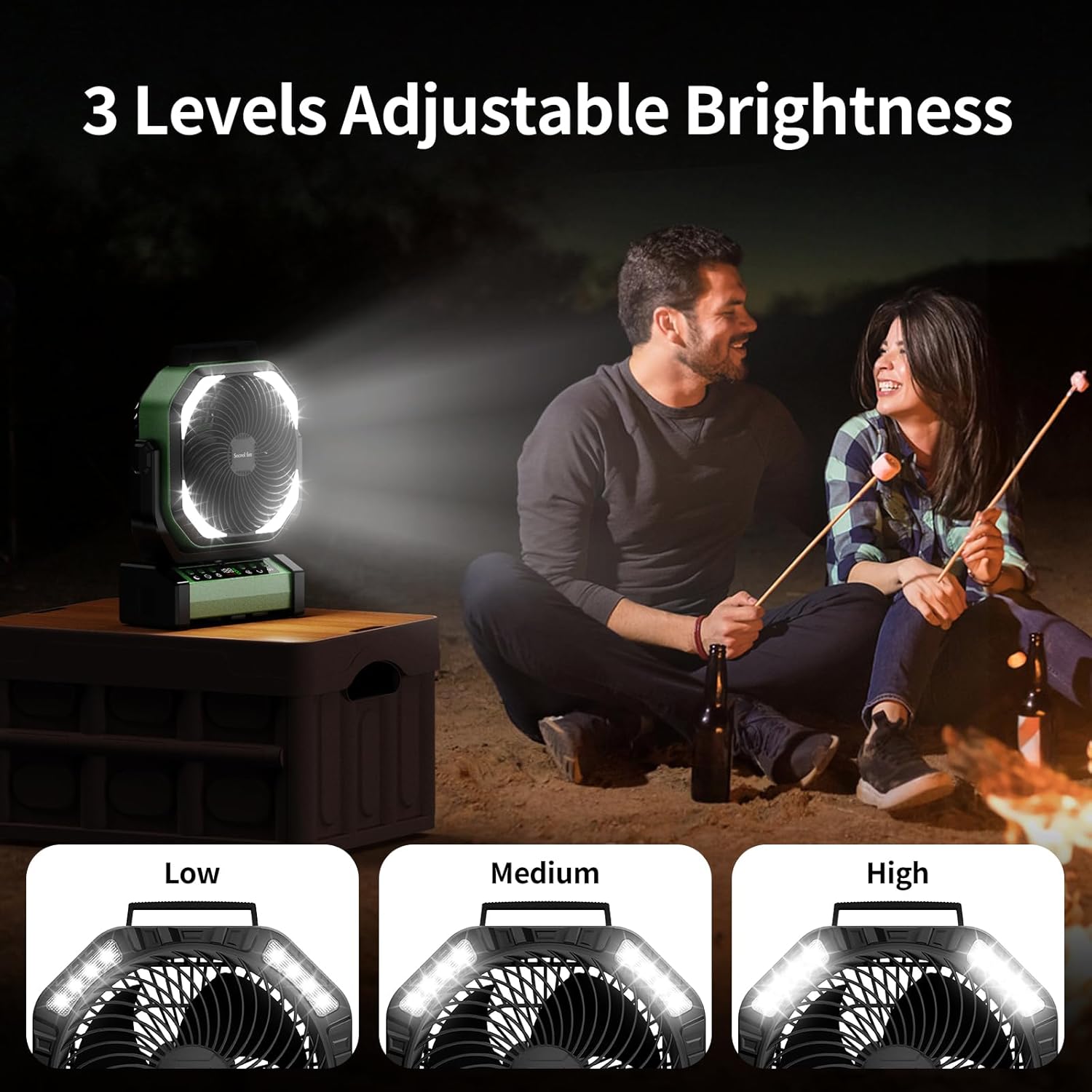
The integrated LED lights offer three brightness levels for various lighting needs.
5. Функција на тајмер
Притиснете го Копче за тајмер (clock icon) to set the fan to automatically turn off after 1, 2, 4, or 8 hours. The selected time will be displayed.
6. Night Mode (Display Off)
For undisturbed sleep, press the Копче за ноќен режим (moon icon) to turn off the digital display while the fan continues to operate.
7. Emergency Power Bank Function
The fan can act as an emergency power bank. Connect your mobile device to the USB-A output port (5V-2A) on the fan's base using your device's charging cable. The fan will charge your device.

The fan's 20000mAh battery can also serve as an emergency power bank to charge other devices.
Опции за поставување
The Socool D22 Camping Fan offers versatile placement options:
- Слободно стоење: Place on any flat surface.
- Кука за закачување: Utilize the hidden hook at the bottom to hang the fan from tents, umbrellas, or other structures. The hook supports 360° rotation and 180° flip.
- Пренослива рачка: Use the soft silicone handle at the top for easy carrying.

The fan can be used free-standing, hung by its hook, or carried with its handle.
Одржување
- Чистење: Исклучете го вентилаторот од струја пред чистење. Користете мека, дamp cloth to wipe the exterior surfaces. Do not use abrasive cleaners or immerse the fan in water.
- Складирање: Store the fan in a cool, dry place when not in use. Ensure the battery is partially charged (around 50%) before long-term storage to prolong battery life.
Решавање проблеми
| Проблем | Можна причина | Решение |
|---|---|---|
| Вентилаторот не се вклучува. | Слаба батерија или без струја. | Charge the fan using the USB-C cable. Ensure the power button is pressed. |
| Брзината на вентилаторот е слаба. | Low battery or low speed setting. | Charge the fan. Increase the fan speed using the '+' button. |
| Светлината не работи. | Light function is off or low battery. | Press the Light button to turn on/adjust brightness. Charge the fan. |
| Далечинскиот управувач не работи. | Remote battery depleted or out of range. | Replace remote battery. Ensure remote is within 20 feet of the fan. |
| Осцилацијата не работи. | Функцијата за осцилација е исклучена. | Press the Oscillation button to activate 45° or 90° mode. |
Спецификации
| Карактеристика | Детал |
|---|---|
| Бренд | Навивач на Сокул |
| Име на моделот | Д22 ВampВентилатор за шатор |
| Боја | Зелена |
| Дизајн на електричен вентилатор | Вентилатор за маса |
| Извор на енергија | Напојува со батерија |
| Димензии на производот | 4" Д x 10" Ш x 12" В |
| Посебни карактеристики | Lightweight & Emergency Power Supply, Oscillating, Portable & Adjustable Tilt, Remote Controlled |
| Препорачана употреба | Air Circulation, Cooling, Ventilating |
| Ниво на бучава | 30 децибели |
| Ватtage | 15 вати |
| Капацитет на проток на воздух | 191 кубни стапки во минута |
| Брзина | 1970 вртежи во минута |
| Voltage | 5 волти |
| Тип на прекинувач | Далечински управувач и контрола на копчиња |
| Вклучени компоненти | Д22 Вamping Fan, Manual, Remote, USB-C Cable |
| Внатрешна/надворешна употреба | Затворен, Надворешен |
| Повторна употреба | Може да се полни |
| Број на нивоа на моќност | 9 (се однесува на брзините на вентилаторот) |
| Производител | Shenzhen Luansheng Electronic Technology Co., Ltd. |
| Тежина на ставката | 4.16 фунти |
| Батерии | Потребна е 1 литиум полимерна батерија (вклучена) |
| Тип на монтирање | Free Standing, Hook Hanging, Tabletop |
Видеа со производи
Функција Завршиview of Socool D22 Camping вентилатор
This video provides a detailed introduction to the various functions of the Socool D22 Camping Fan, including speed adjustment, oscillation, light settings, and remote control operation.
Гаранција и поддршка
For warranty information or technical support, please refer to the warranty card included with your product or contact Socool fan customer service. Keep your purchase receipt for warranty claims.


