1. Вовед
Ви благодарам за купувањетоasing the Retekess V112 AM FM Pocket Radio. This compact digital radio is designed for portable listening, offering both AM and FM bands with a clear LCD display and rechargeable battery. Please read this manual carefully to ensure proper use and optimal performance of your device.
2. Карактеристики на производот
- Miniature size and lightweight design for easy portability.
- AM/FM 2-band stereo radio reception.
- Digital LCD display for frequency and status indication.
- Automatic and manual station search and storage.
- Up to 58 preset stations (29 AM / 29 FM).
- Контрола на јачината на звукот со 31 нивоа.
- Вградена литиумска батерија што се полни.
- Sleep timer function (90, 60, 30, 15 minutes).
- Key lock function to prevent accidental operation.
- Stereo earphone output for personal listening.
3. Содржина на пакетот
Ве молиме проверете го пакувањето за следните ставки:
- 1 × Retekess V112 AM FM Pocket Radio
- 1 × Owner's Manual
- 1 × Hand Strap/Lanyard
- 1 × USB кабел за полнење
- 1 × Слушалки

Image: The package includes the Retekess V112 radio, owner's manual, hand strap, USB charging cable, and earphones.
4. Дијаграм на производот и контроли
Familiarize yourself with the radio's buttons and display for easy operation.
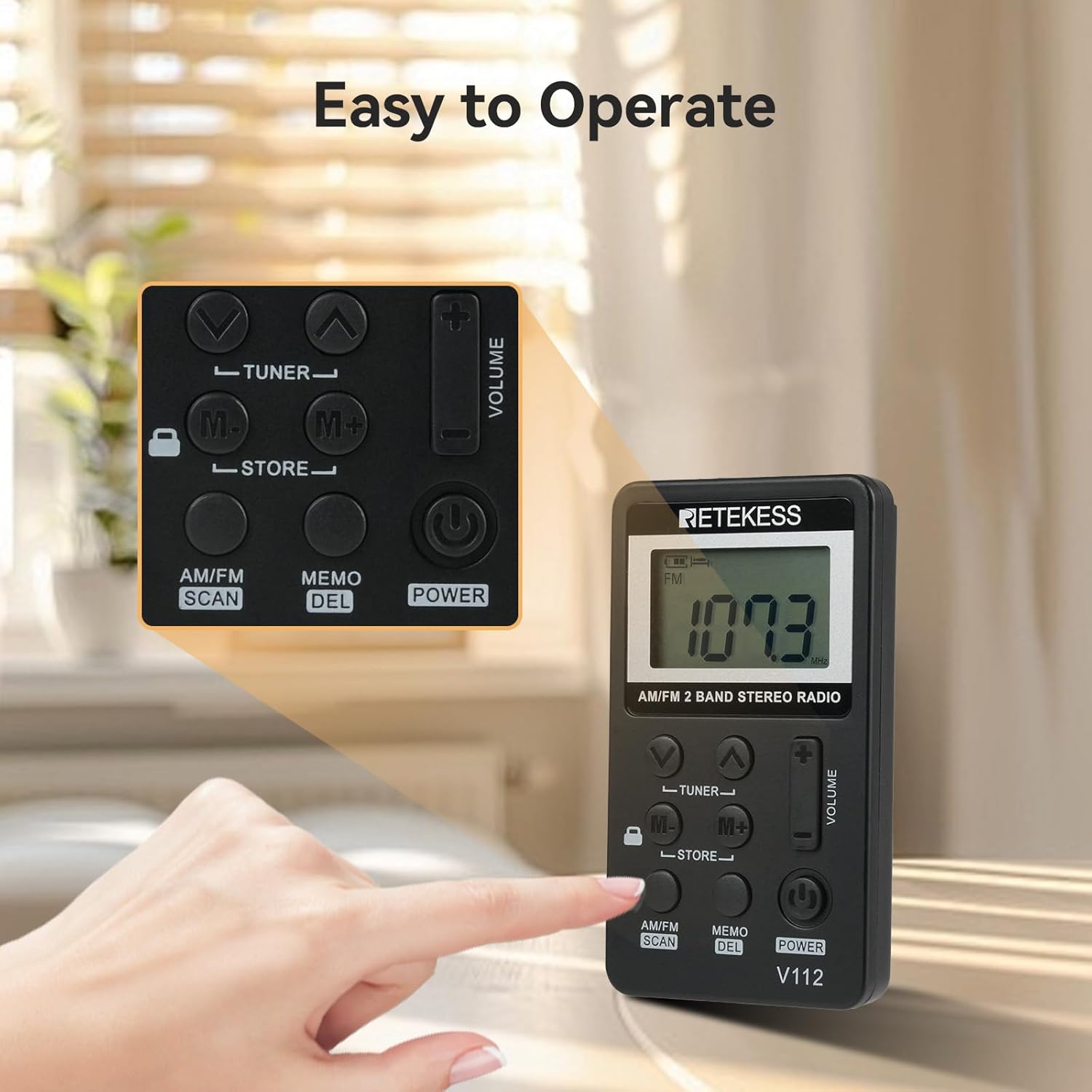
Слика: Крупен план view of the Retekess V112 radio, highlighting the control buttons and LCD screen.
4.1. Контроли на предниот панел
- Копче POWER: Притиснете за да го вклучите или исклучите радиото.
- AM/FM SCAN Button: Press to switch between AM and FM bands. Long press to initiate automatic station scanning and storage.
- MEMO/DEL Button: Press to store a station. Long press to delete a stored station.
- TUNER ▲/▼ Buttons: Press to manually tune the frequency up or down.
- M+/M- Buttons: Press to navigate through preset stations.
- VOLUME +/− Buttons: Прилагодете ја јачината на звукот на слушање.
- Прекинувач LOCK: Slide to lock or unlock the buttons.
4.2. ЛЦД-дисплеј

Слика: Детална view of the radio's LCD display, showing frequency and other indicators.
The LCD display shows the current frequency, battery level, AM/FM band indicator, stereo indicator (for FM), and sleep timer status.
5. Поставување
5.1. Полнење на батеријата
The radio is equipped with a built-in rechargeable lithium battery. Before first use, fully charge the radio.
- Connect the supplied USB charging cable to the radio's charging port.
- Поврзете го другиот крај од USB кабелот со USB адаптер за напојување (не е вклучен) или со USB порт на компјутерот.
- The battery indicator on the LCD will show charging status. It typically takes about 1.5 hours for a full charge.
- Откако ќе се наполни целосно, исклучете го кабелот за полнење.
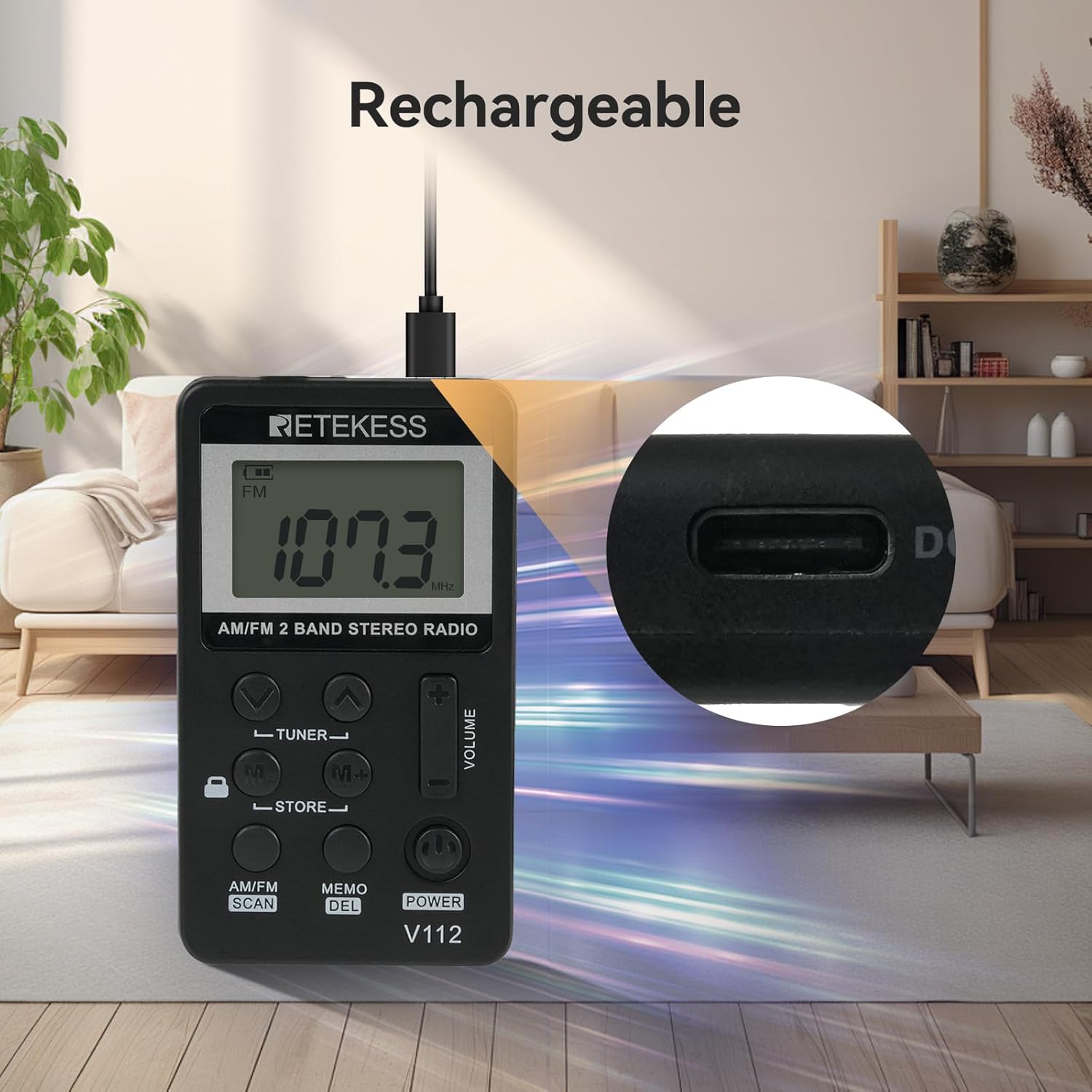
Image: The Retekess V112 radio being charged via its USB port, with a close-up of the charging port.
5.2. Поврзување на слушалки
The earphones serve as the FM antenna. For optimal reception, ensure the earphones are fully plugged into the 3.5mm jack.
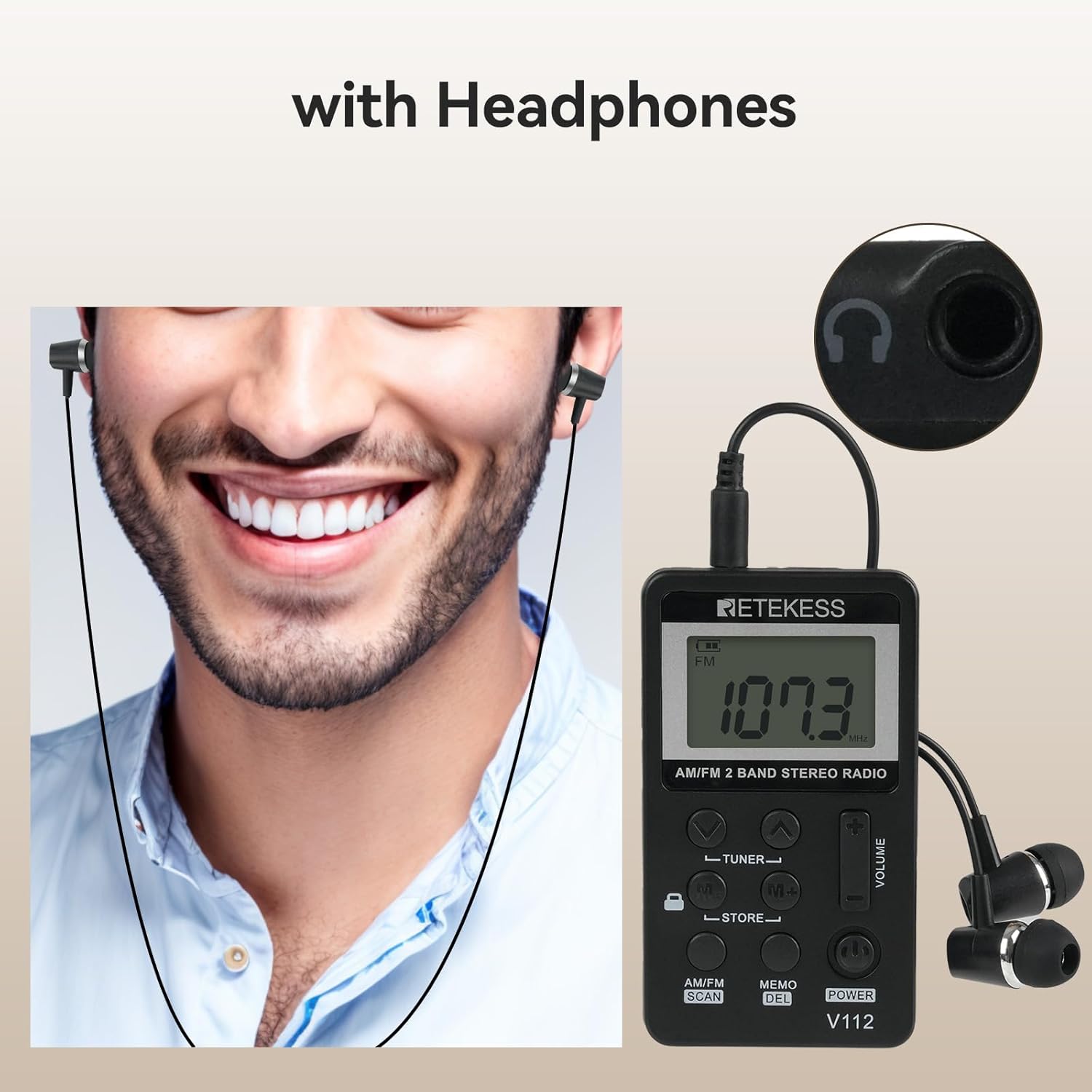
Image: A person wearing earphones connected to the Retekess V112 radio, illustrating the use of earphones for listening and as an antenna.
6. Основно работење
6.1. Вклучување/исклучување
Притиснете го МОЌ button to turn the radio on. Press it again to turn the radio off.
6.2. Прилагодување на јачината на звукот
Притиснете го Волумен + button to increase the volume. Press the ВОЛУМЕН − button to decrease the volume. The volume level is displayed on the LCD.
6.3. Band Selection (AM/FM)
Притиснете го AM/FM СКЕНИРАЊЕ button to switch between AM and FM radio bands. The selected band will be indicated on the LCD.

Image: The Retekess V112 radio displaying an FM frequency, with visual arcs representing various broadcast categories like news, music, and sports.
6.4. Штиминг станици
Автоматско скенирање и складирање:
- Долго притиснете го AM/FM СКЕНИРАЊЕ button. The radio will automatically scan for available stations and store them into presets.
- The scanning process will stop once all available stations are found and stored.

Image: The Retekess V112 radio with an overlay highlighting the 'AM/FM SCAN' and 'STORE' buttons, indicating the automatic search and storage function.
Рачно подесување:
Притиснете го TUNER ▲ or TUNER ▼ копчиња за рачно прилагодување на фреквенцијата чекор по чекор.
6.5. Preset Stations (Store/Recall)
Складирање на станица:
- Tune to the desired station using manual tuning or automatic scan.
- Притиснете го МЕМОРИЈА/ИЗБРИШУВАЊЕ button once. The preset number will flash on the display.
- Користете го M+/M- buttons to select the desired preset memory location.
- Притиснете го МЕМОРИЈА/ИЗБРИШУВАЊЕ button again to confirm and store the station.
Потсетување на складирана станица:
Притиснете го M+ or M- buttons to cycle through the stored preset stations.
6.6. Key Lock Function
Лизгајте го ЗАКЛУЧУВАЊЕ switch (located on the side or front, depending on model revision) to the lock position to disable all buttons. This prevents accidental changes to settings or power-off when carrying the radio. Slide it back to unlock.

Image: The Retekess V112 radio with a highlighted lock icon, indicating the key lock function to prevent unintended button presses.
6.7. Тајмер за спиење
The radio features an automatic power-off function. If it does not work, it will turn off automatically after 90 minutes. This is a protection function. If you can turn on the radio again and keep listening, it means the battery is not the issue.
7. Одржување
- Чистете го радиото со мека, сува крпа. Не користете абразивни средства за чистење или растворувачи.
- Avoid exposing the radio to extreme temperatures, direct sunlight, dust, or moisture.
- Не обидувајте се да го расклопите или модифицирате радиото, бидејќи тоа ќе ја поништи гаранцијата и може да предизвика оштетување.
- If the radio will not be used for an extended period, charge it periodically to maintain battery health.
8 Смена на проблеми
| Проблем | Можна причина | Решение |
|---|---|---|
| No power/Radio won't turn on | Батеријата е испразнета. | Charge the radio using the supplied USB cable. |
| Слаб прием/Статичен сигнал | Earphones not fully plugged in or acting as antenna. Weak signal in current location. | Ensure earphones are fully inserted. Adjust earphone cable position. Try moving to a different location. |
| Копчињата не реагираат | Функцијата за заклучување на копчињата е активирана. | Slide the LOCK switch to the unlock position. |
| Не може да се складираат претходно поставени поставки | Неточна постапка. | Follow the 'Storing a Station' steps carefully (Section 6.5). Press MEMO once, select slot, then press MEMO again. |
| Volume too loud at lowest setting | This is the minimum volume level for the device. | Consider using different earphones with lower sensitivity if needed for very quiet environments. |
9. Спецификации
| Карактеристика | Спецификација |
|---|---|
| Димензии на производот | 1.89 x 0.5 x 3.37 инчи (48 x 13 x 85 мм) |
| Тежина на ставката | 4.2 унци (120 g) |
| Број на модел | V112 |
| Батерии | 1 Rechargeable 9V battery (included) |
| Технологија за поврзување | Помошен (приклучок за слушалки од 3.5 мм) |
| Технологија на тјунер | AM FM |
| Извор на енергија | Напојува со батерија |
| Поддржани радио бендови | AM/FM |
10. Информации за безбедност
- Не го изложувајте радиото на вода или прекумерна влага.
- Избегнувајте испуштање или изложување на радиото на силни удари.
- Do not use the radio in environments with high temperatures or near flammable materials.
- За да спречите оштетување на слухот, избегнувајте слушање на високи нивоа на јачина на звук подолго време.
- Dispose of the battery according to local regulations. Do not dispose of batteries in fire.
11. Гаранција и поддршка
Retekess products are designed for reliability and performance. For warranty information or technical support, please refer to the contact details provided with your purchase or visit the official Retekess webстраница. Ве молиме задржете го доказот за купување за гаранциски барања.