Вовед
This manual provides detailed instructions for the setup, operation, and maintenance of your ATTACK SHARK L80 Wireless Gaming Headset. Please read this manual thoroughly before using the product to ensure proper function and longevity.
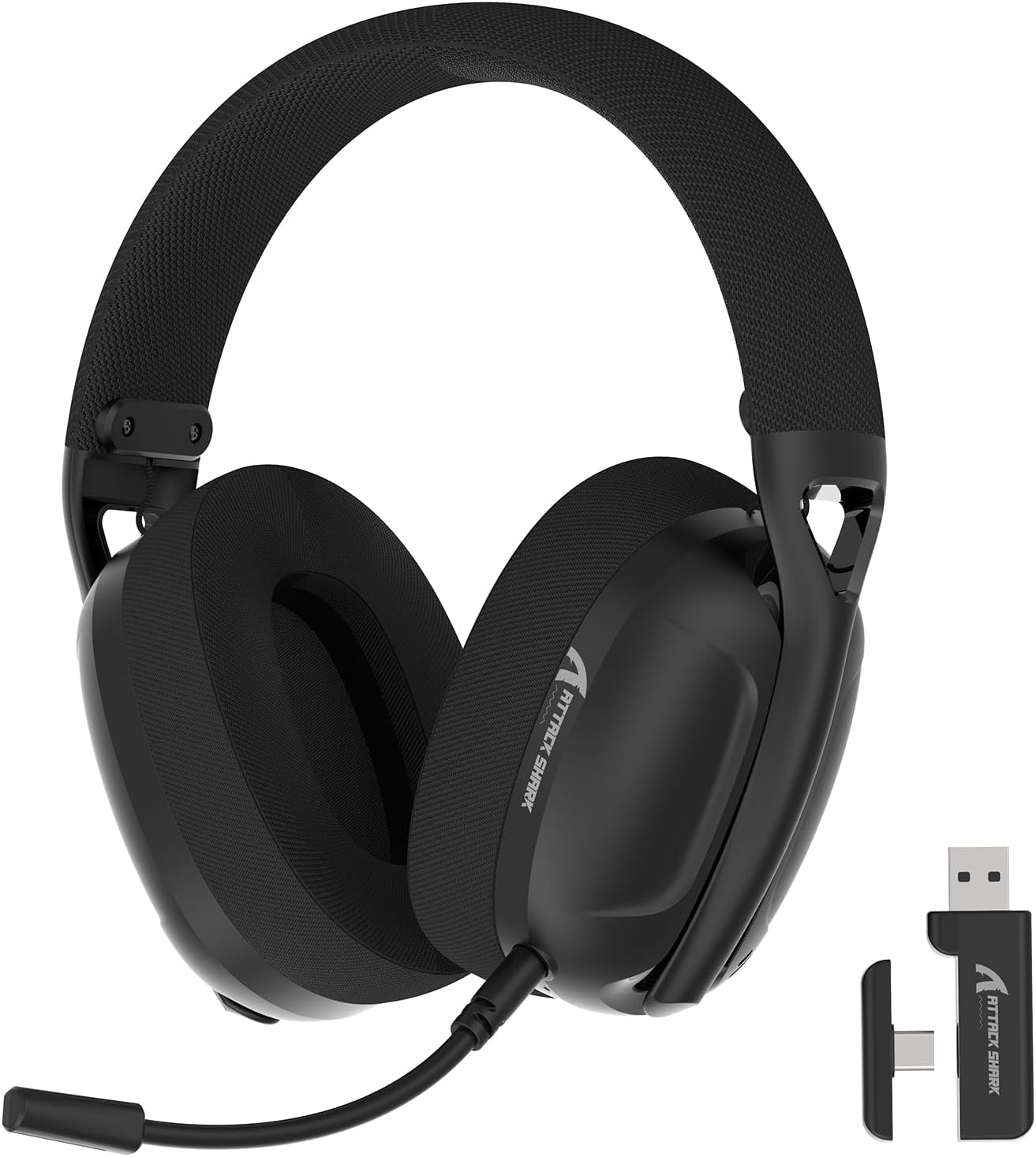
Image: The ATTACK SHARK L80 Wireless Gaming Headset, featuring over-ear cups, a flexible microphone, and a USB dongle.
Содржина на пакетот
Проверете дали сите артикли се присутни во пакувањето на вашиот производ:
- ATTACK SHARK L80 Wireless Gaming Headset
- Detachable Omni-directional Microphone
- 2.4GHz USB Wireless Dongle (USB-A)
- Кабел за полнење USB-C до USB-A
- Аудио кабел од 3.5 мм
- Упатство за употреба (овој документ)

Image: All components included in the ATTACK SHARK L80 headset package: headset, detachable microphone, 2.4GHz USB dongle, USB-C charging cable, and 3.5mm audio cable.
Производот завршиview
Headset Controls and Ports
Familiarize yourself with the headset's controls and connection points:

Image: Close-up of the ATTACK SHARK L80 headset's left earcup, showing the power button, mode switch button, volume up/previous track button, volume down/next track button, and microphone mute button.
- Копче за вклучување: Press and hold for 3 seconds to power ON/OFF. Short press to answer/end calls or play/pause media.
- Копче за префрлување режим: Short press 3 times in succession to switch between Bluetooth and 2.4G wireless modes.
- Зголемување на јачината на звукот / Претходна песна: Short press for Volume+, Long press for Previous Song.
- Намалување на јачината на звукот / Следна песна: Short press for Volume-, Long press for Next Song.
- Копче за исклучување на микрофонот: Short press to toggle microphone ON/OFF.
- Порта за микрофон: За поврзување на одвојлив микрофон.
- Аудио приклучок од 3.5 мм: За жична врска.
- Приклучок за полнење USB-C: За полнење на слушалките.
- Индикаторско светло: Displays connection status and battery level.
Отстранлив микрофон
The L80 headset features a detachable, omni-directional microphone with noise reduction capabilities. It can be adjusted 360 degrees for optimal positioning.

Image: The ATTACK SHARK L80 headset with its detachable, 360-degree adjustable, noise-cancelling microphone attached.
Поставување
The ATTACK SHARK L80 headset offers three connection modes: 2.4GHz wireless, Bluetooth 5.2, and 3.5mm wired. Choose the appropriate method for your device.
1. 2.4GHz Wireless Connection (for PC, PS5, PS4, Nintendo Switch Docked)
- Insert the 2.4GHz USB wireless dongle into an available USB port on your PC, PS5, PS4, or Nintendo Switch dock.
- Power on the L80 headset by pressing and holding the Power Button for 3 seconds.
- The headset will automatically attempt to connect to the dongle. The indicator light will show a stable color once connected.
- On your device, ensure the audio output is set to "ATTACK SHARK L80" or similar.

Image: Diagram illustrating 2.4GHz USB dongle connection to a PS4 and a USB-C dongle connection to a portable device, alongside Bluetooth connectivity for phones.
2. Bluetooth 5.2 Connection (for Phones, Tablets, Laptops)
- Power on the L80 headset by pressing and holding the Power Button for 3 seconds.
- If not already in Bluetooth mode, short press the Mode Switch Button three times in quick succession to enter Bluetooth pairing mode. The indicator light will flash, indicating it is discoverable.
- On your device (phone, tablet, laptop), go to Bluetooth settings and search for available devices.
- Select "ATTACK SHARK L80" from the list to pair. The indicator light will become stable once connected.
3. 3.5mm Wired Connection (for various devices)
- Connect one end of the 3.5mm audio cable to the 3.5mm audio jack on the L80 headset.
- Connect the other end of the 3.5mm audio cable to the audio output port of your device.
- The headset will function in wired mode. Note that volume control via the headset buttons may not be available in wired mode, depending on the connected device.

Image: The ATTACK SHARK L80 headset displayed among various compatible platforms including PlayStation consoles, Nintendo Switch, Xbox, PC, tablets, and smartphones.
Упатства за работа
Вклучување/исклучување
- Вклучување: Press and hold the Power Button for approximately 3 seconds until the indicator light illuminates.
- Исклучено: Press and hold the Power Button for approximately 3 seconds until the indicator light turns off.
Контрола на јачината на звукот
- Зголемете ја јачината на звукот: Кратко притиснете го копчето за зголемување на јачината на звукот.
- Намалување на јачината на звукот: Кратко притиснете го копчето за намалување на јачината на звукот.
Контрола за репродукција на медиуми
- Пушти/Пауза: Кратко притиснете го копчето за вклучување.
- Претходна песна: Долго притиснете го копчето за зголемување на јачината на звукот.
- Следна песна: Долго притиснете го копчето за намалување на јачината на звукот.
Управување со повици
- Одговори/заврши повик: Кратко притиснете го копчето за вклучување.
Употреба на микрофон
- Прикачете го одвојливиот микрофон на означениот приклучок на слушалките.
- Прилагодете ја положбата на микрофонот за оптимално снимање на гласот.
- Исклучи/вклучи звук на микрофонот: Short press the Microphone Mute Button.
Префрлување режим
- To switch between 2.4GHz wireless mode and Bluetooth mode, short press the Mode Switch Button three times in quick succession.
Полнење на слушалките
The headset provides up to 50 hours of playtime at 50% volume and takes approximately 3 hours for a full charge.
- Connect the USB-C end of the charging cable to the headset's USB-C port.
- Connect the USB-A end of the charging cable to a USB power source (e.g., computer USB port, wall adapter).
- The indicator light will show charging status. A red light alert indicates battery level below 10%.

Image: Visual representation of the ATTACK SHARK L80 headset's battery features, including 45-50 hours gaming time, red light alert for low battery, 3 hours charging time, and electricity saving standby.
Одржување
- Чистење: Користете мека, сува крпа за чистење на слушалките. Не користете груби хемикалии или абразивни материјали.
- Складирање: Чувајте ги слушалките на ладно и суво место, подалеку од директна сончева светлина и екстремни температури.
- Нега на батеријата: За да го продолжите траењето на батеријата, избегнувајте често целосно празнење на слушалките. Полнете ги редовно, дури и ако не ги користите подолг период.
- Управување со кабли: Избегнувајте остри кривини или превиткувања на каблите за да спречите оштетување.

Image: Close-up of the headset's ultra-soft mesh earmuffs, highlighting their breathable and comfortable design for extended wear.
Решавање проблеми
| Проблем | Можна причина | Решение |
|---|---|---|
| Нема звук од слушалките. | Headset not powered on, not connected, or volume too low. |
|
| Микрофонот не работи. | Microphone muted, not properly attached, or incorrect input device selected. |
|
| Cannot connect via 2.4GHz wireless. | Dongle not inserted, headset not in 2.4GHz mode, or interference. |
|
| Не може да се поврзе преку Bluetooth. | Headset not in pairing mode, Bluetooth off on device, or previously paired device interfering. |
|
| Слушалките не се полнат. | Charging cable faulty, power source issue, or charging port obstruction. |
|
Спецификации
| Карактеристика | Детал |
|---|---|
| Име на моделот | L80 headset |
| Технологија за поврзување | 2.4Ghz Wireless, Bluetooth 5.2, 3.5mm Wired |
| Големина на драјвер за аудио | 40 мм |
| Опсег на фреквенција | 20 Hz - 20,000 Hz |
| Импеданса | 30 Ом |
| Контрола на бучава | Звучна изолација |
| Микрофон | Detachable, Omni-directional, Noise-reduction |
| Траење на батеријата | До 50 часа (со 50% волумен) |
| Време на полнење | Приближно 3 часа |
| Тежина | 12 унци (приближно 340 грама) |
| Материјал | Пластика |
| Компатибилни уреди | PC, PS5, PS4, Nintendo Switch, Laptops, Tablets, Phones |

Слика: Пресек view of the ATTACK SHARK L80 headset's earcup, highlighting the powerful 40mm audio drivers responsible for high-fidelity sound.
Гаранција и поддршка
For warranty information and technical support, please refer to the official ATTACK SHARK webлокација или контактирајте ја нивната служба за корисници. Чувајте ја сметката за купување како доказ за купување за гаранциски побарувања.
Производител: НАПАДНА АЈКУЛА
Контакт: Ве молиме посетете го ATTACK SHARK Store on Amazon for further assistance or to find contact information.


