1. Вовед
Welcome to the Kidywolf Multifunction Flashlight user manual. This guide provides essential information on how to set up, operate, and maintain your flashlight. Please read these instructions carefully to ensure safe and optimal use of the product.
2. Производот завршиview
The Kidywolf Multifunction Flashlight is a versatile lighting device designed for children, offering three distinct functions: a standard flashlight, an ambient light, and a pendant light. It features adjustable warm light intensity and a durable, ergonomic design, making it a perfect companion for various activities.
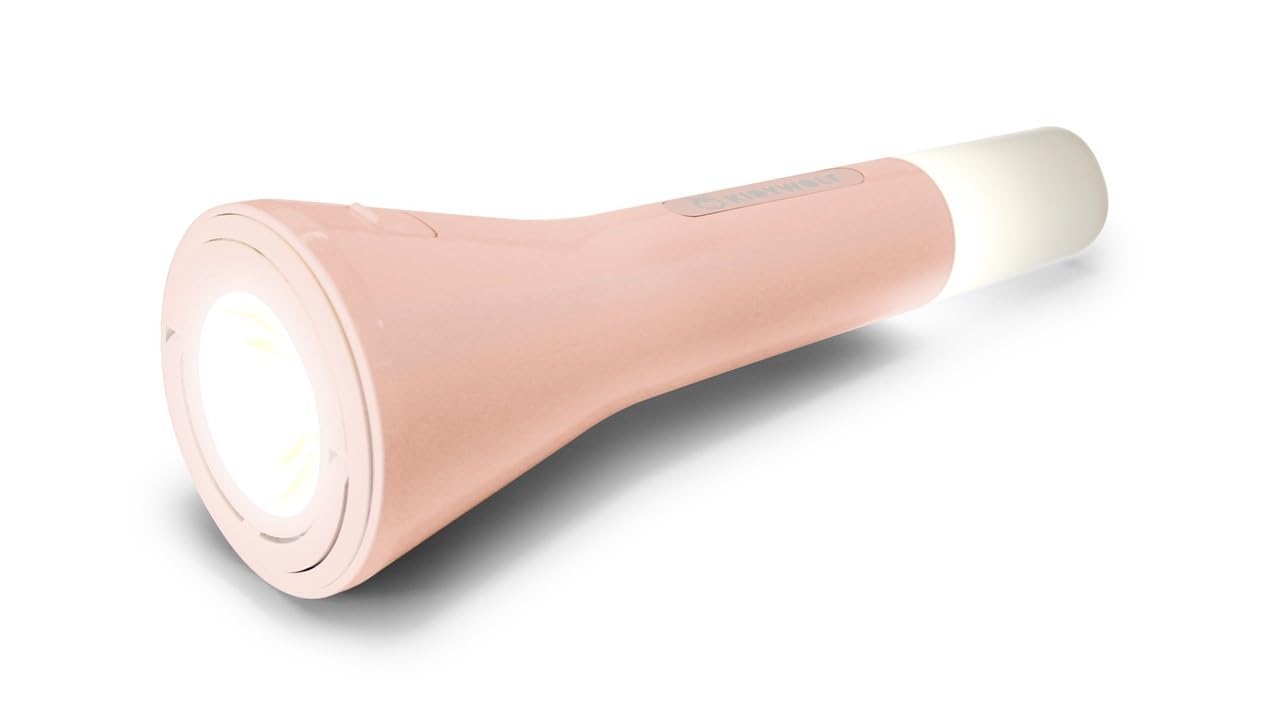
This image displays the Kidywolf Multifunction Flashlight in its packaging. The packaging highlights the three primary functions of the device: a standard flashlight for direct illumination, an ambient light when placed upright, and a pendant light when hung by its integrated ring. The flashlight itself is shown in a nude/pink color.
3. Клучни карактеристики
- Функционалност 3-во-1: Operates as a flashlight, ambient light, or pendant light.
- Прилагодлива топла светлина: Three intensity levels (100%, 60%, 20%) with 3000°K warm light.
- Батерија на полнење: Equipped with a 3.7V/1200 mAh battery for extended use.
- Полнење USB-C: Convenient and fast charging via USB-C cable.
- Издржлив дизајн: Features a matte finish for a practical and elegant look.
- Пренослив: Lightweight and easy to handle, suitable for travel and indoor use.
4. Поставување
Upon first use, it is recommended to fully charge the Kidywolf Multifunction Flashlight. Connect the provided USB-C cable to the charging port on the device and plug the other end into a compatible USB power source (e.g., computer, wall adapter). The charging indicator will show the charging status.
5. Упатства за работа
5.1 Вклучување/исклучување
To turn the flashlight on or off, press and hold the power button located on the side of the device for approximately 2 seconds.
5.2 Режими на функции
The flashlight offers three distinct modes:
- Режим на фенерче: For direct illumination. Hold the device in hand.
- Режим на амбиентална светлина: For creating a soft atmosphere. Place the flashlight upright on a flat surface.
- Pendant Light Mode: For hanging and broader illumination. Use the integrated ring to suspend the device.
To cycle through the modes, short press the power button once the device is on.
5.3 Adjusting Light Intensity
While the flashlight is on, short press the power button repeatedly to cycle through the three intensity levels: 100% (brightest), 60% (medium), and 20% (dimmest). The light will adjust with each press.
6. Полнење на уредот
The Kidywolf Multifunction Flashlight is equipped with a rechargeable battery. When the battery is low, the light intensity may decrease, or the device may turn off. To recharge:
- Пронајдете го приклучокот за полнење USB-C на уредот.
- Connect the provided USB-C to USB cable to the flashlight.
- Приклучете го USB-A крајот од кабелот во стандарден USB адаптер за напојување (не е вклучен) или USB-порт на компјутерот.
- Allow the device to charge until the charging indicator shows a full charge. A full charge provides up to 12 hours of continuous use.
7. Нега и одржување
- Чистење: Избришете го уредот со мека, сува крпа. Не користете абразивни средства за чистење или растворувачи.
- Складирање: Чувајте ја батериската ламба на ладно и суво место подалеку од директна сончева светлина и екстремни температури.
- Нега на батеријата: За да го продолжите животниот век на батеријата, избегнувајте често целосно празнење на батеријата. Полнете го уредот редовно, дури и ако не е во употреба подолг период.
- Отпорност на вода: Овој уред не е водоотпорен. Избегнувајте изложување на вода или висока влажност.
8 Смена на проблеми
| Прашање | Можна причина | Решение |
|---|---|---|
| Фенерчето не се вклучува. | Батеријата е испразнета. | Наполнете го уредот користејќи USB-C кабел. |
| Интензитетот на светлината е низок. | Battery is low or set to lowest intensity. | Recharge the battery or cycle through intensity levels by short pressing the power button. |
| Уредот не се полни. | Проблем со кабелот или изворот на напојување. | Ensure the USB-C cable is properly connected and try a different USB power source. |
9. Технички спецификации
- Функции: Flashlight, Ambient Light, Pendant Light
- Light Intensity Levels: 3 (100%, 60%, 20%)
- Температура на боја: 3000°K (Warm Light)
- Батерија: 3.7 V/1200 mAh
- Полнење: USB-C / USB cable
- Заврши: Мат
10. Информации за гаранцијата
Kidywolf products are manufactured to high-quality standards. For specific warranty terms and conditions, please refer to the warranty card included with your product or visit the official Kidywolf webстраница. Зачувајте го доказот за купување за какви било гаранциски побарувања.
11. Поддршка за корисници
If you have any questions, concerns, or require assistance with your Kidywolf Multifunction Flashlight, please contact Kidywolf customer support. Contact details can typically be found on the product packaging or the official Kidywolf webсајт.


