1. Вовед
The LOFREE Zero ARTZ is a 75% mechanical keyboard designed for versatile use across multiple operating systems. It features a unique terrazzo-inspired design, hot-swappable linear switches, and multiple connection options for enhanced productivity and user experience.
2. Содржина на пакетот
Проверете дали сите артикли се присутни во вашиот пакет:
- LOFREE Zero ARTZ Mechanical Keyboard
- Marble Palm Rest
- USB-C на USB-A кабел
- Четка за чистење
- Упатство за употреба (овој документ)
- Гарантна картичка

Image: Included accessories with the keyboard.
3. Поставување
3.1. Power On/Off & Connection Mode Selection
Locate the switches on the back edge of the keyboard:
- Прекинувач: Slide the switch to turn the keyboard ON or OFF.
- OS Switch: Select between "Win/And" (Windows/Android) or "Mac/iOS" (Mac/iOS) to optimize key functions for your operating system.
- Прекинувач за режим на поврзување: Изберете го вашиот претпочитан метод на поврзување:
- WLS (Wireless/Bluetooth): За поврзување со Bluetooth.
- CAB (Cable): За жична USB-C конекција.
- ИСКЛУЧЕНО: Turns off the keyboard.
Image: Close-up of the USB-C port, OS switch, and connection mode switch.
3.2. Connecting via Bluetooth (WLS Mode)
- Ensure the keyboard is ON and the Connection Mode Switch is set to "WLS".
- On your device (computer, tablet, smartphone), enable Bluetooth.
- Пребарај за available Bluetooth devices and select "LOFREE Zero ARTZ" (or similar name).
- Следете ги сите предупредувања на екранот за да го завршите процесот на спарување.
3.3. Connecting via USB-C Cable (CAB Mode)
- Поврзете го едниот крај од испорачаниот USB-C кабел со USB-C портата на тастатурата.
- Connect the other end (USB-A) to an available USB port on your computer.
- Ensure the Connection Mode Switch is set to "CAB". The keyboard will automatically connect.
4. Упатства за работа
4.1. Backlighting Effects
The keyboard features customizable backlighting:
- Change Light Effect: Притиснете Fn + стрелка нагоре to cycle through 7 distinct lighting effects.
- Прилагодете ја осветленоста: Притиснете Fn + Лева стрелка or Fn + Десна стрелка to adjust between 4 brightness levels.
- Adjust Blink Frequency: Притиснете Fn + стрелка надолу to change between 4 blink frequencies for dynamic effects.
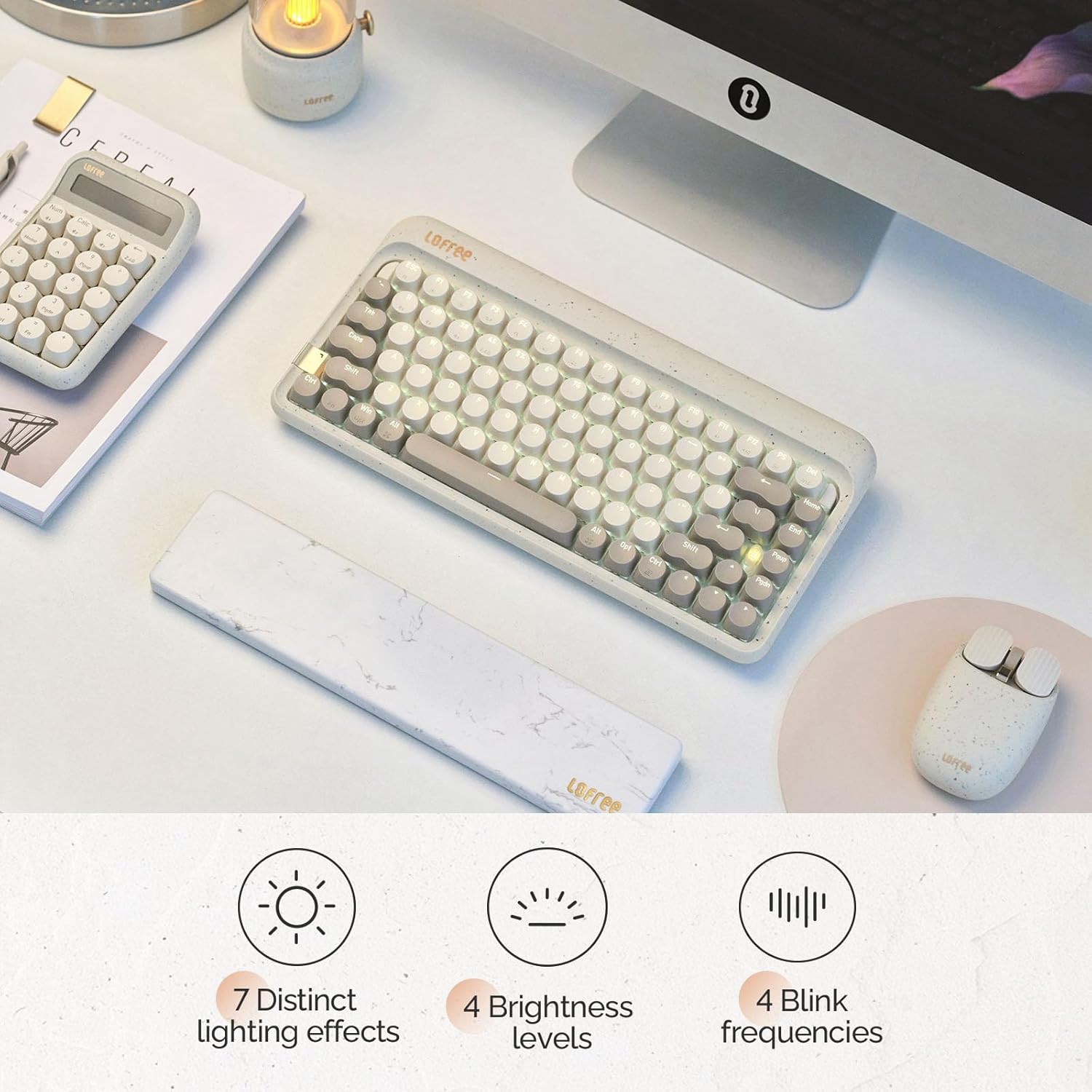
Image: The keyboard displaying its various backlighting options.
4.2. Marble Palm Rest
The included Marble Palm Rest provides ergonomic support and features a natural marble texture. It is equipped with non-slip mats for stability during use.

Image: The marble palm rest showing its non-slip mats.

Image: Close-up of the marble palm rest highlighting its natural texture.
4.3. Прекинувачи што може да се заменат со топла замена
The LOFREE Zero ARTZ keyboard features hot-swappable switches, allowing users to easily change switches without soldering. This enables customization of typing feel and sound.
Video: Demonstrates the hot-swappable feature of the keyboard, showing how switches can be easily removed and replaced.
Видео: Кратка пред-прегледview шоуasing the hot-swappable switches and customizable keycaps.
5. Одржување
To keep your keyboard in optimal condition:
- Use the provided cleaning brush to remove dust and debris from between the keycaps regularly.
- For deeper cleaning, carefully remove keycaps using a keycap puller (not included) and clean the switches and plate.
- Avoid exposing the keyboard to liquids or extreme temperatures.
6 Смена на проблеми
- Тастатурата не реагира:
- Ensure the keyboard is powered ON.
- Check the connection mode (WLS/CAB) and ensure it matches your connection type.
- For Bluetooth, try re-pairing the device.
- For wired, try a different USB port or cable.
- Задното осветлување не работи:
- Осигурајте се дека тастатурата е наполнета.
- Try adjusting brightness levels using Fn + Лева/Десна стрелка.
- Клучевите не се регистрираат:
- Ensure the OS switch is set correctly for your operating system.
- If a specific key is not working, it might be a faulty switch. Utilize the hot-swappable feature to replace it.
7. Спецификации
| Карактеристика | Детал |
|---|---|
| Бренд | ЛОФРИ |
| Модел | Zero ARTZ |
| Тип на тастатура | 75% Механички |
| Тип на прекинувач | Linear (Hot-swappable) |
| Поврзување | Bluetooth, жичен (USB-C) |
| Компатибилни уреди | Android, Laptop, Mac, PC, Smartphone, Tablet |
| Оперативни системи | MacOS, iOS, Windows, Android |
| Извор на енергија | Напојува со батерија |
| Специјална карактеристика | Ergonomic Marble Palm Rest |
8. Гаранција и поддршка
Your LOFREE Zero ARTZ Mechanical Keyboard comes with a manufacturer's warranty. Please refer to the included Warranty Card for details regarding coverage, terms, and conditions.
For technical support or customer service, please visit the official LOFREE website or contact their customer support channels as listed on the product packaging or warranty card.


