1. Вовед
Welcome to the EIGIIS K22 Smartwatch user manual. This guide provides essential information for setting up, operating, and maintaining your new smartwatch. The EIGIIS K22 is a robust military-grade smartwatch designed for active lifestyles, featuring an AMOLED HD Always On Display, Bluetooth calling, comprehensive health monitoring, and over 100 sports modes.

Image: EIGIIS K22 Smartwatch, showcasinнеговиот робустен дизајн и живописен дисплеј.
2. Што има во кутијата
Ве молиме проверете ја содржината на пакувањето при отпакувањето:
- EIGIIS K22 Smartwatch (with 1 Watch Band)
- Кабел за полнење
- Упатство за употреба (овој документ)
3. Почетно поставување
3.1 Полнење на паметниот часовник
Before first use, fully charge your EIGIIS K22 Smartwatch. The device features a 400mAh battery that typically charges in approximately 2 hours.
- Поврзете го магнетниот кабел за полнење со контактите за полнење на задната страна од паметниот часовник.
- Приклучете го USB-крајот од кабелот во стандарден USB адаптер за напојување (препорачан 5V/1A) или USB-порт на компјутер.
- Екранот на часовникот ќе го покаже статусот на полнење.

Image: The smartwatch displaying its charging status, indicating a 400mAh battery capacity and charging time.
3.2 Инсталација на апликација
За да ја отклучите целосната функционалност на вашиот паметен часовник, преземете ја и инсталирајте ја FitCloudPro апликација на вашиот паметен телефон.
- Скенирајте го QR-кодот даден во упатството за брз почеток или пребарајте „FitCloudPro“ во продавницата за апликации на вашиот паметен телефон (Google Play Store за Android, Apple App Store за iOS).
- Install the app and grant necessary permissions for optimal performance.
3.3 Спарување со вашиот паметен телефон
After installing the app, pair your smartwatch with your phone via Bluetooth.
- Проверете дали Bluetooth е овозможен на вашиот паметен телефон.
- Отворете ја апликацијата FitCloudPro и следете ги упатствата на екранот за да додадете нов уред.
- Select the EIGIIS K22 from the list of available devices.
- Потврдете го барањето за спарување и на вашиот телефон и на паметниот часовник.
4. Ракување со паметниот часовник
4.1 Приказ и навигација
The EIGIIS K22 features a 1.43-inch AMOLED HD Always On Display. You can navigate the watch interface using touch gestures and the physical buttons.
- Повлечете нагоре/надолу: Пристап до брзи поставки или известувања.
- Повлечете лево/десно: Cycle through widgets like activity data, heart rate, weather, etc.
- Притиснете го страничното копче: Вратете се на почетниот екран или пристапете до менито на апликацијата.

Image: Close-up of the 1.43-inch AMOLED display, showing a detailed watch face with time and activity data.
4.2 Bluetooth Calling and Smart Notifications
The smartwatch allows you to make and receive calls directly from your wrist and receive notifications from your paired smartphone.
- Остварување повици: Use the built-in dialer or access your contacts through the watch interface.
- Примање повици: Answer or reject incoming calls directly on the watch.
- Известувања: Receive alerts for messages, social media, and other app notifications. Ensure notification permissions are enabled in the FitCloudPro app.

Image: The smartwatch displaying an incoming call and various app notification icons, illustrating its Bluetooth call and smart notification capabilities.
4.3 спортски режими
The EIGIIS K22 supports over 100 sports modes to track your physical activities. Data such as calories burned, steps taken, and distance covered are recorded and synced to the FitCloudPro app.
- Access the Sports menu on your watch.
- Select your desired activity (e.g., Running, Cycling, Basketball).
- The watch will begin tracking your workout data.

Image: A user hiking while the smartwatch displays workout metrics like calories, distance, and steps, alongside icons for various sports modes.
4.4 Мониторинг на здравјето
The smartwatch continuously monitors key health metrics.
- Отчукувањата на срцето: Следење на отчукувањата на срцето во реално време.
- Крвен притисок: Estimates blood pressure levels.
- Кислород во крвта (SpO2): Мери сатурација на кислород во крвта.
- Следење на сонот: Analyzes sleep patterns (Awake, Light Sleep, Deep Sleep) to provide insights into sleep quality.
All health data is synced to the FitCloudPro app for detailed analysis and historical trends.
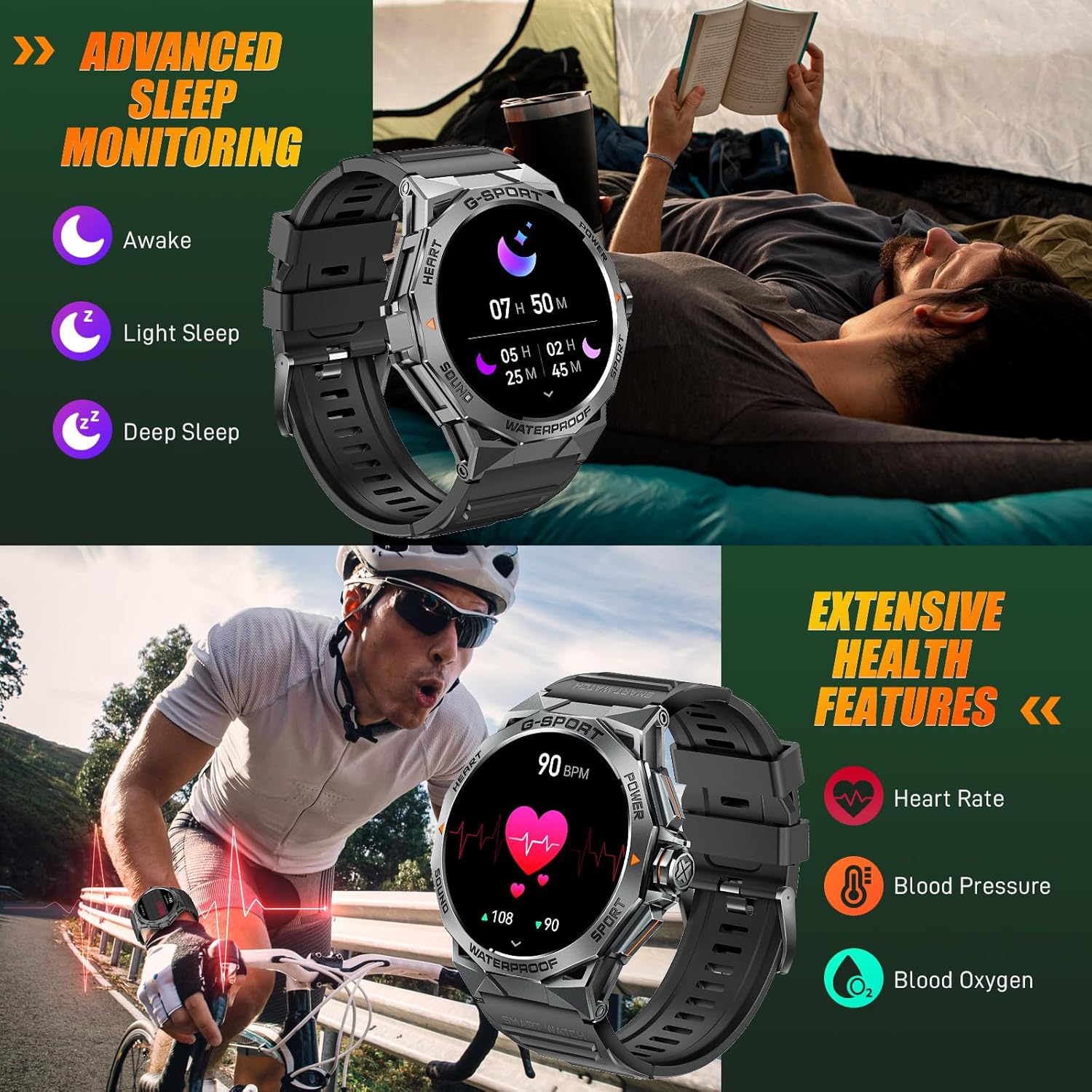
Image: The smartwatch displaying sleep data and heart rate monitoring, with icons for heart rate, blood pressure, and blood oxygen.
4.5 Други паметни функции
The EIGIIS K22 offers several additional features to enhance daily convenience:
- Контрола на музика: Контролирајте ја репродукцијата на музика на вашиот паметен телефон.
- Далечинска контрола на камерата: Користете го вашиот часовник како далечински бленда за камерата на вашиот телефон.
- Новости за времето: Добивајте временски прогнози во реално време.
- Аларм: Поставете аларми директно од вашиот зглоб.
- Најдете телефон: Пронајдете го вашиот изгубен паметен телефон.
- Седентарен потсетник: Добивајте известувања за движење по периоди на неактивност.
- Гласовен асистент: Пристапете до гласовниот асистент на вашиот телефон.

Image: A collage showing the smartwatch controlling music, acting as a camera remote, displaying weather, and featuring stopwatch, alarm, and 'find phone' functions.
5. Одржување и грижа
5.1 Водоотпорност (IP68)
The EIGIIS K22 Smartwatch is IP68 waterproof, meaning it is resistant to dust and can withstand immersion in water up to 1.5 meters for 30 minutes. It is suitable for daily use, including washing hands and swimming.
- Avoid prolonged exposure to hot water, steam, or high-pressure water jets.
- Не ракувајте со копчињата под вода.
- Темелно исушете го часовникот по изложување на вода.

Image: A person swimming while wearing the EIGIIS K22 Smartwatch, highlighting its IP68 waterproof rating.
5.2 Оптимизација на животниот век на батеријата
The 400mAh battery provides 4-7 days of typical usage and up to 25 days on standby. To maximize battery life:
- Прилагодете ја осветленоста на екранот на пониска поставка.
- Limit the use of the Always On Display feature if extended battery life is critical.
- Оневозможете ги непотребните известувања.
- Close background apps on the watch when not in use.
5.3 Чистење
Regularly clean your smartwatch and watch band to prevent skin irritation and maintain performance.
- Избришете го часовникот и ременот со мека крпаamp крпа.
- Избегнувајте употреба на груби хемикалии или абразивни материјали.
6 Смена на проблеми
If you encounter issues with your EIGIIS K22 Smartwatch, refer to the following common solutions:
| Проблем | Можно решение |
|---|---|
| Гледајте да не се вклучува | Проверете дали часовникот е целосно наполнет. Поврзете го со полначот најмалку 30 минути. |
| Не може да се спари со паметен телефон | Ensure Bluetooth is enabled on your phone. Restart both the watch and phone. Make sure the FitCloudPro app has Bluetooth permissions. |
| Известувањата не се примени | Check notification settings in the FitCloudPro app and your phone's system settings. Ensure the app is running in the background. |
| Краток век на батеријата | Disable the Always On Display feature. Reduce screen brightness. Limit frequent heart rate monitoring. See Section 5.2 for more tips. |
| Bluetooth audio defaults to watch speaker | This is a common behavior for smartwatches with built-in speakers. In your phone's Bluetooth settings, you may be able to disconnect the watch's audio profile while keeping the data connection. Alternatively, some apps allow you to select the audio output device. |
| Неточни здравствени податоци | Ensure the watch is worn snugly on your wrist, about one finger's width above the wrist bone. Avoid excessive movement during measurements. Note that smartwatches are not medical devices and readings are for reference only. |
7. Спецификации
| Карактеристика | Детал |
|---|---|
| Број на модел | K22 |
| Приказ | 1.43 Inches AMOLED HD Always On Display |
| Капацитет на батеријата | 400 mAh |
| Траење на батеријата | 4-7 дена (типична употреба), до 25 дена (режим на подготвеност) |
| Време на полнење | Приближно 2 часа |
| Отпорност на вода | IP68 |
| Поврзување | Bluetooth |
| Оперативен систем | Носете ОС |
| Компатибилност | Андроид 4.4 и погоре, iOS 8.0 и погоре |
| Тежина на ставката | 50 грама (1.76 унци) |
| Димензии на производот | 6.69 x 4.33 x 1.18 инчи |
8. Гаранција и поддршка
8.1 Гаранција за производот
The EIGIIS K22 Smartwatch comes with a 12-месечна гаранција за квалитет from the date of purchase. This warranty covers manufacturing defects and issues arising from normal use. It does not cover damage caused by misuse, accidents, unauthorized modifications, or failure to follow instructions.
8.2 Поддршка за корисници
For any questions, technical assistance, or warranty claims, please contact EIGIIS customer support through the following channels:
- Погледнете ги контакт информациите што се дадени со пакувањето на вашиот производ.
- Visit the official EIGIIS webсајт за ресурси за поддршка.
- Contact the seller directly through the platform where you purchased the product.
Please have your purchase receipt and product model number (K22) ready when contacting support.


