1. Вовед
This manual provides detailed instructions for the installation, configuration, and operation of your SODOLA 6-Port 10G Web Managed Ethernet Switch. This high-performance switch is designed to enhance network connectivity with its 4x10G RJ45 ports and 2x10G SFP+ ports, supporting various speeds and advanced management features.

Figure 1: SODOLA 6-Port 10G Web Managed Ethernet Switch (Model: 4x10G RJ45+2x10G SFP+)
The switch is compliant with IEEE 802.3, IEEE 802.3u, IEEE 802.3ab, IEEE 802.3bz, and IEEE 802.3ae standards, ensuring broad compatibility and reliable performance for demanding network environments.
2. Содржина на пакетот
Verify that all items are present and in good condition. If any item is missing or damaged, please contact your vendor.
- 1 x SODOLA 6-Port 10G Managed Ethernet Switch
- 1 x Упатство за употреба
- 1 x кабел за напојување
- 4 x Footrests
- 1 x Certificate of Inspection
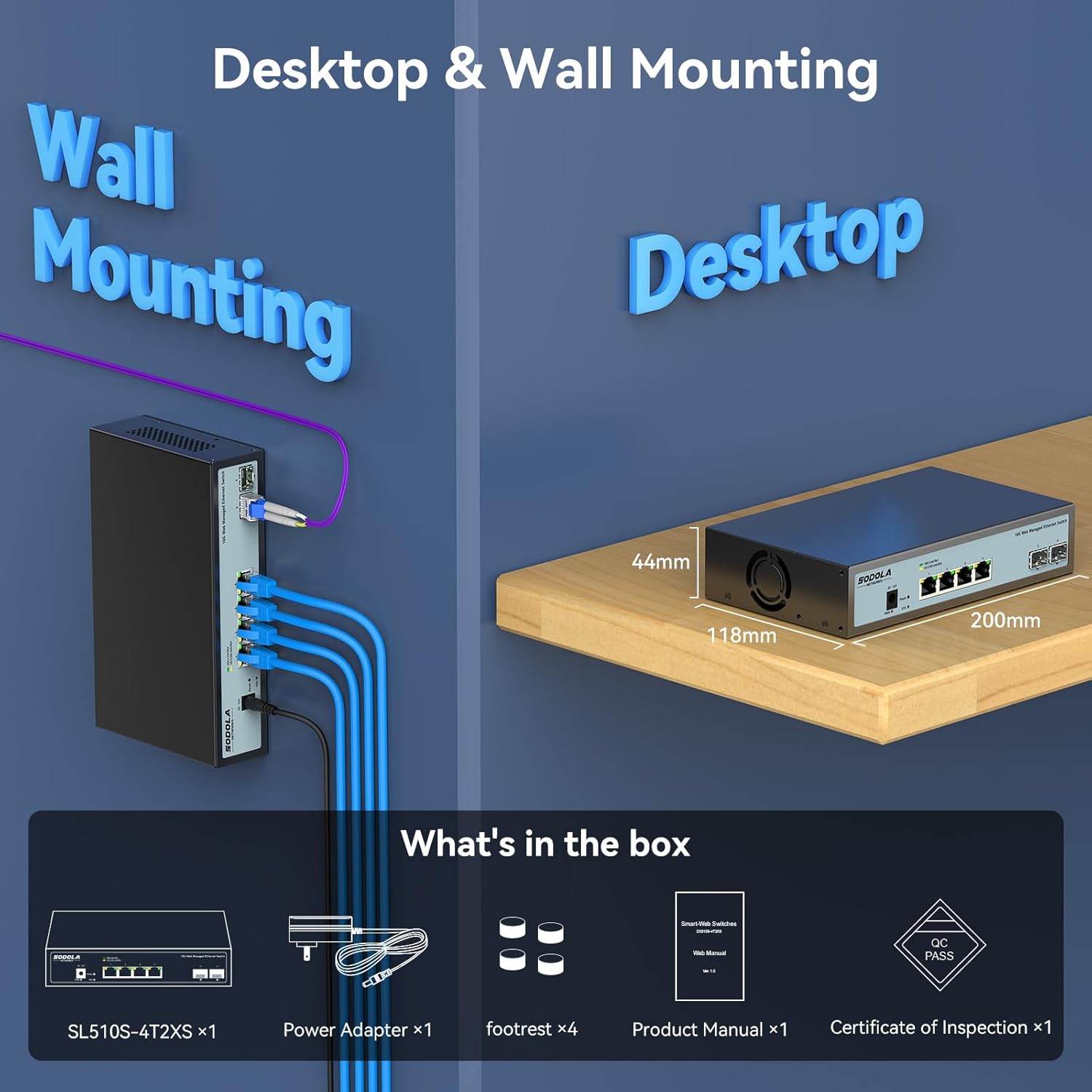
Figure 2: Included items: Switch, Power Adapter, Footrests, Product Manual, and Certificate of Inspection.
3. Хардверот завршиview
3.1 Преден панел
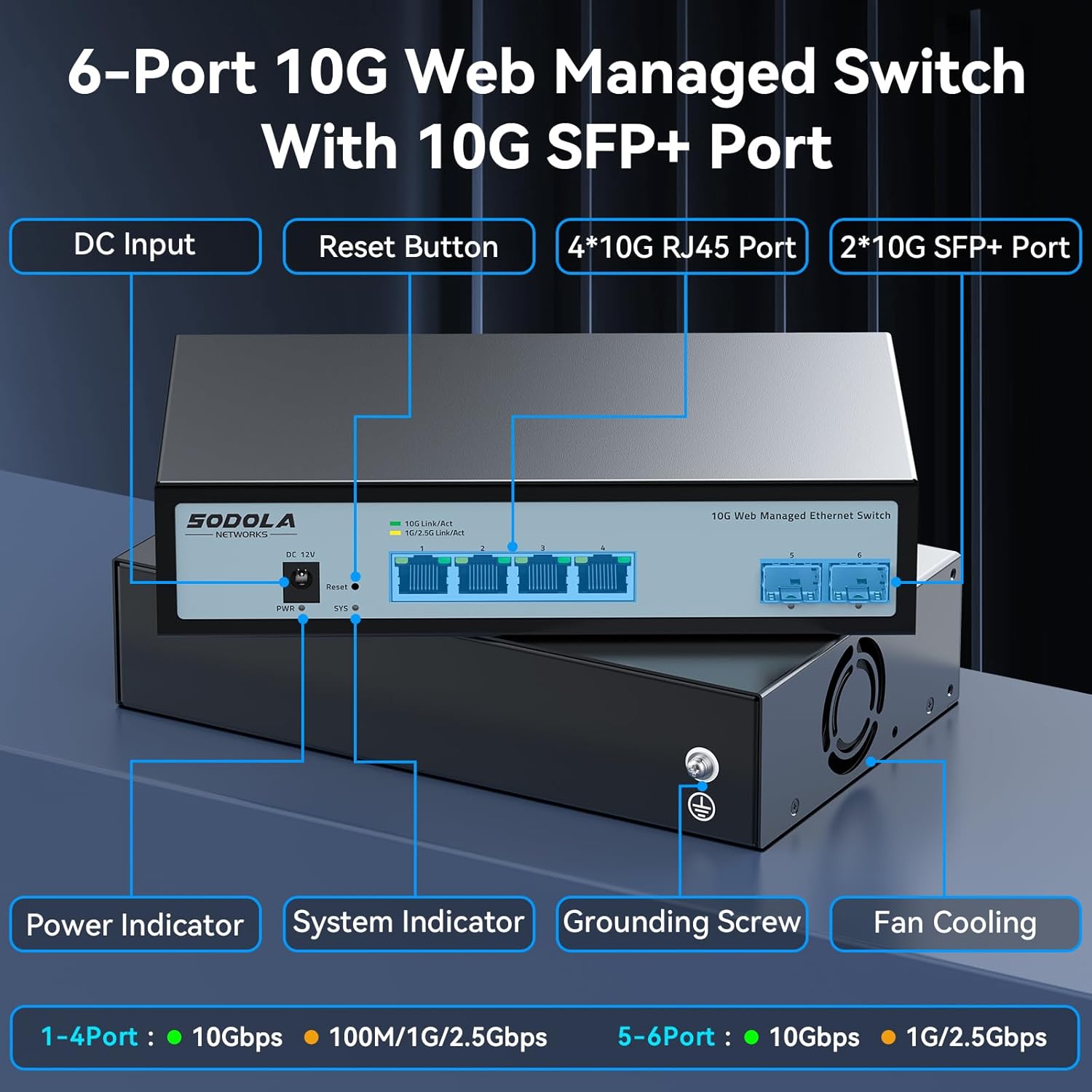
Слика 3: Распоред на предниот панел
The front panel features the following components:
- Влезен напон: Порт за поврзување со струја.
- Копче за ресетирање: Се користи за ресетирање на уредот на фабричките поставки.
- 4 x 10G RJ45 Ports: Adaptive ports supporting 100M/1G/2.5G/5G/10G speeds.
- 2 x 10G SFP+ Ports: Support manual switching between 10G/1G/100M or 2.5G/1G/100M adaptive.
- Индикатор за моќност: Покажува статус на моќност.
- Системски индикатор: Означува оперативен статус на системот.
3.2 Заден панел
The rear panel includes a grounding screw and fan cooling vents.
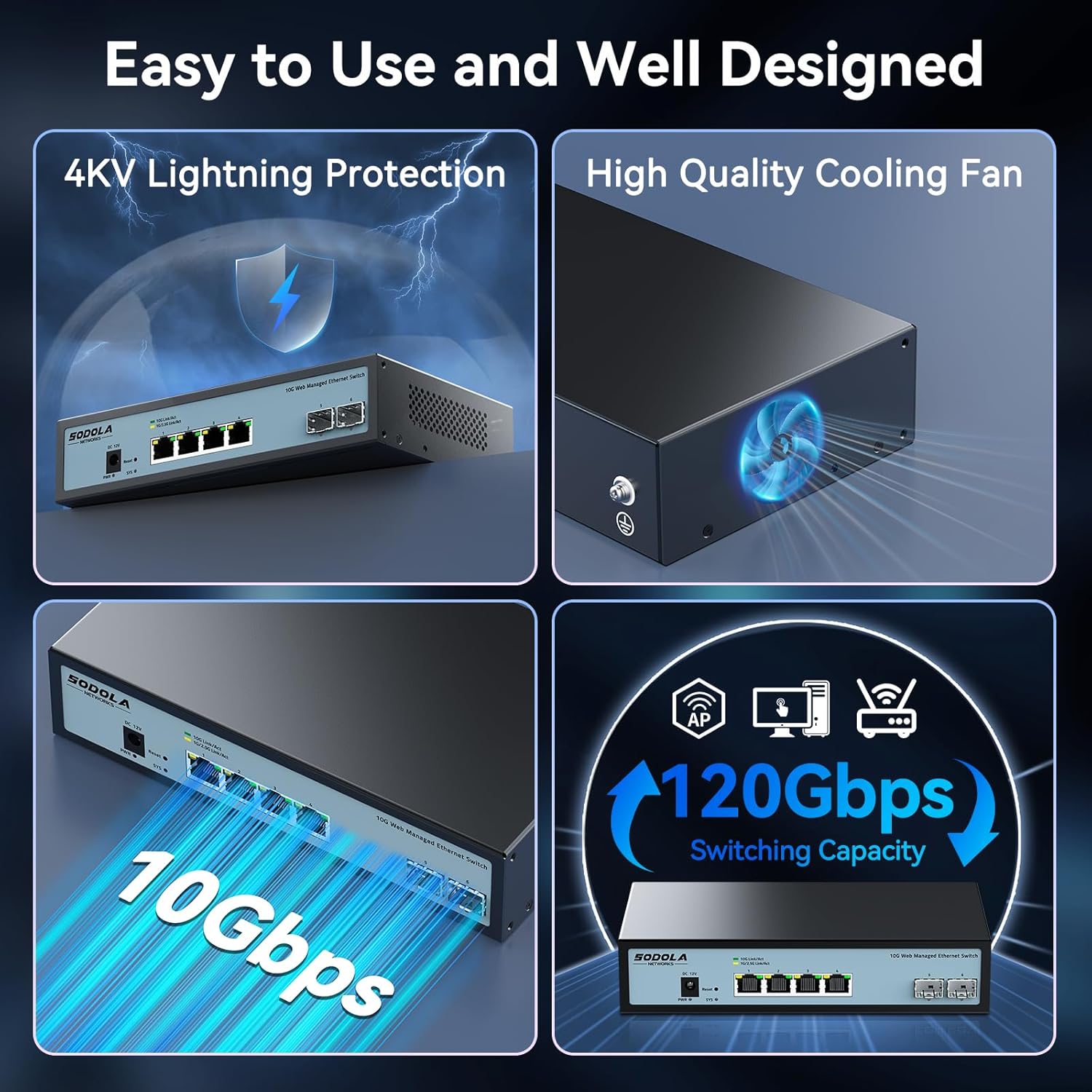
Figure 4: Rear Panel with Cooling Fan and Grounding Screw
- Завртка за заземјување: For proper electrical grounding.
- Ладење со вентилатор: Internal cooling fan for heat dissipation.
4. Поставување
4.1 Физичка инсталација
The switch supports both desktop and wall mounting. Choose a stable, well-ventilated location for installation.

Figure 5: Desktop and Wall Mounting Options
4.2 Поврзување на прекинувачот
- Connect the power adapter to the DC input port on the switch and plug it into a power outlet.
- Connect your network devices (e.g., computers, servers, NAS, routers) to the RJ45 or SFP+ ports using appropriate Ethernet cables or SFP+ transceivers.
- Ensure proper grounding by connecting a grounding wire to the grounding screw.
Video 1: This video demonstrates the basic plug-and-play setup for a 10G Ethernet switch, showing connections to various network devices. While it features an unmanaged switch, the physical connection steps are similar.
5. Ракување со Web Managed Interface
This switch features a web-based management interface for advanced configuration. To access it, follow these steps:
- Initial IP Configuration: Before logging in, you must set an IP address via IPv4 on your computer to match the switch's default subnet. The default IP address for the switch is typically 192.168.2.1.
- Accessing the Interface: Отвори a web browser and enter the switch's default IP address (e.g., http://192.168.2.1) во лентата за адреси.
- Најавете се: Enter the default credentials. The default username is админ, and there is typically no default password (leave it blank).

Слика 6: Лесно Web Managed Method for Initial Access
5.1 Key Management Features
На web interface provides access to various features for network control and monitoring:
- Поставки за порта: Configure individual port speeds (auto-negotiation is recommended for RJ45 ports), enable/disable ports, and manage flow control. For SFP+ ports, manual speed setting may be required for 2.5G or 1G devices.
- VLAN Management: Create and manage Virtual Local Area Networks for network segmentation.
- Агрегација на линкови (LACP): Комбинирајте повеќе физички врски во една логичка врска за зголемен пропусен опсег и редундантност.
- Квалитет на услуга (QoS): Дајте приоритет на мрежниот сообраќај за критични апликации.
- Контрола на бура: Prevent network disruptions caused by broadcast, multicast, or unknown unicast storms.
- Огледало на пристаништето: Следете го мрежниот сообраќај со испраќање копија од пакетите од еден порт до друг.
- DHCP Snooping: Enhance network security by filtering untrusted DHCP messages.
- SNMP: Monitor network devices from a central management station.
- RSTP (Rapid Spanning Tree Protocol): Prevent network loops.

Слика 7: Готовоview of Web Карактеристики на управување
Video 2: This video provides a demonstration of the web management interface, including login and basic configuration steps for a similar 10G managed switch. It highlights how to navigate and apply settings.
Видео 3: Оверview of a 10G web managed SFP+ switch, demonstrating its features and management capabilities. This can help users understand the interface and available options.
5.2 Зачувување на конфигурацијата
After making any changes in the web interface, it is crucial to save the configuration to ensure your settings are retained after a reboot or power cycle. Navigate to the "Maintenance" or "System" section and select "Save Configuration" or a similar option, then apply the changes.

Figure 8: Remember to Save Configuration
6. Одржување
6.1 вентилатор за ладење
The switch is equipped with an internal cooling fan to manage heat dissipation. If fan noise is a concern, the fan can be removed by opening the case. Ensure the device remains in a well-ventilated area if the fan is removed.
6.2 Ажурирања на фирмверот
Периодично проверувајте ги упатствата на производителот website for firmware updates to ensure optimal performance and access to the latest features and security enhancements. Follow the instructions provided with the firmware update package for proper installation.
7 Смена на проблеми
- Без моќност: Ensure the power cord is securely connected to the switch and a working power outlet. Check the power indicator LED.
- Нема врска/активност на портата:
- Verify the Ethernet cable is correctly connected to both the switch and the network device.
- Проверете ја LED-светилката за врска/активност за специфичниот порт.
- Осигурајте се дека поврзаниот уред е вклучен и работи правилно.
- For SFP+ ports, confirm the SFP+ module is properly inserted and compatible.
- Во web interface, check the port status and ensure it is enabled and configured for the correct speed (especially for SFP+ ports).
- Не може да се пристапи Web Интерфејс:
- Ensure your computer's IP address is in the same subnet as the switch's default IP (e.g., 192.168.2.x).
- Clear your browser's cache.
- Пробајте поинаку web прелистувач.
- If you have changed the switch's IP address and forgotten it, you may need to perform a factory reset using the reset button.
- Бавна брзина на мрежата:
- Verify that all connected devices and cables support 10G speeds for optimal performance.
- Check port speed settings in the web interface; ensure auto-negotiation is enabled for RJ45 ports or the correct speed is manually set for SFP+ ports.
- Inspect cables for damage or improper termination.
8. Спецификации
| Карактеристика | Детал |
|---|---|
| Модел | 4x10G RJ45+2x10G SFP+ (Managed) |
| Тип на интерфејс | 4 x 10G Base-T Ports + 2 x 10G SFP+ Ports |
| Стапка на пренос на податоци | 10 гигабити во секунда |
| Број на пристаништа | 6 |
| Материјал на случајот | Метал |
| Тежина на ставката | 2.05 фунти |
| Димензии на пакетот | 12.09 x 7.64 x 2.44 инчи |
| Боја | Црното |
| Компатибилни уреди | Desktop, Laptop, Router |
9. Гаранција и поддршка
SODOLA offers a one-year free replacement for any non-human-induced quality issues and lifetime technical support. For assistance, please contact Sodola Networks customer service.
За повеќе информации и поддршка, посетете ја Sodola Store on Amazon.


