1. Вовед
Ви благодарам за купувањетоasing the Jazmm Model 213 Portable Multi-Band Radio. This device is designed to provide versatile audio entertainment and essential weather information. It features AM, FM, Shortwave (SW), and NOAA Weather Band (WB) reception, Bluetooth 5.4 connectivity, TF card playback, a powerful 5W speaker, and a built-in rechargeable battery with flashlight functionality. This manual provides detailed instructions for the proper use and maintenance of your radio.
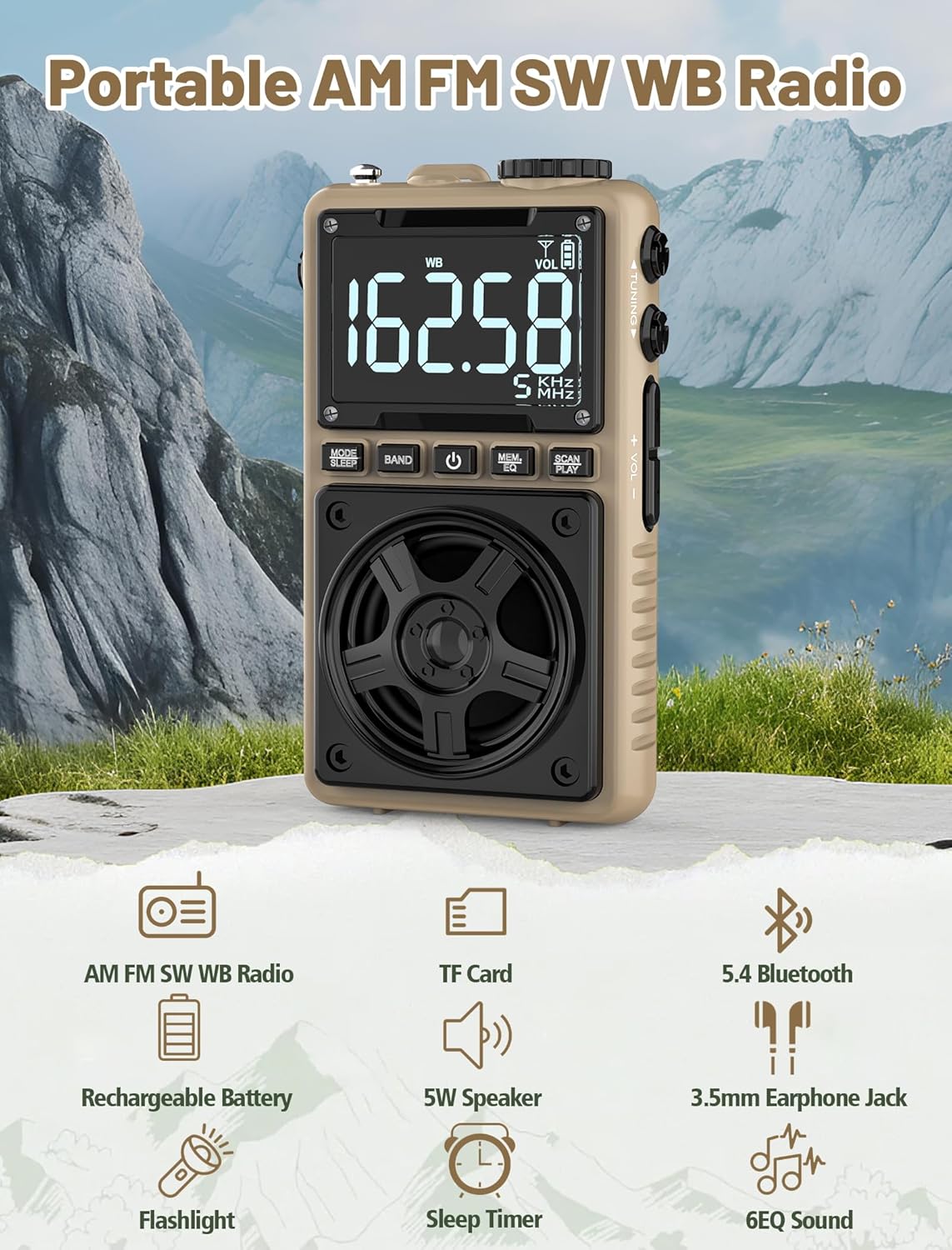
Image 1.1: The Jazmm Model 213 Portable Multi-Band Radio highlighting its key features including AM/FM/SW/WB radio, TF card support, Bluetooth 5.4, 5W speaker, rechargeable battery, flashlight, sleep timer, and 6 EQ sound effects.
2. Информации за безбедност
Ве молиме прочитајте ги и разберете ги сите безбедносни упатства пред да го користите овој производ. Чувајте ги овие упатства за идна референца.
- Не го изложувајте уредот на екстремни температури, директна сончева светлина или висока влажност.
- Избегнувајте паѓање или изложување на уредот на силни удари.
- Не го расклопувајте, не го поправајте или не го модифицирајте уредот сами. За сите сервисирања обратете се на квалификуван персонал.
- Чувајте го уредот подалеку од вода и други течности.
- За полнење користете го само испорачаниот кабел за полнење или сертифициран кабел од тип C.
- Отстранете ја батеријата според локалните прописи. Не ја горете.
- Продолженото слушање на висока јачина на звук може да предизвика оштетување на слухот. Прилагодете ја јачината на звукот на умерено ниво.
3. Содржина на пакетот
Проверете дали сите артикли се присутни во пакувањето:
- Jazmm Model 213 AM FM SW WB Radio
- Упатство за сопственикот (овој документ)
- USB тип-C кабел за напојување
4. Производот завршиview
Запознајте се со компонентите и контролите на радиото.

Слика 4.1: Напред и од страна view of the Jazmm Model 213 radio. The front features a large digital display, speaker, and control buttons (MODE/SLEEP, BAND, Power, MEM/EQ, SCAN/PLAY). The side shows the LOCK/LIGHT switch, TF card slot, DC 5V Type-C charging port, and a 1250mAh battery indicator.
Контроли и пристаништа:
- Дигитален екран: Shows frequency, band, volume, battery level, and other indicators.
- Говорник: 5W output for clear audio.
- MODE/SLEEP Button: Switches between modes (Radio, Bluetooth, TF Card) and activates sleep timer.
- Копче за лента: Selects radio bands (FM, AM, SW, WB).
- Копче за вклучување: Го вклучува/исклучува радиото.
- MEM/EQ Button: Accesses memory functions and cycles through EQ sound effects.
- SCAN/PLAY Button: Initiates auto-scan for radio stations or plays/pauses in Bluetooth/TF card mode.
- Копче за подесување: Ја прилагодува фреквенцијата.
- Копчиња за јачина на звук +/-: Ја прилагодува јачината на звукот.
- LOCK/LIGHT Switch: Locks buttons or activates the flashlight.
- Слот за картичка TF: За репродукција на микро SD картичка (до 128GB).
- DC 5V Type-C Charging Port: За полнење на внатрешната батерија.
- 3.5 мм приклучок за слушалки: За приватно слушање.
- Телескопска антена: За подобар радио прием.
- Back Clip & Wrist Strap: For portability and secure carrying.
5. Поставување
5.1 Почетно полнење
Before first use, fully charge the radio's internal 1250mAh lithium polymer battery. Connect the provided USB Type-C power cord to the DC 5V charging port on the side of the radio and plug the other end into a compatible USB power adapter (not included) or a computer USB port. The charging indicator on the display will show charging status. A full charge typically takes approximately 1.5 hours and provides 10-12 hours of usage.

Image 5.1: The Jazmm Model 213 radio connected to a power adapter via its Type-C charging port, illustrating the charging process for its 1250mAh rechargeable battery.
5.2 Прилагодување на антената
For optimal radio reception, extend the telescopic antenna fully when listening to FM, SW, or WB bands. For AM reception, the internal antenna is generally sufficient, but adjusting the radio's orientation may improve signal strength.
6. Упатства за работа
6.1 Вклучување/исклучување
Притиснете и задржете го Копче за напојување ( ) for approximately 2 seconds to turn the radio on or off.
6.2 Избор на режим
Притиснете го MODE/SLEEP Button to cycle through available modes: Radio (FM/AM/SW/WB), Bluetooth, and TF Card (if a card is inserted).
6.3 Radio Band Selection and Tuning
Во радио режим, притиснете го копчето Копче BAND to switch between FM, AM, Shortwave (SW), and NOAA Weather Band (WB).
- FM: 87-108 MHz
- AM: 520-1710 KHz
- SW: 4.75-21.85 MHz
- СБ: 162.400-162.550 MHz

Image 6.1: The radio displaying different frequencies across FM, AM, SW, and WB bands, illustrating its multi-band reception capability with an extended antenna.
Рачно подесување:
Завртете го Копче за подесување on the side of the radio to manually adjust the frequency.
Автоматско скенирање:
Притиснете го SCAN/PLAY Button to automatically scan for and save available stations. The radio can store up to 100 preset stations.
6.4 претходно поставени станици
After an automatic scan, use the Копче за подесување или на MEM/EQ Button to navigate through saved preset stations. Refer to the display for preset numbers (e.g., P01, P02).

Image 6.2: The radio positioned on a nightstand, illustrating the sleep timer function and the display of preset station numbers (P01, P05, P19, etc.).
6.5 Контрола на јачината на звукот
Користете го Том +/- Копчиња on the side of the radio to increase or decrease the audio output.
6.6 режим на Bluetooth
Префрлете се на Bluetooth режим користејќи го MODE/SLEEP Button. The radio will enter pairing mode, indicated by a blinking Bluetooth icon on the display. On your smartphone, tablet, or laptop, search for Bluetooth devices and select "Jazmm 213" to connect. The radio acts as a Bluetooth speaker. Note: This radio does not support connection to Bluetooth earphones.
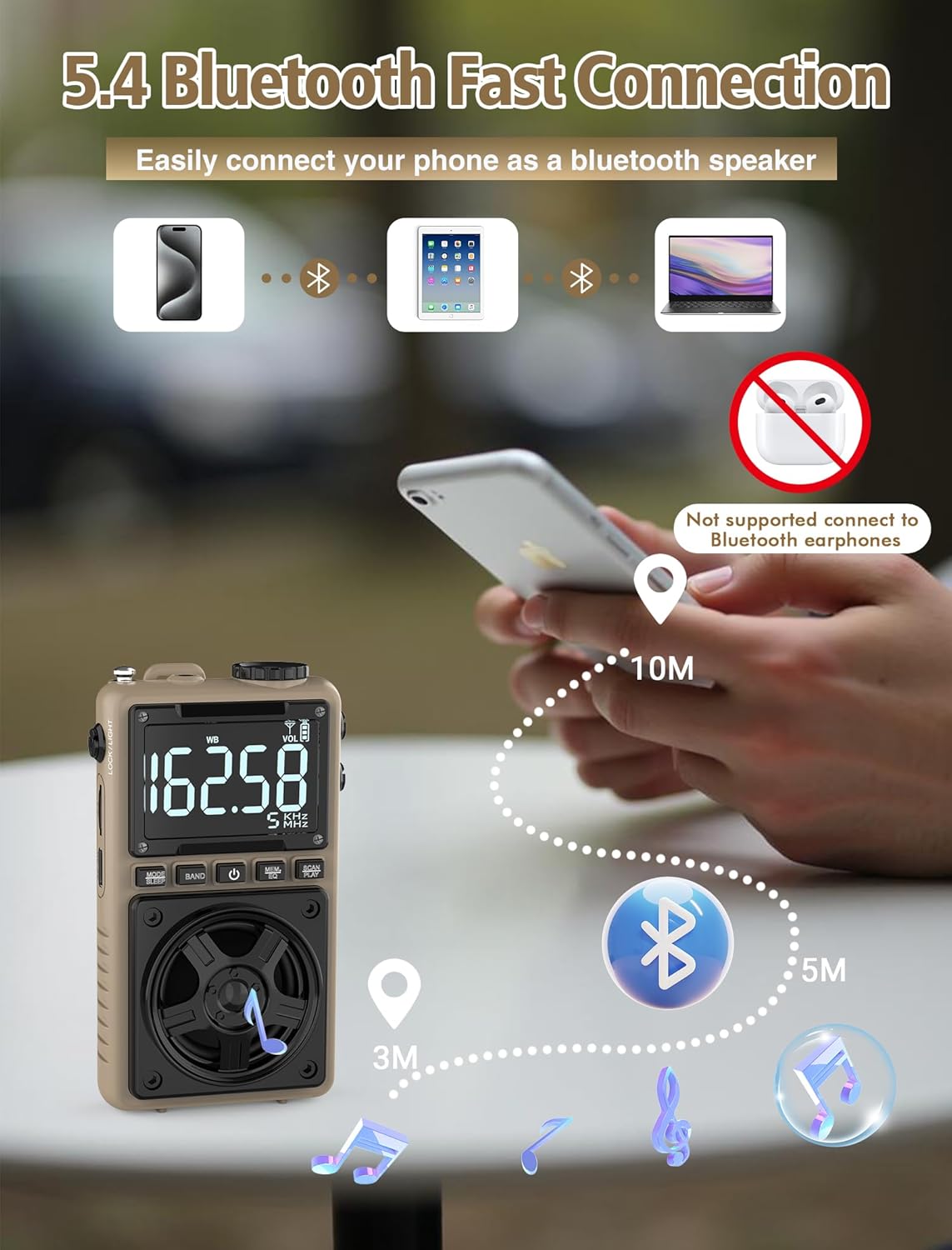
Image 6.3: A visual representation of the Jazmm Model 213 radio establishing a Bluetooth connection with various devices like smartphones, tablets, and laptops, functioning as a Bluetooth speaker.
6.7 TF Card Playback (MP3 Player)
Insert a Micro SD card (up to 128GB) with MP3 audio fileи во Слот за картичка TF. Switch to TF Card mode using the MODE/SLEEP Button. The radio will automatically begin playing music from the card. Use the SCAN/PLAY Button to play/pause and the Копче за подесување за прескокнување песни.

Image 6.4: A user enjoying music through headphones connected to the Jazmm Model 213 radio, with an inset showing the TF card slot for Micro SD card insertion.
6.8 Употреба на слушалки
Вклучете стандардни 3.5 мм слушалки во Приклучок за слушалки од 3.5 мм for private listening. The radio's speaker will automatically mute when headphones are connected.
6.9 Временска вест од NOAA
In WB (Weather Band) mode, the radio is capable of receiving real-time weather alerts and updates from the National Oceanic and Atmospheric Administration. This feature helps you prepare for potential weather hazards. Ensure the antenna is extended for best reception.

Image 6.5: The radio displaying a NOAA weather alert, with a flashlight beam illuminating the foreground and a stormy sky in the background, emphasizing its emergency preparedness features.
6.10 Функција на фенерче
Лизгајте го LOCK/LIGHT Switch to activate the built-in LED flashlight. This can be useful in low-light conditions or emergencies.
6.11 Тајмер за спиење
Притиснете и задржете го MODE/SLEEP Button to activate the sleep timer. Repeated presses will cycle through available durations (e.g., 10, 60, 90, 120 minutes). The radio will automatically turn off after the selected time.
6.12 Клуч за заклучување
Лизгајте го LOCK/LIGHT Switch to the 'LOCK' position to prevent accidental button presses. This is useful when carrying the radio in a pocket or bag.
6.13 Звучни ефекти на еквилајзер
Притиснете го MEM/EQ Button (short press) to cycle through 6 preset EQ sound effects: Normal, Rock, Pop, Jazz, Class, and Village. Select the effect that best suits your audio preference.

Image 6.6: The radio's 5W speaker is highlighted, surrounded by icons representing the six available EQ stereo sound effects: Normal, Rock, Pop, Jazz, Class, and Village.
7. Спецификации
| Карактеристика | Детал |
|---|---|
| Број на модел | 213 |
| Димензии на производот | 2.3 x 4 x 1.3 инчи (5.84 x 10.16 x 3.3 см) |
| Тежина на ставката | 4.6 унци (130 грама) |
| Поддржани радио бендови | FM (87-108MHz), AM (520-1710KHz), SW (4.75-21.85MHz), WB (162.400-162.550MHz) |
| Технологија за поврзување | Bluetooth 5.4 |
| Излез на звучник | 5W |
| Батерија | 1250mAh Lithium Polymer (Rechargeable, included) |
| Порта за полнење | USB Type-C (DC 5V) |
| Време на полнење | Прибл. 1.5 часа |
| Време на употреба | Приближно 10-12 часа (во зависност од употребата) |
| Поддршка за мемориска картичка | Micro SD (TF Card) up to 128GB |
| Посебни карактеристики | NOAA Weather Alert, Built-In Flashlight, SOS Alarm, Sleep Timer, 100 Preset Stations, Digital Backlight Screen, Back Clip, Wrist Strap |
8 Смена на проблеми
| Проблем | Можна причина / решение |
|---|---|
| Радиото не се вклучува. |
|
| Лош радио прием. |
|
| Bluetooth не се поврзува. |
|
| TF картичката не се репродуцира. |
|
| Нема звук од звучникот/слушалките. |
|
9. Одржување
- Чистење: Користете мека, сува крпа за чистење на надворешноста на радиото. Не користете абразивни средства за чистење или растворувачи.
- Складирање: Кога не го користите подолго време, чувајте го радиото на ладно и суво место.
- Нега на батеријата: To prolong battery life, avoid fully discharging the battery frequently. Recharge the radio periodically even if not in use.
- Антена: Handle the telescopic antenna gently to prevent bending or breaking. Retract it when not in use.
10. Гаранција и поддршка
Jazmm products are designed for reliability and performance. For warranty information, please refer to the documentation provided at the time of purchase or contact your retailer. If you encounter any issues or require technical assistance, please contact Jazmm customer support through the retailer's platform or the official Jazmm webсајт.
Ве молиме, имајте го при рака бројот на моделот на вашиот производ (213) и деталите за купувањето кога ќе контактирате со поддршката.


