1. Вовед и производview
This manual provides detailed instructions for the setup, operation, and maintenance of your ZEBRONICS Juke BAR 4100 Soundbar. Please read this manual thoroughly before using the product to ensure proper functionality and to maximize your audio experience.

Image 1.1: The ZEBRONICS Juke BAR 4100 Soundbar and its accompanying subwoofer, shown with the remote control. The soundbar is a long, slender unit, and the subwoofer is a compact, cube-shaped speaker.
Клучни карактеристики:
- Динамички излез: 200W RMS total power (90W subwoofer, 110W soundbar).
- Мулти-поврзување: Bluetooth v5.0, HDMI (ARC), Optical, USB, and AUX inputs.
- Моќни драјвери: Soundbar features 4 x 5.71 cm drivers; subwoofer features a single 16.51 cm driver for enhanced bass.
- Виртуелен 5.1 опкружувачки звук: Creates an immersive, multi-channel audio environment.
- Wall-mountable: Designed for flexible placement and space efficiency.
- Лед екран: Provides clear status, volume, and connectivity mode information.
2. Што има во кутијата
Внимателно распакувајте ги сите предмети и проверете дали сте ги добиле следните компоненти:
- Sound Bar - 1 unit
- Subwoofer - 1 unit
- Remote Control - 1 unit
- Input Cable - 1 unit
- Водич за QR кодови - 1 единица
3. Упатства за поставување
3.1 Поставување
For optimal audio performance, place the soundbar centrally below your television. The subwoofer can be placed on the floor near the soundbar, ideally in a corner for enhanced bass response.

Image 3.1: The soundbar positioned below a television, with the subwoofer on the floor to the left, illustrating a typical home theater setup.
3.2 Монтирање на ѕид
The soundbar is designed to be wall-mountable. Use appropriate wall mounting hardware (not included) and follow the instructions provided in the QR Code Guide for secure installation. Ensure the wall can support the weight of the soundbar.
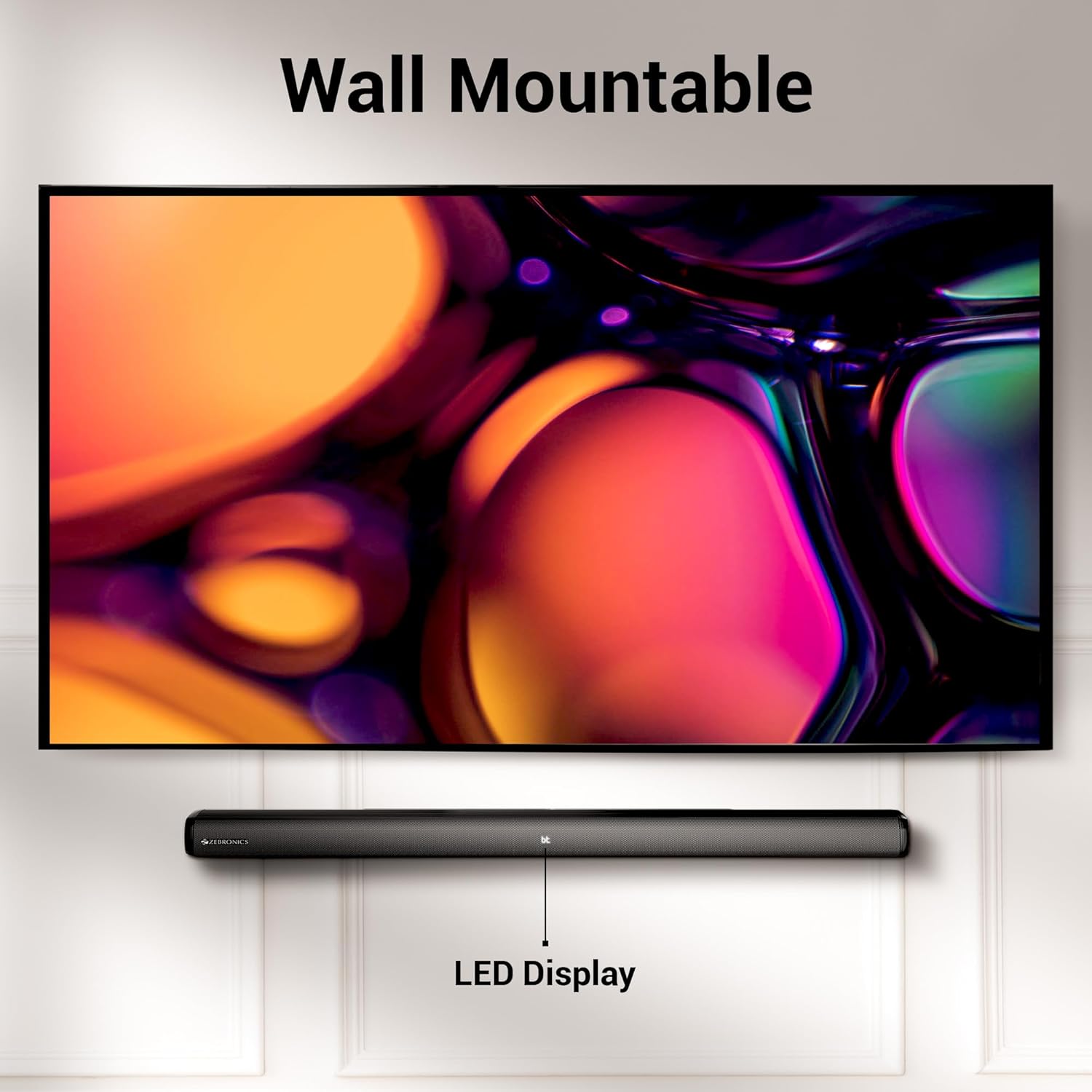
Image 3.2: The soundbar mounted on a wall beneath a television, demonstrating its wall-mountable design and integrated LED display.
3.3 Поврзување на сабвуферот
Connect the subwoofer to the soundbar using the provided input cable. Ensure the connection is secure.
3.4 Поврзување за напојување
Connect the power cables for both the soundbar and the subwoofer to a suitable power outlet. The LED display on the soundbar will illuminate.
4. Упатства за работа
4.1 Вклучување/исклучување
Притиснете го Моќ копчето на саундбарот или на далечинскиот управувач за да го вклучите или исклучите уредот.
4.2 Избор на режим
Притиснете го Режим button on the soundbar or the remote control to cycle through available input modes: Bluetooth (BT), HDMI (ARC), Optical (OPT), USB, and AUX. The selected mode will be indicated on the LED display.
4.3 Контрола на јачината на звукот
Користете го Волумен + и Волумен - копчињата на саундбарот или на далечинскиот управувач за да ја прилагодите јачината на звукот.
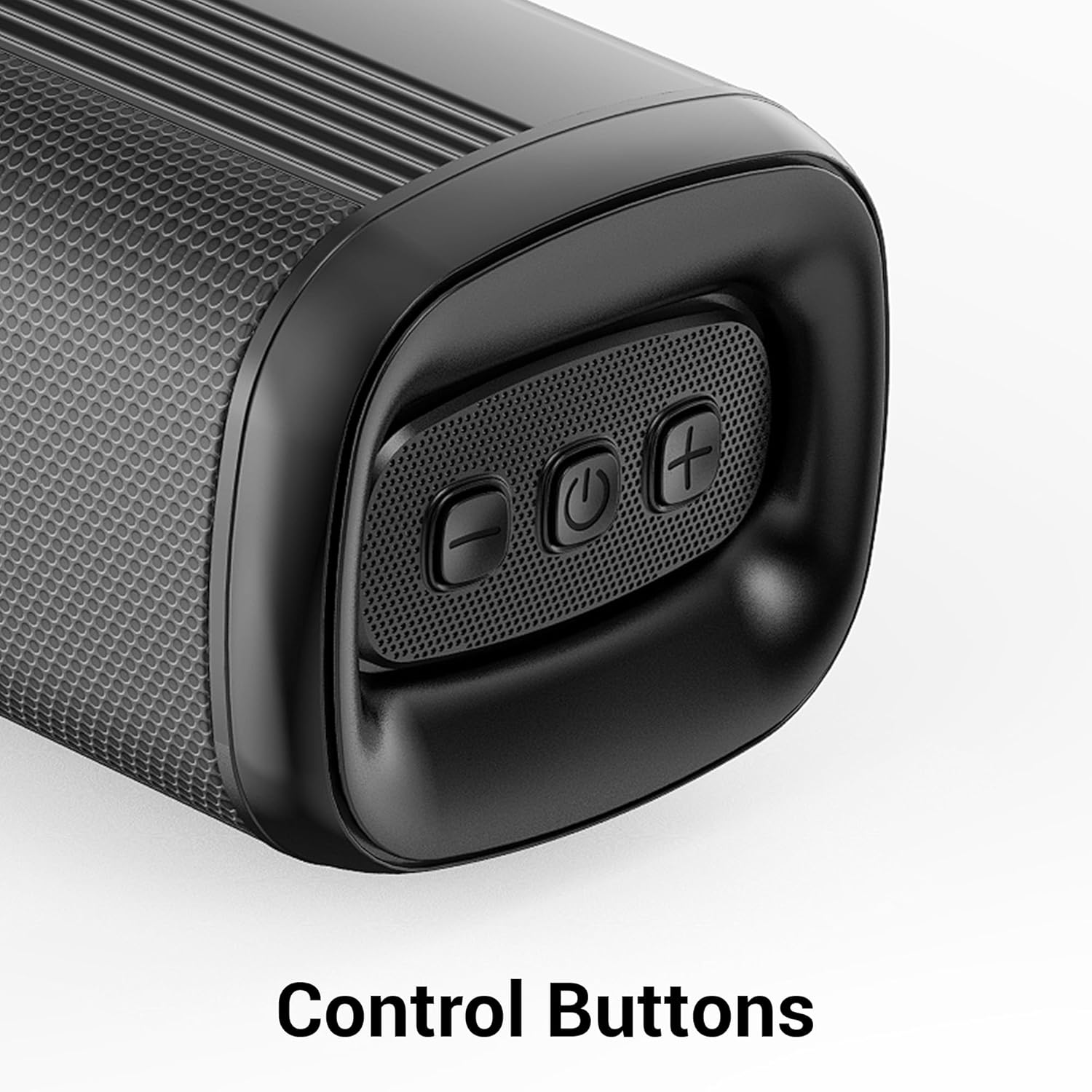
Слика 4.1: Крупен план view of the control buttons on the soundbar, including volume down, power, and volume up.
5. Поврзување
The ZEB-Juke Bar 4100 offers multiple connectivity options for various devices.

Image 5.1: The soundbar with an overlay indicating its multi-connectivity features: Bluetooth v5.0, TV (ARC), Optical IN, USB, and AUX.
5.1 Bluetooth (BT) Connection
- Turn on the soundbar and select BT mode. The LED display will show "BT" and flash, indicating pairing mode.
- Enable Bluetooth on your mobile device or computer and search for "ZEB-JUKE BAR 4100".
- Select the soundbar from the list of available devices to pair. Once connected, the "BT" indicator will stop flashing.
5.2 HDMI (ARC) поврзување
- Поврзете HDMI кабел од HDMI ARC port on the soundbar to the HDMI ARC порт на вашиот телевизор.
- Изберете HDMI ARC режим на саундбарот.
- Проверете дали аудио излезот на вашиот телевизор е поставен на HDMI ARC или надворешни звучници.
5.3 Optical (OPT) Connection
- Connect an optical cable from the Оптички IN port on the soundbar to the optical output port on your television or audio source.
- Изберете Одлучат режим на саундбарот.
- Проверете дали аудио излезот на вашиот телевизор е поставен на оптички или надворешни звучници.
5.4 USB репродукција
- Вметнете USB флеш-уред што содржи аудио fileи во USB порта на лентата за звук.
- Изберете USB mode. The soundbar will automatically begin playing audio files.
- Use the remote control to navigate tracks (Play/Pause, Next/Previous).
5.5 AUX конекција
- Connect a 3.5mm audio cable from the AUX ВО port on the soundbar to the audio output of your device (e.g., smartphone, MP3 player).
- Изберете AUX режим на саундбарот.
6. Одржување
За да обезбедите долготрајност и оптимални перформанси на вашиот саундбар, следете ги овие упатства за одржување:
- Чистење: Користете мека, сува крпа за чистење на површините на саундбарот и сабвуферот. Не користете течни средства за чистење или абразивни материјали.
- Вентилација: Обезбедете соодветна вентилација околу единиците. Не блокирајте ги отворите за вентилација.
- Животна средина: Avoid exposing the soundbar to extreme temperatures, humidity, or direct sunlight. Keep it away from water and other liquids.
- Моќност: Исклучете го кабелот за напојување од ѕидниот штекер ако уредот не се користи подолг временски период.
7 Смена на проблеми
If you encounter any issues with your ZEBRONICS Juke BAR 4100 Soundbar, refer to the following common problems and solutions:
| Проблем | Можна причина | Решение |
|---|---|---|
| Нема моќ | Power cable not connected; power outlet not active. | Ensure power cables are securely connected and the power outlet is functioning. |
| Нема звук | Incorrect input mode selected; volume too low; audio cable not connected properly. | Select the correct input mode (BT, HDMI, OPT, USB, AUX). Increase volume. Check all audio cable connections. Ensure TV audio output is set correctly. |
| Спарувањето со Bluetooth не успеа | Саундбарот не е во режим на спарување; уредот е предалеку; пречки. | Ensure soundbar is in BT mode and "BT" is flashing. Move device closer to the soundbar. Turn off other Bluetooth devices to reduce interference. |
| Далечинскиот управувач не работи | Батериите се испразнети; пречка помеѓу далечинскиот управувач и саундбарот. | Replace remote control batteries. Ensure no objects are blocking the remote's signal path to the soundbar's sensor. |
8. Спецификации
Technical specifications for the ZEBRONICS Juke BAR 4100 Soundbar:
- Име на модел: ZEB-JUKE BAR 4100
- Вкупна излезна моќност: 200 Watts RMS (Soundbar: 110W, Subwoofer: 90W)
- Тип на звучник: Soundbar with external Subwoofer
- Конфигурација на каналот за сараунд звук: Виртуелна 5.1
- Возачи на звучната лента: 4 x 5.71 cm
- Драјвер за сабвуфер: 1 x 16.51 cm
- Технологија за поврзување: Bluetooth v5.0, HDMI (ARC), Optical, USB, Auxiliary
- Опсег на Bluetooth: До 10 метри
- Фреквентен одговор: 45 Hz (minimum, as per data)
- Тип на монтирање: Монтирање на ѕид
- Контролен метод: Далечински управувач, копчиња на уредот
- Product Dimensions (Combined unit): 30.6D x 19W x 36.7H сантиметри
- Тежина на ставката: 6 кг
- Извор на енергија: Електричен со кабел
- Вклучени компоненти: Sound Bar, Subwoofer, Remote, Input cable, QR code guide
9. Гаранција и поддршка
The ZEBRONICS Juke BAR 4100 Soundbar comes with a limited warranty. Please refer to the warranty card included in your package for specific terms and conditions.
For technical assistance, troubleshooting, or warranty claims, please contact ZEBRONICS customer support. Contact details can typically be found on the official ZEBRONICS webстраницата или во вклучената документација.
Можете исто така да ја посетите официјалната ZEBRONICS Store on Amazon за повеќе информации за производот и ресурси за поддршка.


