Вовед
This manual provides detailed instructions for the GOBOULT Mirage Smart Watch. Please read this guide thoroughly to ensure proper setup, operation, and maintenance of your device. This smartwatch features a 1.39-inch HD display, Bluetooth calling, comprehensive health monitoring, and various sports modes.
Што има во кутијата
- GOBOULT Mirage Smart Watch
- Кабел за полнење
- Упатство за употреба
- Гарантна картичка
Поставување
1. Полнење на уредот
Before initial use, fully charge your GOBOULT Mirage Smart Watch. Connect the provided charging cable to the charging port on the back of the watch and to a standard USB power adapter (not included). The watch typically charges within 120 minutes.

Image: GOBOULT Mirage Smart Watch displaying its features, including charging capability.
2. Спарување со вашиот паметен телефон
- Download the official GOBOULT companion app from your smartphone's app store (available for iOS and Android).
- Проверете дали Bluetooth е овозможен на вашиот паметен телефон.
- Open the app and follow the on-screen instructions to search for and connect to your GOBOULT Mirage Smart Watch.
- Потврдете го барањето за спарување и на вашиот часовник и на паметниот телефон.
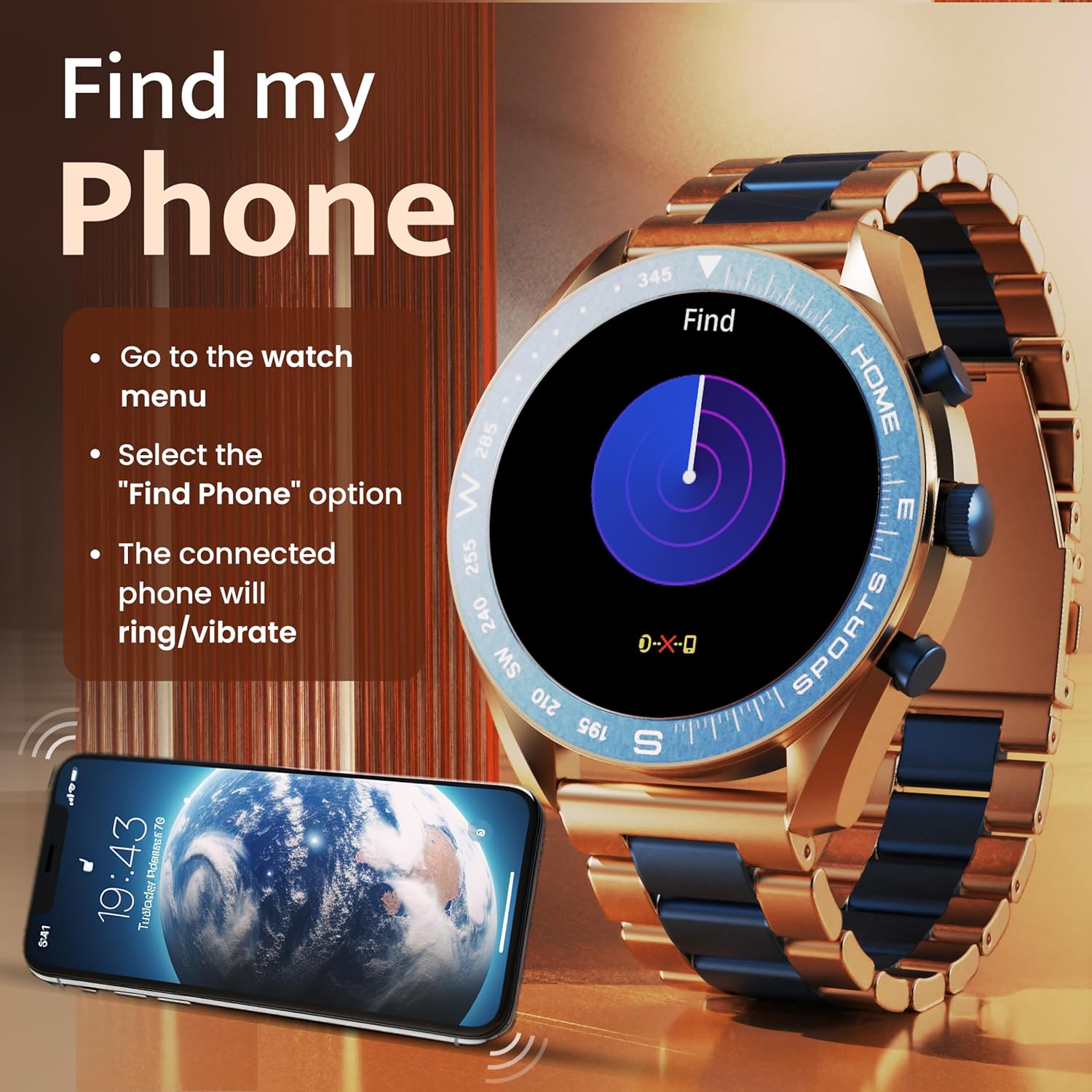
Image: The GOBOULT Mirage Smart Watch connected to a smartphone, illustrating connectivity.
Упатства за работа
1. Приказ и навигација
The GOBOULT Mirage features a 1.39-inch HD display with 360x360 pixels resolution and 500 nits peak brightness for clear visibility. Navigate the watch interface using touch gestures and the digital crown.
- Дигитална круна: Press to power on/off, switch UIs, and navigate menus. Rotate to scroll through options.
- Странични копчиња: Use for quick access to specific functions, such as launching sports modes.

Image: GOBOULT Mirage Smart Watch highlighting the digital crown and its various functions.
2. Bluetooth повици
With the built-in speaker and microphone, you can make and receive calls directly from your wrist once paired with your smartphone via Bluetooth 5.3.
- To answer a call, tap the green icon on the watch screen.
- To reject a call, tap the red icon.
- To make a call, access the dial pad or contacts through the watch menu.
Image: GOBOULT Mirage Smart Watch showing an incoming call notification.
3. Мониторинг на здравјето
The GOBOULT Mirage provides comprehensive health tracking features:
- SpO2 Blood Oxygen Monitor: Мери нивоа на кислород во крвта.
- Монитор за отчукувањата на срцето: 24/7 heart rate tracking.
- Монитор за спиење: Ги следи моделите на спиење и квалитетот.
- Breath Training Mode: Ве води низ вежби за дишење.
- Потсетник за пиење вода: Ве поттикнува да останете хидрирани.
- Седентарен потсетник: Alerts you after periods of inactivity.
- Следење активност: Ги евидентира чекорите, растојанието и согорените калории.
- Следење на менструалниот циклус: Helps monitor menstrual cycles.

Image: GOBOULT Mirage Smart Watch showcasing its complete health suite on the display.
4. Спортски режими
Track your performance across over 120 sports modes. Access these modes quickly using the shortcut buttons.
- Examples include Running, Cycling, Yoga, Cricket, Badminton, and Basketball.

Image: GOBOULT Mirage Smart Watch showing the selection of over 120 sports modes.
5. Изгледи на часовникот
Personalize your watch with over 300 cloud-based watch faces. You can also customize the dial to match your style.

Image: GOBOULT Mirage Smart Watch illustrating the variety of 300+ cloud watch faces.
6. Паметни известувања
Receive SMS and other smart notifications directly on your watch. Ensure your watch is connected to your phone via Bluetooth for this feature to function.

Image: GOBOULT Mirage Smart Watch showing a push notification from a messaging app.
7. Гласовен асистент со вештачка интелигенција
Access an intelligent AI voice assistant for hands-free control. Long press the designated button or use the voice assistant icon on the screen to activate.
8. Најдете го мојот телефон
If you misplace your connected smartphone, use the 'Find My Phone' feature on your watch:
- Go to the watch menu.
- Select the "Find Phone" option.
- The connected phone will ring or vibrate, helping you locate it.
Image: GOBOULT Mirage Smart Watch showing the 'Find My Phone' interface.
9. Водоотпорност
The GOBOULT Mirage Smart Watch is IP67 water-resistant, offering protection against dust and temporary immersion in water. It is suitable for daily wear and activities like hand washing or light rain.

Image: GOBOULT Mirage Smart Watch demonstrating its IP67 water resistance.
10. Mini Games
The watch includes several mini-games for entertainment during leisure time.
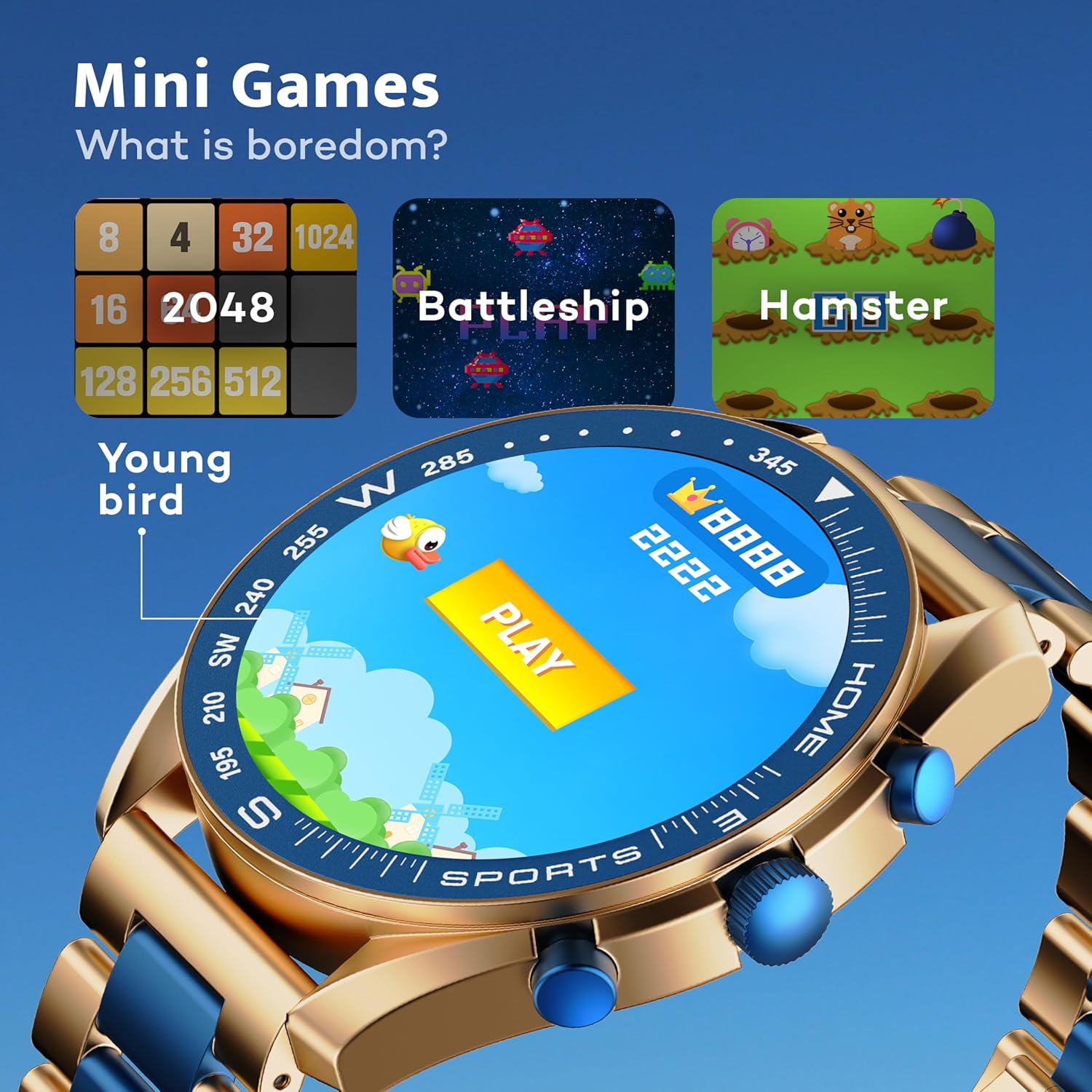
Image: GOBOULT Mirage Smart Watch showing the selection of mini-games.
Одржување
1. Чистење
- Избришете го екранот и куќиштето на часовникот со мека, сува крпа.
- За тврдоглава нечистотија, користете малку damp cloth and immediately dry the watch.
- Избегнувајте употреба на груби хемикалии или абразивни материјали, бидејќи тие можат да го оштетат финишот.
2. Упатства за водоотпорност
- The IP67 rating means the watch is protected from dust and can withstand immersion in water up to 1 meter for 30 minutes.
- Do not use the watch for swimming, showering with hot water, or diving.
- Избегнувајте изложување на часовникот на вода или пареа под висок притисок.
- If the watch gets wet, dry it thoroughly before charging or using any buttons.
Решавање проблеми
- Часовникот не се вклучува: Проверете дали часовникот е целосно наполнет. Поврзете го со полначот најмалку 30 минути.
- Не може да се спари со телефон: Проверете дали Bluetooth е овозможен на вашиот телефон и дали часовникот е во опсег. Рестартирајте ги двата уреди и обидете се повторно да спарите.
- Неточни здравствени податоци: Погрижете се часовникот да биде цврсто на вашиот зглоб, не премногу стегнат или премногу лабав. Редовно чистете ги сензорите.
- Кратко траење на батеријата: Намалете ја осветленоста на екранот, исклучете ги непотребните известувања и ограничете го континуираното следење на срцевиот ритам доколку не е потребно.
- Проблеми со екранот: Restart the watch. If the problem persists, contact customer support.
Спецификации
| Карактеристика | Детал |
|---|---|
| Бренд | ГОБУЛТ |
| Број на модел | 8906133853464 |
| Големина на приказ | 1.39 инчи |
| Осветленост | 500 гниди |
| Материјал за рамка | Цинк легура |
| Безжичен тип | Bluetooth 5.3 |
| Оперативен систем | iOS, Android |
| Отпорност на вода | IP67 |
| Време на полнење на батеријата | 120 минути |
| Тип на батерија | Литиум полимер |
| Тежина на ставката | 106 гр |
Гаранција и поддршка
Your GOBOULT Mirage Smart Watch comes with a warranty card included in the box. Please refer to this card for details regarding warranty coverage and terms.
For technical support, troubleshooting assistance, or warranty claims, please contact GOBOULT customer service through their official webстраницата или контакт информациите наведени на вашата гарантна картичка.