1. Вовед
This manual provides essential information for the proper use and maintenance of your GOODTEL G9 11-inch Android Tablet. Please read this manual thoroughly before operating the device to ensure optimal performance and longevity.
The GOODTEL G9 tablet features an 11-inch 2K display, an octa-core processor, 16GB RAM (8GB fixed + 8GB expandable), 256GB ROM (expandable up to 1TB via Micro SD), an 8600mAh battery, 5G Wi-Fi, Bluetooth 5.0, and 13MP rear and 5MP front cameras. It operates on Android 13 and is GMS certified.

Image 1.1: GOODTEL G9 Tablet overview, highlighting 2K display, 16GB RAM, 256GB ROM, and Android OS.
2. Содржина на пакетот
По отварањето на пакувањето, проверете дали сите предмети се присутни и се во добра состојба. Стандардниот пакет вклучува:
- GOODTEL G9 11-inch Android Tablet
- Адаптер за напојување
- Кабел за USB Type-C
- Заштитна футрола
- Заштитник за екран (претходно нанесен или посебен)
- Упатство за употреба (овој документ)
Image 2.1: The GOODTEL G9 Tablet and its standard accessories.
3. Поставување
3.1. Почетно полнење
Before first use, fully charge the tablet.
- Поврзете го USB Type-C кабелот со приклучокот за полнење на таблетот.
- Поврзете го другиот крај на кабелот со адаптерот за напојување.
- Приклучете го адаптерот за напојување во ѕиден штекер.
- Allow the tablet to charge until the battery indicator shows 100%.
3.2. Вклучување/исклучување
- За вклучување: Press and hold the Power button until the GOODTEL logo appears.
- За исклучување: Притиснете и задржете го копчето за вклучување, а потоа изберете „Исклучи“ од опциите на екранот.
- За рестартирање: Притиснете и задржете го копчето за вклучување, а потоа изберете „Рестартирај“ од опциите на екранот.
3.3. Волшебник за почетно поставување
The first time you power on the tablet, an on-screen setup wizard will guide you through basic configurations:
- Избор на јазик: Изберете го саканиот јазик.
- Wi-Fi конекција: Поврзете се на Wi-Fi мрежа за да пристапите на интернет.
- Сметка на Google: Најавете се со вашата Google сметка или креирајте нова. Ова е неопходно за преземање апликации од Google Play Store.
- Датум и време: Поставете го точниот датум и време.
- Безбедност: Set up a screen lock (PIN, pattern, password, or facial recognition).
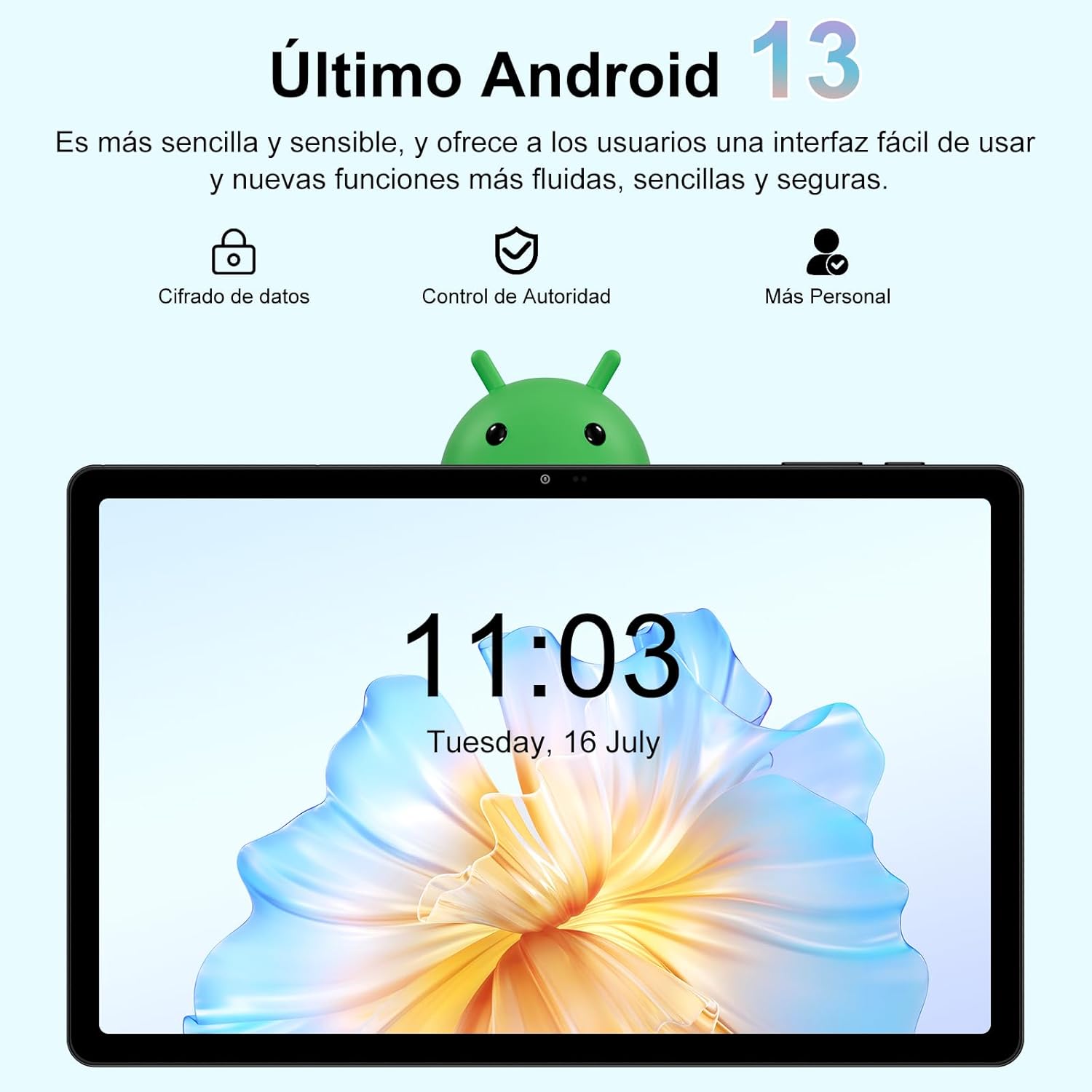
Image 3.1: The Android 13 operating system interface on the GOODTEL G9 Tablet.
4. Ракување со таблетот
4.1. Приказ и навигација
The GOODTEL G9 features an 11-inch 2K Incell HD display with a resolution of 2000x1200 pixels, offering vibrant colors and rich details.
- Гестови на допир: Navigate the interface using standard Android touch gestures (tap, swipe, pinch-to-zoom).
- Почетен екран: Access your apps and widgets.
- Панел за известување: Повлечете надолу од горниот дел на екранот до view известувања и брзи поставки.
- Неодамнешни апликации: Tap the square navigation button (or swipe up and hold) to view и префрлајте помеѓу неодамна користените апликации.

Image 4.1: The 11-inch display of the GOODTEL G9 Tablet.
4.2. Перформанси и складирање
The tablet is equipped with an 8-core 2.0 GHz processor, 16GB RAM (8GB fixed + 8GB expandable), and 256GB internal storage (ROM). Storage can be expanded up to 1TB using a Micro SD card (not included).
- Управување со апликации: Install and uninstall applications from the Google Play Store.
- File Управување: Користете го претходно инсталираниот file manager to organize your documents, photos, and videos.
- Мултитаскинг: The generous RAM allows for smooth multitasking and app switching.

Image 4.2: Memory and storage capabilities of the GOODTEL G9 Tablet.
4.3. Камери
The GOODTEL G9 features a 13MP rear camera and a 5MP front camera, suitable for capturing photos, videos, and video calls.
- Фотографирање: Отворете ја апликацијата Камера, кадрирај ја снимката и допреш го копчето за бленда.
- Снимање видеа: Префрлете се на видео режим во апликацијата Камера и допрете го копчето за снимање.
- Поставки: Adjust camera settings such as resolution, flash, and timer within the Camera app.

Слика 4.3: На пр.amples of photos taken with the GOODTEL G9 Tablet cameras.
4.4. Поврзување
- Wi-Fi: Supports dual-band 2.4G and 5G Wi-Fi for stable and fast internet access. Go to Settings > Network & internet > Wi-Fi to connect to a network.
- Bluetooth 5.0: Connect to wireless headphones, speakers, and other Bluetooth-enabled devices. Go to Settings > Connected devices > Bluetooth.
- GPS: Integrated GPS allows for navigation and location-based services.
- OTG (во движење): Supports OTG connectivity for connecting USB peripherals like flash drives or external keyboards/mice.

Image 4.4: Connectivity features of the GOODTEL G9 Tablet.
4.5. Управување со батерии
The tablet is equipped with an 8600mAh high-capacity battery, providing extended usage time for reading, browsing, and multimedia consumption.
- Штедач на батерија: Enable battery saver mode in Settings > Battery to extend battery life.
- Полнење: Use the provided Type-C charger for optimal charging.
- Здравје на батеријата: Избегнувајте екстремни температури и често целосно празнење на батеријата за да го продолжите нејзиниот век на траење.

Image 4.5: The 8600mAh high-capacity battery.
5. Одржување
- Чистење: Користете мека крпа што не остава влакненца за чистење на екранот и телото на таблетот. Избегнувајте абразивни средства за чистење или растворувачи.
- Ажурирања на софтверот: Редовно проверувајте и инсталирајте системски ажурирања за да обезбедите оптимални перформанси и безбедност. Одете во Поставки > Систем > Ажурирање на системот.
- Бекап на податоци: Периодично правете резервна копија на важните податоци во услуга во облак или во надворешен уред за складирање.
- Управување со складирање: Редовно отстранувајте непотребни files and cache to free up storage space and maintain performance.
- Еколошки услови: Избегнувајте изложување на таблетот на екстремни температури, директна сончева светлина или висока влажност.
6 Смена на проблеми
- Таблетот не се вклучува: Ensure the battery is charged. Connect the charger and try again. If it still doesn't turn on, perform a forced restart by holding the power button for 10-15 seconds.
- Апликациите паѓаат или замрзнуваат: Close and reopen the app. Clear the app's cache (Settings > Apps > [App Name] > Storage & cache > Clear cache). If the issue persists, uninstall and reinstall the app.
- Проблеми со Wi-Fi конекцијата: Проверете дали Wi-Fi е овозможен. Рестартирајте го рутерот и таблетот. Заборавете на мрежата и повторно поврзете се.
- Бавни перформанси: Затворете ги непотребните апликации во позадина. Исчистете го кешот и привремените апликации. files. Размислете за ресетирање на фабричките поставки ако проблемите со перформансите продолжат по другите чекори за решавање проблеми (прво направете резервна копија на вашите податоци).
- Екранот не реагира: Restart the tablet. If the issue continues, contact customer support.
7. Спецификации
| Карактеристика | Спецификација |
|---|---|
| Модел | ГУДТЕЛ Г9 |
| Оперативен систем | Андроид 13 |
| Големина на приказ | 11 инчи |
| Резолуција на екранот | 2000 x 1200 pixels (2K Incell HD) |
| Процесор | MediaTek Octa-Core, 2.0 GHz |
| RAM меморија | 16 GB (8 GB fixed + 8 GB expandable) |
| Внатрешна меморија (ROM) | 256 GB |
| Складирање што може да се прошири | Up to 1 TB via Micro SD card |
| Задна камера | 13 MP |
| Предна камера | 5 MP |
| Капацитет на батеријата | 8600 mAh (литиум-јонски) |
| Поврзување | 5G Wi-Fi (802.11a/b/g/n), Bluetooth 5.0, GPS, Type-C, OTG |
| Димензии | 17 x 12 x 0.8 cm |
| Тежина | 480 грама |
8. Гаранција и поддршка
Your GOODTEL G9 Tablet comes with a standard manufacturer's warranty. Please refer to the warranty card included in your package for specific terms and conditions.
For technical support, troubleshooting assistance, or warranty claims, please contact GOODTEL customer service through the retailer where you purchased the product or visit the official GOODTEL webсајт.
Поддршка преку Интернет: Visit the GOODTEL Store on Amazon


