1. Вовед
This manual provides detailed instructions for the setup, operation, and maintenance of your ATTACK SHARK X98PRO Wireless Mechanical Keyboard. The X98PRO features tri-mode connectivity (Bluetooth, 2.4GHz wireless, USB-C wired), hot-swappable switches, a customizable TFT screen, and a multi-function CNC knob, designed for both gaming and productivity across various operating systems.
2. Содржина на пакетот
- ATTACK SHARK X98PRO Mechanical Keyboard
- USB-C to USB-A Braided Cable
- 2.4GHz безжичен приемник
- Привлечник за клучеви
- Прекинувач извлекувач
- Упатство за употреба (овој документ)
3. Keyboard Layout and Components
The X98PRO features a compact 98-key layout, integrating a numeric keypad while maintaining a smaller footprint than a full-size keyboard. Key components include:
- TFT екран од 1.14 инчи: Located above the numeric keypad, this screen displays various information and allows for customization.
- CNC Multi-Function Knob: Positioned next to the TFT screen, this knob controls volume, brightness, RGB effects, and connection modes.
- USB-C порта: За жично поврзување и полнење.
- 2.4GHz Wireless Receiver Storage: Typically located in a dedicated slot on the keyboard for safekeeping.


4. Поставување
4.1. Полнење на тастатурата
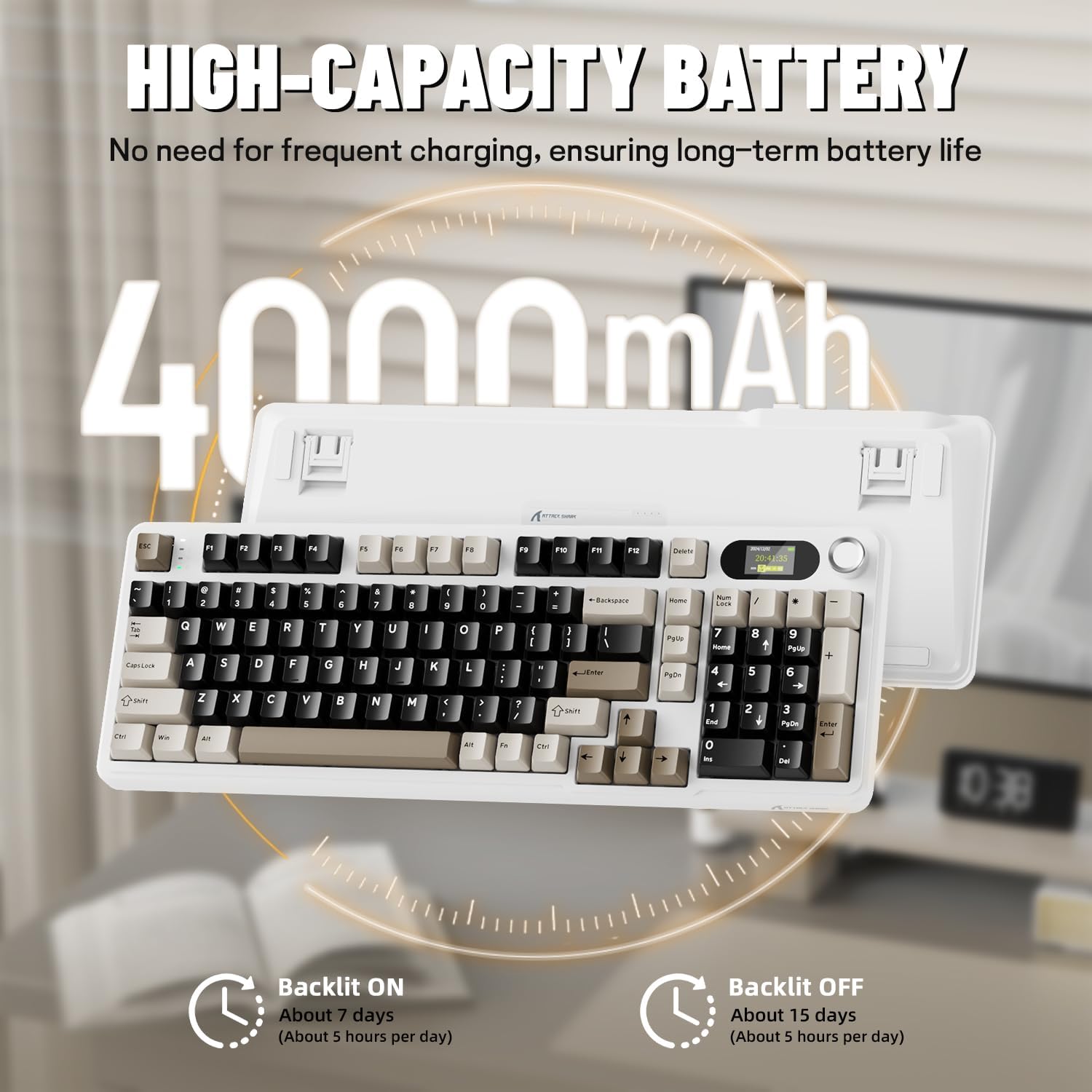
Before first use, it is recommended to fully charge the keyboard. Connect the provided USB-C cable to the keyboard's USB-C port and the other end to a USB-A power source (e.g., computer, wall adapter). The TFT screen will indicate charging status. The keyboard features a 4000mAh battery for extended wireless use.
4.2. Режими на поврзување
The X98PRO supports three connection modes:
- USB-C жичен режим: Connect the keyboard directly to your device using the USB-C cable. This mode also charges the keyboard.
- Безжичен режим од 2.4 GHz:
- Insert the 2.4GHz wireless receiver into an available USB port on your computer.
- Switch the keyboard's mode selector to 2.4G. The keyboard should automatically connect.
- Bluetooth 5.0 режим: Тастатурата може да се поврзе со најмногу три Bluetooth уреди.
- Префрлете го селекторот на режим на тастатурата на Bluetooth.
- Притиснете и задржете fn+1, fn+2, или fn+3 for 3-5 seconds until the indicator light flashes, indicating pairing mode.
- On your device (PC, Mac, Tablet), search for Bluetooth devices and select "ATTACK SHARK X98PRO" to pair.
- За префрлање помеѓу спарени Bluetooth уреди, притиснете fn+1, fn+2, или fn+3 накратко.

4.3. Почетна конфигурација (Web-based Driver)
The X98PRO utilizes an intuitive web-based driver for advanced customization. This allows you to edit, upload, and switch display content for the TFT screen, customize RGB lighting, remap keys, and set macros without installing dedicated software. Access the official ATTACK SHARK webсајт за web интерфејс на драјверот.

5. Упатства за работа
5.1. TFT Screen Functions
The 1.14-inch TFT screen can display various information:
- Статус на системот: Connection mode (wired, 2.4G, BT1/2/3), operating system (Win/Mac).
- Траење на батеријата: Real-time battery level.
- Време: Тековно време.
- Custom GIFs: Upload personalized animations via the web возачот.
To navigate the TFT screen menu, rotate the CNC knob to scroll through options and press the knob to confirm a selection.
5.2. CNC Multi-Function Knob
The CNC knob provides intuitive control over several keyboard features:
- Контрола на јачината на звукот: By default or after switching, rotate to adjust system volume.
- Контрола на осветленост: Прилагодете ја осветленоста на позадинското осветлување.
- RGB ефекти: Циклусирајте низ различни RGB ефекти на осветлување.
- Режими на поврзување: Switch between wired, 2.4GHz, and Bluetooth modes.
To switch the knob's function (e.g., between volume and RGB control), press Fn + копче (press the knob down).
5.3. RGB позадинско осветлување
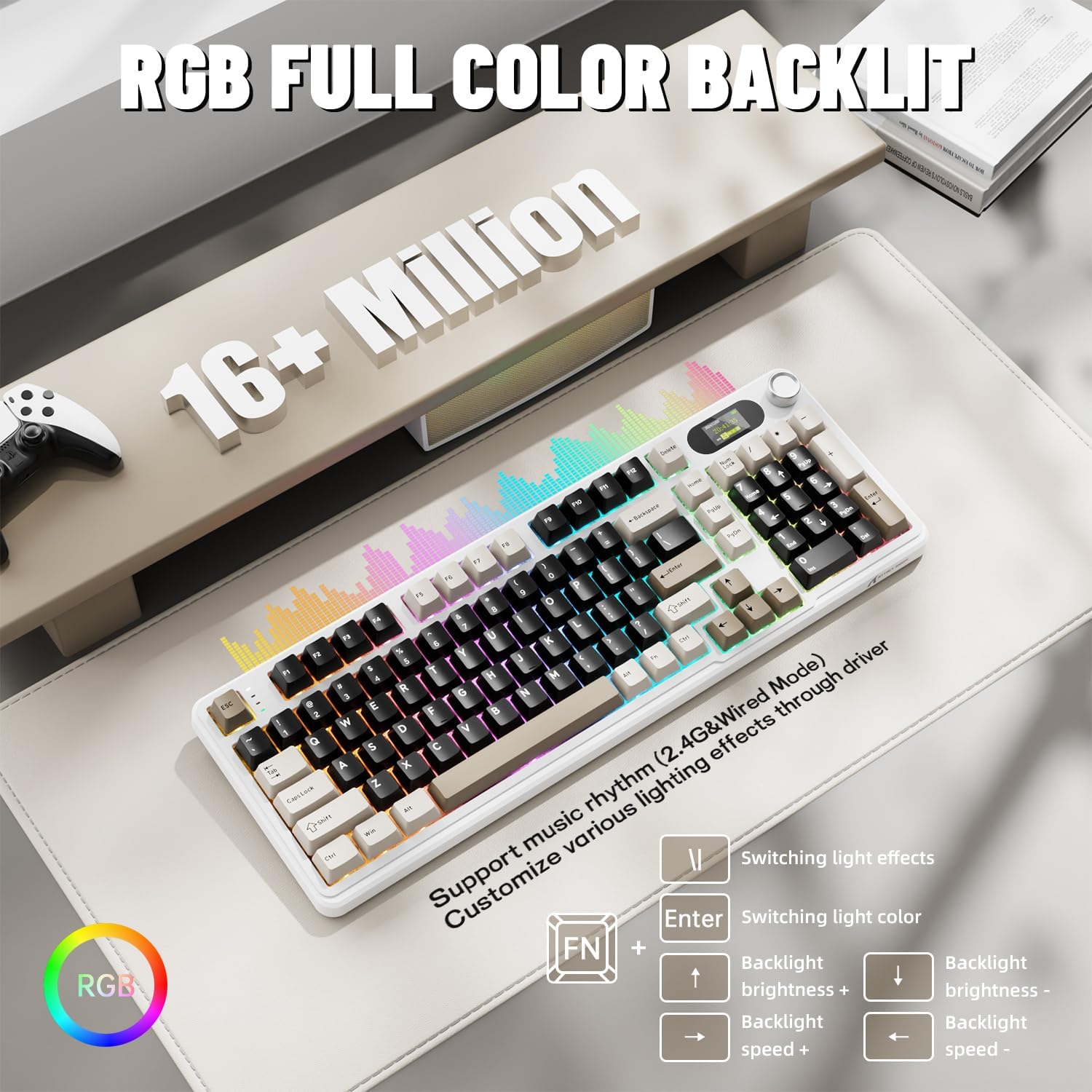
The X98PRO features full RGB backlighting with multiple effects. Control options include:
- Ефекти на префрлување на светлината: Притиснете Fn + Enter.
- Switching Light Color: Притиснете Fn + \|.
- Осветленост на задно осветлување: Притиснете Fn + стрелка нагоре (зголемување) или Fn + стрелка надолу (намалување).
- Брзина на задно осветлување: Притиснете Fn + Лева стрелка (намалување) или Fn + Десна стрелка (зголемување).
Further customization of RGB lighting, including per-key lighting and custom profiles, is available through the web-базиран возач.
5.4. Прекинувачи што може да се заменат со топла струја
The X98PRO features a hot-swappable PCB, allowing you to easily change mechanical switches without soldering. It is compatible with most 3-pin and 5-pin mechanical switches.
- Using the provided switch puller, carefully grip the switch and pull it straight up to remove it.
- Порамнете ги пиновите на новиот прекинувач со дупките на печатената плочка. Уверете се дека пиновите се прави.
- Нежно притиснете го новиот прекинувач на своето место додека не кликне. Не го форсирајте.

6. Одржување
6.1. Чистење
- Исклучете ја тастатурата од сите извори на енергија пред чистење.
- Користете извлекувач на капачиња за копчиња за темелно чистење на нив.
- Избришете ја површината на тастатурата со мека, дamp крпа. Избегнувајте груби хемикалии.
- Користете компримиран воздух за отстранување на прашина и остатоци помеѓу копчињата.
6.2. Замена на прекинувач и капаче за клучеви
Refer to Section 5.4 for instructions on replacing switches. Keycaps can be removed using the provided keycap puller and replaced with compatible sets.
7 Смена на проблеми
- Тастатурата не реагира: Ensure the keyboard is charged. Check the connection mode (wired, 2.4G, BT) and ensure it matches your device. For 2.4GHz, ensure the receiver is properly inserted. For Bluetooth, re-pair if necessary.
- TFT screen not updating/syncing: Ensure the keyboard is connected to a device. For time synchronization or custom GIFs, use the web-базиран возач.
- Кратко траење на батеријата: Ensure the keyboard is fully charged. Reduce backlight brightness or disable RGB effects to conserve battery.
- Клучевите не се регистрираат: If a specific key is not working, try removing and re-inserting its switch. If the issue persists, consider replacing the switch.
- Проблеми со прилагодување: Ensure you are using the official web-based driver. Clear browser cache or try a different browser if experiencing issues.
8. Спецификации
| Бренд | НАПАДНА АЈКУЛА |
| Модел | X98 PRO |
| Технологија за поврзување | 2.4GHz, Bluetooth 5.0, USB-C Wired |
| Опис на тастатурата | Механички |
| Тип на прекинувач | Linear (Blueberry switches) |
| Топло-заменливо | Yes (3-pin and 5-pin compatible) |
| Капацитет на батеријата | 4000 mAh |
| Посебни карактеристики | Customizable TFT Display, Multi-Function CNC Knob, RGB Backlit, Gasket Mount |
| Компатибилни уреди | Laptop, PC, Tablet (Windows, Mac, Linux) |
| Димензии | 16.4 x 5.8 x 1.8 инчи (приближно) |
| Тежина на ставката | 2.9 фунти |
9. Гаранција и поддршка
For warranty information and technical support, please refer to the official ATTACK SHARK webлокација или контактирајте ја нивната служба за корисници. Зачувајте ја сметката за гаранциски барања.


