Вовед
This manual provides detailed instructions for the 8BitDo Ultimate Mini Wired Controller for Xbox. It covers essential information regarding setup, operation, maintenance, and troubleshooting to ensure optimal performance and longevity of your device. This controller is officially licensed for Xbox and compatible with Xbox Series X|S, Xbox One, and Windows 10/11.
Поставување
The 8BitDo Ultimate Mini Wired Controller is designed for simple plug-and-play functionality. Follow these steps to connect your controller:
- Ensure your Xbox console (Xbox Series X|S, Xbox One) or Windows PC (Windows 10/11) is powered on.
- Locate an available USB port on your console or PC.
- Connect the USB-C end of the provided cable to the controller and the USB-A end to your console or PC.
- Контролерот автоматски ќе биде откриен и конфигуриран. Копчето Xbox на контролерот ќе светне за да означи успешна врска.
- For audio, connect a standard CTIA connector 3.5mm headset to the audio jack located on the controller.
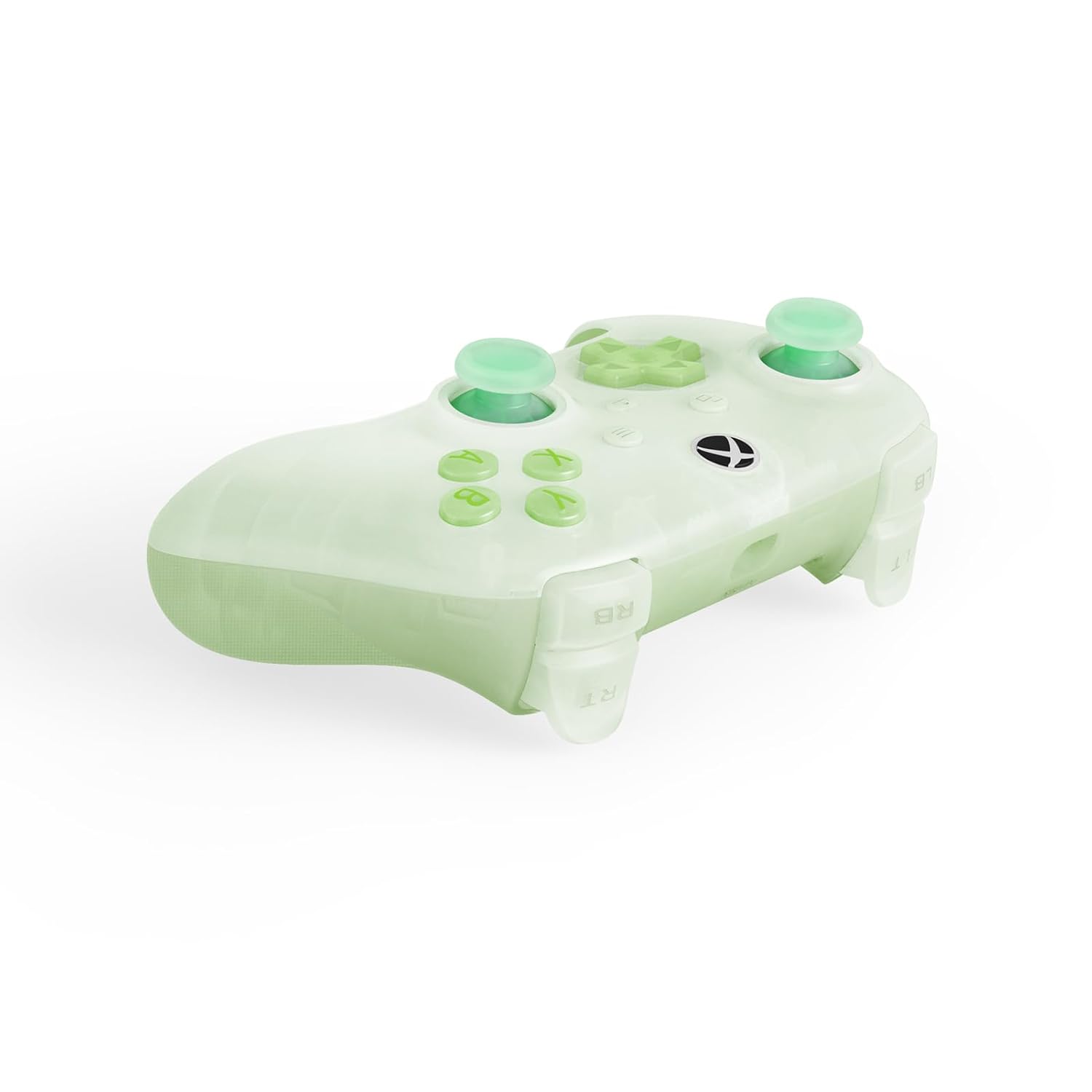
The controller is now ready for use. No additional drivers are typically required for supported systems.
Ракување со контролорот
The 8BitDo Ultimate Mini Wired Controller features a standard layout with several advanced functionalities:
- Џојстици со ефект на Хол: These joysticks provide enhanced precision and durability, reducing drift over time.
- Импулсни предизвикувачи: Experience tactile feedback with vibration in the triggers, adding immersion to your gameplay.
- Рафинирани браници и D-pad: Designed for a responsive and tactile feel, ensuring accurate inputs.
- Crystal Action Buttons: Durable and clear action buttons for a consistent feel.
RGB Lighting Fire Ring
The controller features interactive RGB lighting around the joysticks, known as the 'Fire Ring'. This lighting can be adjusted through multiple modes:
- Fire Ring Mode: Displays a dynamic lighting effect.
- Light-tracing Mode: Follows your joystick movements with light.
- Rainbow Ring Mode: Cycles through a spectrum of colors.
To cycle through the lighting modes or turn off the lighting, locate the small button positioned below the right analog stick. Press this button to change modes or deactivate the lighting as desired.


Одржување
Proper maintenance ensures the longevity and performance of your 8BitDo Ultimate Mini Wired Controller:
- Чистење: Користете мека, сува крпа за да ја избришете површината на контролерот. За тврдокорна нечистотија, малкуampen the cloth with water. Avoid using harsh chemicals or abrasive cleaners, as these can damage the controller's finish and internal components.
- Складирање: Store the controller in a cool, dry place away from direct sunlight and extreme temperatures. Avoid placing heavy objects on top of the controller.
- Грижа за кабел: Handle the USB-C cable gently. Avoid sharp bends, kinks, or pulling the cable forcefully from the port. If the cable becomes damaged, replace it with a compatible USB-C cable to ensure proper functionality and safety.
Решавање проблеми
Доколку наидете на проблеми со вашиот контролер, погледнете ги следниве вообичаени решенија:
- Контролорот не реагира:
- Проверете дали USB-кабелот е безбедно поврзан и со контролерот и со конзолата/компјутерот.
- Обидете се да го поврзете контролерот со друг USB порт.
- Test the controller on another compatible device (if available) to determine if the issue is with the controller or the original device.
- Рестартирајте ја вашата конзола или компјутер.
- Lighting Issues (Too Bright/Not Working):
- Press the small button located below the right analog stick to cycle through lighting modes or turn the lighting off/on. Repeated presses will change the effect or brightness.
- Audio Jack Not Working:
- Ensure your headset uses a standard CTIA connector.
- Verify the headset is fully plugged into the 3.5mm audio jack on the controller.
- Тестирајте ги слушалките со друг уред за да потврдите дека работат правилно.
- Доцнење на влезот или прекини:
- Ensure the USB cable is not damaged. Replace if necessary.
- Avoid using USB hubs if possible; connect directly to the console/PC.
Доколку овие чекори не го решат проблемот, ве молиме погледнете го делот за поддршка за дополнителна помош.
Спецификации
| Карактеристика | Опис |
|---|---|
| Број на модел | 6922621507000 |
| Поврзување | Wired USB (USB-C to USB-A) |
| Компатибилност | Xbox Series X|S, Xbox One, Windows 10/11 |
| Посебни карактеристики | Hall Effect Joysticks, Impulse Triggers, RGB Lighting Fire Ring (multiple modes), Refined Bumpers and D-pad, 3.5mm Audio Jack (CTIA standard), Crystal Action Buttons |
| Димензии | 7.48 x 5.51 x 0.79 инчи (189.9 x 140 x 20 мм) |
| Тежина | 11.99 унци (340 грама) |
Гаранција и поддршка
Информации за гаранцијата: This product comes with a manufacturer's warranty. Please refer to the warranty card included in the product packaging or visit the official 8BitDo webстраница за детални услови за гаранција.
Поддршка за корисници: For technical assistance, product inquiries, or warranty claims, please visit the official 8BitDo support page or contact their customer service through the contact information provided on their webлокација. Осигурајте се дека го имате бројот на моделот на вашиот производ (6922621507000) и доказот за купување при рака кога контактирате со поддршката.