Вовед
This manual provides essential information for the safe and efficient operation of your Promethean PRM-30 LCD Projector. Please read these instructions thoroughly before using the projector and retain them for future reference.
Информации за безбедност
- Не ги блокирајте отворите за вентилација. Обезбедете соодветен проток на воздух околу проекторот.
- Избегнувајте директно изложување на очите на леќата на проекторот кога е lamp е вклучено.
- Не ставајте го проекторот на нестабилна количка, држач или маса.
- Unplug the projector from the power outlet before cleaning.
- Целото сервисирање упатете го на квалификуван сервисен персонал.
Содржина на пакетот
Проверете дали сите артикли се присутни во пакувањето:
- Promethean PRM-30 LCD Projector
- Далечински управувач
- Кабел за напојување
- HDMI кабел
- Упатство за употреба (овој документ)
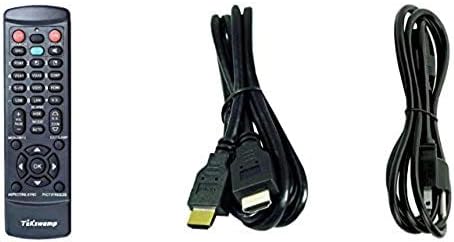
Image: Included accessories, showing the remote control, HDMI cable, and power cable.
Проекторот завршиview
Пред и странично View
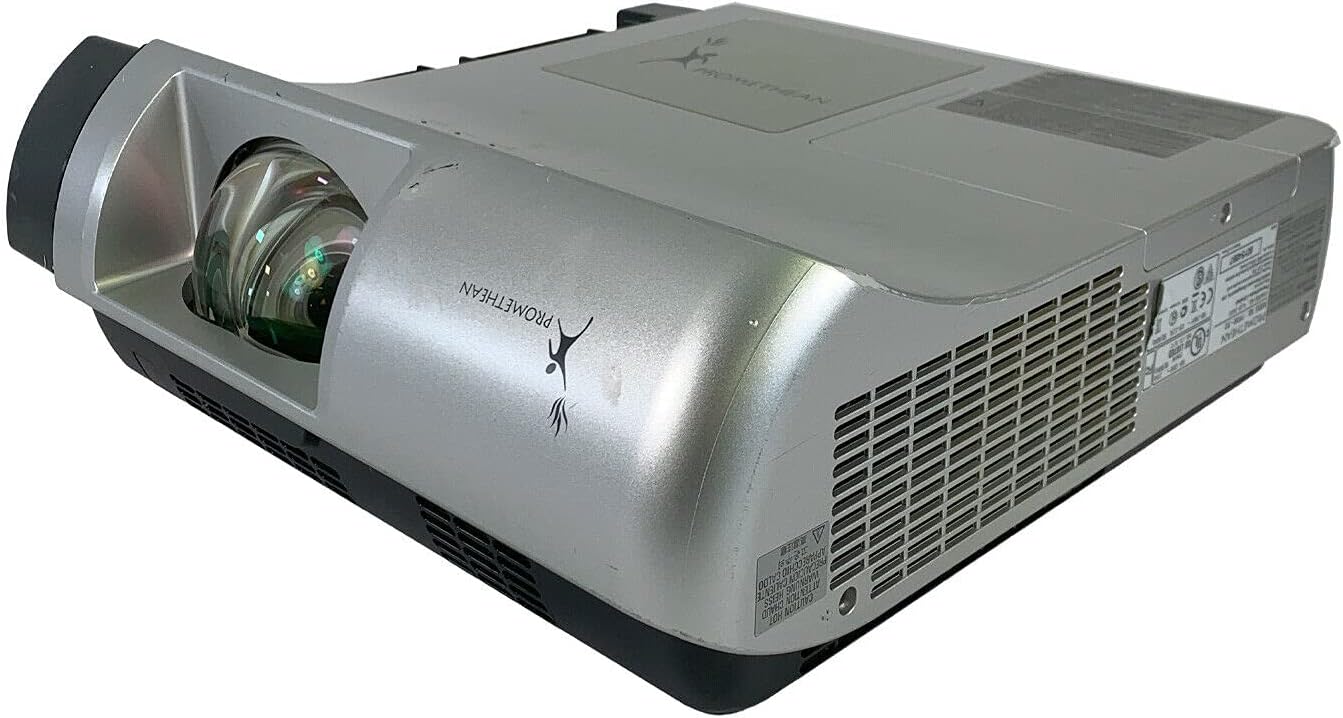
Слика: Напред и од страна view of the Promethean PRM-30 projector, highlighting the lens and ventilation.
Врски на задниот панел
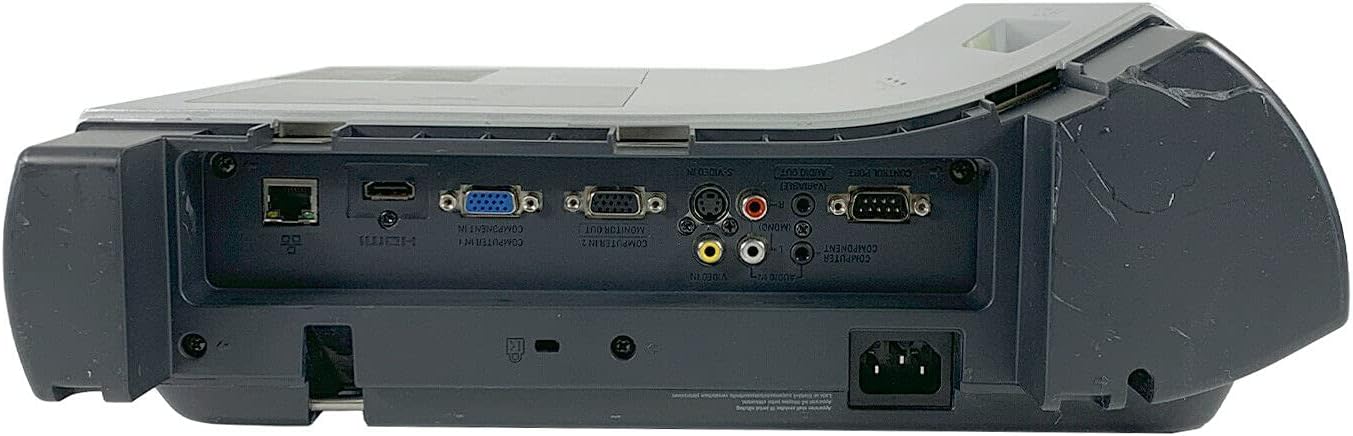
Image: Rear panel of the projector, showing various input and output ports including HDMI, VGA, Composite, LAN, and RS232.
The rear panel provides various connectivity options for your audio and video sources. Refer to the "Connecting Devices" section for detailed instructions.
Top Panel Controls and Indicators

Слика: Горе view of the projector, displaying the control panel buttons and indicator lights for power, lamp, and warning.
The top panel features buttons for power, menu navigation, input selection, and focus/zoom adjustment. Indicator lights provide status information for power, lamp life, and warnings.
Поставување
1. Поставување на проекторот
Position the projector on a stable, flat surface or mount it securely for ceiling projection. Ensure the projector is within the optimal throw distance for your screen size. The PRM-30 supports front, rear, ceiling, and table-top projection.
- Проекција на маса: Поставете го проекторот на рамна површина пред екранот.
- Проекција на таванот: Mount the projector inverted from the ceiling. Adjust settings in the menu for correct image orientation.
- Задна проекција: Place the projector behind a translucent screen. Adjust settings in the menu for correct image orientation.
2. Поврзување на уредите
Connect your video and audio sources to the appropriate ports on the projector's rear panel.
- HDMI: For high-definition digital video and audio. Use an HDMI cable to connect to your source device.
- VGA/SVGA D-Sub (Computer In): For analog computer signals. Connect using a VGA cable.
- Composite (RCA): For standard definition video. Connect using RCA cables (yellow for video, red/white for audio).
- С-видео: For enhanced standard definition video.
- LAN (RJ-45): За контрола и следење на мрежата.
- RS232 (DB-9-пински): За сериска контрола.
- Jackек за слушалки: За аудио излез кон надворешни слушалки или звучници.
3. Поврзување за напојување
Connect the power cable to the projector's power inlet and then to a suitable electrical outlet.
Упатства за работа
Вклучување/исклучување
- За вклучување: Press the Power button on the projector's control panel or the remote control. The power indicator light will turn on.
- За исклучување: Press the Power button again. The projector will enter a cooling down cycle before completely shutting off. Do not unplug the projector during the cooling cycle.
Избор на влезен извор
Press the "Input" or "Source" button on the projector or remote control to cycle through available input sources (HDMI, VGA, Composite, S-Video, etc.) until your desired source is displayed.
Прилагодување на сликата
- Фокус: Ротирајте го прстенот за фокусирање на објективот на проекторот додека сликата не стане остра и јасна.
- Зумирајте: Adjust the zoom ring on the projector lens to change the image size without moving the projector.
- Корекција на клучниот камен: If the image appears trapezoidal, use the keystone correction function (usually via menu or dedicated buttons) to square the image.
- Корекција на боја: Access the projector's on-screen display (OSD) menu to adjust color settings, brightness, and contrast for optimal image quality.
Аудио излез
The projector has built-in speakers. For external audio, connect speakers or headphones to the Headphone Jack or use the audio output from your source device.
Одржување
Lamp Замена
When the "LAMP REPLACE" indicator illuminates, it is time to replace the projector lamp. Refer to the specific lamp упатствата за замена се дадени со вашиот резервен лamp or consult a qualified technician. Always allow the projector to cool down completely before attempting lamp замена.
Чистење на филтерот за воздух
Regularly clean the air filter to maintain optimal performance and prevent overheating. While this specific unit is noted as having "No Filter Cover", general projector maintenance often involves cleaning air intake areas. Use a soft brush or vacuum cleaner to remove dust from the ventilation grilles.

Слика: Страна view of the projector showing the ventilation grille, which should be kept clear of dust.
Општо чистење
Избришете го проекторот casing со мек, damp cloth. Do not use abrasive cleaners or solvents. For the lens, use a specialized lens cleaning cloth and solution to avoid scratching.
Решавање проблеми
| Проблем | Можна причина | Решение |
|---|---|---|
| Нема слика на екранот |
|
|
| Image is dim or poor quality |
|
|
| Нема звук |
|
|
| Далечинскиот управувач не работи |
|
|
Спецификации
| Бренд | ПРОМЕТЕЈ |
| Модел | PRM-30 |
| Тип на дисплеј | LCD екран |
| Осветленост | 2500 ANSI лумени |
| Сооднос на контраст | 500:1 |
| Мајчин резолуција | 1280x800 |
| Режим на HD видео | 1080i |
| Тежина на проекторот | 12.57 фунти. |
| Поврзување | LAN, Composite: RCA, Network: RJ-45, RS232: DB-9pin, S-Video, Headphone Jack, HDMI Standard, VGA/SVGA D-Sub, Wired |
| Посебни карактеристики | Built-in Speakers, Ceiling Projection, Color Correction, HD Ready, Projection Tilt, Rear Projection, Short Throw Projection, Table Top Projection, Portable |
| Димензии на пакетот | 16 x 16 x 8 инчи |
Гаранција и поддршка
This Promethean PRM-30 projector is offered as a renewed product. Please refer to the seller's (PR Renewed) specific return and warranty policies for details. Typically, renewed products come with a limited warranty or return period.
- Политика за враќање: This product typically includes a 90-day refund or replacement policy.
- Техничка поддршка: For technical assistance or warranty claims, please contact the seller, PR Renewed, directly.
- Планови за заштита: Optional extended protection plans may be available for purchase separately.


