Вовед
Thank you for choosing the Tecmojo 1U Server Rack Horizontal Cable Management with Cover. This product is designed to streamline cable organization within your 19-inch server racks and cabinets, ensuring a tidy and efficient setup. This manual provides essential information for proper installation, usage, and care of your cable management unit.
Производот завршиview
The Tecmojo 1U Horizontal Cable Management unit is constructed from durable plastic, offering a lightweight yet robust solution for managing network and power cables. Its design facilitates easy installation and maintenance, contributing to a cleaner and more accessible rack environment.
Клучни карактеристики:
- Дизајн за заштеда на простор: Occupies 1U of rack space, designed for efficient cable organization.
- Multi-access Slots: Features 12 slots and 2 rear access points to separate and route numerous cables.
- User-friendly Removable Cover: The top cover can be easily removed or hinged open for quick addition or removal of bundled cables.
- Издржлив материјал: Made from high-quality plastic for longevity and lightweight handling.
- Широка компатибилност: Fits all standard 19-inch racks and cabinets, suitable for various environments including home offices, studios, and small network setups.
Вклучени компоненти:
Each package includes the 1U horizontal cable management unit, an instruction manual, and the necessary mounting hardware.

This image displays the contents included with the Tecmojo 1U Horizontal Cable Management product: an instruction manual, 12-24 screws, 10-32 screws, and 12-24 cage nuts, all necessary for installation.
- 1U Horizontal Cable Management Unit
- Упатство за употреба
- Mounting Hardware: 12-24 Cage nuts (x8), 12-24 Screws (x8), 10-32 Screws (x8)
Спецификации

This image displays the key dimensions of the Tecmojo 1U Server Rack Horizontal Cable Management, including its width, height, and depth, along with a summary of its features like 1U rack space, cable organization purpose, durable plastic material, and EIA/ECA-310-E compliance.
| Атрибут | Вредност |
|---|---|
| Димензии на производот | 2.6"Д x 17.2"Ш x 1.75"В (65.5мм Д x 438мм Ш x 44.45мм В) |
| Тежина на ставката | 1.54 фунти |
| Материјал | Plastic (ABS-150, VO rated) |
| Регал единици | 1U |
| Боја | Црното |
| слотови | 12 |
| Усогласеност | EIA/ECA-310-E Compliant |
Поставување и инсталација
The Tecmojo 1U Horizontal Cable Management unit is designed for straightforward installation into any standard 19-inch server rack or cabinet. Please follow these steps:
- Идентификувајте ја локацијата за монтирање: Choose a 1U space within your 19-inch rack where you wish to install the cable manager. It is typically placed directly above or below network devices like switches or patch panels to manage their cables effectively.
- Изберете хардвер: Depending on your rack's threading, select either the 12-24 screws with cage nuts or the 10-32 screws provided. Most modern racks use cage nuts for square holes, while older racks might have threaded holes.
- Attach Cage Nuts (if applicable): If your rack has square mounting holes, insert the appropriate cage nuts into the desired 1U mounting positions on the front rails of your rack.
- Позиционирајте ја единицата: Align the mounting ears of the cable management unit with the holes in the rack rails.
- Обезбедете ја единицата: Insert and tighten the chosen screws through the mounting ears and into the rack rails (or cage nuts). Ensure the unit is level and securely fastened. Do not overtighten.

The Tecmojo 1U Horizontal Cable Manager mounted within a standard 19-inch server rack, positioned below a network switch and above a patch panel, demonstrating its role in organizing horizontal cabling within a rack setup.
Упатства за работа
Once installed, the cable management unit provides an organized pathway for your cables.
- Кабли за рутирање: Guide your network, power, or other cables through the 12 front slots of the cable manager. The slots are designed to hold cables securely while allowing for easy insertion and removal.
- Utilizing Rear Access: For cables that need to be routed from the back of the rack or between different sections, use the two access points located at the rear of the unit. This helps maintain a clean appearance and reduces cable strain.
- Managing Excess Cable Length: Any excess cable length can be neatly tucked into the duct behind the front slots, preventing clutter and improving airflow within the rack.
- Using the Removable Cover: The top cover can be opened or completely removed to facilitate easier access when adding, removing, or adjusting a large number of cables. Simply lift the cover to open it, or detach it by gently pulling upwards if full access is required. Reattach by aligning and pressing down until it clicks into place.
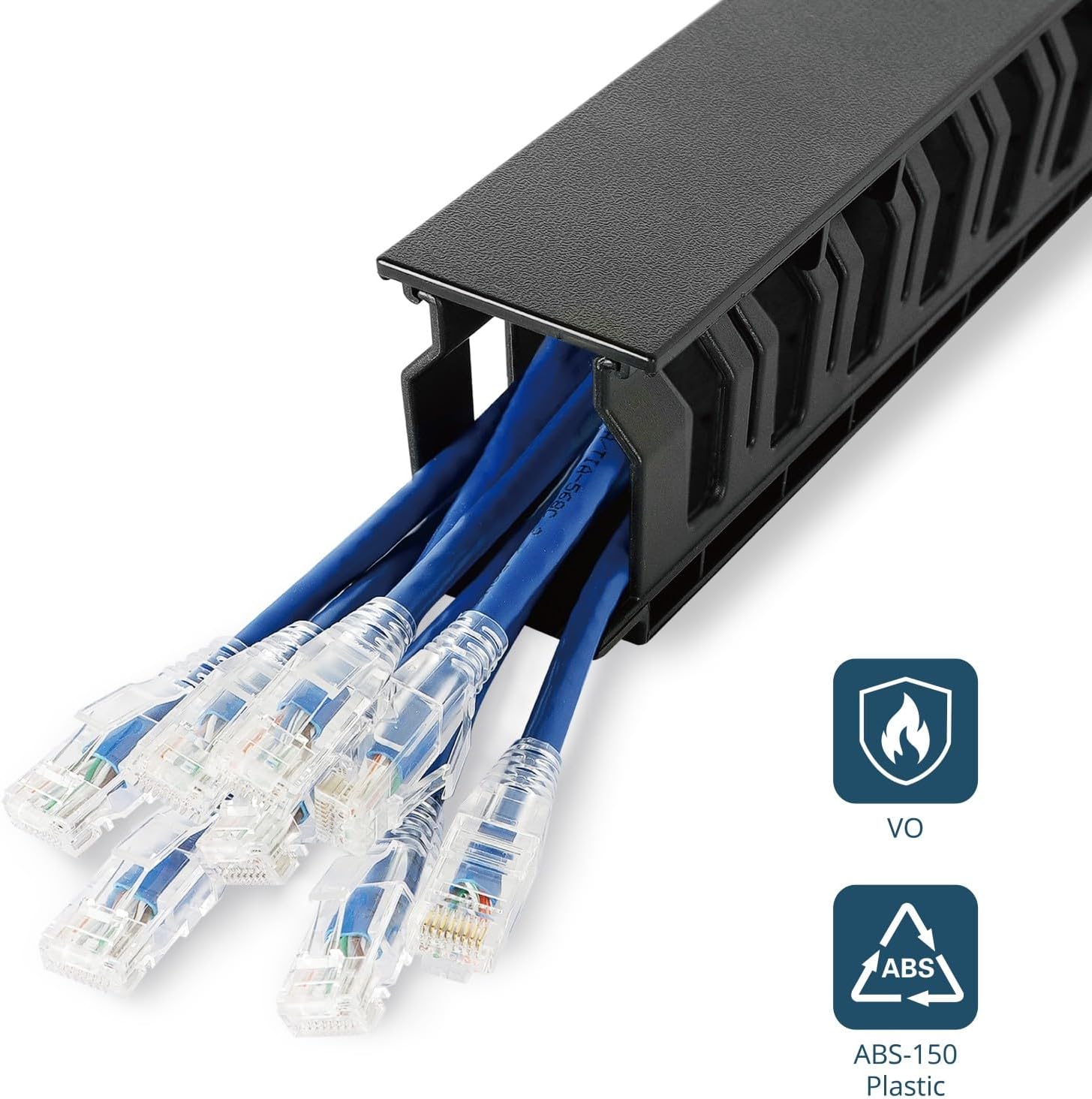
Крупен кадар view showing multiple blue Ethernet cables neatly routed through the slots of the Tecmojo 1U Horizontal Cable Management unit, highlighting its cable organization capability. The image also shows 'VO' and 'ABS ABS-150 Plastic' labels, indicating material properties.

Три views of the Tecmojo 1U Server Rack Cable Management unit, illustrating its removable top cover. The top view shows the cover closed, the middle view shows it partially open, and the bottom view shows it fully open, allowing easy access to add or remove cables.

Аголен view of the Tecmojo 1U Horizontal Cable Management Raceway, highlighting its 12 cable slots and the pass-through holes at the back designed to streamline cable organization and routing.
Одржување
The Tecmojo cable management unit requires minimal maintenance to ensure continued performance and appearance.
- Чистење: Периодично бришете го уредот со мека,amp cloth to remove dust and debris. Avoid using harsh chemicals or abrasive cleaners, as these may damage the plastic surface.
- Инспекција: Occasionally inspect the unit for any signs of wear or damage, particularly if cables are frequently re-routed. Ensure all mounting screws remain tight.
Решавање проблеми
If you encounter any issues with your cable management unit, consider the following:
- Unit Not Secure: Ensure all mounting screws are properly tightened. If using cage nuts, verify they are correctly seated in the rack holes.
- Каблите не се вклопуваат: Check that the cable diameter is appropriate for the slots. Avoid forcing excessively thick cables, which could damage the unit or the cables.
- Difficulty Opening/Closing Cover: Ensure no cables are obstructing the cover's hinge mechanism. The cover should open and close smoothly.
- General Clutter: If cables still appear messy, re-evaluate your routing strategy. Utilize all available slots and the rear access points to distribute cables more evenly. Consider using cable ties within the manager for extra neatness.
Поддршка
For further assistance or inquiries regarding your Tecmojo 1U Server Rack Horizontal Cable Management unit, please visit the official Tecmojo website or contact customer support through the retailer where the product was purchased.
Можете да најдете повеќе информации и ресурси за поддршка на Tecmojo Store on Amazon.


