1. Вовед
Thank you for choosing the MESWAO 15.6 inch Android 14 Tablet Pro. This tablet is designed to provide a superior visual and performance experience with its large Full HD display, powerful octa-core processor, and extended battery life. This manual will guide you through the setup, operation, maintenance, and troubleshooting of your new device, ensuring you get the most out of its advanced features.
2. Што има во кутијата
Проверете ја содржината на вашиот пакет. Доколку недостасуваат или се оштетени некои предмети, контактирајте ја службата за корисници.
- 1 x MESWAO 15.6 inch Android Tablet
- 1 x адаптер за напојување
- 1 x Кабел тип-C
- 1 x Упатство за употреба
- 1 x Type-C на USB адаптер
- 1 x Stuck pin (SIM ejector tool)

Image: Visual representation of the MESWAO tablet and its included accessories.
3. Производот завршиview
3.1 Клучни карактеристики
- 15.6-inch 1080P FHD IPS Display: Large screen with 1920x1080p resolution, 16:9 aspect ratio, 85% screen-to-body ratio, and 350 nits adjustable brightness for clear visuals.
- ОС Android 14: Latest Android version for faster app launches, intuitive user interface, split-screen multitasking, and GMS certification for Google Play access.
- MediaTek Helio G99 CPU: Octa-core processor (6nm, up to 2.2GHz) and ARM Mali-G57 GPU for smooth performance in multitasking, streaming, and gaming.
- 12,000mAh Mega Battery & 30W Fast Charging: Provides up to 15 hours of video playback and 12+ hours of daily use, with 90% charge in 3 hours.
- 6GB RAM + 128GB ROM (може да се прошири до 1TB): Ample storage for apps, photos, and videos, with expandable memory via microSD card (FAT32 format).
- Dual-band Wi-Fi & Bluetooth 5.0: High-speed 2.4G/5G Wi-Fi and efficient Bluetooth connectivity for peripherals.
- 5MP Front + 32MP Rear Cameras: Capture moments and conduct clear video calls.
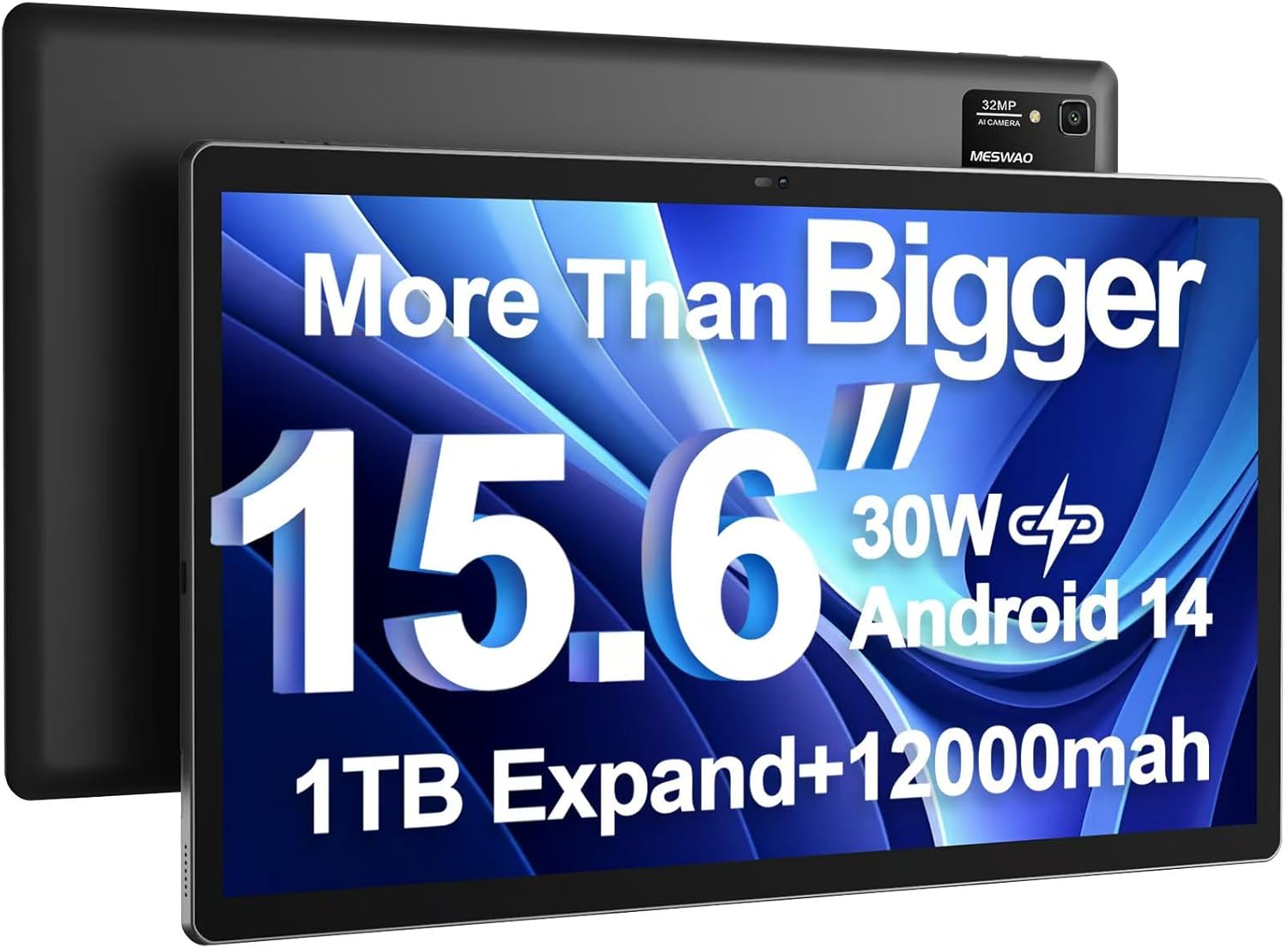
Image: The MESWAO 15.6 inch Android 14 Tablet Pro, showcasing неговиот голем дисплеј и модулот за задна камера.

Image: Visual comparison highlighting the significantly larger screen area of the 15.6-inch tablet compared to a standard 10-inch tablet.

Image: Illustration of the tablet's 12,000mAh ultra-large capacity battery and 30W fast charging, indicating quick charge times and extended usage.
3.2 Компоненти на таблетот
Familiarize yourself with the physical components of your MESWAO tablet:
- Копче за вклучување: Сместено од страна, се користи за вклучување/исклучување на таблетот или будење/мирување на екранот.
- Копчиња за јачина на звук: Adjust audio output levels.
- Предна камера: 5MP камера за видео повици и селфи фотографии.
- Задна камера: 32MP camera with flash for high-resolution photos and videos.
- Type-C порта: За полнење и пренос на податоци.
- Слот за картичка TF: For expanding storage with a microSD card.
- Стерео звучници: Четири звучници за подобрено аудио искуство.
- Приклучок за слушалки од 3.5 мм: For wired audio connection (requires included Type-C to 3.5mm adapter).
4. Поставување
4.1 Почетно вклучување
- Притиснете и задржете го Копче за напојување until the MESWAO logo appears on the screen.
- Следете ги упатствата на екранот за да го изберете вашиот јазик, регион и да се поврзете на Wi-Fi мрежа.
- Sign in with your Google account or create a new one to access Google Play Store and other services.
4.2 Полнење на таблетот
Before first use, fully charge the tablet. Use the provided power adapter and Type-C cable.
- Connect the Type-C cable to the tablet's Type-C port.
- Приклучете го адаптерот за напојување во ѕиден штекер.
- The charging indicator will appear on the screen. A full charge takes approximately 3 hours with the 30W fast charger.
4.3 Вметнување на MicroSD картичка
To expand storage, insert a microSD card (FAT32 format, up to 1TB, sold separately).
- Пронајдете го слотот за TF картичка на страната од таблетот.
- Use the provided stuck pin to gently press into the small hole next to the slot to eject the tray.
- Ставете ја microSD картичката во лежиштето со златните контакти свртени надолу.
- Внимателно вратете ја фиоката во отворот додека не кликне на своето место.
5. Упатства за работа
5.1 Основна навигација
- Почетен екран: Повлечете налево или надесно за да се движите помеѓу почетните екрани.
- Фиока за апликации: Access all installed applications (if using a launcher with an app drawer, otherwise apps are on home screens).
- Известувања и брзи поставки: Swipe down from the top of the screen to access notifications and quick settings toggles (Wi-Fi, Bluetooth, Brightness, etc.).
- Неодамнешни апликации: Допрете ја квадратната икона (или повлечете нагоре и задржете од дното ако користите навигација со гестови) за да view и префрлајте помеѓу неодамна користените апликации.
5.2 Мултитаскинг со поделен екран
The Android 14 OS supports split-screen functionality for enhanced productivity.
- Отворете ја првата апликација што сакате да ја користите.
- Go to the Recent Apps view.
- Допрете ја иконата на апликацијата на горниот дел од картичката на првата апликација и изберете „Поделен екран“.
- Choose the second app from your recent apps or app drawer to open it in the other half of the screen.
- Adjust the size of each app by dragging the divider in the middle.

Слика: Надview of key features of the Android 14 operating system on the tablet, including multitasking capabilities.
5.3 Поврзување
- Wi-Fi: Одете на Поставки > Мрежа и интернет > Wi-Fi to connect to available networks. Supports 2.4Ghz and 5Ghz bands.
- Bluetooth: Одете на Поставки > Поврзани уреди > Поставки за конекција > Bluetooth to pair with Bluetooth headphones, keyboards, or other devices.
- Екранско емитување: The tablet supports wireless screen casting to compatible displays. Access this feature from Quick Settings or Поставки > Поврзани уреди > Преференции за поврзување > Cast.

Image: Depiction of the tablet's stable dual-band Wi-Fi and Bluetooth 5.0 capabilities, enabling seamless wireless connections.
6. Одржување
6.1 Грижа за батерии
- Избегнувајте екстремни температури (топли или ладни) бидејќи тие можат да го намалат животниот век на батеријата.
- Не дозволувајте батеријата често да се празни целосно. Наполнете ја пред да достигне 0%.
- Use only the provided charger or a certified 30W PD fast charger.
6.2 Чистење
- Користете мека крпа без влакненца за чистење на екранот и куќиштето.
- За тврдокорни дамки, малку дampИзбришете ја крпата со вода или средство за чистење екрани. Избегнувајте груби хемикалии.
- Не прскајте течности директно врз таблетата.
6.3 Ажурирања на софтверот
Редовно проверувајте и инсталирајте системски ажурирања за да обезбедите оптимални перформанси и безбедност.
- Connect your tablet to a stable Wi-Fi network.
- Одете на Поставки > Систем > Ажурирање на системот.
- Следете ги упатствата на екранот за да ги преземете и инсталирате сите достапни ажурирања.
7 Смена на проблеми
Доколку наидете на проблеми со вашиот таблет, погледнете ги следниве вообичаени решенија:
| Проблем | Можна причина | Решение |
|---|---|---|
| Таблетот не се вклучува | Слаба батерија; Пад на системот | Полнете го таблетот најмалку 30 минути. Притиснете го и задржете го копчето за вклучување 10-15 секунди за да го рестартирате. |
| Бавни перформанси/задоцнување | Премногу апликации работат; Малку простор за складирање; Застарен софтвер | Close background apps. Clear cache. Free up storage. Check for system updates. |
| Проблеми со Wi-Fi конекцијата | Неточна лозинка; Проблем со рутерот; Wi-Fi на таблетот е исклучен | Ensure Wi-Fi is on. Re-enter password. Restart router. Forget and reconnect to network. |
| Батеријата брзо се троши | High screen brightness; Background apps; Heavy usage | Reduce screen brightness. Close unused apps. Limit background data. Check battery usage in settings. |
| Touchscreen unresponsive/Phantom touches | Temporary software glitch; Defective unit | Restart the tablet. If the issue persists, contact MESWAO customer support for assistance. |
If the problem persists after trying these solutions, please contact MESWAO customer support for further assistance.
8. Спецификации
| Карактеристика | Детал |
|---|---|
| Име на моделот | MES-B3 Pro |
| Оперативен систем | Андроид 14 |
| Големина на екранот | 15.6 инчи |
| Резолуција на екранот | 1920 x 1080 пиксели (Full HD IPS) |
| Процесор | MediaTek Helio G99 Octa-core (up to 2.2GHz) |
| Графички копроцесор | ARM Mali-G57 |
| RAM меморија | 6 GB |
| Внатрешна меморија (ROM) | 128 GB |
| Складирање што може да се прошири | Up to 1TB via MicroSD card (FAT32 format) |
| Капацитет на батеријата | 12,000 mAh |
| Живот на батеријата (просечно) | 13 часа (до 15 часа репродукција на видео) |
| Полнење | 30W PD брзо полнење |
| Безжично поврзување | 802.11a/b/ac/ax (2.4G/5G Dual-band Wi-Fi), Bluetooth 5.0 |
| Предна камера | 5 MP |
| Задна камера | 32 MP |
| Тежина на ставката | 4.42 фунти (приближно 2 кг) |
| Димензии на производот | 14.49 x 8.66 x 0.39 инчи (36.8 x 22 x 1 см) |
9. Гаранција и поддршка
MESWAO products come with a standard manufacturer's warranty. Please refer to the warranty card included in your package for specific terms and conditions. For technical support, troubleshooting assistance, or warranty claims, please contact MESWAO customer service through the contact information provided on the official MESWAO webстраницата или вашата платформа за купување.
Контакт информации: Please visit the official MESWAO website or refer to the support card included in your product packaging for the most up-to-date contact details.


