Вовед
Thank you for choosing the ATTACK SHARK X66 60% Wireless Mechanical Gaming Keyboard. This keyboard is designed for optimal performance and customization, featuring a compact layout, versatile connectivity options, and dynamic RGB lighting. This manual will guide you through the setup, operation, and maintenance of your new keyboard to ensure a seamless user experience.

The ATTACK SHARK X66 keyboard, showing its compact design, coiled USB-C cable, and 2.4G wireless receiver.
Карактеристики на производот
- 60% компактен распоред: Features 66 essential keys to maximize desk space while maintaining full functionality.
- CNC Metal Volume Knob: High-quality anodized metal knob for easy volume adjustment and mute function.
- Три-режимска поврзаност: Supports Bluetooth 5.0, 2.4G wireless, and wired USB-C connections for versatile use across multiple devices.
- Дизајн со топла замена: Compatible with 3-pin or 5-pin switches, allowing for easy customization of typing feel.
- Pre-Lubricated Linear Strawberry Switches: Provides a light touch and crisp sound for a smooth typing experience.
- Gasket Structure with 5-Layer Sound Dampзавршување: Reduces noise from key impacts, delivering a pure and pleasant typing sound.
- Издржливи PBT копчиња: Triple-color OEM height PBT keycaps are abrasion and oil resistant, designed for long-term comfort.
- Живописно RGB позадинско осветлување: 16.8 million colors with 18 dynamic lighting effects, including music-synced modes.
- Батерија со висок капацитет од 3000 mAh: Ensures long-lasting wireless operation.
- Custom Software Support: Allows for customized key functions, macro editing, and lighting effects.
- Превртување на клучот N: Ensures accurate registration of multiple simultaneous key presses without ghosting.

Надview of the ATTACK SHARK X66 keyboard highlighting its mini 60% layout, 3 modes, full RGB backlight, knob design, 3000mAh battery, gasket structure, hot-swap capability, and custom driver support.

Detailed diagram illustrating the 5-layer gasket-mounted structure of the keyboard, including the upper cover, volume knob, PBT keycaps, mechanical switch, fog through positioning plate, PORON filled cotton, shaft underpad, PET singing pad, single key slotted PCB, silica gel, and bottom casing.
Содржина на пакетот
Ве молиме проверете го пакувањето за следните ставки:
- ATTACK SHARK X66 Mechanical Gaming Keyboard
- USB-C кабел со намотки
- 2.4G безжичен ресивер
- Упатство за употреба (овој документ)
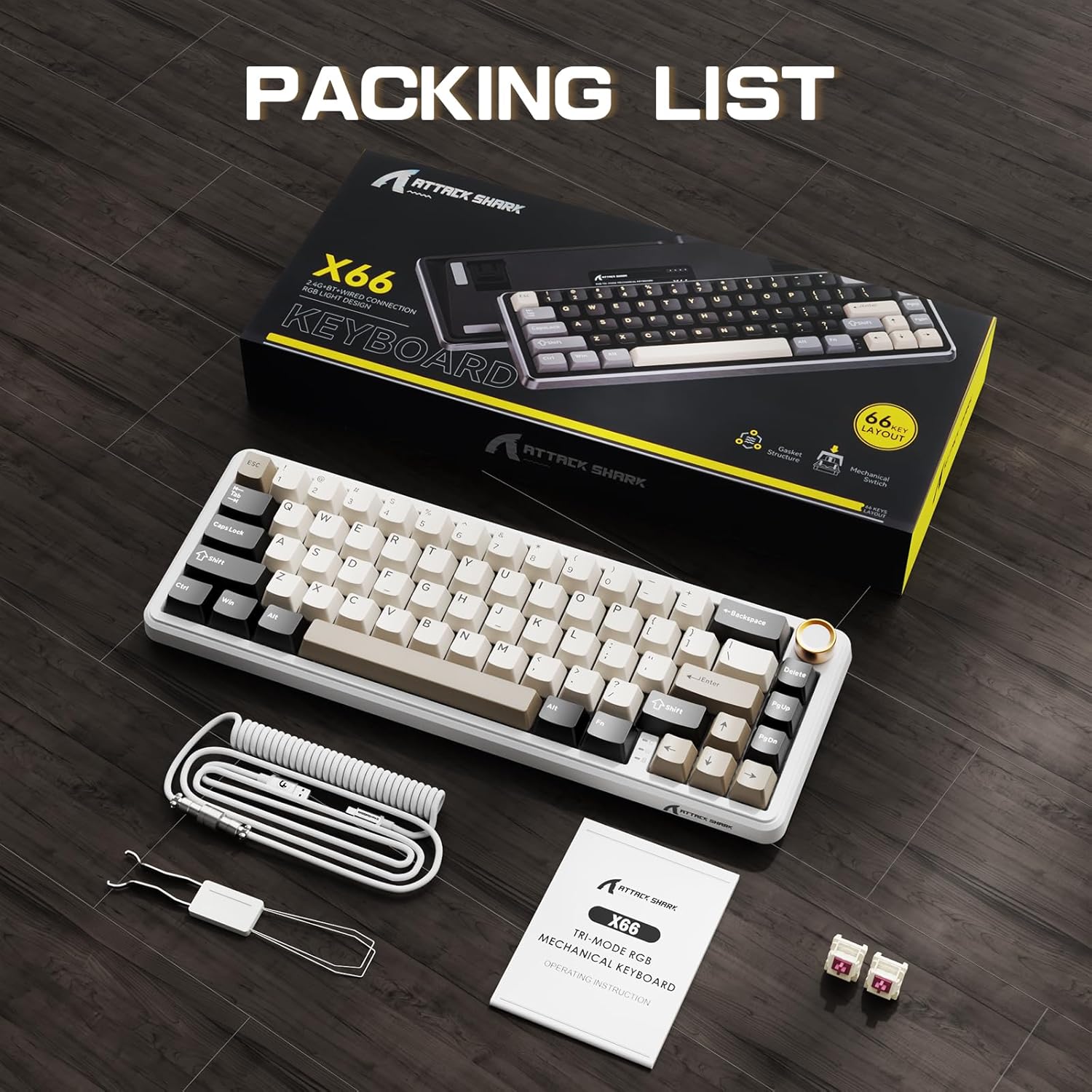
The ATTACK SHARK X66 keyboard, its packaging, coiled cable, and user manual, as found in the box.
Поставување
Режими на поврзување
The ATTACK SHARK X66 keyboard supports three connection modes:
- 2.4G безжичен режим: For a stable and low-latency wireless connection.
- Режим на Bluetooth: For connecting to multiple devices simultaneously.
- Жичен режим (USB-C): For a direct and reliable connection, also charges the keyboard.

Крупен кадар view of the keyboard's side, showing the 2.4G wireless receiver slot, USB-C port, and switches for Bluetooth (BT), 2.4G, and system compatibility (Win/Mac).
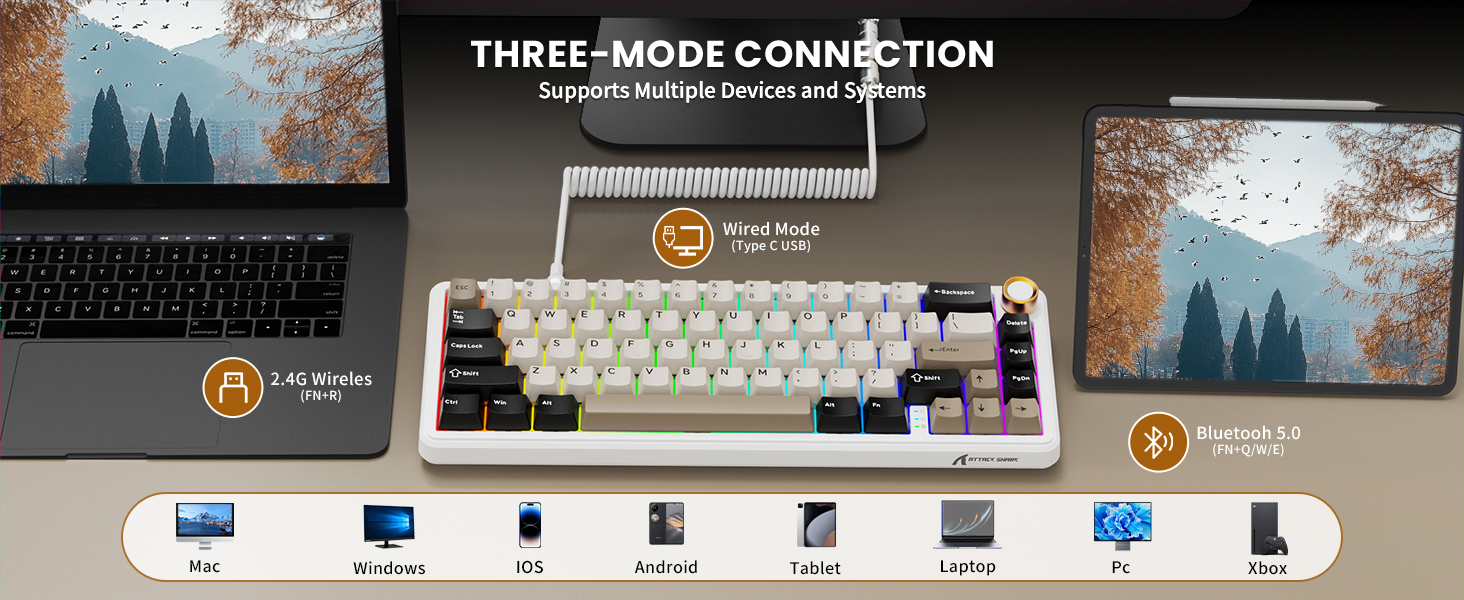
Visual representation of the three connection modes: 2.4G Wireless (FN+R), Wired (Type-C USB), and Bluetooth 5.0 (FN+Q/W/E), along with compatible devices such as Mac, Windows, iOS, Android, Tablet, Laptop, PC, and Xbox.
2.4G безжична врска:
- Locate the 2.4G wireless receiver stored in the slot on the back of the keyboard.
- Приклучете го 2.4G приемникот во слободен USB порт на вашиот компјутер.
- Switch the keyboard to 2.4G mode using the toggle switch on the side/back of the keyboard.
- Тастатурата треба автоматски да се поврзе.
Bluetooth конекција:
- Switch the keyboard to Bluetooth mode using the toggle switch.
- Притиснете и задржете FN + Q, FN + В, или FN + E to enter pairing mode for one of the three Bluetooth channels. The indicator light will flash.
- On your device (computer, tablet, smartphone), search for Bluetooth devices and select "ATTACK SHARK X66".
- Once paired, the indicator light will become solid. You can switch between paired devices by pressing FN + Q/W/E.
Жична врска:
- Connect the provided USB-C coiled cable to the keyboard's USB-C port.
- Поврзете го другиот крај на кабелот со достапна USB порта на вашиот компјутер.
- Тастатурата автоматски ќе се префрли во жичен режим и ќе почне да се полни.
Системска компатибилност
The keyboard is compatible with Windows and Mac operating systems. Use the dedicated switch on the side/back of the keyboard to select the appropriate system mode for optimal key mapping.

A close-up of the keyboard's underside, showing the adjustable feet for ergonomic positioning and the system compatibility switch (Win/Mac).
Упатства за работа
Функционалност на копчето за јачина на звук
- Ротирај во насока на стрелките на часовникот: Зголемете ја јачината на звукот.
- Ротирајте спротивно од стрелките на часовникот: Намалете ја јачината на звукот.
- Притиснете надолу: Исклучи/Вклучи звук на аудио.

Детален view of the high-quality CNC metal volume knob, illustrating its functions: clockwise for volume up, counter-clockwise for volume down, and pressing to mute/unmute sound.

An image highlighting the functional aluminum metal knob, detailing its press-to-mute/unmute, counter-clockwise volume down, and clockwise volume up capabilities.
Контрола на RGB позадинско осветлување
The keyboard features 16.8 million color RGB LEDs with 18 dynamic lighting effects. Use the following key combinations to control the backlight:
- FN + PgDn: Switch Backlight Effect (Cycle through 18 effects).
- FN + \|: Turn on/off Backlight.
- FN + ↑: Осветленост на позадинско осветлување +
- FN + ↓: Осветленост на задно осветлување -
- FN + ←: Брзина на задно осветлување -
- FN + →: Брзина на задно осветлување +
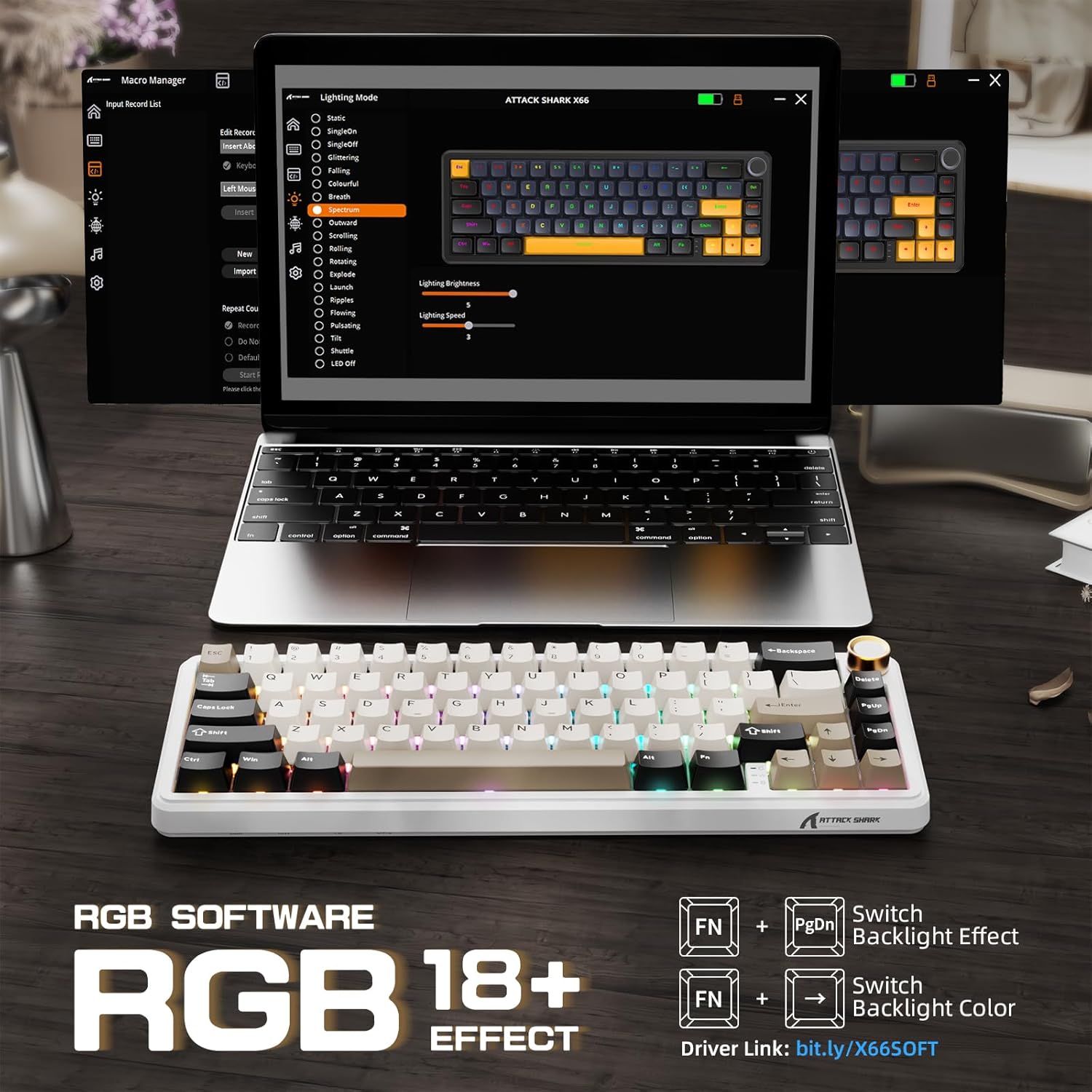
The keyboard displaying various RGB backlight effects, with instructions for controlling them using FN key combinations.

Приказ на сликаasing the 16 million RGB backlight, supporting gorgeous RGB backlight and dancing with music rhythm, along with key combinations to adjust 18 backlight effects, turn on/off backlight, adjust brightness, and adjust speed.
Battery Level Check (Wireless Mode)
To check the battery level in wireless mode, press FN + BackSpace. The backlight will temporarily turn off, and the number keys 1 to 0 will light up to indicate the remaining battery percentage (e.g., 1-5 for low, 6-10 for high).

An illustration of the 3000mAh high-capacity battery and how to check its level in wireless mode by pressing FN+BackSpace, with number keys 1-10 indicating battery percentage.
Индикаторски светла
The keyboard features smart indicator lights for various statuses:
- Индикатор за заклучување на капачиња: Indicates Caps Lock status.
- Индикатор за заклучување на победа: Indicates Windows key lock status.
- Индикатор за полнење: Го прикажува статусот на полнење.

A close-up of the keyboard's smart indicator lights, showing the Caps Lock (C), Win Lock (W), and Charging Indicator.
Прилагоден софтвер
Enhance your keyboard experience with the custom software. It allows you to:
- Customize key functions for all buttons.
- Edit and assign macros.
- Create customized lighting effects.
- Customize 16 million light colors.
- Support music rhythm lighting effects.
- Set sleep time for power saving.
The software can typically be downloaded from the official ATTACK SHARK website or via the link provided in the product packaging/description (e.g., Driver link: bit.ly/X66SOFT).

Screenshots of the custom software interface, demonstrating options for macro management, lighting mode selection, and various customization features for the keyboard.
Official product video demonstrating the features and functionality of the ATTACK SHARK X66 Keyboard, including its compact design, connectivity options, hot-swappable switches, RGB lighting, and typing experience.
Одржување
Чистење на тастатурата
- Исклучете ја тастатурата од уредот пред чистење.
- Користете мека крпа без влакненца гampened with a small amount of water or a mild cleaning solution to wipe the keycaps and chassis.
- За прашина и остатоци помеѓу копчињата, користете компримиран воздух или мала четка.
- Избегнувајте употреба на груби хемикалии или абразивни материјали, бидејќи тие можат да ја оштетат завршната обработка на тастатурата.
Прекинувачи за топла замена
The hot-swappable design allows you to change switches without soldering. Use the included switch puller tool:
- Gently grip the switch with the switch puller and pull upwards to remove it.
- Align the pins of the new 3-pin or 5-pin switch with the holes on the PCB.
- Цврсто притиснете го новиот прекинувач на своето место додека не кликне. Уверете се дека игличките не се свиткани.

A close-up demonstrating the hot-swappable feature, showing a linear switch being removed from the keyboard, with other switches and keycaps visible.

An image illustrating the hot-swappable capability of the keyboard, compatible with both 3-pin and 5-pin mechanical switches, showing switches being inserted and removed.
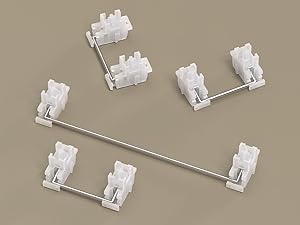
Крупен кадар view of the keyboard's stabilizers, which ensure smooth and consistent key presses for larger keys like the spacebar and shift keys.
Решавање проблеми
- Тастатурата не реагира: Ensure the keyboard is charged. Check the connection mode (wired, 2.4G, Bluetooth) and ensure it matches your device's connection. Try restarting the keyboard or your device.
- Проблеми со 2.4G конекција: Ensure the 2.4G receiver is securely plugged in. Try a different USB port. Ensure the keyboard is in 2.4G mode.
- Проблеми со спарување со Bluetooth: Ensure the keyboard is in Bluetooth pairing mode (indicator flashing). Delete previous pairings on your device and try re-pairing. Ensure your device's Bluetooth is enabled.
- RGB осветлувањето не работи: Check if the backlight is turned off (FN + \|). Adjust brightness (FN + ↑/↓).
- Клучевите не се регистрираат или се пишуваат двојно: Ensure switches are properly seated. If a specific switch is faulty, consider hot-swapping it with a new one.
- Копчето за јачина на звук не работи: Ensure the keyboard is powered on and connected. Check for any physical obstructions.
Спецификации
| Карактеристика | Опис |
|---|---|
| Модел | X66 |
| Распоред | 60% (66 клучеви) |
| Поврзување | Bluetooth 5.0, 2.4G безжичен, USB-C кабелски |
| Прекинувачи | Pre-lubricated Linear Strawberry Switches (Hot-Swappable) |
| Клучни клучеви | PBT Keycaps (OEM Height) |
| Структура | Gasket Mounted with 5-Layer Sound Dampенинг |
| Задно осветлување | RGB (16.8 Million Colors, 18 Effects) |
| Капацитет на батеријата | 3000 mAh |
| Димензии | 12.7 x 4.53 x 1.37 инчи (32.3 x 11.5 x 3.5 см) |
| Тежина на ставката | 2.14 фунти (0.97 кг) |
| Компатибилни уреди | Laptop, PC, Tablet, Smartphone, Mac |

Detailed dimensions of the 60% layout keyboard, showing its length, width, and height.
Гаранција и поддршка
ATTACK SHARK products are manufactured to the highest quality standards. For warranty information, technical support, or customer service inquiries, please refer to the contact information provided on the product packaging or visit the official ATTACK SHARK webстраница. Ве молиме задржете го доказот за купување за какви било гаранциски побарувања.


