1. Вовед
The Xigmatek Aqua V AIR is a high-performance mid-tower PC case designed for gaming enthusiasts. It features a spacious interior, optimized airflow, and tempered glass panels on the front and side to showcase your components. Equipped with seven 120mm ARGB fans, it supports graphics cards up to 410mm in length and is compatible with motherboards featuring hidden connectors for a clean build.
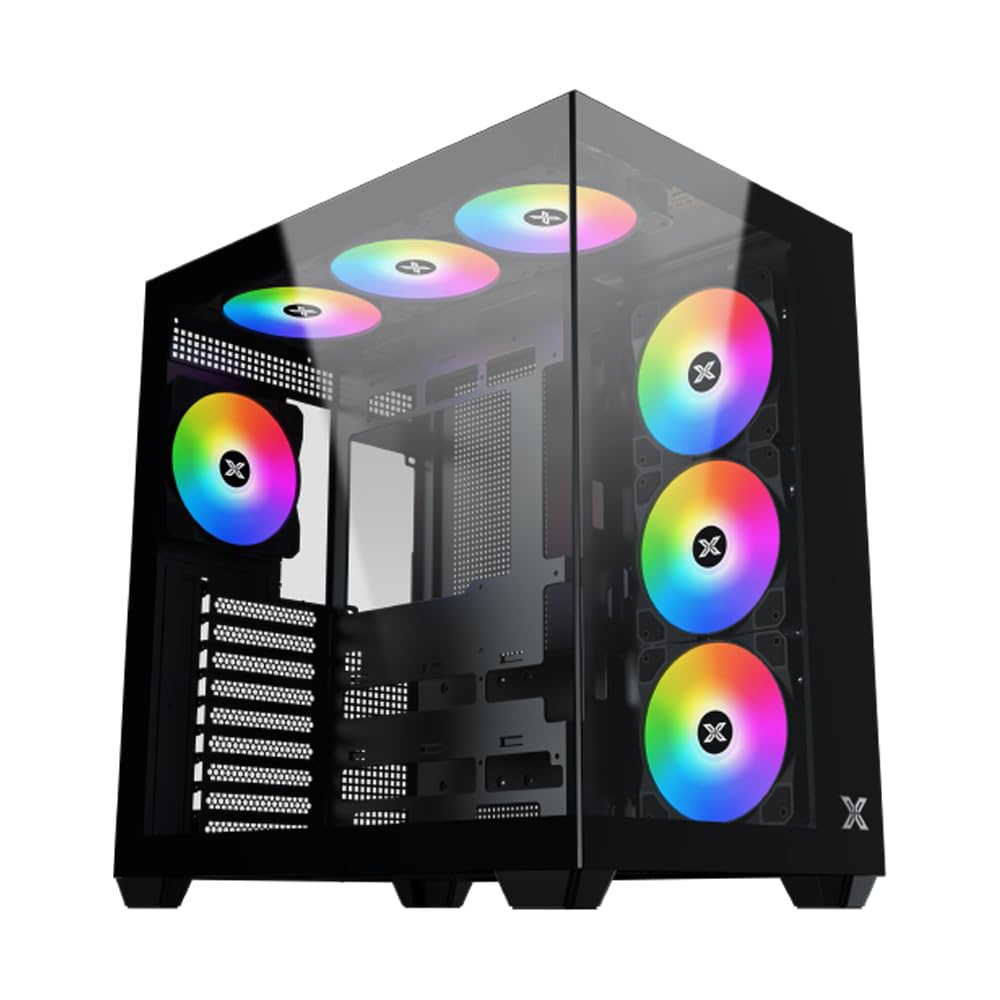
Слика 1: Севкупно view of the Xigmatek Aqua V AIR PC Case.
2. Клучни карактеристики
- Материјал: Constructed from high-quality steel for durability and reliability.
- Димензии: 427 x 285 x 455 mm (L x W x H), offering a spacious interior.
- Систем за ладење: Supports up to three 120mm or two 140mm fans for optimal cooling performance.
- Поддршка за радијатор: Compatible with 240/280/360mm radiators on the top, bottom, and rear for versatile cooling options.
- I/O панел: Features 2x USB 3.0 ports, 1x USB-C port, and HD audio for convenient connectivity.
- Компатибилност со матична плоча: Supports ATX, Micro ATX, and Mini ITX motherboards, including those with hidden connectors.
- Должина на графичкиот процесор: Може да се поврзат графички картички со должина до 410 mm.
- Поддршка за складирање: Обезбедува ample space for multiple storage drives.
3. Спецификации
| Карактеристика | Детал |
|---|---|
| Бренд | Ксигматек |
| Број на модел | EN45820 |
| Серии | Aqua V AIR BLACK |
| Боја | Црното |
| Димензии (Д x Ш x В) | 42.7 x 28.5 x 45.5 cm |
| Тежина на производот | 8.8 килограми |
| Материјал | Легуриран челик, калено стакло |
| Компатибилност со матична плоча | ATX, микро ATX, мини ITX |
| Тип на случај | Средината на кулата |
| Препорачана употреба | Gaming, High-Performance Computing |
| USB 3.0 порти | 2 |
| USB-C порти | 1 |
| Метод на ладење | Water (Liquid Cooling Support) |
| Големина на вентилаторот | 120 Millimeters (Pre-installed ARGB fans) |
| Тип на монтирање на напојување | Долна монтажа |
4. Поставување и инсталација
This section provides general guidance for installing components into your Xigmatek Aqua V AIR PC case. Always refer to the specific manuals for your motherboard, power supply, and other components for detailed instructions.
4.1 Подготовка на случајот
- Unpack the PC case and remove all packaging materials.
- Carefully remove the tempered glass side panel(s) and front panel (if applicable) to access the interior. Store them safely to prevent damage.
- Identify the accessory box, which typically contains screws, cable ties, and other small parts.
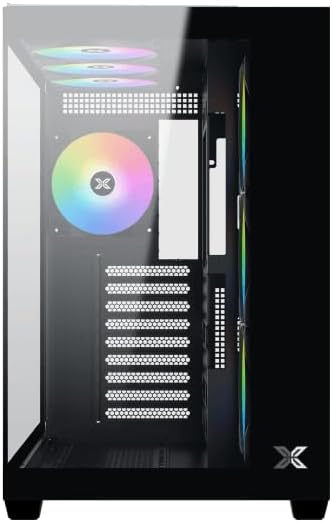
Слика 2: Внатрешност view со отстранета странична плоча.
4.2 Инсталација на матична плоча
- Инсталирајте го I/O штитот (доколку не е претходно инсталиран на вашата матична плоча) во задниот отвор на куќиштето.
- Align your ATX, Micro ATX, or Mini ITX motherboard with the standoffs inside the case. Ensure all standoffs match the screw holes on your motherboard.
- Secure the motherboard with the appropriate screws provided in the accessory kit.

Figure 3: Motherboard tray and cable management area.
4.3 Инсталација на единицата за напојување (PSU).
- Лоцирајте го местото за монтирање на напојувањето на долниот дел од задната страна на куќиштето.
- Slide your PSU into position, ensuring the fan faces downwards (if the case has a bottom vent) or upwards.
- Прицврстете го напојувањето со завртки од задната страна на куќиштето.
4.4 Инсталација на диск за складирање
The case supports various storage configurations. Refer to the case diagram for specific drive bay locations.
- Install 2.5" SSDs or 3.5" HDDs into the designated drive bays or mounting brackets.
- Прицврстете ги погоните со завртки.
4.5 Инсталација на графичка картичка (GPU)
- Отстранете ги потребните капаци за PCIe слотовите од задната страна на куќиштето.
- Вметнете ја графичката картичка во соодветниот PCIe слот на матичната плоча.
- Прицврстете ја графичката картичка со завртки.
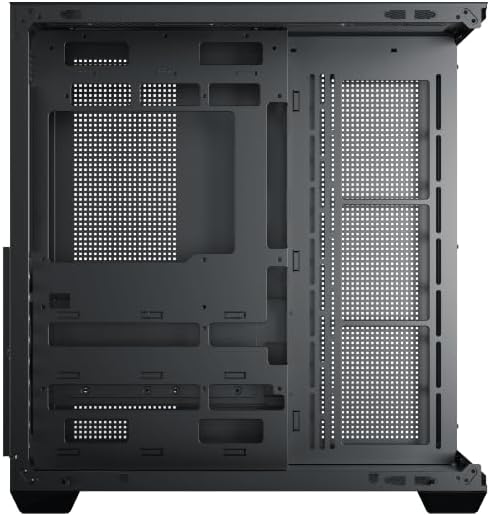
Figure 4: Components installed inside the case.
4.6 Управување со кабли
Користете ги отворите за насочување на каблите и точките за врзување зад фиоката на матичната плоча за да управувате со каблите за подобрен проток на воздух и естетика.
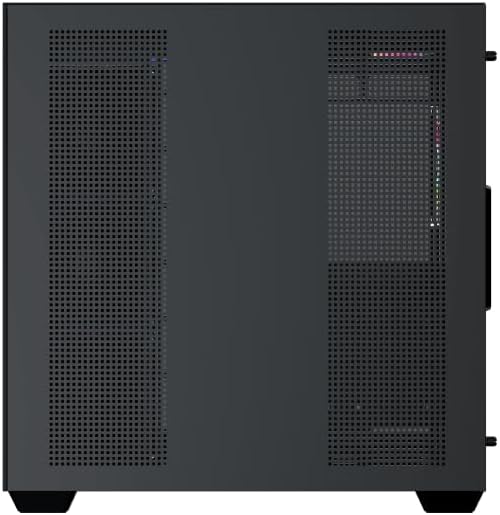
Figure 5: Top panel and I/O ports.
5. Упатства за работа
5.1 Вклучување
Once all components are securely installed and connected, close the side panels. Connect your power cable to the PSU and press the power button on the case's front I/O panel.
5.2 Контрола на вентилаторот ARGB
The Xigmatek Aqua V AIR comes with pre-installed ARGB fans. These fans can typically be controlled via:
- Софтвер за матична плоча: If your motherboard supports ARGB synchronization, connect the fan's ARGB cables to the motherboard's 3-pin 5V ARGB header and use the motherboard's software (e.g., ASUS Aura Sync, MSI Mystic Light, Gigabyte RGB Fusion) to customize lighting effects.
- Интегриран контролер: If your case includes a built-in ARGB controller, use the dedicated button on the I/O panel to cycle through various lighting modes and colors.
6. Одржување
Редовното одржување помага да се обезбедат оптимални перформанси и долготрајност на компонентите на вашиот компјутер.
6.1 Чистење на филтерот за прашина
The Xigmatek Aqua V AIR case is equipped with dust filters to prevent dust buildup. Locate and gently remove the dust filters (typically on the top, front, and bottom). Clean them with compressed air or by rinsing with water. Ensure they are completely dry before reattaching.
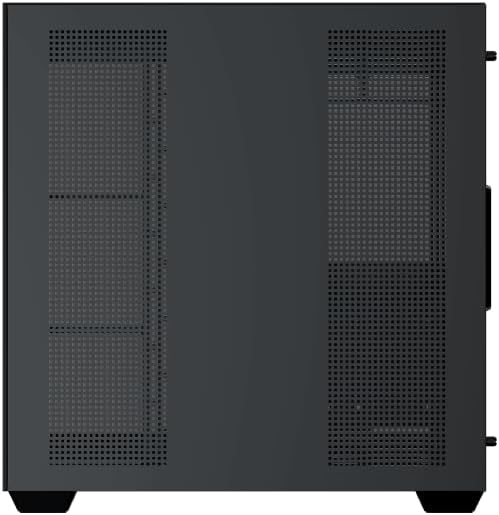
Figure 6: Bottom dust filter.
6.2 Општо чистење
Use a soft, dry cloth to wipe down the exterior of the case. For tempered glass panels, use a glass cleaner and a microfiber cloth to avoid streaks. Avoid using abrasive cleaners or solvents.
7 Смена на проблеми
Доколку наидете на проблеми, разгледајте ги следниве вообичаени чекори за решавање проблеми:
- Без моќност:
- Ensure the PSU is switched on and properly connected to the wall outlet and motherboard.
- Check all power connections to components (motherboard, CPU, GPU, drives).
- Проверете дали кабелот за напојување на предниот панел е правилно поврзан со матичната плоча.
- Вентилаторите не се вртат / RGB не работи:
- Check if fan power cables are securely connected to the motherboard or fan controller.
- Ensure ARGB cables are connected to the correct 3-pin 5V ARGB header (not 4-pin 12V RGB).
- If using a controller, ensure it has power and is functioning correctly.
- Прегревање:
- Ensure all fans are spinning and oriented correctly for optimal airflow (intake/exhaust).
- Исчистете ги филтрите за прашина и внатрешните компоненти.
- Verify CPU cooler and GPU cooler are properly seated and functioning.
8. Гаранција и поддршка
The Xigmatek Aqua V AIR PC Case comes with a 2-годишна гаранција од производителот. For technical support, warranty claims, or further assistance, please contact Xigmatek customer service or visit their official webсајт.
Ве молиме зачувајте го доказот за купување за целите на гаранцијата.


