1. Вовед
This manual provides instructions for the safe and proper installation, operation, and maintenance of your suptek Single Monitor Mount MD01AW. Please read this manual thoroughly before installation and keep it for future reference.
The suptek MD01AW is a single monitor desk mount featuring a gas spring arm for smooth and effortless adjustments. It is designed to enhance your ergonomic workspace by allowing flexible positioning of your monitor.
Компатибилност
- Големина на екранот: 13 до 32 инчи
- Тежински капацитет: 4.4 до 19.8 фунти (2 до 9 кг)
- Компатибилност со VESA: 75х75мм и 100х100мм

Figure 1: suptek Single Monitor Mount MD01AW with a monitor. This image illustrates the product's load capacity (2-9kg), screen size compatibility (13"-32"), and VESA pattern (75x75/100x100mm).
2. Содржина на пакетот
Please verify that all parts are present and undamaged before installation. If any parts are missing or damaged, contact suptek customer support.
- Склоп на рачката на мониторот
- Биро Clamp База
- Grommet Mount Base (optional)
- Плоча ВЕСА
- Комплет за хардвер (завртки, подлошки, одстојници)
- Ален Кис
- Упатство за употреба
3. Информации за безбедност
ПРЕДУПРЕДУВАЊЕ: Непрочитувањето и непочитувањето на овие упатства може да резултира со сериозни лични повреди, материјална штета или поништување на вашата гаранција.
- Не го надминувајте максималниот капацитет на тежина од 19.8 lbs (9 kg).
- Ensure your desk surface is strong enough to support the combined weight of the mount and your monitor.
- Use only the provided hardware. If you are unsure about any part of the installation, consult a qualified professional.
- Држете ги децата и домашните миленици подалеку за време на инсталацијата.
- Периодично проверувајте ги сите завртки и врски за да се осигурате дека се безбедни.
4. Поставување и инсталација
The suptek MD01AW offers two installation methods: C-clamp и држач за прстен.

Figure 2: Two installation options for the monitor mount. The C-clamp option is suitable for desk thicknesses of 10-70mm, and the grommet mount option is for desk thicknesses of 10-70mm with a hole diameter of 10-60mm.
4.1 C-Clamp Инсталација
- Прикачете го C-clamp основата до работ на вашата работна маса. Осигурајте се декаamp is securely tightened to prevent movement. The C-clamp fits desks with a thickness of 10-70mm.
- Вметнете го главниот столб на рачката на мониторот во C-clamp base. Tighten the securing screw.
4.2 Grommet Mount Installation
- If your desk has a grommet hole (10-60mm diameter) and a thickness of 10-70mm, use the grommet mount option.
- Thread the grommet base through the desk hole. Secure it from underneath the desk using the provided plate and nut.
- Insert the main pole of the monitor arm into the grommet base. Tighten the securing screw.
4.3 Прикачување на мониторот
- Attach the VESA plate to the back of your monitor using the appropriate screws and spacers from the hardware kit. Ensure the screws are tightened securely but do not overtighten.
- Slide the monitor (with the attached VESA plate) onto the VESA head of the monitor arm. Ensure it clicks into place or is secured with the locking screw.
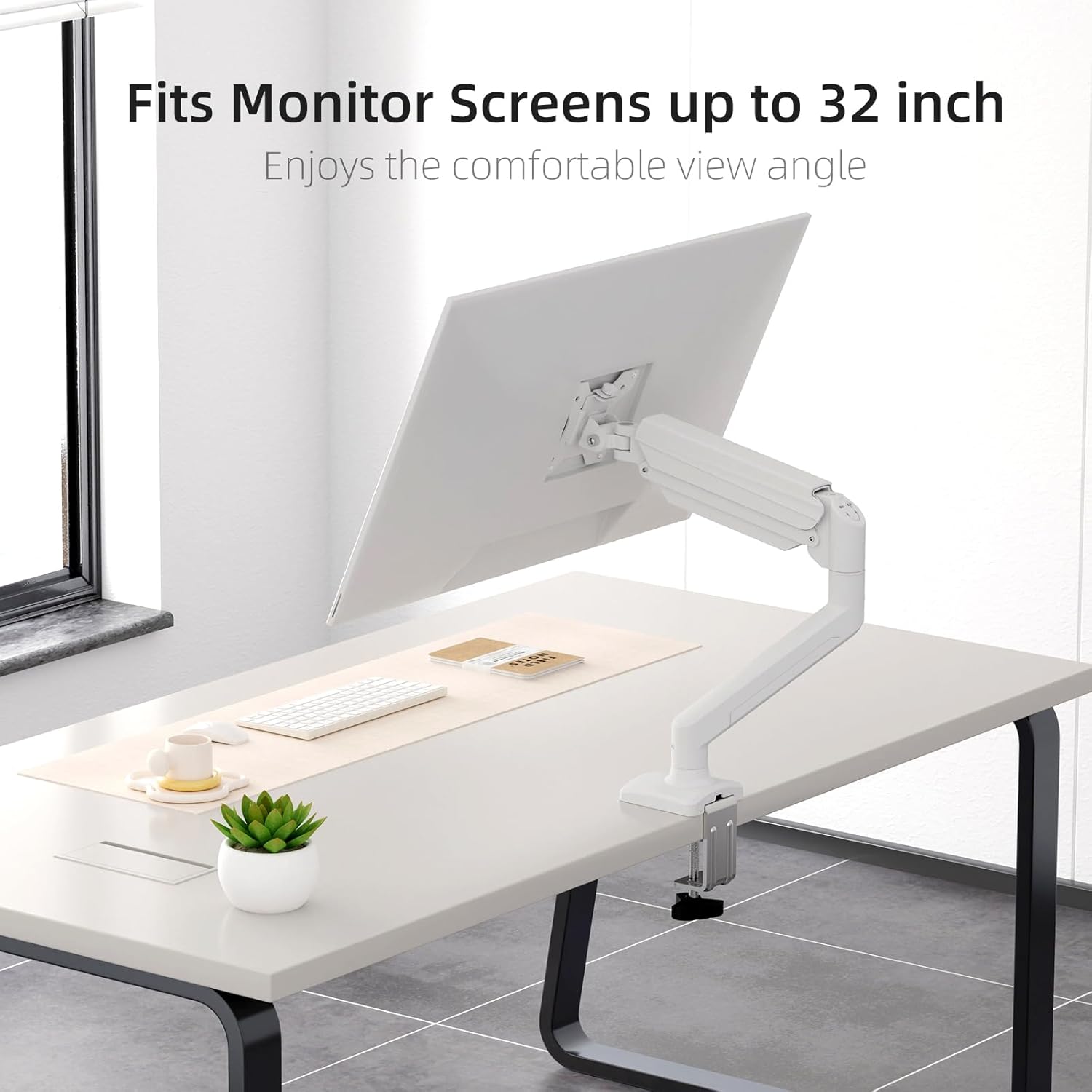
Figure 3: Monitor attached to the suptek monitor arm. This image demonstrates how the mount accommodates monitor screens up to 32 inches, providing a comfortable viewинголен агол.
5. Работење и прилагодувања
The gas spring arm allows for flexible and smooth adjustments to achieve your desired monitor position.

Figure 4: Full adjustability of the monitor arm. The arm allows for tilt (±90°), swivel (±90°), and 360° rotation for optimal viewинг.
5.1 Прилагодување на затегнатоста на гасната пружина
The gas spring tension needs to be adjusted according to the weight of your monitor. Use the provided Allen key to adjust the tension screw located on the arm.
- If the monitor falls down, turn the screw clockwise (+) to increase tension.
- If the monitor rises up too easily, turn the screw counter-clockwise (-) to reduce tension.

Figure 5: Easy gas spring adjustment. Turn the screw clockwise (+) to increase tension if the equipment falls down, or counter-clockwise (-) to reduce tension if the equipment raises up too easily.
5.2 Height, Tilt, Swivel, and Rotation
- Прилагодување на висината: Gently push or pull the monitor to the desired height. The gas spring will hold it in place once tension is correctly set.
- Навалување: Tilt the monitor screen up or down (±80°) to reduce glare and optimize viewинголен агол.
- Завртување: Swivel the monitor left or right (±90°) to share your screen or adjust your viewпозиција.
- Ротација: Rotate the monitor 360° between landscape and portrait orientations.
5.3 Управување со кабли
Route your monitor cables through the integrated cable management clips on the arm to maintain a tidy workspace.

Figure 6: Integrated cable management. Cables can be routed along the arm to keep the workspace neat and prevent wire entanglement.
6. Одржување
Редовното одржување обезбедува долготрајност и безбедно работење на држачот за вашиот монитор.
- Чистење: Избришете го држачот со мека, дamp крпа. Избегнувајте абразивни средства за чистење или растворувачи.
- Проверете ги врските: Periodically check all screws and bolts, especially those securing the mount to the desk and the monitor to the VESA plate, to ensure they are tight.
- Гасна пружина: If the gas spring tension feels off, re-adjust it according to Section 5.1.
7 Смена на проблеми
If you encounter issues with your monitor mount, refer to the following common problems and solutions.
| Проблем | Можна причина | Решение |
|---|---|---|
| Monitor sags or falls down | Затегнатоста на гасната пружина е прениска за тежината на мониторот. | Increase gas spring tension by turning the adjustment screw clockwise (+). Refer to Section 5.1. |
| Monitor floats up or is hard to push down | Затегнатоста на гасната пружина е превисока за тежината на мониторот. | Decrease gas spring tension by turning the adjustment screw counter-clockwise (-). Refer to Section 5.1. |
| Mount is wobbly or unstable | Биро clamp/grommet mount is not tightened sufficiently. | Обезбедете го бирото clamp or grommet mount is securely fastened to the desk. Check all connection points. |
| Monitor does not attach to VESA plate | Incorrect VESA screws or plate orientation. | Ensure you are using the correct VESA screws for your monitor and that the VESA plate is oriented correctly. |
8. Спецификации
- Бренд: суптек
- Модел: MD01AW
- Материјал: Легуриран челик
- Боја: Бело
- Тип на монтирање: Tabletop Mount (C-clamp или прстен за заби)
- Тип на движење: Rotate, Tilt, Swivel, Height Adjustment
- Компатибилни уреди: Monitors 13-32 inches
- Тежински капацитет: 4.4 - 19.8 фунти (2 - 9 кг)
- Компатибилност со VESA: 75х75мм, 100х100мм
- Максимален агол на навалување: 80 степени
- Дебелина на работната маса (C-cl)amp): 10-70 мм
- Desk Thickness (Grommet): 10-70 мм
- Grommet Hole Diameter: 10-60 мм
- Тежина на ставката: Приближно 4.76 фунти (2.16 кг)
- Димензии на пакетот: Приближно 15.12 x 7.99 x 4.25 инчи
9. Гаранција и поддршка
suptek products are manufactured with quality and care. For warranty information or technical support, please refer to the contact details provided with your purchase or visit the official suptek website. Please have your model number (MD01AW) and purchase date available when contacting support.


