1. Вовед
The ZEBRONICS Pixigo A16 is a 15.6-inch portable monitor designed for enhanced productivity and entertainment on the go. Featuring a Full HD 1080p resolution, anti-glare screen, and versatile connectivity options, it serves as an ideal secondary display for laptops, smartphones, and gaming consoles. Its lightweight design and 180° adjustable stand ensure flexibility and ease of use in various environments.
2. Содржина на пакетот
Проверете дали сите артикли наведени подолу се вклучени во вашиот пакет:
- Monitor - 1 unit
- Mini HDMI Cable - 1 unit
- Type C DP Cable - 1 unit
- Power Adapter - 1 unit
- User Manual - 1 unit
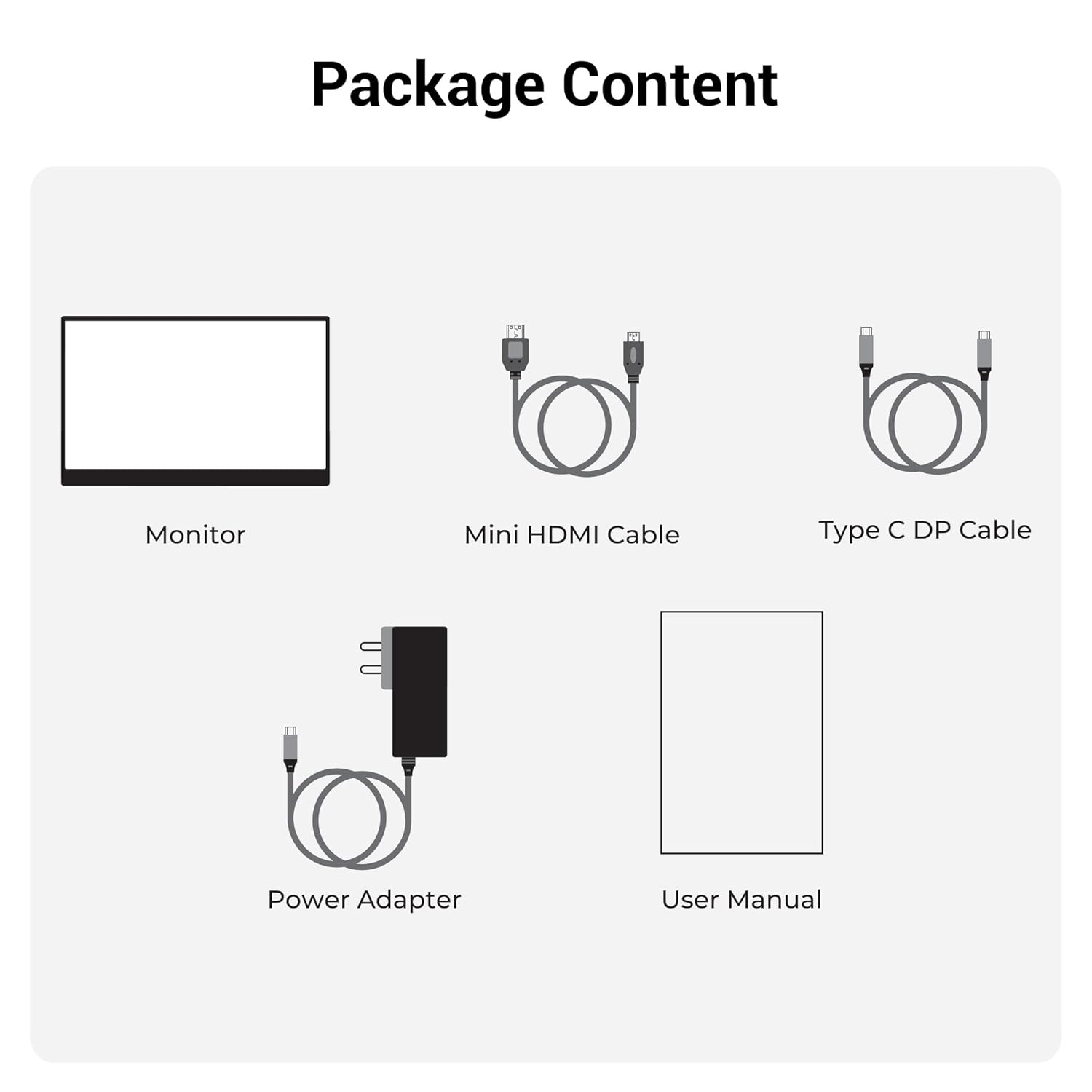
Слика 2.1: Содржина на пакетот
3. Производот завршиview
3.1 Порти и контроли
Familiarize yourself with the various ports and control buttons on your Pixigo A16 monitor:
- Мини HDMI приклучок: За видео влез од уреди со HDMI излез.
- Type C Port 2 (Power + Display): Supports both power delivery and display signal via a single Type-C cable.
- Type C Port 1 (Only Power): Dedicated for power input to the monitor.
- Power / Return Button: Used to power the monitor on/off and navigate back in the OSD menu.
- LED индикатор: Shows the power status of the monitor.
- Roller Key / Menu: Used to access and navigate the On-Screen Display (OSD) menu and adjust settings.
- Jackек за слушалки: За поврзување на надворешни аудио уреди.

Слика 3.1: Порти и контроли за мониторот
3.2 Клучни карактеристики
- 15.6-inch FHD 1080p Display: Delivers sharp and vivid visuals with a resolution of 1920x1080.
- Anti-glare Screen: Minimizes reflections and eye strain for comfortable viewинг.
- Поставка што се прилагодува за 180°: Offers flexible positioning to achieve the optimal viewинголен агол.
- Двоен влез: Features 1x Type-C DP port and 1x Mini HDMI port for broad compatibility.
- Вградени звучници: Обезбедува интегриран аудио излез.
- Лесен и пренослив: Компактен дизајн за лесен транспорт и употреба на различни локации.
- 300 Nits Осветленост: Ensures a bright and vibrant screen, even in well-lit environments.
- 16.7 милиони бои: Supports accurate color reproduction.
- 16:9 Сооднос на ширина и висина: Ideal for media consumption and multitasking.
- Wall-mountable: Supports wall mounting for a clutter-free setup.

Слика 3.2: Карактеристики на екранот
4. Поставување
Follow these steps to set up your ZEBRONICS Pixigo A16 portable monitor:
- Отпакувајте го мониторот: Внимателно извадете го мониторот и сите додатоци од пакувањето.
- Поставете го штандот: Adjust the integrated 180° stand to your desired viewинголен агол.
- Поврзете напојување: Connect the provided Power Adapter to the Type C Port 1 (Power Only) on the monitor and plug it into a power outlet.
- Поврзете се со уред:
- For Type-C Devices (with DisplayPort Alt Mode): Use the Type C DP Cable to connect your device (laptop, smartphone) to Type C Port 2 (Power + Display) on the monitor. This single cable can provide both power and display signal.
- For HDMI Devices: Use the Mini HDMI Cable to connect your device (laptop, gaming console) to the Mini HDMI Port on the monitor. Ensure the monitor is also powered via Type C Port 1.
- Вклучување: Press the Power / Return Button to turn on the monitor.

Figure 4.1: Wide Compatibility with PC, Laptop, Mobile, and Gaming Console
5. Упатства за работа
5.1 Основно работење
- Вклучување/исклучување: Press and hold the Power / Return Button for a few seconds.
- Избор на влезен извор: The monitor should automatically detect the input source. If not, access the OSD menu using the Roller Key and manually select the input.
- Прилагодување на јачината на звукот: Use the Roller Key to adjust the volume of the built-in speakers or connected headphones.
5.2 Мени за приказ на екран (OSD).
OSD менито ви овозможува да ги прилагодите различните поставки за приказ:
- Press the Roller Key to open the OSD menu.
- Roll the Roller Key up or down to navigate through menu options.
- Press the Roller Key to select an option or confirm a setting.
- Press the Power / Return Button to go back to the previous menu or exit the OSD.
5.3 Прилагодување на држачот
The integrated stand can be adjusted up to 180 degrees to find the most comfortable viewing angle for your needs. Simply pivot the monitor on its stand to tilt it forward or backward.

Figure 5.1: 180° Adjustable Stand
6. Одржување
За да обезбедите долготрајност и оптимални перформанси на вашиот монитор, следете ги овие упатства за одржување:
- Чистење на екранот: Користете мека крпа без влакненца малку гampened with water or a non-abrasive screen cleaner. Avoid harsh chemicals or abrasive materials.
- Чистење на Casing: Избришете го мониторот casing со мека, сува крпа.
- Складирање: Кога не го користите, чувајте го мониторот на ладно и суво место, подалеку од директна сончева светлина и екстремни температури.
- Ракување: Handle the monitor with care, especially when transporting it. Its lightweight design makes it portable, but it should still be protected from impacts.
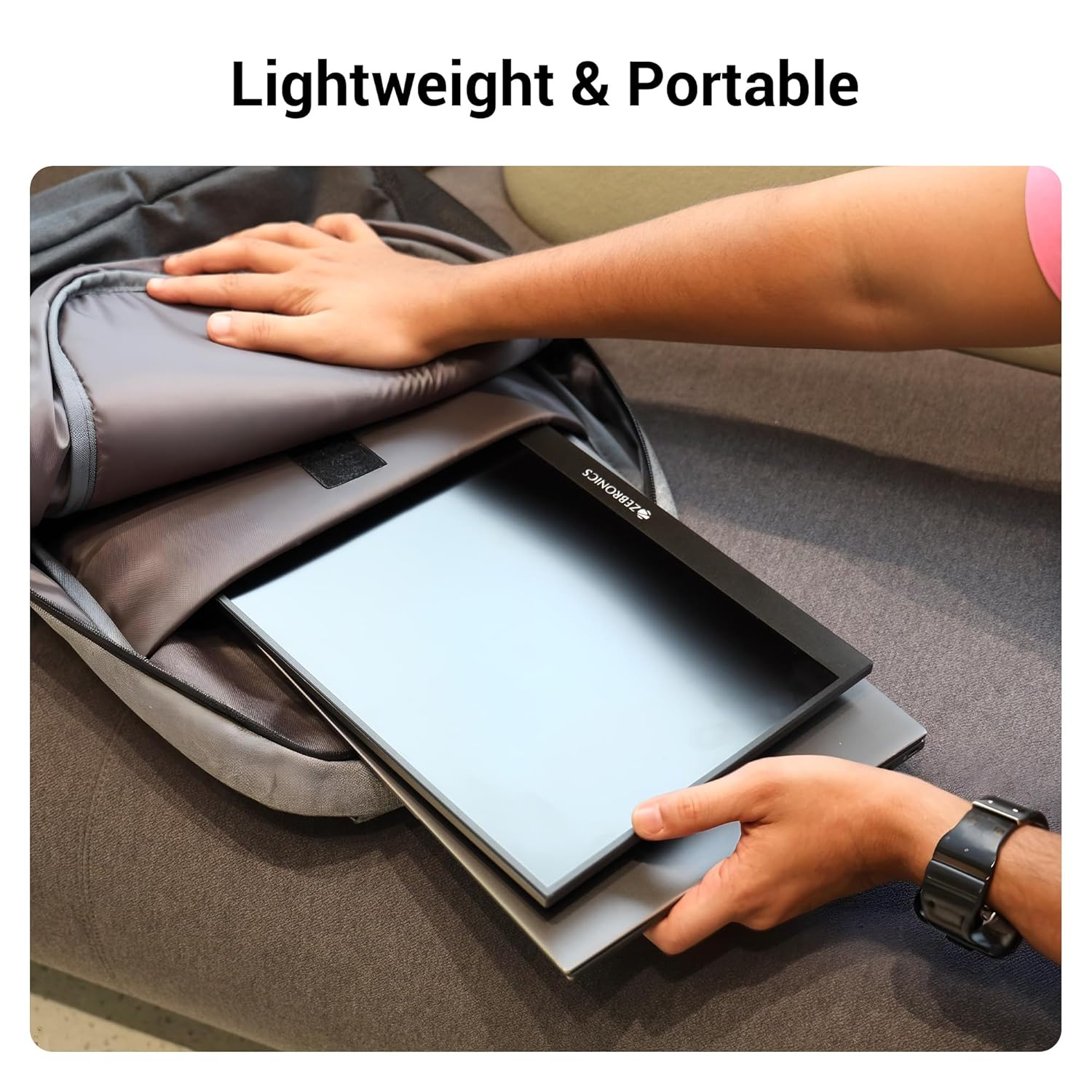
Figure 6.1: Lightweight and Portable Design
7 Смена на проблеми
Доколку наидете на проблеми со вашиот монитор, погледнете ги следните вообичаени проблеми и решенија:
| Проблем | Можна причина | Решение |
|---|---|---|
| Нема екран/Нема сигнал | Избран е неправилен влезен извор; Лабава кабелска врска; Недоволна моќност. | Check cable connections (HDMI/Type-C). Ensure the monitor is powered. Select the correct input source via the OSD menu. For Type-C, ensure your device supports DisplayPort Alt Mode. |
| Треперење на екранот | Faulty cable; Incompatible resolution/refresh rate; Power fluctuations. | Try a different cable. Adjust the resolution or refresh rate on your connected device. Ensure stable power supply. |
| Нема аудио | Јачината на звукот е прениска/пригушена; избран е неправилен аудио излез на уредот. | Increase monitor volume using the Roller Key. Check audio settings on your connected device to ensure audio is routed to the monitor. |
| Мониторот не се вклучува | No power; Power adapter issue. | Ensure the power adapter is securely connected to the monitor (Type C Port 1) and a working power outlet. |
8. Спецификации
Detailed technical specifications for the ZEBRONICS Pixigo A16 portable monitor:
- Бренд: ЗЕБРОНИКА
- Модел: Zeb-Pixigo A16
- Големина на екранот: 15.6 инчи (39.6 см)
- Резолуција на екранот: 1920 x 1080 пиксели (FHD 1080p)
- Сооднос: 16:9
- Осветленост: 300 гниди
- Поддршка во боја: 16.7 милиони бои
- Опис на површината на екранот: Matte (Anti-glare)
- Поврзување: 1x Mini HDMI Port, 2x Type C Ports (1x Power + Display, 1x Power Only), Headphone Jack
- Вградени звучници: Да
- Тежина на ставката: 804 гр
- Димензии на производот (ДxШxВ): 1.7 x 35.5 x 22.2 cm
9. Гаранција и поддршка
For warranty information, technical support, or service inquiries, please refer to the warranty card included in your package or visit the official ZEBRONICS webлокација. Чувајте ја сметката како доказ за купување за гаранциски побарувања.


