Вовед
The Imou 3K/5MP Outdoor Solar PTZ Wireless IP Surveillance Camera (Model: IPC-B7C-5M0WEH) provides comprehensive outdoor security with advanced features. This manual guides you through the setup, operation, and maintenance of your camera to ensure optimal performance and security.
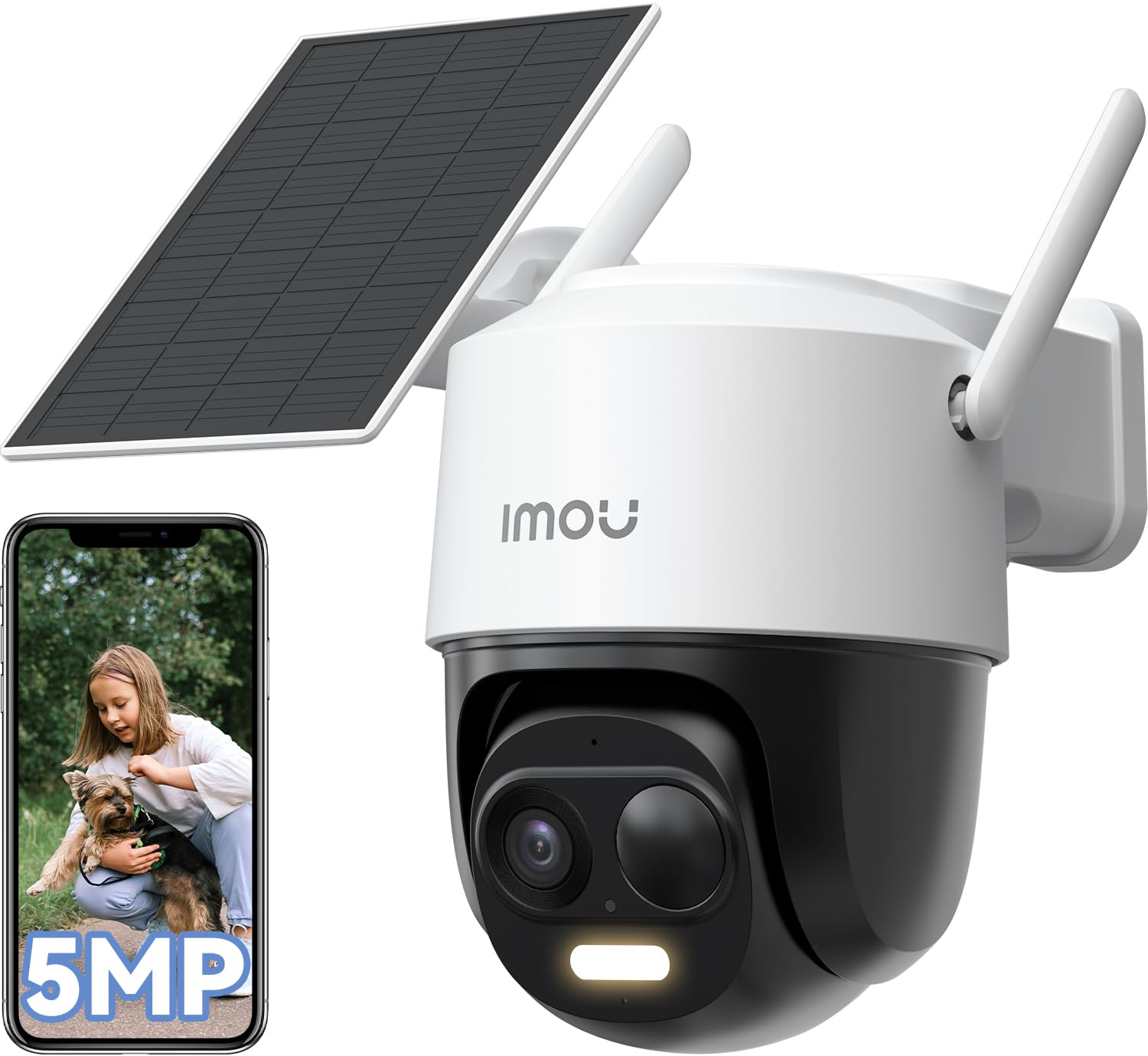
Image: The Imou 3K/5MP Outdoor Solar PTZ Wireless IP Surveillance Camera, showcasing неговиот компактен дизајн.
1. Поставување
- Дебокс и компоненти: Verify all components are present: camera unit, solar panel, mounting kit, USB-C cable.
- Полнење: Ensure the camera has an initial charge. The solar panel will maintain power after installation.
- Инсталација на апликација: Download the "Imou Life" app from your smartphone's app store. Create an account or log in.
- Спарување на камерата:
- Вклучете ја камерата.
- Отворете ја апликацијата Imou Life и допрете ја иконата „+“ за да додадете нов уред.
- Скенирајте го QR-кодот што се наоѓа на камерата или на нејзиното пакување.
- Follow the in-app instructions to connect the camera to your 2.4GHz Wi-Fi network. Ensure your router is configured for 2.4GHz as 5GHz is not supported for initial setup.
- Монтирање:
- Choose a suitable outdoor location with direct sunlight exposure for the solar panel and a clear view за камерата.
- Use the provided mounting template and screws to securely attach the camera and solar panel.
- Connect the solar panel to the camera using the 4-meter USB-C cable. Ensure the connection is secure and waterproof.

Image: The Imou camera mounted with its solar panel, illustrating outdoor installation.
2. Упатства за работа
- Во живо View: Отворете ја апликацијата Imou Life и изберете ја вашата камера за да view живата храна.
- Контрола на PTZ: Use the pan-tilt-zoom controls within the app to adjust the camera's viewing angle (360° horizontal rotation). You can set multiple preset positions for quick access.
- Resolution and Zoom: The camera records in 5MP (3K QHD) resolution. Use the digital zoom feature in the app to magnify details.
- Ноќно гледање: The camera automatically switches to night vision in low-light conditions, providing clear images up to 20 meters. Color night vision is available when sufficient ambient light or the camera's spotlight is active.
- Откривање на вештачка интелигенција:
- Enable Person/Vehicle Detection in the app settings. This feature uses AI to distinguish between humans, vehicles, and other moving objects, reducing false alarms.
- Паметно следење: When a person or vehicle is detected, the camera can automatically track their movement within its field of view.
- Звучен и светлосен аларм: Configure the camera to activate a powerful spotlight and siren upon detection of suspicious activity.
- Двонасочно аудио: Use the microphone and speaker in the camera to communicate with visitors or deter intruders. The app allows for customizable voice options (original, male, robot).
- Режим на приватност: Activate privacy mode via the app to temporarily disable video streaming and recording, ensuring personal privacy when needed.
- Алекса интеграција: Connect your Imou camera to Amazon Alexa for voice control and live view display on compatible devices.
- Управување со складирање:
- MicroSD картичка: Insert a microSD card (up to 256GB, not included) into the designated slot for local video storage.
- Imou Cloud Storage: Utilize the optional Imou Cloud service for secure, remote video storage (30-day trial, 7-day recording plan available).
- Зони за детекција на движење: Прилагодете специфични области во рамките на камерата view for motion detection to focus on critical zones and minimize unnecessary alerts.

Image: The Imou camera's dome design, indicating its pan-tilt-zoom capabilities for wide area coverage.
3. Одржување
- Чистење: Редовно чистете го објективот на камерата и соларниот панел со мека, дamp крпа за да се обезбеди јасен квалитет на сликата и ефикасно полнење со сончева светлина. Избегнувајте абразивни средства за чистење.
- Ажурирања на фирмверот: Check the Imou Life app periodically for firmware updates to ensure your camera has the latest features and security enhancements.
- Здравје на батеријата: The solar panel is designed to keep the internal battery charged. In prolonged periods of low sunlight, the battery may deplete. Ensure the solar panel is free from obstructions like snow or debris.
4 Смена на проблеми
- Камерата не се поврзува со Wi-Fi: Ensure your Wi-Fi network is 2.4GHz. Verify the Wi-Fi password. Move the camera closer to the router during setup.
- Чести лажни аларми: Adjust the sensitivity of motion detection in the app. Utilize AI Person/Vehicle Detection to filter out irrelevant movements. Define specific motion detection zones.
- Poor night vision quality: Ensure the camera lens is clean. Check for obstructions blocking the infrared lights.
- Соларниот панел не се полни: Ensure the solar panel is positioned in direct sunlight and free from dirt or obstructions. Verify the USB-C cable connection is secure.
- No audio or poor two-way audio: Check microphone and speaker settings in the app. Ensure there are no physical obstructions.
5. Спецификации
| Карактеристика | Спецификација |
|---|---|
| Број на модел | IPC-B7C-5M0WEH |
| Резолуција | 5MP (3K QHD), 1620p video recording |
| Поле на View | 360° Pan-Tilt-Zoom |
| Опсег на ноќни визии | До 20 метри |
| Поврзување | Wi-Fi (2.4 GHz) |
| Извор на енергија | Напојува со соларна енергија |
| Отпорност на вода | IP65 (Водоотпорен) |
| Посебни карактеристики | Two-way audio, AI Person/Vehicle Detection, Smart Tracking, Sound & Light Alarm, Privacy Mode, Alexa Integration |
| Опции за складирање | MicroSD card (max. 256GB), Imou Cloud |
| Димензии (Д x Ш x В) | 16.5 x 12.6 x 15.4 cm |
| Тежина | 1.23 кг |
| Voltage | 5 волти |
| Батерија | 1 x 12V (internal, charged by solar) |
6. Гаранција
This product comes with a standard manufacturer's warranty. Please refer to the official Imou webстраницата или вашата документација за купување за специфични услови и одредби за гаранција.
7. Поддршка
For technical assistance, troubleshooting, or further inquiries, please refer to the Imou Life app's help section or visit the official Imou support website. The Imou Life app supports smartphones, tablets, and PCs.


