1. Вовед
This manual provides essential instructions for the proper installation, operation, and maintenance of your Insta360 Connect TV Mount. Please read this manual thoroughly before use to ensure safe and efficient operation. Keep this manual for future reference.
2. Производот завршиview
The Insta360 Connect TV Mount is designed to securely position your Insta360 Connect device either above or below your television. It features VESA-compatible support and a multifunctional arm for versatile placement and adjustment.

Слика 1: Целосен view of the Insta360 Connect TV Mount, showcasing its V-shaped design and adjustable arms.
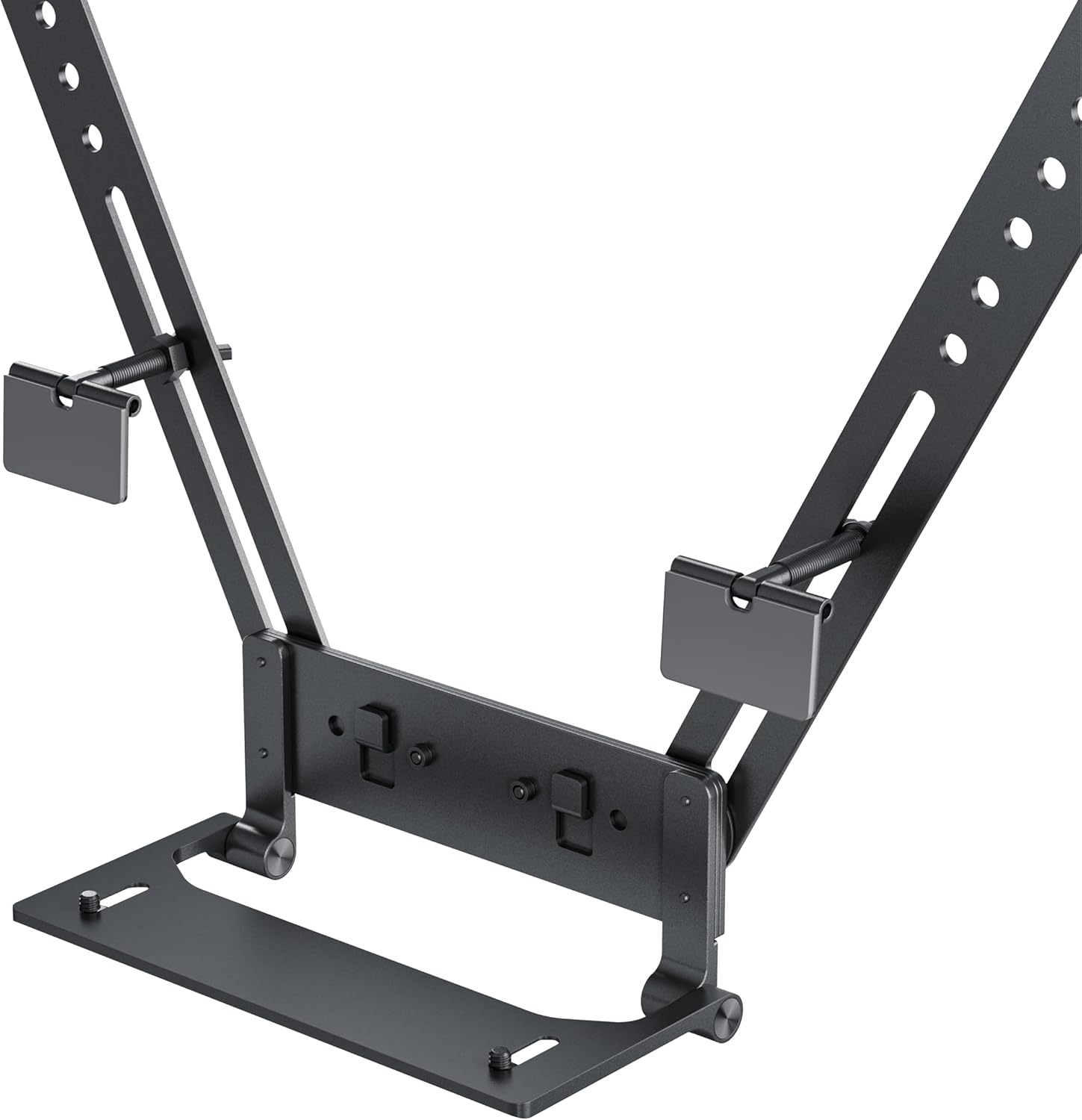
Слика 2: Детален view of the mount's base and connection points, highlighting the adjustable screws and VESA compatibility.
Клучни карактеристики:
- Mounts your Insta360 Connect above or below your TV.
- VESA-compatible support with multifunctional arm.
- Swivel and depth adjustment for full-room coverage.
- Designed for quick installation and removal.
3. Содржина на пакетот
Проверете дали сите компоненти се присутни пред да продолжите со инсталацијата:
- Insta360 Connect TV Mount assembly
- Mounting hardware (screws, washers)
- Упатство за употреба

Figure 3: Individual components of the mount, including the main arms and connection pieces, laid out for assembly.
4. Поставување и инсталација
Follow these steps to install your Insta360 Connect TV Mount:
4.1 Attaching to the TV
- Идентификувајте ги VESA отворите за монтирање на задната страна од вашиот телевизор.
- Align the mount's arms with the VESA holes. The mount can be positioned to place the Insta360 Connect device either above or below the TV.
- Secure the mount to the TV using the provided screws and washers. Ensure the screws are tightened firmly but do not overtighten.

Figure 4: An illustration showing the Insta360 Connect TV Mount positioned above a television, with the device attached.
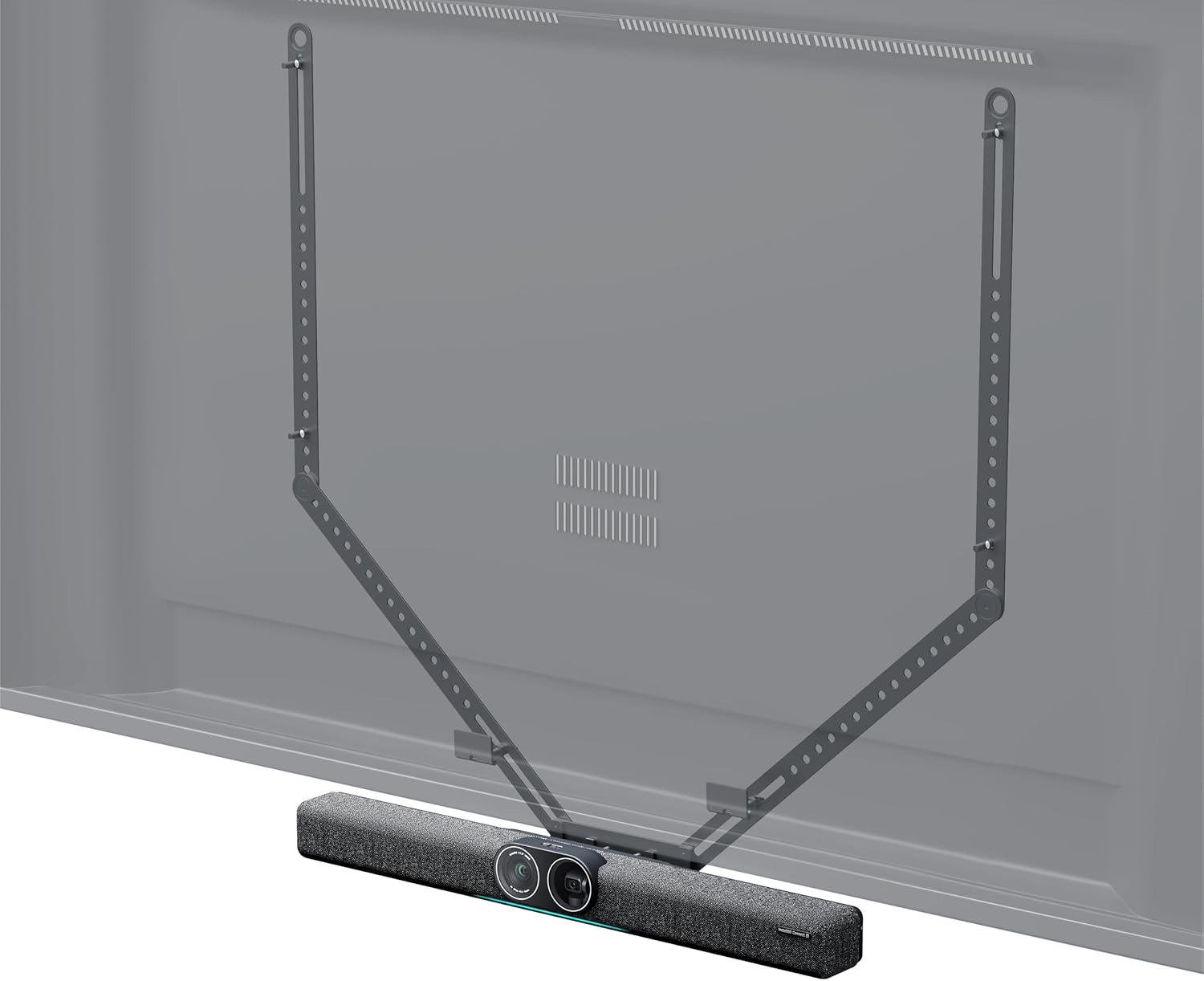
Figure 5: An illustration showing the Insta360 Connect TV Mount positioned below a television, with the device attached.
4.2 Attaching the Insta360 Connect Device
- Place your Insta360 Connect device onto the designated platform of the TV mount.
- Secure the device using its integrated mounting mechanism or any additional fasteners provided with your Insta360 Connect device.
5. Работење и прилагодувања
The Insta360 Connect TV Mount allows for flexible positioning of your device to achieve optimal room coverage.
5.1 Прилагодување на вртењето
The mount features a swivel mechanism. Gently rotate the mounted device to adjust its horizontal angle for desired room coverage. Ensure the device is stable after adjustment.
5.2 Прилагодување на длабочината
The mount offers 50mm (2.0in) depth and 15mm (0.6in) front-to-back adjustment capabilities. Loosen the adjustment screws, slide the device to the desired depth, and then re-tighten the screws to secure its position.

Figure 6: A diagram illustrating the 50mm depth and 15mm front-to-back adjustment capabilities of the mount.
6. Одржување
To ensure the longevity and proper function of your TV mount, follow these maintenance guidelines:
- Чистење: Wipe the mount with a soft, dry cloth. Avoid using abrasive cleaners or solvents that may damage the finish.
- Инспекција: Периодично проверувајте ги сите завртки и врски за да се осигурате дека се цврсто прицврстени и безбедни. Затегнете ги повторно доколку е потребно.
- Складирање: If storing the mount for an extended period, ensure it is clean and dry, and store it in a cool, dry place away from direct sunlight.
7 Смена на проблеми
If you encounter issues with your Insta360 Connect TV Mount, refer to the following common problems and solutions:
- Монтажата се чувствува нестабилна: Ensure all mounting screws attaching the mount to the TV are securely tightened. Verify that the TV's VESA holes are not stripped or damaged.
- Difficulty adjusting swivel or depth: Check if the adjustment screws are sufficiently loosened before attempting to move the mount. If resistance persists, inspect for any obstructions or debris in the mechanism.
- Device not sitting flush: Confirm that the Insta360 Connect device is correctly aligned and secured to the mount's platform according to its own instructions.
8. Спецификации
| Атрибут | Вредност |
|---|---|
| Бренд | Инста360 |
| Број на модел | CINSBABC |
| Тежина на ставката | 2.2 фунти |
| Димензии на пакетот | 39.37 x 7.28 x 4.21 инчи |
| Боја | Црното |
| Тип на монтирање | Ѕиден држач (компатибилен со VESA) |
| Тип на движење | Завртување |
| Материјал | Пластика |
| Компатибилни уреди | Телевизија |
| Максимален агол на навалување | 15 степени |
| UPC | 842126108310 |
9. Гаранција и поддршка
For warranty information and customer support, please refer to the official Insta360 webлокација или директно контактирајте ја нивната служба за корисници. Зачувајте го доказот за купување за гаранциски барања.


