1. Вовед
This manual provides detailed instructions for the proper setup, operation, and maintenance of your MageGee K2 Wired RGB Backlit 104-Key Ergonomic Keyboard. Please read this manual thoroughly before using the product to ensure optimal performance and longevity.
2. Содржина на пакетот
The MageGee K2 Keyboard package includes the following items:
- MageGee K2 Wired RGB Backlit 104-Key Ergonomic Keyboard
- Упатство за употреба (овој документ)
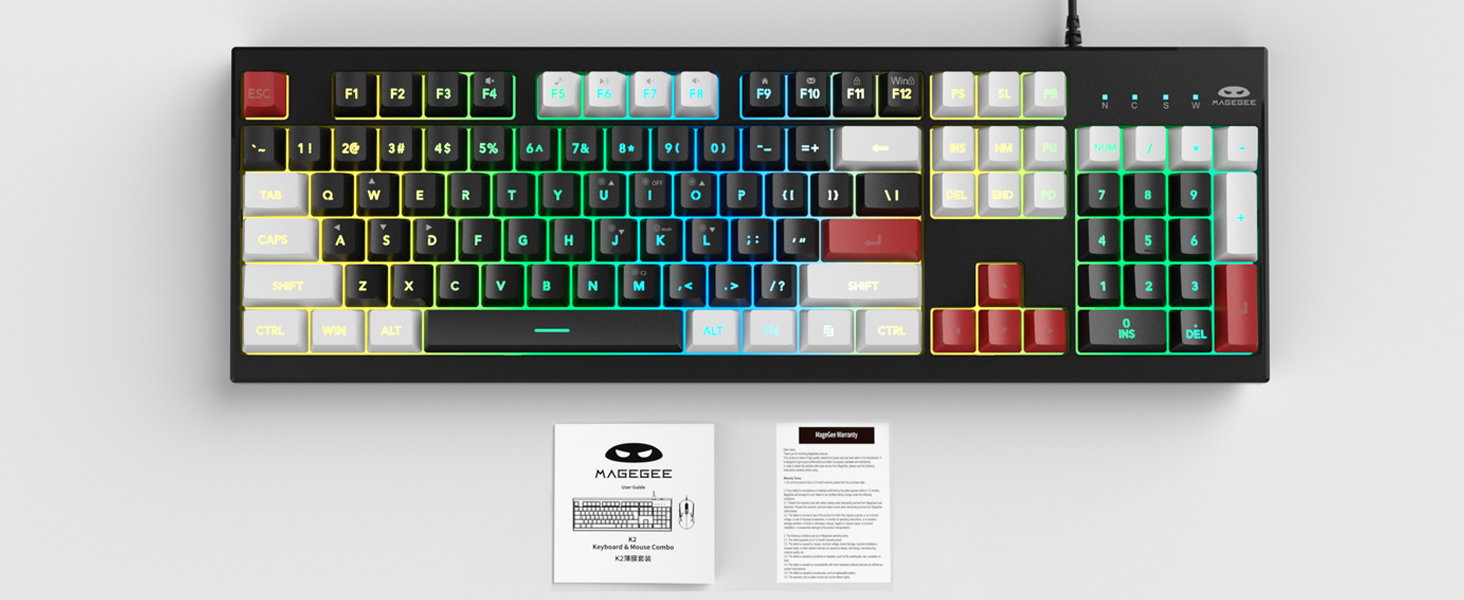
Image: MageGee K2 Keyboard shown with its accompanying user manual.
3. Упатства за поставување
3.1 Поврзување на тастатурата
- Locate an available USB port on your computer (PC, laptop, or Mac).
- Plug the USB connector of the MageGee K2 keyboard into the USB port.
- The keyboard is plug-and-play and should be automatically recognized by your operating system (Windows 2000/XP/ME/Vista/7/8/10, Android, Linux, Mac). No additional drivers are typically required.
3.2 Прилагодување на висината на тастатурата
The keyboard features a foldable bracket at the bottom, allowing you to adjust its height for a more comfortable typing angle.
- To raise the keyboard, gently pull out the foldable feet located on the underside of the keyboard.
- To lower the keyboard, fold the feet back into their recessed positions.

Image: The MageGee K2 Keyboard demonstrating its ergonomic design with adjustable feet.
4. Упатства за работа
4.1 RGB контрола на позадинско осветлување
The MageGee K2 keyboard features vibrant RGB backlighting with multiple modes and brightness levels. Use the following key combinations to control the lighting:
- FN + L: Зголемете ја осветленоста на задното осветлување.
- FN + J: Намалете ја осветленоста на задното осветлување.
- FN + К: Switch between different backlight modes.
- FN + М: Switch between constant color and multi-color backlight modes.
- FN + I: Turn backlight on/off.

Image: Visual guide to RGB backlight control keys on the MageGee K2 Keyboard.
4.2 Мултимедијални кратенки
Access common multimedia functions quickly using the FN key in combination with the F1-F12 keys:
- FN + F1-F12: Quickly switch between multimedia playback, volume adjustment, and other functions. Refer to the keycap legends for specific functions.
4.3 Анти-гхостинг и префрлување на N-клуч
The MageGee K2 keyboard features advanced anti-ghosting technology, allowing up to 19 keys to be pressed simultaneously without conflicts. This ensures accurate and fast input, especially during gaming or rapid typing.
- Префрлување со 19 копчиња: Allows simultaneous pressing of multiple keys without issues.
- FN + В: Switch between the W, A, S, D keys and the arrow keys for enhanced gaming control.
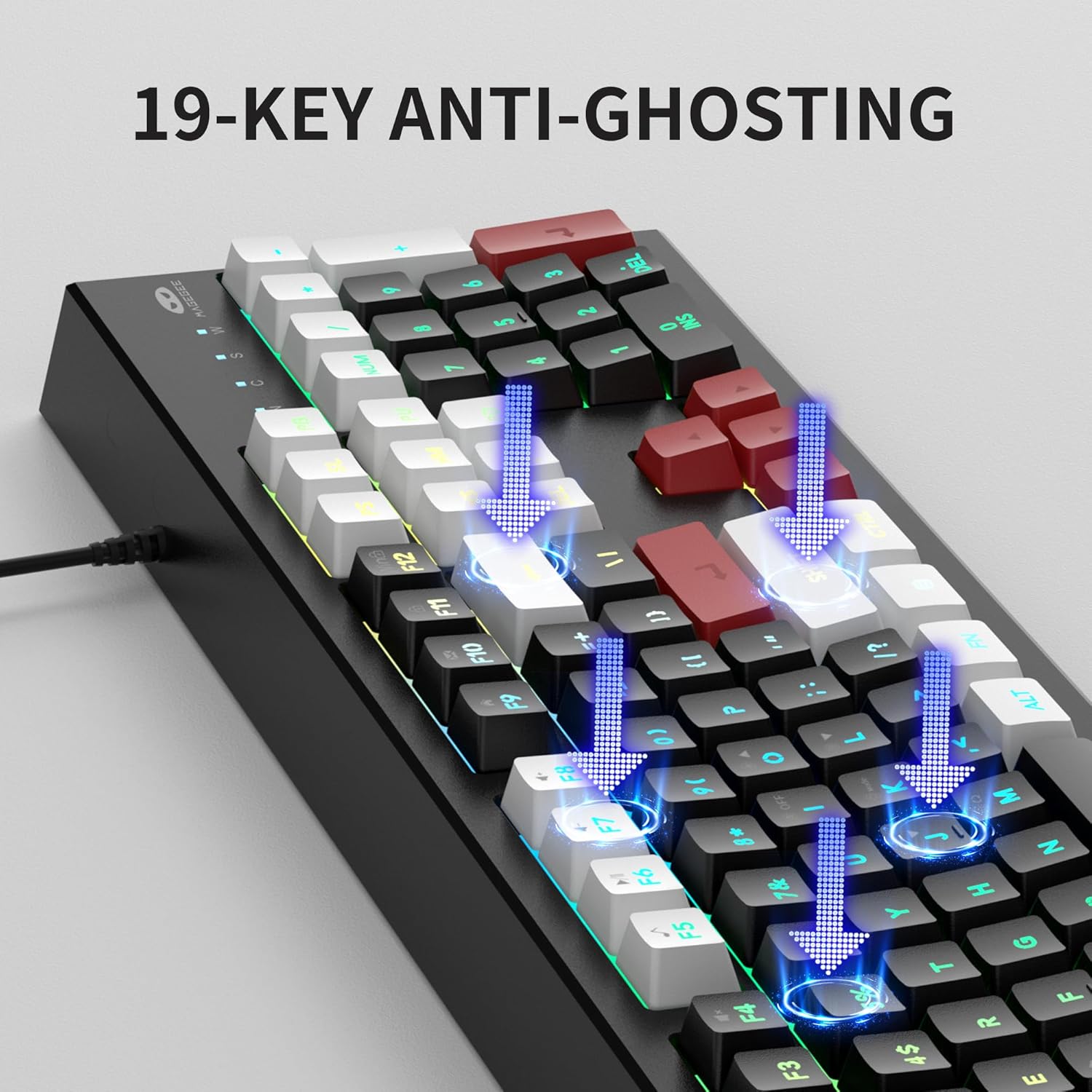
Image: Illustration of 19-key anti-ghosting functionality on the MageGee K2 Keyboard.
4.4 Ергономски дизајн
The keyboard is designed with carefully crafted high and low keys and a stepped layout to provide an ergonomic angle, reducing strain during long typing sessions and promoting comfortable finger movement.
5. Одржување
5.1 Чистење на тастатурата
- Исклучете ја тастатурата од компјутерот пред чистење.
- Користете мека, гamp cloth to wipe the surface of the keyboard. Avoid using harsh chemicals or abrasive materials.
- For cleaning between keycaps, use compressed air to remove dust and debris.
5.2 Општа нега
- Избегнувајте изложување на тастатурата на екстремни температури, директна сончева светлина или висока влажност.
- While the keyboard is designed to be waterproof, avoid submerging it in liquids. In case of accidental spills, disconnect immediately and allow it to dry completely before reconnecting.
- Do not attempt to disassemble the keyboard, as this may void the warranty.
6 Смена на проблеми
6.1 Тастатурата не реагира
- Проверете дали USB кабелот е безбедно приклучен и во тастатурата и во компјутерот.
- Обидете се да ја поврзете тастатурата во друг USB порт на вашиот компјутер.
- Рестартирајте го компјутерот.
- Test the keyboard on another computer to determine if the issue is with the keyboard or the original computer.
6.2 Backlighting Not Working or Incorrect
- Ensure the backlight is turned on using FN + I.
- Прилагодете ја осветленоста користејќи FN + L (зголемување) и FN + J (намалување).
- Циркулирајте низ различни режими користејќи FN + К и FN + М.
6.3 Клучевите не се регистрираат или се пишуваат двојно
- Clean the keyboard as described in the Maintenance section to remove any debris under the keycaps.
- Ensure the keyboard is connected directly to the computer and not through a USB hub, which can sometimes cause power or signal issues.
7. Спецификации
| Карактеристика | Детал |
|---|---|
| Бренд | МејџГи |
| Модел | K2 |
| Боја | Knight Red |
| Технологија за поврзување | USB жичен |
| Опис на тастатурата | Ergonomic, 104 Keys |
| Посебни карактеристики | RGB Backlighting, Foldable Bracket, 19-Key Anti-Ghosting, Multimedia Shortcuts |
| Компатибилни уреди | Gaming Console, Laptop, PC (Win2000, XP, ME, Vista, Win7, Win8, Win10, Android, Linux, Mac) |
| Материјал | Пластика |
| Тежина на ставката | 2.07 фунти |
| Димензии на пакетот | 17.68 x 7.09 x 1.93 инчи |
| Производител | MAGEGEE |

Image: Detailed dimensions of the MageGee K2 Keyboard.
8. Официјално видео за производот
Видео: Официјално видео претставување на производотasing the MageGee K2 PC Gaming Keyboard features and RGB lighting.
9. Гаранција и поддршка
MageGee products are designed for reliability and performance. For any issues or inquiries, please refer to the following information:
- After-Sales System: The product is supported by MageGee's after-sales system. For specific warranty details or technical support, please contact the retailer or visit the official MageGee webсајт.
- Политика за враќање: This product typically comes with a 30-day return policy. Please check with your point of purchase for exact return terms.


