1. Вовед
This user manual provides comprehensive instructions for the Headwolf WPad7 Tablet. It covers setup, operation, maintenance, and troubleshooting to ensure optimal performance and user experience. Please read this manual thoroughly before using your device.
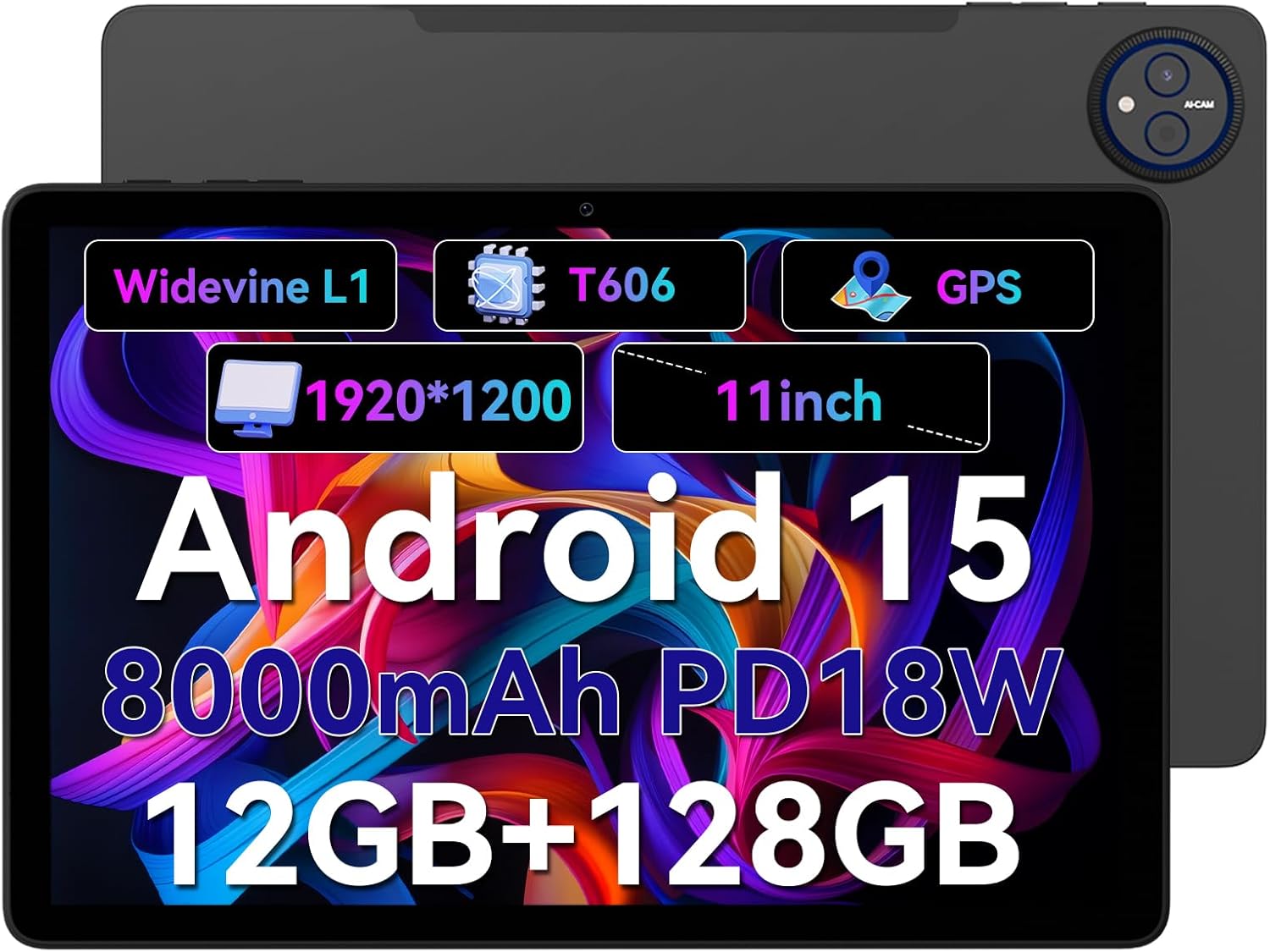
Figure 1.1: Headwolf WPad7 Tablet showcasing its 11-inch display, Android 15, 8000mAh battery, 12GB RAM, 128GB ROM, Widevine L1, T606 processor, and GPS capabilities.
2. Содржина на пакетот
По отварањето на пакувањето, проверете дали сите артикли наведени подолу се присутни и во добра состојба:
- 1 x Headwolf WPad7 Tablet
- 1 x полнач
- 1 x Кабел тип-C
- 1 x Card Pin (for SIM/SD card tray)
- 1 x Упатство за употреба
3. Производот завршиview
3.1 Физички карактеристики
Familiarize yourself with the physical components of your Headwolf WPad7 Tablet:
- Прикажи: 11-inch IPS In-Cell screen with 1920x1200 resolution.
- Предна камера: 8MP, located on the top bezel when held horizontally.
- Задна камера: 13MP, located on the back panel.
- Копче за вклучување: Typically on the side, used to power on/off or wake/sleep the device.
- Копчиња за јачина на звук: Located near the power button, for adjusting audio levels.
- Приклучок за USB Type-C: За полнење и пренос на податоци.
- 3.5 мм приклучок за слушалки: For connecting wired audio devices.
- Слот за картичка: For inserting a SIM card (if supported) and a microSD card for expandable storage.
- Дупка за ресетирање: Мала дупка за присилно рестартирање на уредот ако не реагира.

Figure 3.1: Physical aspects of the Headwolf WPad7 Tablet, showing its 8mm thickness, 495g weight, 13MP rear camera, 8MP front camera, and 3.5mm earphone jack.

Figure 3.2: Key features of the Headwolf WPad7 Tablet, including Android 15 OS, 12GB+128GB memory, T606-8 core processor, 8000mAh battery, GPS navigation, 1920x1200 FHD display, face recognition, dual cameras, 2.4G/5Ghz Wi-Fi, Widevine L1, and 300nit brightness.
4. Поставување
4.1 Почетно полнење
Before first use, fully charge the tablet. Connect the provided Type-C cable to the tablet's USB-C port and the charger to a power outlet. The battery indicator on the screen will show charging status. A full charge typically takes several hours.

Figure 4.1: The 8000mAh battery of the Headwolf WPad7 Tablet, highlighting its safety and stability features, and showing typical usage times for processing, video playback, reading, and music playback.
4.2 Вклучување/исклучување
- За вклучување: Press and hold the Power button until the Headwolf logo appears on the screen.
- За исклучување: Press and hold the Power button until a power-off menu appears. Select "Power off".
- За спиење/будење: Кратко притиснете го копчето за вклучување за да го ставите таблетот во режим на спиење или да го разбудите.
4.3 Инсталација на MicroSD картичка
The Headwolf WPad7 supports microSD card expansion up to 2TB. To install:
- Лоцирајте го отворот за картичка на страната на таблетот.
- Вметнете го испорачаниот пин за картичка во малата дупка до фиоката за да ја извадите.
- Place the microSD card into the designated slot on the tray, ensuring correct orientation.
- Нежно туркајте ја фиоката назад во таблетот додека не кликне на своето место.

Figure 4.2: Details of the Unisoc T606 Octa-core Processor and memory configuration, showing 12GB RAM (6GB physical + 6GB virtual) and 128GB ROM, expandable up to 2TB via SD card.
5. Ракување со вашиот таблет
5.1 Карактеристики на Android 15
Your Headwolf WPad7 Tablet runs on Android 15, offering enhanced AI capabilities, improved privacy, optimized performance, and a refined user interface. Explore features like:
- AI Dynamic Adjustment: Adapts to your usage patterns for optimized performance.
- Multilingual Real-time Translation: Facilitates communication across languages.
- AI Automatic Scene Recognition: Enhances camera performance.
- Intelligent Audio Switching: Seamlessly manages audio output.
- AI Battery Saving Optimization: Extends battery life based on usage.
- Поделба на екранот: Use two apps simultaneously side-by-side.
- Препознавање на лице: Securely unlock your device with your face.

Слика 5.1: Готовоview of Android 15's intelligent AI features, including dynamic adjustment, real-time translation, automatic scene recognition, portrait mode processing, intelligent audio switching, accurate speech recognition, battery saving, game mode, and document auto summary.
5.2 Поврзување
- Wi-Fi: Supports high-speed AC 2.4G/5G Wi-Fi for stable internet connection. Navigate to Settings > Network & internet > Wi-Fi to connect to available networks.
- Bluetooth: Connect to Bluetooth headphones, speakers, and other devices. Go to Settings > Connected devices > Bluetooth.
- GPS: The tablet supports GPS, GLONASS, BDS, and GALILEO satellite systems for precise location services and navigation.

Figure 5.2: The Headwolf WPad7 Tablet's 2.4G/5G Dual Band Wi-Fi and Bluetooth capabilities, demonstrating its versatility for work, presentations, and video calls.

Figure 5.3: The tablet's Four-In-One Satellite Positioning System, supporting GPS, Beidou, Galileo, and Glonass for accurate real-time location tracking and navigation.
5.3 Употреба на камерата
The tablet features an 8MP front camera and a 13MP rear camera. Open the Camera app to capture photos and videos. Utilize AI scene recognition for optimized shots.
5.4 Карактеристики на екранот
The 11-inch IPS in-cell display provides vivid colors and deep contrasts. It features Widevine L1 certification, enabling secure streaming of high-definition content from platforms like Netflix, Prime Video, and Disney+.

Figure 5.4: The 11-inch Widevine L1-compatible FHD display, showcasing its 1920x1200 resolution, 224 PPI, IPS incell technology, 300 nit brightness, 1500:1 contrast, and 75% NTSC color gamut, ideal for streaming services.
6. Одржување
6.1 Чистење
За чистење на таблетот, користете мека крпа без влакненца. За тврдокорни дамки, малку исплакнетеampИзмијте ја крпата со вода или средство за чистење екрани. Избегнувајте употреба на груби хемикалии, абразивни материјали или прекумерна влага.
6.2 Грижа за батерии
- Избегнувајте изложување на таблетата на екстремни температури (топли или ладни).
- Не дозволувајте батеријата често целосно да се празни.
- Use the original charger and cable for optimal charging and battery longevity.
- Доколку го чувате таблетот подолг период, наполнете го до околу 50% пред да го исклучите.
7 Смена на проблеми
7.1 Таблетот не се вклучува
- Проверете дали батеријата е наполнета. Поврзете го полначот и почекајте неколку минути пред да се обидете да го вклучите.
- Притиснете го и држете го копчето за вклучување најмалку 10-15 секунди за да го рестартирате.
7.2 Проблеми со Wi-Fi поврзување
- Вклучете и исклучете Wi-Fi во Поставки.
- Рестартирајте го вашиот Wi-Fi рутер.
- Заборавете ја мрежата и повторно поврзете се, повторно внесувајќи ја лозинката.
7.3 Паѓање или замрзнување на апликации
- Затворете ја проблематичната апликација и повторно отворете ја.
- Clear the app's cache (Settings > Apps > [App Name] > Storage & cache > Clear cache).
- Рестартирајте го таблетот.
- Ensure the app and Android system are updated to the latest versions.
8. Спецификации
| Карактеристика | Спецификација |
|---|---|
| Бренд | Главоволк |
| Име на моделот | W7 |
| Оперативен систем | Андроид 15 |
| Големина на екранот | 11 инчи |
| Резолуција на екранот | 1920x1200 Pixels (FHD In-Cell) |
| Процесор | Unisoc T606 со осум јадра |
| RAM меморија | 12GB (6GB физичка + 6GB виртуелна) |
| Внатрешно складирање | 128 GB |
| Складирање што може да се прошири | До 2TB преку MicroSD картичка |
| Задна камера | 13 MP |
| Предна камера | 8 MP |
| Капацитет на батеријата | 8000 mAh |
| Порта за полнење | USB Type-C (supports 18W fast charge) |
| Безжично поврзување | 802.11a/b/g/n/ac/ax (2.4G/5G Wi-Fi), Bluetooth |
| Навигација | GPS, GLONASS, BDS, GALILEO (with A-GPS) |
| Аудио Џек | 3.5 мм |
| Димензии (ДxШxВ) | 11 x 2 x 8 инчи |
| Тежина на ставката | 1.98 фунти (приближно 495 г) |
| Боја | Греј |
| Сертификација на Widevine | L1 |
9. Гаранција и поддршка
Headwolf provides a standard warranty for the WPad7 Tablet. For detailed warranty terms and conditions, please refer to the warranty card included in your package or visit the official Headwolf webсајт.
For technical support, troubleshooting assistance, or service inquiries, please contact Headwolf customer support through their official channels. Keep your purchase receipt and product serial number handy when contacting support.
Онлајн ресурси:


