1. Вовед
This manual provides detailed instructions for the installation, operation, and maintenance of your Montech AX 120 ARGB Fans. These 120mm fans are designed to provide efficient cooling and customizable lighting for your computer system. Please read this manual thoroughly before installation to ensure proper function and safety.
2. Информации за безбедност
- Секогаш исклучувајте го напојувањето од компјутерот пред да инсталирате или ракувате со внатрешните компоненти.
- Handle fans by their frames, avoiding contact with the blades.
- Обезбедете правилно заземјување за да спречите оштетување од електростатско празнење (ESD).
- Држете ги малите делови и материјалите за пакување подалеку од дофат на деца.
- Не обидувајте се да го модифицирате вентилаторот или неговите кабли. Неовластените модификации може да ја поништат вашата гаранција и да претставуваат ризик за безбедноста.
3. Содржина на пакетот
Проверете дали сите артикли се присутни во вашиот пакет:
- Montech AX 120 ARGB Fan (x4)
- Монтажни завртки (x16)
- Fan Hub (if included in your specific pack)

Figure 3.1: Montech AX 120 ARGB Fan (Pack of 4)
4. Поставување и инсталација
Follow these steps to install your Montech AX 120 ARGB Fans:
- Подгответе го вашиот систем: Power off your computer and disconnect it from the power outlet. Open your computer case.
- Identify Fan Mounting Locations: Determine where you want to install the fans (e.g., front, top, rear, bottom of the case).
- Монтирајте ги вентилаторите: Position each fan in the desired location. The AX series fans are designed to blow air from the RGB-lit side towards the non-RGB side. Consider this for optimal airflow (e.g., intake or exhaust). Secure each fan using four mounting screws. The integrated anti-vibration pads help reduce noise from resonance.

Слика 4.1: Предна страна view of the Montech AX 120 ARGB Fan

Слика 4.2: Назад view of the Montech AX 120 ARGB Fan, indicating airflow direction from front to back.
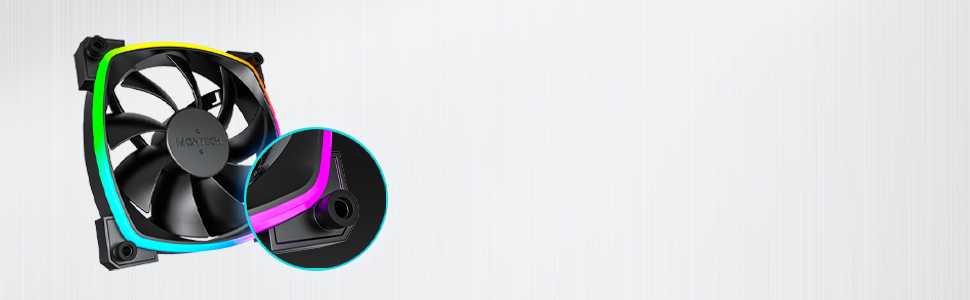
Figure 4.3: Integrated anti-vibration pads for reduced noise.
- Connect Power and ARGB Cables: Each fan has two cables: a 4-pin PWM cable for fan speed control and a 3-pin ARGB cable for lighting control.
- Connect the 4-pin PWM cable to an available 4-pin fan header on your motherboard or to a fan hub.
- Connect the 3-pin ARGB cable to an available 5V 3-pin ARGB header on your motherboard or to a compatible ARGB controller/hub. Забелешка: Do not connect to a 12V RGB header, as this will damage the LEDs.
- Управување со кабли: Route cables neatly to avoid interference with other components and to improve airflow.
- Затворете го куќиштето и вклучете го: Once all connections are secure, close your computer case, reconnect power, and power on your system.
5. Упатства за работа
The Montech AX 120 ARGB Fans offer both speed and lighting control:
5.1 Контрола на брзината на вентилаторот (PWM)
The 4-pin PWM connection allows for precise fan speed control based on system temperature. The fan speed can be adjusted from 600 RPM to 1600 RPM.
- BIOS/UEFI: Access your motherboard's BIOS/UEFI settings to configure fan curves. This allows the fan speed to automatically adjust based on CPU or system temperatures.
- Софтвер: Use your motherboard's fan control software (e.g., ASUS Fan Xpert, MSI Dragon Center, Gigabyte SIV) to create custom fan profiles within your operating system.

Figure 5.1: PWM fan speed adjustment from 600 RPM to 1600 RPM.
5.2 ARGB контрола на осветлување
The Addressable RGB (ARGB) lighting can be synchronized and customized through your motherboard's software or a dedicated ARGB controller.
- Софтвер за матична плоча: If connected to a 5V 3-pin ARGB header, use your motherboard's RGB software (e.g., ASUS Aura Sync, MSI Mystic Light Sync, Gigabyte RGB Fusion, ASRock Polychrome Sync) to control lighting effects, colors, and synchronization with other ARGB components.
- ARGB контролер: If using a standalone ARGB controller, refer to the controller's manual for specific instructions on changing lighting modes.
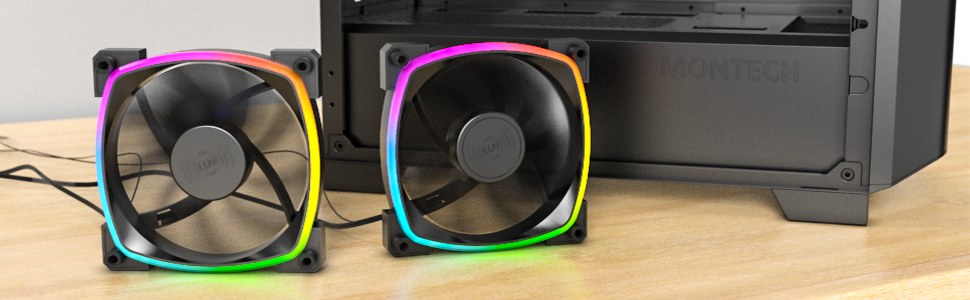
Figure 5.2: Customizable hexagonal ARGB lighting.
6. Одржување
Regular maintenance ensures optimal performance and longevity of your fans:
- Чистење: Periodically clean dust from the fan blades and frame using compressed air or a soft brush. Ensure the computer is powered off and unplugged before cleaning.
- Инспекција: Check cables for any signs of wear or damage. Ensure mounting screws are secure.
- Долготрајност на лежиштето: The fans feature an HDB (Hydro Dynamic Bearing) designed for high-end durability and a lifespan of 40,000 hours. No user maintenance is required for the bearing.
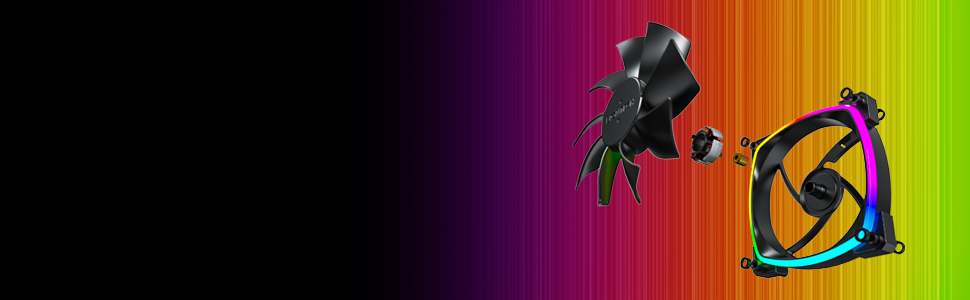
Figure 6.1: Hydro Dynamic Bearing (HDB) for extended lifespan.
7 Смена на проблеми
If you encounter issues, refer to the following troubleshooting guide:
| Проблем | Можна причина | Решение |
|---|---|---|
| Вентилаторот не се врти | Loose 4-pin PWM cable connection Insufficient power from motherboard header Fan curve set too low in BIOS/software | Ensure 4-pin PWM cable is securely connected. Обидете се да се поврзете со друг приклучок за вентилатор. Adjust fan curve settings in BIOS/software to ensure fans spin at low temperatures. |
| ARGB осветлувањето не работи | Loose 3-pin ARGB cable connection Connected to incorrect 12V RGB header ARGB software not configured or running | Ensure 3-pin ARGB cable is securely connected to a 5V ARGB header. Verify connection is to a 5V 3-pin ARGB header, not a 12V 4-pin RGB header. Install and configure your motherboard's ARGB software or check your ARGB controller settings. |
| Прекумерна бучава | Голема брзина на вентилаторот Вибрации Опструкција | Adjust fan speed in BIOS/software to a lower RPM. Ensure all mounting screws are tight. The fans have anti-vibration pads to minimize this. Check for any cables or objects interfering with fan blades. |
8. Спецификации
Key technical specifications for the Montech AX 120 ARGB Fan:
- Модел: AX120 PWM BLACK
- Димензии на вентилаторот: 120 mm x 120 mm x 25 mm (4.72 x 4.72 x 0.98 инчи)
- Тип на лежиште: Hydro Dynamic Bearing (HDB)
- Брзина на ротација: 600 - 1600 вртежи во минута (контролирано со PWM)
- Ниво на бучава: Under 27.9 dB(A)
- Конектор за напојување: 4-пински PWM
- ARGB конектор: 3-пински 5V ARGB
- Оценето волtage: 12V DC (Fan), 5V DC (LED)
- Ватtage: 2 вати
- Материјал: Метал, Пластика, Гума
- Животниот век: 40,000 часа
9. Гаранција и поддршка
Montech products are manufactured to the highest quality standards. For warranty information, technical support, or customer service inquiries, please visit the official Montech webлокација или контактирајте го вашиот локален продавач. Ве молиме задржете го доказот за купување за гаранциски барања.


