Вовед
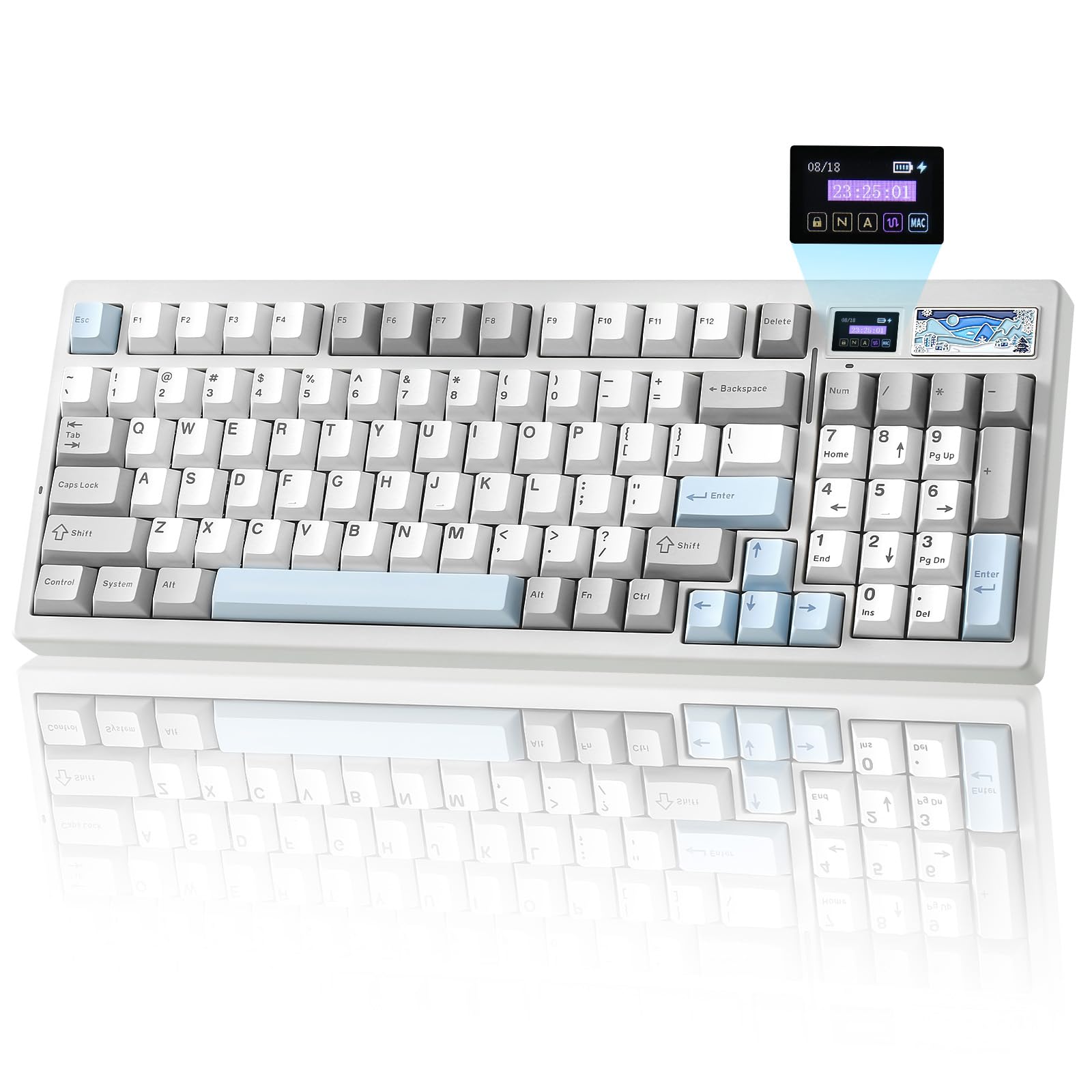
The YUNZII IF99 is a 96% layout wireless mechanical gaming keyboard designed for versatility and customization. It features tri-mode connectivity (Bluetooth, 2.4GHz wireless, and USB-C wired), a customizable LCD display, QMK/VIA programmability, hot-swappable switches, and vibrant RGB lighting. This manual provides instructions for setting up, operating, maintaining, and troubleshooting your IF99 keyboard.
Содржина на пакетот
Проверете дали сите артикли се присутни во пакувањето:
- IF99 Keyboard
- USB-кабел (тип-C)
- Switch and Keycap Puller
- Function Card & Manual
- Покривка за прашина
- Дополнителни копчиња и прекинувачи
Поставување
Полнење на тастатурата
The YUNZII IF99 keyboard is equipped with an 8000mAh battery. To charge, connect the provided USB Type-C cable to the keyboard's Type-C port and the other end to a power source (e.g., computer USB port, wall adapter). The LCD screen will indicate the battery status.
Опции за поврзување
The IF99 supports three connection modes: USB-C wired, 2.4GHz wireless, and Bluetooth 5.0. You can connect up to 5 devices across these modes.

1. USB-C жична врска
Connect the USB Type-C cable from the keyboard to your computer. The keyboard will automatically switch to wired mode and begin charging.
2. Режим на Bluetooth
- Locate the tri-mode switch on the back of the keyboard and slide it to the BT позиција.
- Кратко притиснете Fn + 1/2/3 за да изберете Bluetooth канал.
- On your device (PC, tablet, phone), search for Bluetooth devices and select "YUNZII IF99 BT1/BT2/BT3" to connect.
- Откако ќе се поврзе, RGB осветлувањето ќе остане стабилно.
3. Безжична конекција од 2.4 GHz
- Locate the tri-mode switch on the back of the keyboard and slide it to the 2.4G позиција.
- Долго притиснете fn+4 to activate 2.4GHz wireless mode.
- Retrieve the 2.4GHz dongle from its storage bin on the keyboard.
- Plug the 2.4GHz dongle into a USB port on your device. The keyboard should connect automatically.
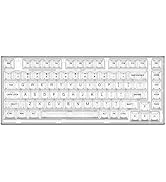
Упатства за работа
Прилагоден LCD дисплеј
The IF99 features a customizable LCD screen that can display various information and personalized content:
- Home Page (Fn+8): Displays time, battery status, connection mode, and layout.
- Picture Page (Fn+9): Showcase uploaded pictures.
- GIF Page (Fn+0): Customize with GIFs using web софтвер.

Програмабилност на QMK/VIA
The IF99 is compatible with QMK and VIA software, allowing for extensive customization of key mappings, macros, and RGB lighting effects. This open-source platform provides full control over your typing experience.

How to Customize with QMK/VIA
- Connect the keyboard to your computer in wired mode.
- Download the .JSON file for the IF99 model from the official YUNZII webсајт.
- Отворете го VIA website and click "Authorize device" to connect with the keyboard.
- In VIA settings, turn on the "Show Design Tab".
- Отворете ја страницата ДИЗАЈН на VIA website and upload the .JSON file downloaded from YUNZII.
- After successful connection, custom settings can be applied.

RGB осветлување
The IF99 features south-facing LEDs with 16.8 million RGB colors and 8 single backlit modes. Use the following shortcuts to control the lighting:
- Fn + Backspace: ВКЛУЧЕНО/ИСКЛУЧЕНО позадинско осветлување
- Fn + \|: Променете го ефектот на задно осветлување
- Fn + Enter: Променете ја бојата на позадинското осветлување
- Fn + Стрелка нагоре: Зголемување на осветленоста
- Fn + Стрелка надолу: Намалување на осветленоста
- Fn + Лева стрелка: Blinking Speed Increase
- Fn + стрелка надесно: Blinking Speed Decrease

Прекинувачи со жешка замена
The IF99 features a full-key hot-swappable PCB, allowing you to easily swap out 3-pin or 5-pin mechanical switches without soldering. This enables customization of the tactile feel and sound of your keyboard.

The keyboard comes with Gateron Zero Linear switches, which are pre-lubed for a smoother typing experience. Key specifications for these switches are:
- Тип: Linear switch
- Pre-Lubed: Да
- Иглички: 5-пински
- Work Force: 45гр
- Вкупно патување: 3.60 мм
- Work Travel: 2.00 ± 0.6мм
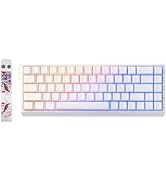
Gasket Mount Structure
The IF99 utilizes a gasket-mounted design with multiple layers of sound-absorbing material. This structure reduces noise and enhances typing comfort, contributing to a more pleasant acoustic profile.
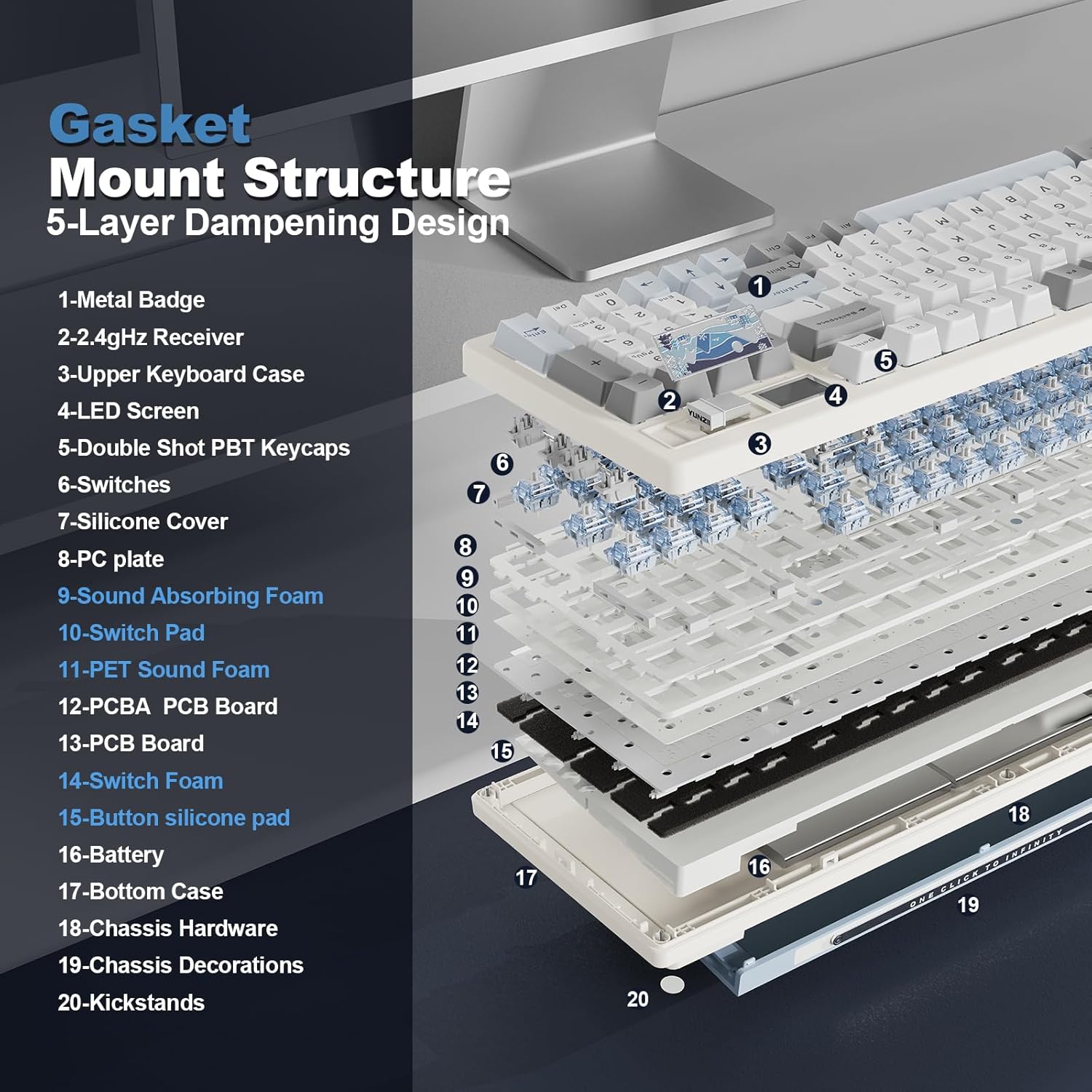
Одржување
- Чистење: Користете мека, сува крпа за чистење на површината на тастатурата. За копчињата на тастатурата, рекламаamp Може да се користи крпа со благ сапун, осигурувајќи се дека течноста нема да влезе во прекинувачите.
- Заштита од прашина: Користете го испорачаниот капак за прашина кога тастатурата не е во употреба за да спречите насобирање прашина.
- Грижа за прекинувачот: If replacing switches, handle them carefully to avoid bending pins. Ensure the switch is aligned correctly before pressing it into the PCB.
- Долготрајност на батеријата: Avoid fully discharging the battery frequently. Charge the keyboard when the battery indicator is low.
Решавање проблеми
- Тастатурата не реагира: Ensure the keyboard is charged. Check the connection mode switch (wired, 2.4G, BT) is set correctly. For wireless modes, ensure the dongle is properly inserted or Bluetooth is paired.
- Копчињата не работат: If specific keys are not responding, try reseating the keycap and switch. If the issue persists, the switch may need replacement.
- Проблеми со RGB осветлување: Check RGB shortcuts (Fn + Backspace, Fn + \|, Fn + Enter) to ensure lighting is enabled and set to a visible effect/color. If using QMK/VIA, verify settings.
- Падови на поврзување: For 2.4GHz, ensure the dongle is not obstructed and is close to the keyboard. For Bluetooth, ensure no interference from other devices and that the keyboard is within range.
- QMK/VIA Not Connecting: Ensure the keyboard is in wired mode. Verify that the correct .JSON file for the IF99 is loaded in the VIA software.
Спецификации
| Модел | IF99 |
| Распоред | 96% |
| Поврзување | Bluetooth 5.0, безжичен 2.4GHz, USB тип-C со кабел |
| Прекинувачи | Hot-swappable (3-pin/5-pin), Gateron Zero Linear (pre-lubed) |
| Капацитет на батеријата | 8000 mAh |
| Задно осветлување | RGB (16.8 million colors, south-facing LEDs) |
| Програмабилност | QMK/VIA compatible |
| Посебни карактеристики | Customizable LCD Display, Gasket Mount Structure, Double Shot PBT Keycaps |
| Компатибилен ОС | Windows, macOS, Linux, Android |
| Димензии | 16.97 x 7.99 x 2.72 инчи |
| Тежина на ставката | 0.035 унци |
Официјални видеа за производи
Распакување и повеќеview video of the YUNZII IF99 White Wireless Mechanical Gaming Keyboard, showcasing неговиот дизајн и карактеристики.
A demonstration of the typing sound produced by the YUNZII IF99 Wireless Mechanical Keyboard, highlighting its acoustic profile.
Гаранција и поддршка
For warranty information, please refer to the documentation included in your product package or visit the official YUNZII website. For customer support, you can reach out directly through Amazon:
- Before placing an order: Visit the YUNZII product page, select the seller's name "Yunzii Keyboard", and click "Ask a question" to send a message.
- After placing an order: Go to your orders, select "Problem with order", and send a message.