1. Вовед
This manual provides detailed instructions for the safe and effective use of your ClokoWe Mini Projector T800. Please read this manual thoroughly before operating the device and retain it for future reference.
Информации за безбедност
- Не гледајте директно во објективот на проекторот кога lamp е вклучено.
- Обезбедете соодветна вентилација околу проекторот за да спречите прегревање.
- Држете го проекторот подалеку од вода или други течности.
- Користете го само адаптерот за напојување обезбеден со уредот.
- Do not attempt to disassemble or repair the projector yourself. Contact customer support for assistance.
2. Содржина на пакетот
Проверете дали сите артикли се присутни во пакувањето:
- ClokoWe Mini Projector T800
- HDMI кабел
- Далечински управувач
- Кабел за напојување
- Упатство за употреба (овој документ)
3. Производот завршиview
Запознајте се со компонентите и карактеристиките на проекторот.
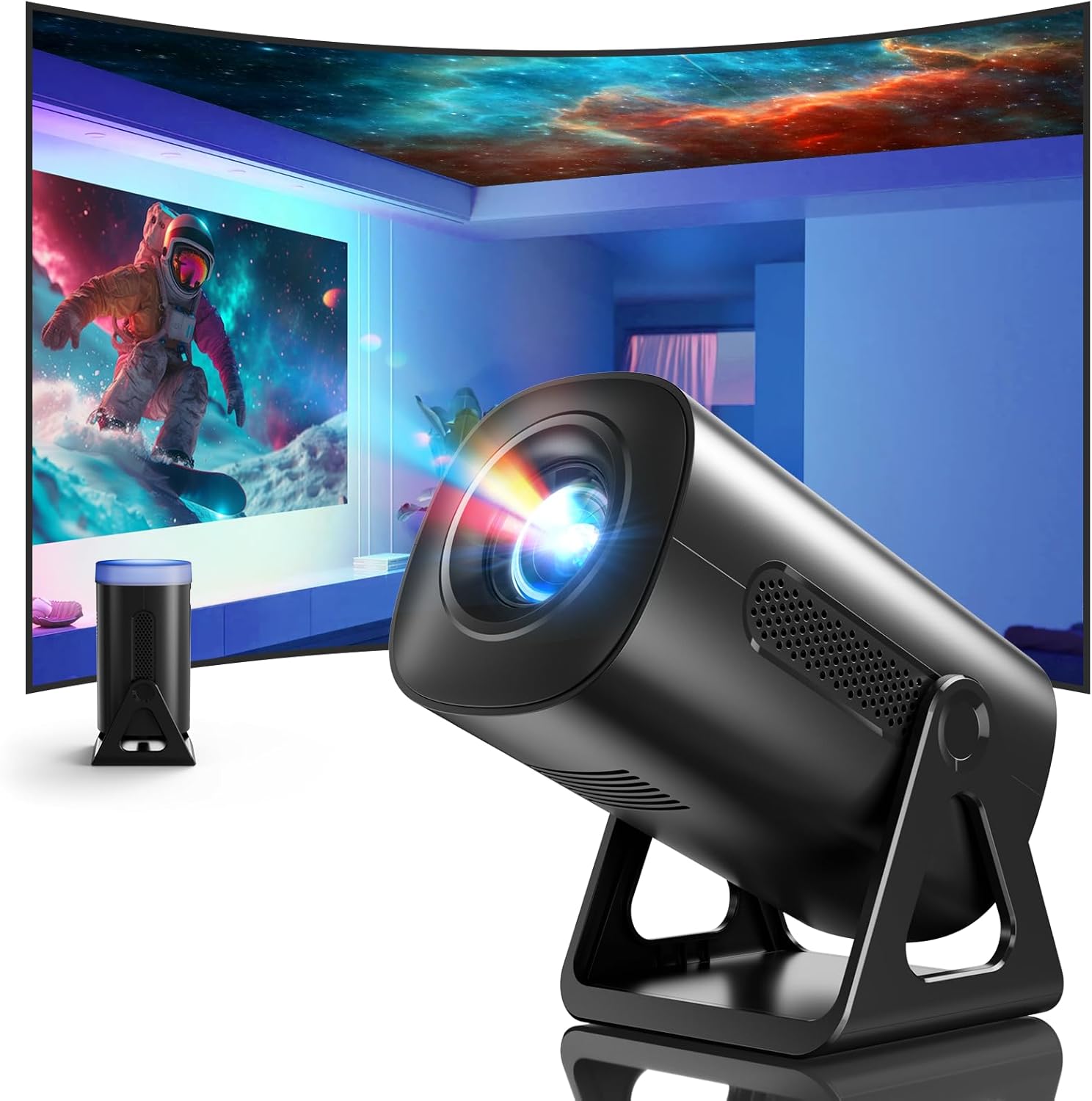
Слика 3.1: напред view of the ClokoWe Mini Projector T800, showcasing its compact design and projection capability.
Клучни карактеристики:
- Native 1080p Resolution with 4K Support
- 270° Rotatable Stand for flexible projection angles
- Integrated Star Projector with 6 Galaxy Projection Modes and 7 Ambient Night Light Colors
- Dual Band WiFi 6 (2.4G/5G) for stable wireless connectivity
- Bluetooth 5.2 HiFi Speaker for enhanced audio
- Automatic Keystone Correction and 50%-100% Zoom function
- Multiple connectivity options: USB, HDMI, AV, Audio

Image 3.2: Dimensions and weight of the projector, highlighting the 270-degree rotatable stand.
4. Поставување
4.1 Поврзување за напојување
- Поврзете го кабелот за напојување со влезот за напојување на проекторот.
- Вклучете го другиот крај од кабелот за напојување во стандарден електричен штекер.
- Показното светло за напојување ќе светне.
4.2 Поставување и прилагодување
The 270° rotatable stand allows for flexible placement and projection.

Image 4.1: The projector's 270-degree rotation feature, enabling projection onto walls, floors, or ceilings.
- Позиционирање: Поставете го проекторот на стабилна, рамна површина.
- Прилагодување на аголот: Rotate the projector body on its stand to achieve the desired projection angle (up to 270 degrees).
- Фокус: Користете го прстенот за фокусирање на објективот на проекторот за да ја изострите сликата.
- Корекција на клучниот камен: The projector features automatic keystone correction. If the image appears trapezoidal, the device will automatically adjust it to a rectangular shape. Manual adjustments may also be available in the settings menu.

Image 4.2: Demonstration of automatic keystone correction and image zoom capabilities.
5. Упатства за работа
5.1 Почетно вклучување
- Притиснете го копчето за вклучување на проекторот или на далечинскиот управувач.
- The projector will start up and display the main interface.
5.2 Поврзување
The projector supports various input sources and wireless connections.

Слика 5.1: Готовоview of supported device connections via HDMI, USB, and Audio interfaces.
5.2.1 WiFi Connection (Dual Band WiFi 6)
- Одете во менито „Поставки“ на проекторот.
- Select 'Network' or 'WiFi Settings'.
- Изберете ја посакуваната 2.4G или 5G WiFi мрежа од листата.
- Внесете ја лозинката и поврзете се.

Image 5.2: Demonstrating Dual Band WiFi 6 connectivity and wired screen mirroring with a smartphone.
5.2.2 Bluetooth Connection (Bluetooth 5.2)
- Одете во „Поставки“ и изберете „Bluetooth“.
- Вклучете Bluetooth и пребарувајте достапни уреди.
- Изберете го вашиот Bluetooth звучник или слушалки од листата за да ги спарите.

Image 5.3: The projector's Bluetooth 5.2 capability for connecting to external audio devices.
5.2.3 HDMI/USB/AV Connection
- Connect your device (e.g., laptop, TV stick, game console) to the corresponding HDMI, USB, or AV port on the projector.
- Select the correct input source from the projector's main menu using the remote control.
5.3 Projection Modes (Star Projector & Night Light)
The projector includes integrated ambient lighting features.

Image 5.4: The projector's ability to display 7 night light colors and 6 galaxy projection modes.
- Галакси проекција: Access the 'Star Projector' or 'Galaxy Modes' option in the menu to select from 6 different galaxy patterns.
- Ambient Night Light: With the lens cover on, select from 7 ambient light colors to use the projector as a night light.
5.4 Прилагодување на сликата
- Функција за зумирање: Adjust the projection size from 50% to 100% via the projector's menu settings.
- Квалитет на слика: The projector supports native 1080p resolution and 4K input. Ensure your source content is of high quality for the best viewискуство.
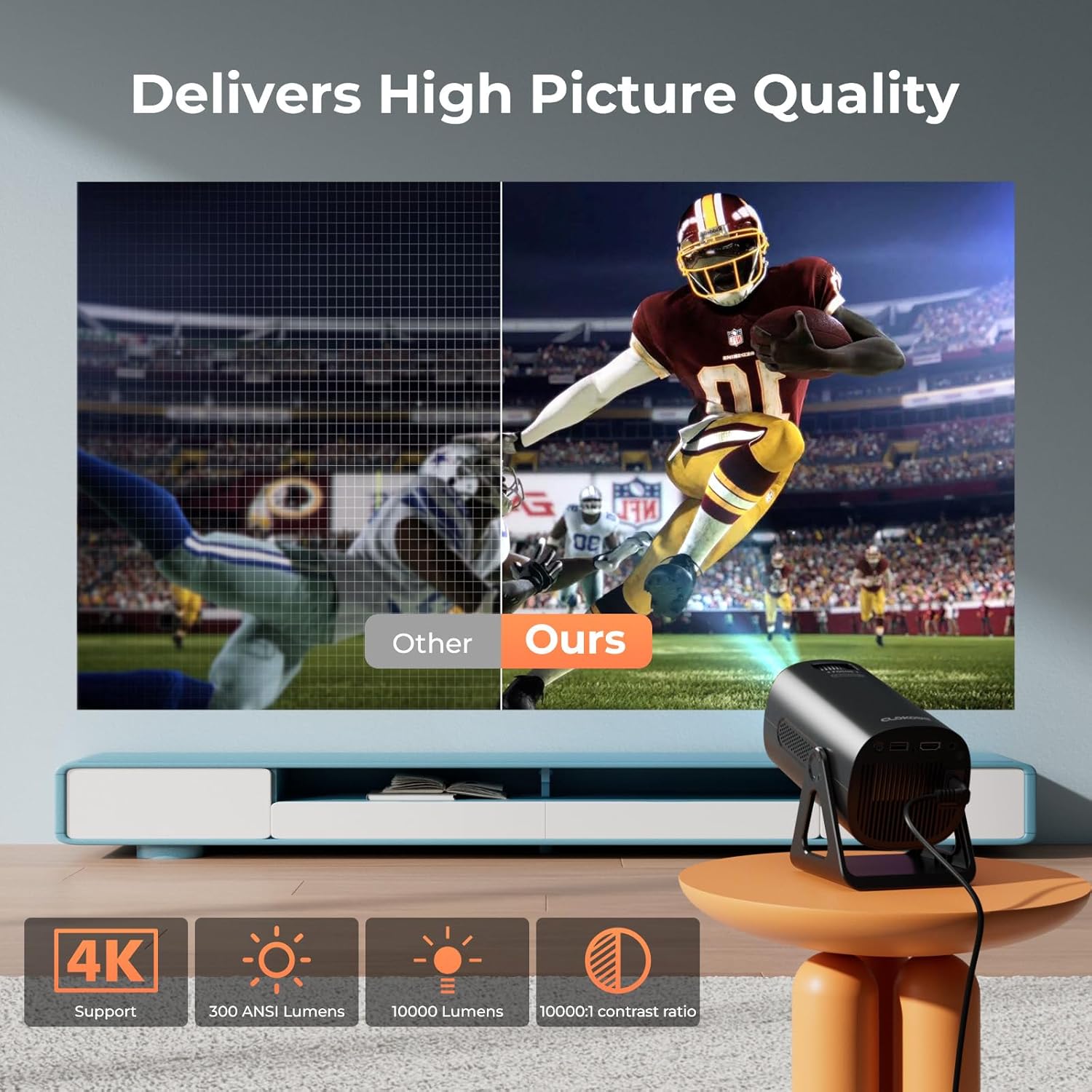
Image 5.5: Visual comparison of picture quality, emphasizing 4K support and brightness specifications.
6. Одржување
- Чистење леќи: Користете мека крпа без влакненца, специјално дизајнирана за оптички леќи, за нежно да ја избришете леќата на проекторот. Не користете абразивни средства за чистење.
- Отстранување прашина: Regularly clean the projector's vents with a soft brush or compressed air to prevent dust buildup, which can affect performance and lifespan.
- Складирање: Кога не го користите подолг период, чувајте го проекторот на ладно и суво место, по можност во оригиналното пакување или во заштитна кутија.
- Исклучено: Always power off the projector correctly and allow it to cool down before unplugging or moving it.
7 Смена на проблеми
Заеднички прашања и решенија:
- Без моќност:
• Ensure the power cord is securely connected to both the projector and the power outlet.
• Check if the power outlet is functional. - Нема слика/сигнал:
• Verify that the correct input source (HDMI, USB, AV) is selected in the projector's menu.
• Check the connection cables between the projector and the source device.
• Ensure the source device is powered on and outputting a signal. - Заматена слика:
• Adjust the focus ring on the projector lens.
• Ensure the projection surface is flat and the projector is stable.
• Check if the lens is clean. - Сликата е трапезоидна:
• The automatic keystone correction should adjust this. If not, check for manual keystone adjustment options in the settings. - Нема звук:
• Check the volume settings on both the projector and the source device.
• If using Bluetooth, ensure the external speaker/headphones are properly paired and connected.
• If using HDMI, ensure the audio output is correctly configured on the source device. - Проблеми со WiFi/Bluetooth конекцијата:
• Ensure the projector is within range of the WiFi router or Bluetooth device.
• Restart the projector and the network device.
• Re-enter WiFi passwords carefully.
8. Спецификации
| Карактеристика | Спецификација |
|---|---|
| Број на модел | Т800 |
| Резолуција на екранот | 1280 x 720 (Native 1080p, 4K Support) |
| Технологија за поврзување | 3.5mm Jack, Bluetooth 5.2, HDMI, USB, Wi-Fi 6 (2.4G/5G) |
| Специјална карактеристика | Portable, 270° Rotatable Stand, Star Projector, Ambient Night Light, Auto Keystone Correction, Zoom |
| Препорачана употреба | Бизнис, Образование, Игри, Домашно кино |
| Тежина на ставката | 2.38 фунти |
| Димензии на пакетот | 9.13 x 6.69 x 5.28 инчи |
9. Гаранција и поддршка
ClokoWe products are designed for reliability and performance. For warranty information, technical support, or service inquiries, please refer to the warranty card included in your package or visit the official ClokoWe website. Please have your model number (T800) and purchase details ready when contacting support.


