1. Вовед
This manual provides essential information for the safe and efficient use of your TCL 55Q6C 55-inch QD-Mini LED Smart TV. Please read it thoroughly before operating the device and retain it for future reference. Your new television features 4K HDR Premium 1000nits display, Google TV technology, Dolby Vision IQ and Atmos, an Onkyo 2.1 audio system, Motion Clarity Pro at 144 Hz, and Game Master capabilities.
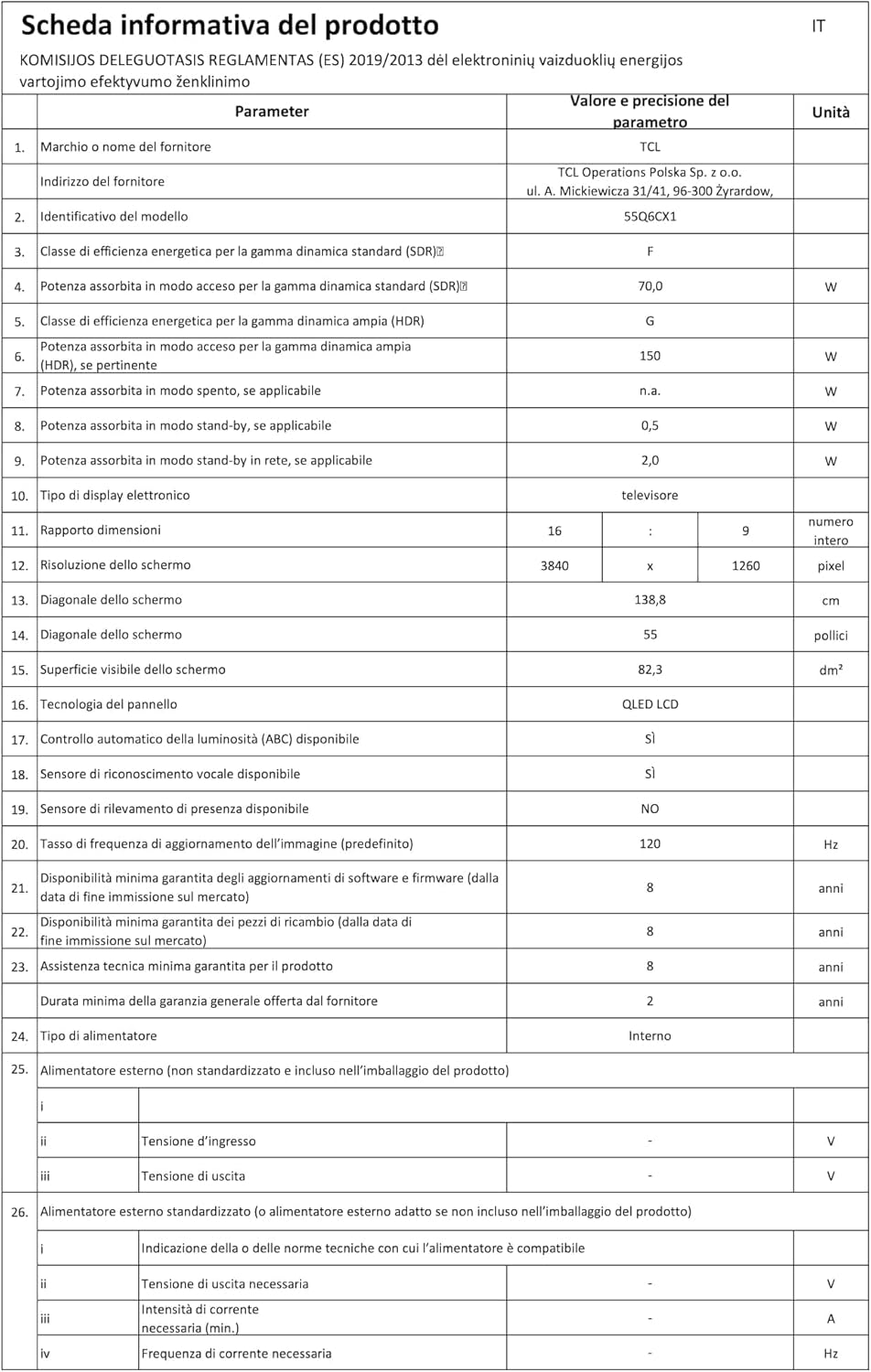
Figure 1: The TCL 55Q6C 55-inch QD-Mini LED Smart TV integrated into a modern living room.
2. Информации за безбедност
Секогаш следете ги овие основни безбедносни мерки на претпазливост кога го користите телевизорот:
- Не го изложувајте телевизорот на дожд или влага за да спречите пожар или електричен удар.
- Не ги блокирајте отворите за вентилација. Обезбедете доволно простор околу телевизорот за правилен проток на воздух.
- Не го поставувајте телевизорот на нестабилна количка, постоље, статив, држач или маса.
- Користете го само кабелот за напојување што е испорачан со телевизорот.
- Заштитете го кабелот за напојување од одење или штипкање.
- Исклучете го телевизорот од струја за време на грмотевици или кога не се користи подолг период.
- Целото сервисирање упатете го на квалификуван сервисен персонал.
- Држете ги малите делови и батериите подалеку од дофат на деца.
3. Поставување
3.1 Отпакување и склопување
Carefully remove the TV from its packaging. Ensure all components (Power Cable, Remote Control, Stand) are present. Follow the instructions provided in the separate quick start guide for stand assembly or wall mounting.
3.2 Поврзување на уреди
Your TCL 55Q6C TV offers various connectivity options. Refer to the diagram below for port locations and connect your external devices such as gaming consoles, Blu-ray players, or sound systems.
Слика 2: Заден дел view of the TCL 55Q6C TV showing HDMI, USB, LAN, Optical, Cable, Satellite, and CI Slot ports.
- HDMI: Connect up to 4 HDMI devices for high-definition video and audio.
- USB: Поврзете USB уреди за складирање за репродукција на медиуми.
- LAN (Етернет): Поврзете се со вашата жична мрежа за пристап до интернет.
- Оптички: За дигитален аудио излез до саундбар или систем за домашно кино.
- Кабелска/сателитска: Connect your antenna or satellite dish.
- CI слот: For Conditional Access Modules (CAM) from your service provider.
- Wi-Fi и Bluetooth: Built-in wireless connectivity for internet and accessories.
3.3 Почетно вклучување
After connecting all necessary cables, plug the power cord into an electrical outlet. Press the power button on the remote control or the TV itself. Follow the on-screen instructions to complete the initial setup, including network connection and Google TV configuration.
4. Упатства за работа
4.1 Интерфејс на Google TV
Your TCL 55Q6C TV runs on Google TV, providing a personalized entertainment experience. Navigate through the interface using your remote control to access apps, streaming services, and live TV. You can also use Google Assistant for voice commands.
Видео 1: Надview of TCL Q6C features, including QD-Mini LED, QLED, Onkyo audio, AiPQ processor, Game Master, and Google TV interface.
4.2 Поставки за слика и звук
Access the settings menu to adjust picture modes (e.g., Standard, Movie, Game), brightness, contrast, and color settings. The TV features QD-Mini LED and QLED technology for vibrant colors and deep blacks, enhanced by TCL All-domain Halo Control for precise dimming.

Figure 3: Diagram illustrating the QD-Mini LED backlight technology for enhanced picture quality.

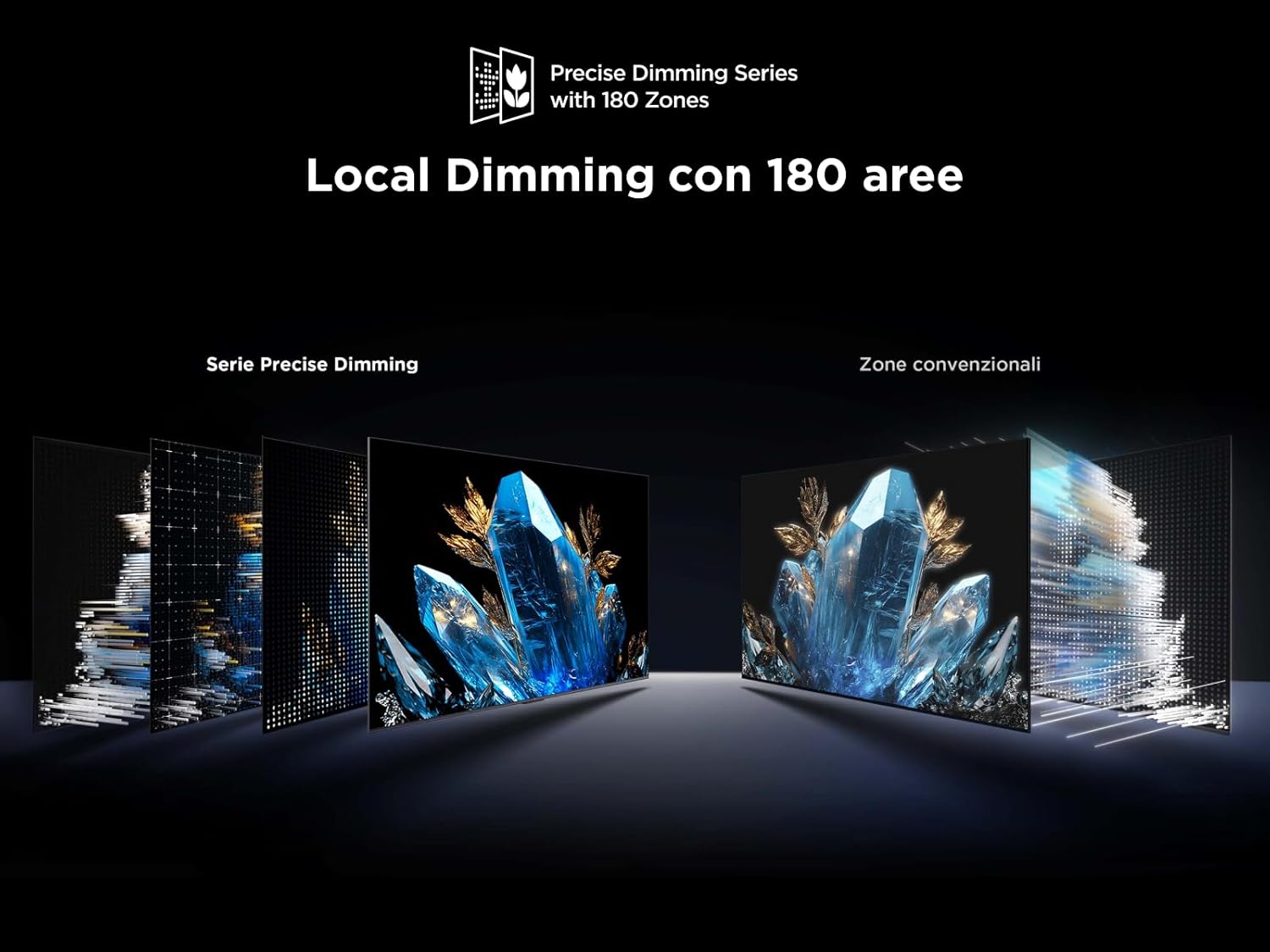
Figure 4: Visual representation of Local Dimming technology with 180 zones, improving contrast compared to conventional zones.
For audio, the integrated Onkyo 2.1 sound system with Dolby Atmos provides an immersive experience. Adjust sound modes and equalizer settings to your preference.
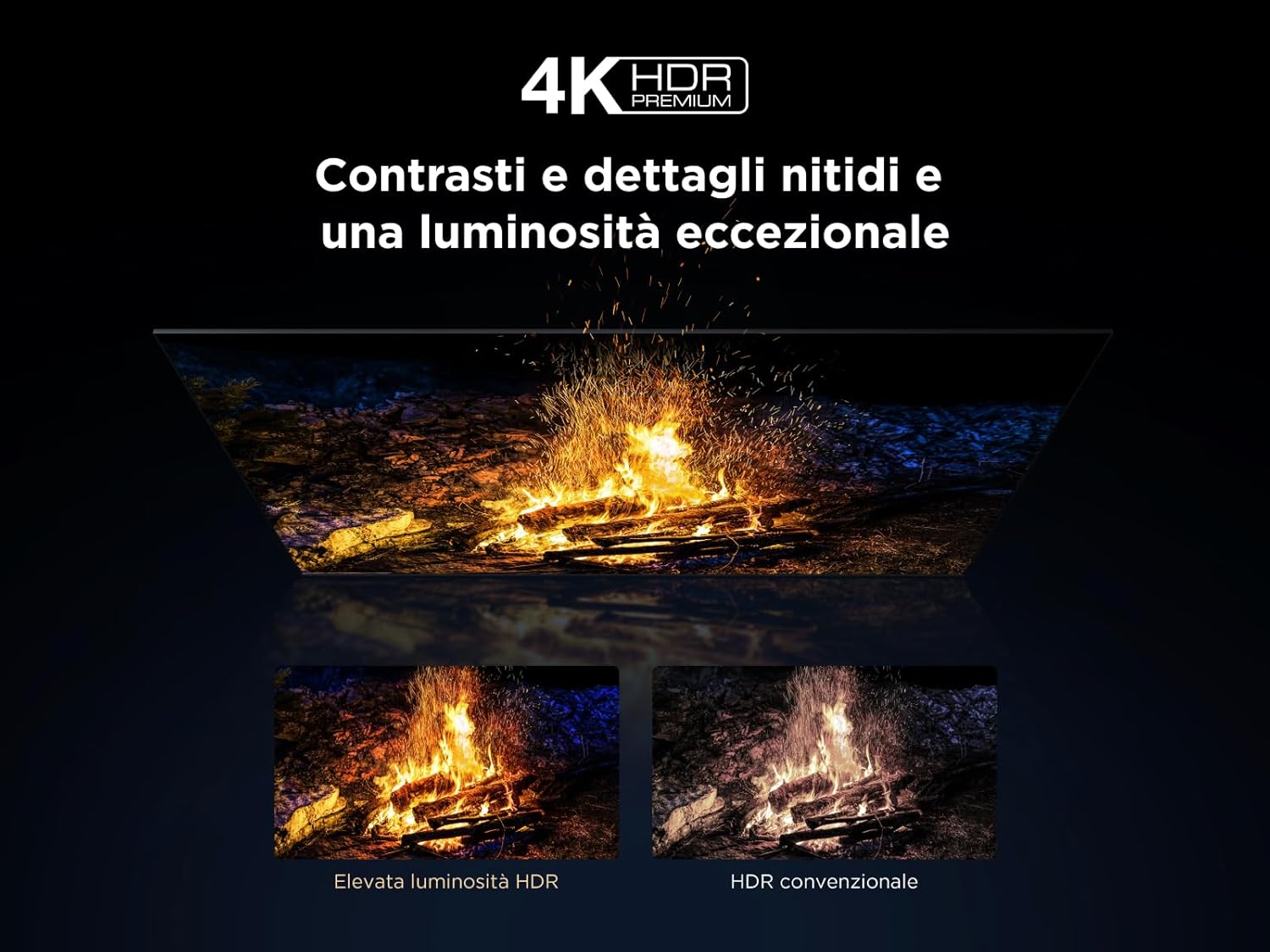
Figure 5: Illustration of the Onkyo 2.1 Hi-Fi audio system components, delivering cinematic sound.
4.3 Карактеристики за игри
The TV's Game Master features, combined with a 144 Hz Motion Clarity Pro display, ensure smooth and responsive gaming. Enable Game Mode in settings for optimized input lag and refresh rates.
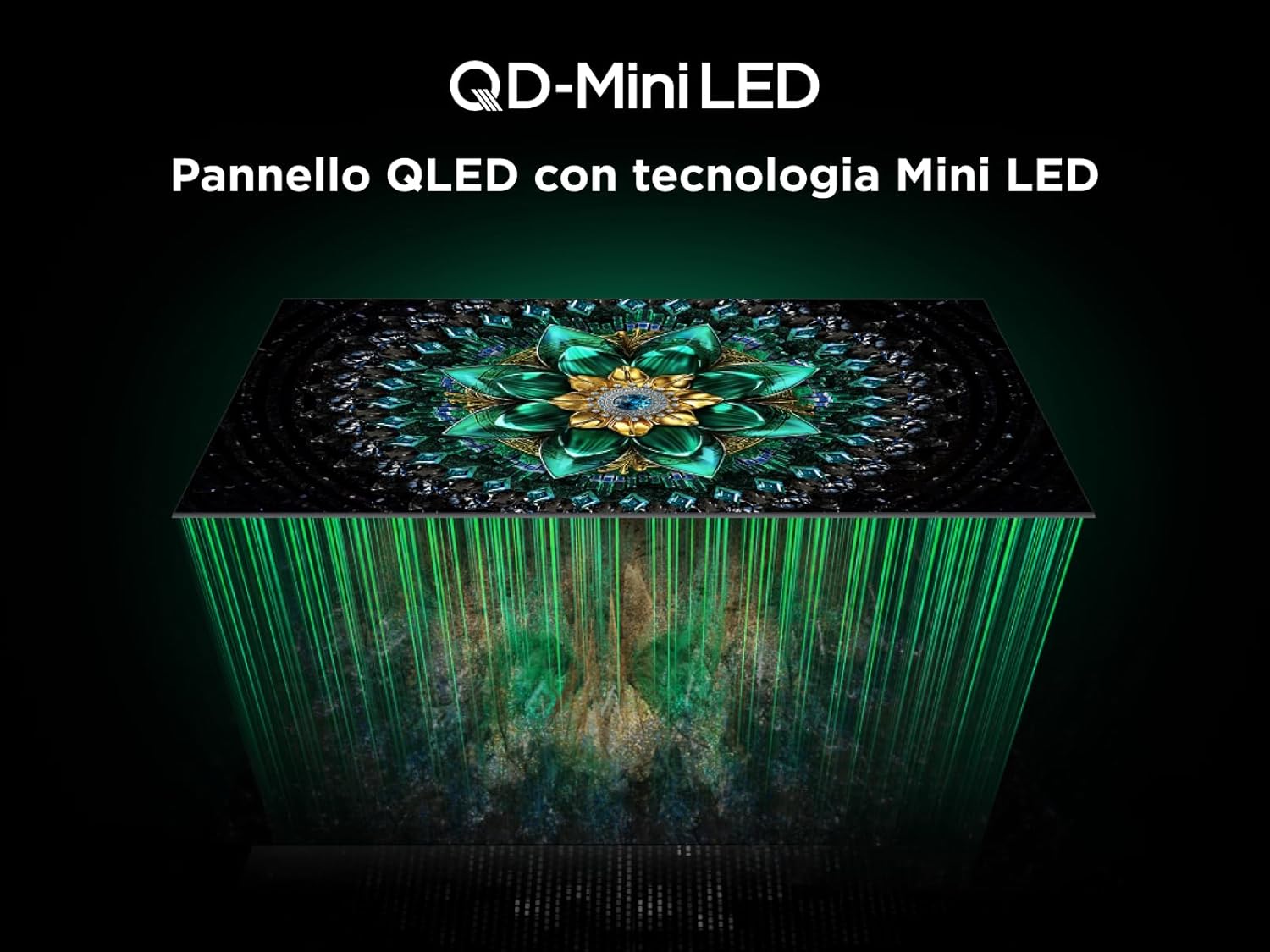
Figure 6: Visual demonstrating the 144Hz Motion Clarity Pro for fluid images, ideal for fast-paced content and gaming.
4.4 AiPQ Pro Processor
The integrated AiPQ Pro Processor optimizes picture and sound in real-time, enhancing contrast, color, clarity, and motion for an improved viewискуство.

Figure 7: Diagram illustrating the AiPQ Pro Processor and its various AI-driven optimization functions for picture quality.
4.5 Кастинг и пресликување на екранот
Utilize Miracast, Google Cast, and Airplay 2 to wirelessly stream content from your smartphone, tablet, or PC directly to your TV screen.
5. Одржување
За да обезбедите долготрајност и оптимални перформанси на вашиот телевизор, следете ги овие упатства за одржување:
- Чистење на екранот: Нежно избришете го екранот со мека крпа што не остава влакненца. За тврдокорни дамки, малку избришете гоampИзбришете ја крпата со вода или со специјализирано средство за чистење екрани. Избегнувајте груби хемикалии.
- Чистење на рамката: Користете мека, сува крпа за да ја избришете рамката и држачот на телевизорот.
- Вентилација: Ensure the ventilation openings on the back of the TV are not blocked by dust or objects.
- Кабел за напојување: Редовно проверувајте го кабелот за напојување за евентуално оштетување.
- Складирање: Доколку го складирате телевизорот подолг временски период, исклучете го од струја и покријте го за да го заштитите од прашина.
6 Смена на проблеми
Пред да контактирате со корисничката поддршка, обидете се со овие вообичаени чекори за решавање проблеми:
| Проблем | Можна причина | Решение |
|---|---|---|
| Нема моќ | Power cord unplugged; power outlet not working. | Проверете го поврзувањето на кабелот за напојување; тестирајте го штекерот со друг уред. |
| Нема слика, но звукот е присутен | Избран е неправилен влезен извор; проблем со позадинското осветлување. | Verify input source; try another HDMI port; contact support if issue persists. |
| Нема звук, но сликата е присутна | Volume muted; incorrect audio output setting; external audio device issue. | Unmute volume; check audio output settings; verify external audio device connections. |
| Далечинскиот управувач не работи | Батериите се празни или неправилно вметнати; пречка помеѓу далечинскиот управувач и телевизорот. | Заменете ги батериите; обезбедете ја чистата линија на гледање до инфрацрвениот приемник на телевизорот. |
| Проблеми со мрежната врска | Слаб Wi-Fi сигнал; неточна лозинка; проблем со рутерот. | Restart router; re-enter Wi-Fi password; try wired Ethernet connection. |
7. Спецификации
Below are the key technical specifications for the TCL 55Q6C 55-inch QD-Mini LED Smart TV:
| Карактеристика | Детал |
|---|---|
| Бренд | TCL |
| Модел | Q6C Series 2025 |
| Големина на екранот | 55 инчи |
| Технологија на екранот | QD-Mini LED, QLED, HVA Panel |
| Резолуција | 4K (3840 x 2160 пиксели) |
| Стапка на освежување | 144 Hz (Motion Clarity Pro) |
| Поддршка за HDR | 4K HDR Premium 1000nits, Dolby Vision IQ |
| Аудио систем | Onkyo 2.1, Dolby Atmos |
| Оперативен систем | Google TV |
| Процесор | Процесор AiPQ |
| Поврзување | 4x HDMI, 1x USB, Ethernet (LAN), Optical Audio Out, Cable/Satellite, CI Slot, Wi-Fi, Bluetooth |
| Сооднос на аспект | 16:9 |
| Димензии на производот (DxWxH) | 30P x 122.4l x 77H cm |
| Вклучени компоненти | Кабел за напојување, далечински управувач, држач |

Figure 8: Energy efficiency label for the TCL 55Q6C TV. For more details, visit the official EPREL database: https://eprel.ec.europa.eu/qr/2179781

Figure 9: Detailed product information sheet for the TCL 55Q6C TV, including power consumption and other technical data.
8. Гаранција и поддршка
Your TCL 55Q6C TV comes with a manufacturer's warranty. Please refer to the warranty card included in the packaging for specific terms and conditions. For technical support, service, or additional information, please visit the official TCL website or contact your local customer service center.
You can also find more information on the TCL brand store: Продавница за брендови TCL