1. Вовед
The MCHOSE G75 Pro is a versatile 75% layout wireless mechanical keyboard designed for optimal performance and user experience. It features a gasket-mounted structure with 5 layers of sound and shock-absorbing dampening, vibrant RGB backlighting, and tri-mode connectivity (2.4GHz wireless, Bluetooth, and wired USB-C). The keyboard also supports hot-swappable switches, allowing for easy customization and maintenance.
2. Содржина на пакетот
Ве молиме проверете дали сите артикли се присутни во вашиот пакет:
- MCHOSE G75 Pro Wireless Mechanical Keyboard
- USB-C на USB-A кабел
- 2.4GHz безжичен приемник
- Привлечник за клучеви
- Упатство за употреба (овој документ)
3. Производот завршиview
The MCHOSE G75 Pro features a compact 75% layout, which includes function keys, arrow keys, and a navigation cluster, while minimizing desk space. Its robust construction incorporates a gasket-mounted design for a flexible and comfortable typing feel.

Image: The MCHOSE G75 Pro keyboard showcasing неговиот компактен распоред од 75%.
Internally, the keyboard utilizes a 5-layer dampening system, including Poron foam, IXPE foam, and a PET film, to enhance typing acoustics and reduce vibrations, providing a satisfying sound profile.

Image: Diagram illustrating the 5-layer gasket-mounted dampening structure of the keyboard.
The keyboard offers flexible connectivity options through a mode switch located on the side, allowing seamless transitions between wired, 2.4GHz wireless, and Bluetooth modes.
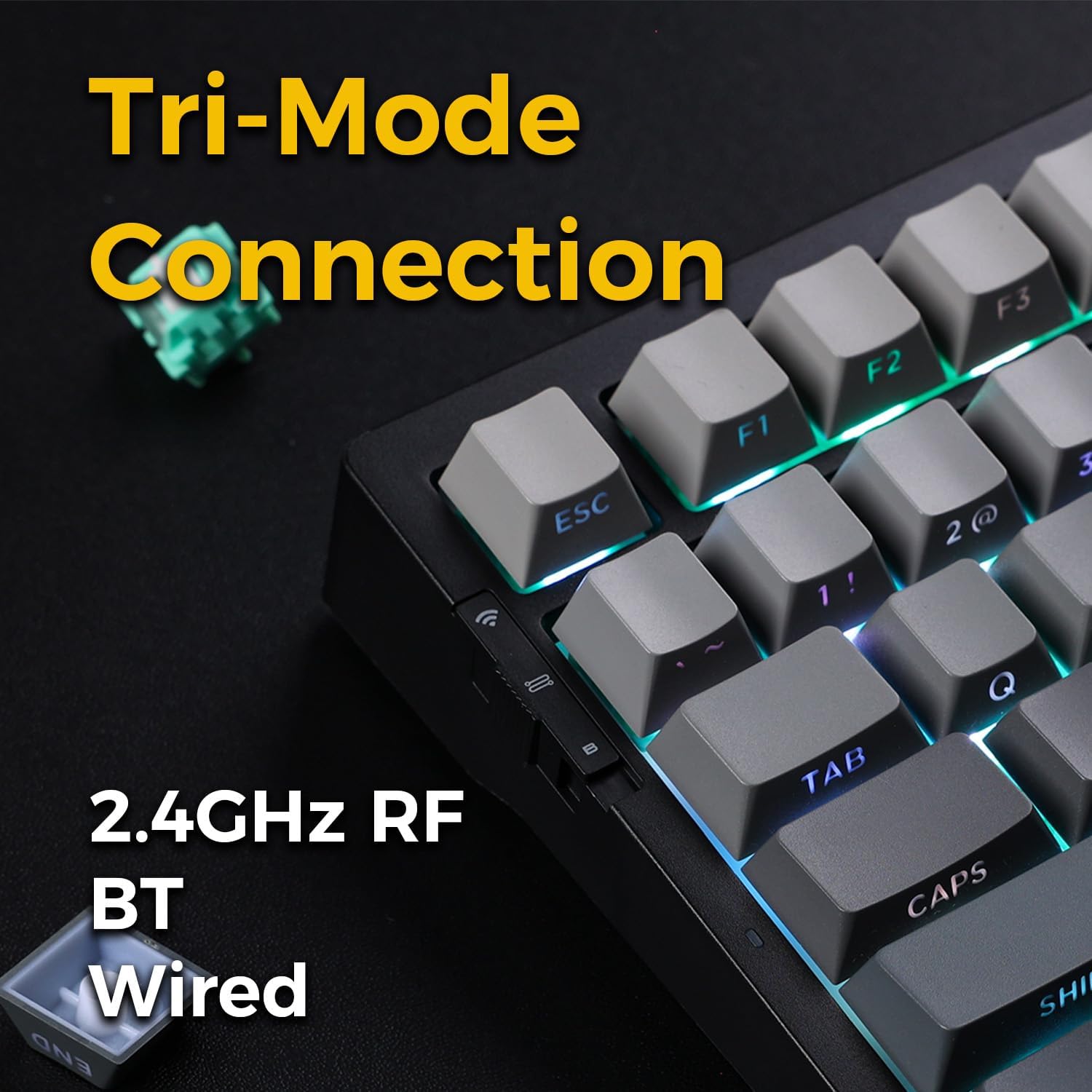
Image: Close-up of the tri-mode connection switch and USB-C port on the keyboard's side.
4. Поставување
4.1 Почетно полнење
Before first use, connect the keyboard to a USB power source using the provided USB-C cable. The keyboard is equipped with 2 Lithium Polymer batteries. A full charge ensures optimal wireless performance.
4.2 Режими на поврзување
The MCHOSE G75 Pro supports three connection modes: Wired, 2.4GHz Wireless, and Bluetooth. Use the switch on the side of the keyboard to select your desired mode.
4.2.1 iredична врска
- Set the mode switch on the keyboard to the 'Wired' position.
- Connect the USB-C end of the cable to the keyboard and the USB-A end to your computer.
- Тастатурата ќе биде автоматски препознаена од вашиот оперативен систем.
4.2.2 Безжична конекција од 2.4 GHz
- Set the mode switch on the keyboard to the '2.4G' position.
- Insert the 2.4GHz wireless receiver into an available USB port on your computer.
- The keyboard should connect automatically. If not, press and hold the Fn key + the 2.4G key (usually indicated by a wireless icon) for 3 seconds to initiate pairing.
4.2.3 Bluetooth конекција
- Set the mode switch on the keyboard to the 'BT' position.
- На вашиот компјутер или уред, овозможете Bluetooth и пребарајте нови уреди.
- On the keyboard, press and hold fn+1, fn+2, или fn+3 for 3 seconds to enter pairing mode for one of the three available Bluetooth channels. The indicator light will flash rapidly.
- Select 'MCHOSE G75 Pro' from the list of available devices on your computer.
- Откако ќе се поврзе, индикаторското светло ќе престане да трепка. Можете да се префрлате помеѓу спарени Bluetooth уреди со притискање на fn+1, fn+2, или fn+3 накратко.
5. Упатства за работа
5.1 Клучни функции
The MCHOSE G75 Pro utilizes an Fn (Function) key for accessing secondary key functions, including multimedia controls, lighting adjustments, and system shortcuts. Refer to the keycap legends for specific Fn combinations.
Common Fn Key Combinations:
- Fn+F1-F12: Access multimedia controls or system functions (e.g., volume, play/pause, brightness).
- Fn + копчиња со стрелки: Adjust RGB lighting effects (e.g., brightness, speed, direction).
- Fn + Backspace: Delete.
- Fn+Win: Копче за заклучување/отклучување на Windows.
5.2 RGB позадинско осветлување
The keyboard features customizable RGB backlighting with south-facing LEDs for enhanced visibility and compatibility with various keycap profiles. You can adjust lighting modes, colors, and brightness.
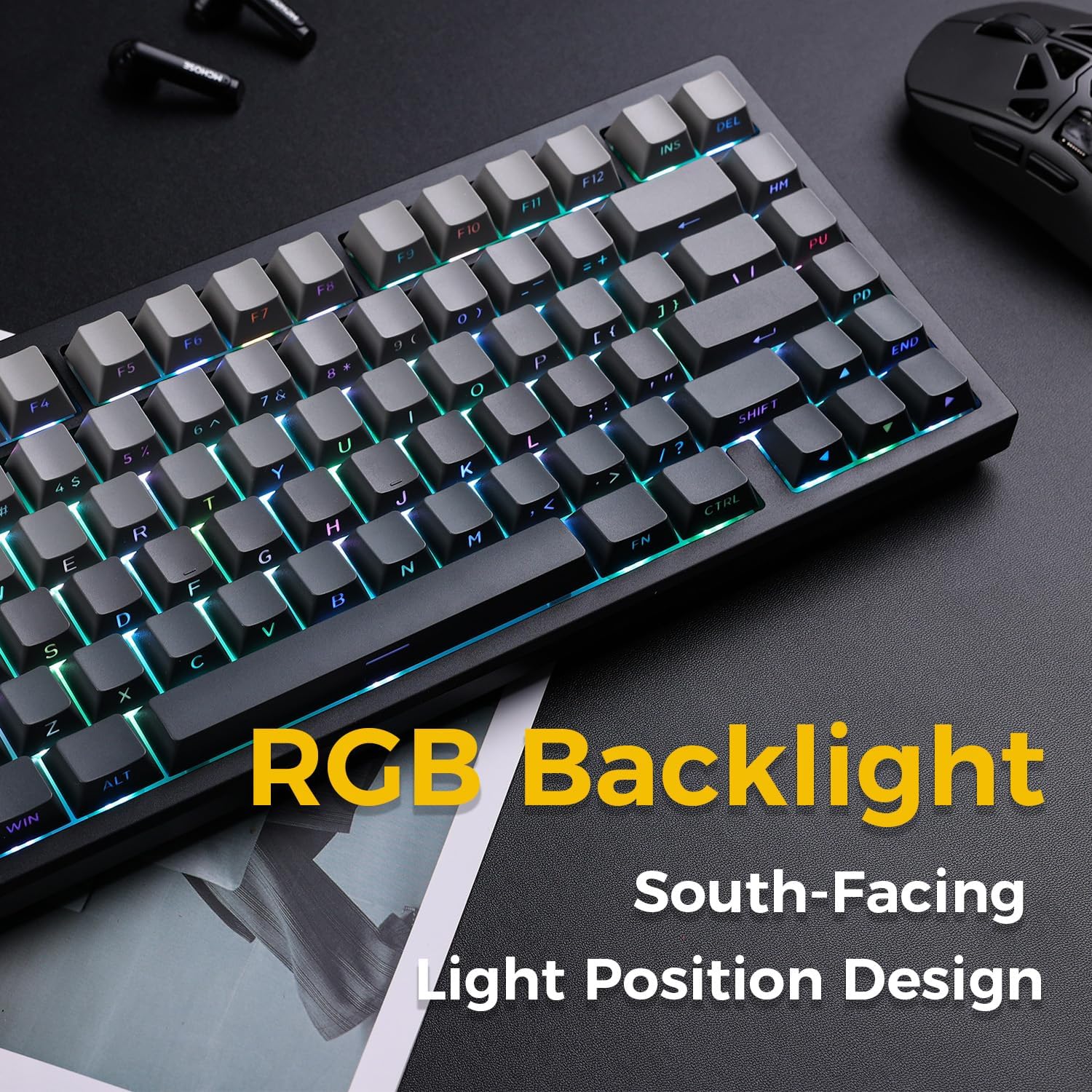
Image: The MCHOSE G75 Pro keyboard displaying its vibrant RGB backlighting.
Adjusting RGB Effects:
- Fn + \|: Cycle through different lighting effects.
- Fn +: Намалете ја брзината на осветлувањето.
- Fn + >: Зголемете ја брзината на осветлувањето.
- Fn + стрелка нагоре: Зголемете ја осветленоста.
- Fn + стрелка надолу: Decrease brightness.
5.3 Прекинувачи што може да се заменат со топла струја
The MCHOSE G75 Pro is equipped with hot-swappable sockets, allowing you to easily change mechanical switches without soldering. This feature enables customization of typing feel and sound.
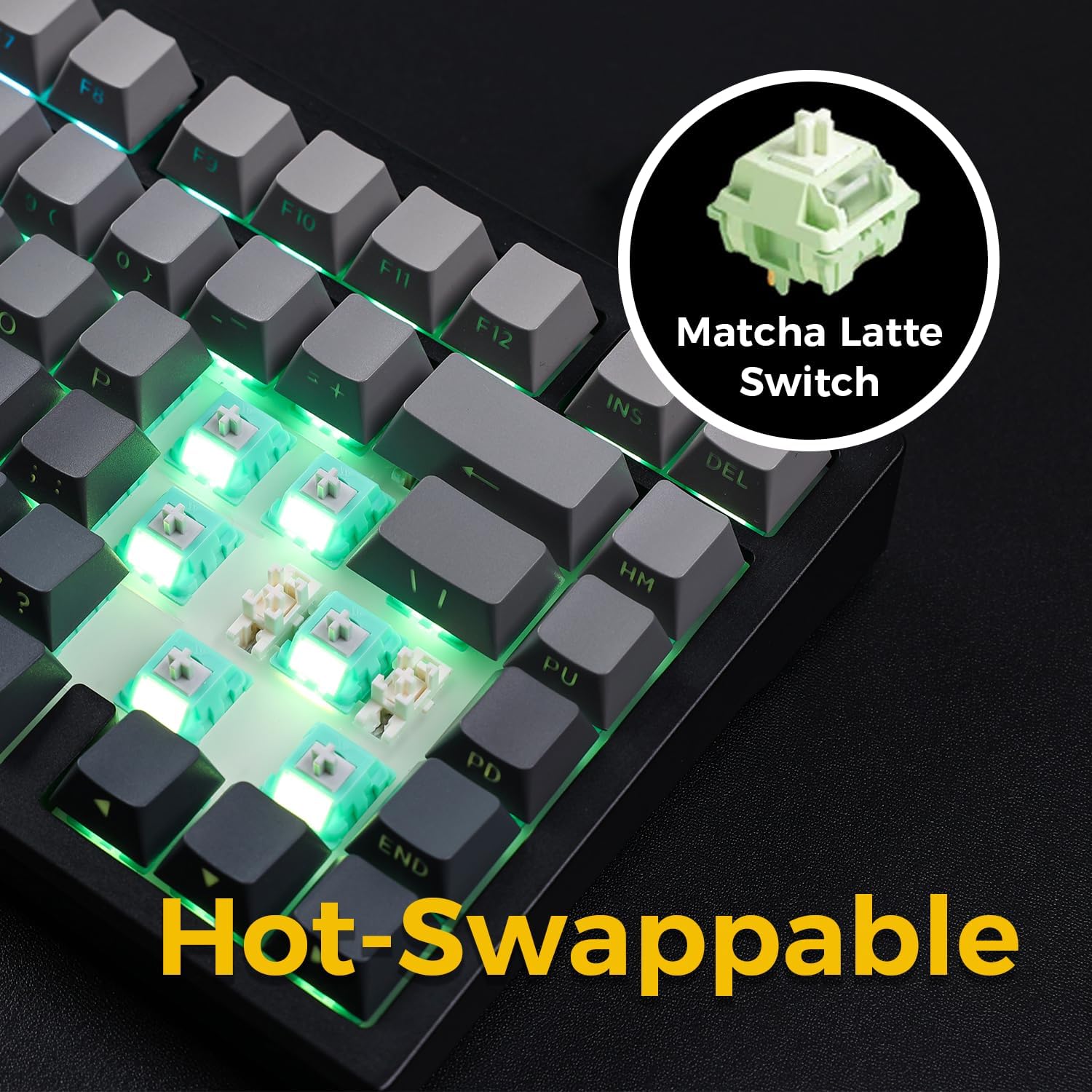
Image: The keyboard with several keycaps and switches removed, demonstrating the hot-swappable feature.
Спецификации на прекинувачот:
The keyboard may come with Matcha Latte Switch V2 or Cabbage Tofu Switch V2, depending on the variant.
- Matcha Latte Switch V2:
Operating Force: 45±8gf
Pre Travel: 2.0±0.4mm
Вкупно патување: 3.6 ± 0.2 мм - Cabbage Tofu Switch V2:
Operating Force: 45±5gf
Пред патување: 1.9±0.3 mm
Travel distance: 4.0±0.5mm
6. Одржување
6.1 Чистење
За да го одржите изгледот и функционалноста на тастатурата:
- Исклучете ја тастатурата од компјутерот пред чистење.
- Користете мека крпа без влакненца малку гampизмијте со вода или благ раствор за чистење за да ги избришете копчињата на копчињата иasing.
- For dust and debris between keycaps, use compressed air or the provided keycap puller to remove keycaps and clean thoroughly.
- Избегнувајте употреба на груби хемикалии или абразивни материјали.
6.2 Замена на капачето на копчето и прекинувачот
The included keycap puller can be used to carefully remove keycaps. For switch replacement, use a switch puller (not included unless specified) to gently remove the existing switch. Align the new 3-pin or 5-pin mechanical switch with the hot-swap socket and press firmly until it clicks into place. Ensure pins are not bent during installation.
7 Смена на проблеми
7.1 Тастатурата не реагира
- Осигурајте се дека тастатурата е доволно наполнета.
- Check the mode switch to confirm it is set to the correct connection type (Wired, 2.4G, or BT).
- За жична врска, пробајте друг USB порт или кабел.
- For 2.4GHz wireless, ensure the receiver is securely plugged in and try re-pairing (Fn + 2.4G key).
- For Bluetooth, ensure Bluetooth is enabled on your device and try re-pairing (Fn + 1/2/3).
- Рестартирајте го компјутерот.
7.2 RGB Backlighting Not Working/Incorrect
- Проверете дали тастатурата е вклучена.
- Use Fn key combinations (e.g., Fn + Up/Down Arrow) to adjust brightness.
- Cycle through lighting effects using Fn + \|.
- If specific keys are not lighting up, check if the switch is properly seated or if the LED is damaged.
7.3 Software Compatibility (Windows/macOS)
While the keyboard functions plug-and-play, some advanced customization may require dedicated software. Please note that official software might have limited language support or compatibility issues, particularly with macOS. For optimal functionality, ensure you have the latest drivers or software from the MCHOSE official webсајт ако е достапно.
8. Спецификации
| Карактеристика | Детал |
|---|---|
| Број на модел | MC-G75 |
| Распоред | 75% |
| Поврзување | 2.4 GHz безжично, Bluetooth, жичено (USB-C) |
| Тип на тастатура | Механички |
| Стил на монтирање | Монтирана дихтунга |
| Dampening Layers | 5 Layers (Poron Foam, IXPE Foam, PET Film) |
| Задно осветлување | RGB, South-Facing LEDs |
| Клучни клучеви | Двоен PBT |
| Прекинувачи | Hot-Swappable (3-pin/5-pin compatible) |
| Батерија | 2 литиум полимерни батерии (вклучени) |
| Компатибилни уреди | PC |
| Тежина на ставката | 3.05 фунти (приближно 1.38 кг) |
| Димензии на пакетот | 14.96 x 7.17 x 2.17 инчи (приближно 38 x 18.2 x 5.5 см) |
9. Гаранција и поддршка
For warranty information and technical support, please refer to the official MCHOSE webна локацијата или контактирајте го вашиот продавач. Зачувајте ја сметката за гаранциски барања.


