1. Вовед
The Dynasty ProAudio PX2 is a high-definition multi-source home audio preamplifier designed to provide exceptional audio clarity and extensive connectivity. Featuring optimized low-noise circuitry, a 3-band EQ, and a low-cut crossover, the PX2 ensures a superior listening experience with wide frequency response and minimal distortion. Its versatile design includes Bluetooth 5.3 with Qualcomm® aptX™ Lossless technology for wireless streaming, a USB DAC interface for digital audio, and multiple analog and digital inputs to accommodate various audio sources.
2. Информации за безбедност
- Внимателно прочитајте ги сите упатства пред да ракувате со уредот.
- Чувајте го прирачникот за идна референца.
- Не го изложувајте уредот на влага, дожд или екстремни температури.
- Обезбедете соодветна вентилација за да спречите прегревање.
- Исклучете го напојувањето за време на грмотевици или кога не се користи подолг период.
- Целото сервисирање упатете го на квалификуван сервисен персонал.
3. Содржина на пакетот
- Dynasty ProAudio PX2 Preampживописен
4. Производот завршиview
4.1 Преден панел
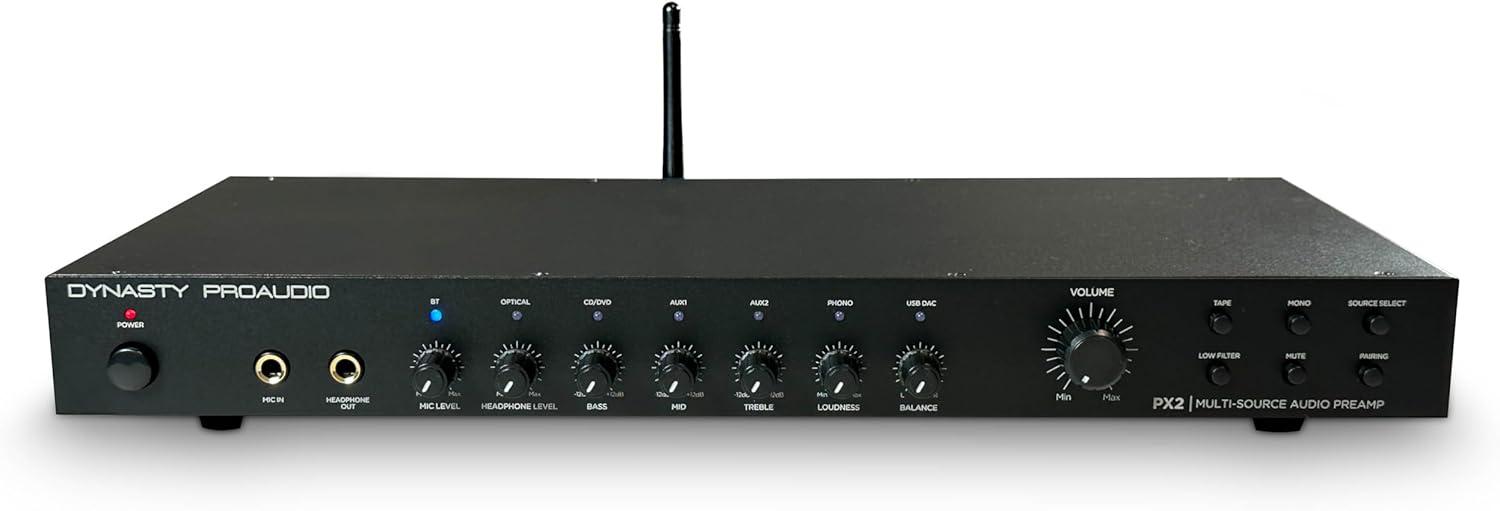
Слика: напред view of the Dynasty ProAudio PX2 Preamplifier, showing various controls and inputs.
The front panel provides access to power, microphone input, headphone output, various input selectors, tone controls (Bass, Mid, Treble), Loudness, Balance, and Master Volume. Dedicated buttons for Tape, Phono, Mono, Mute, and Pairing are also present.
4.2 Заден панел
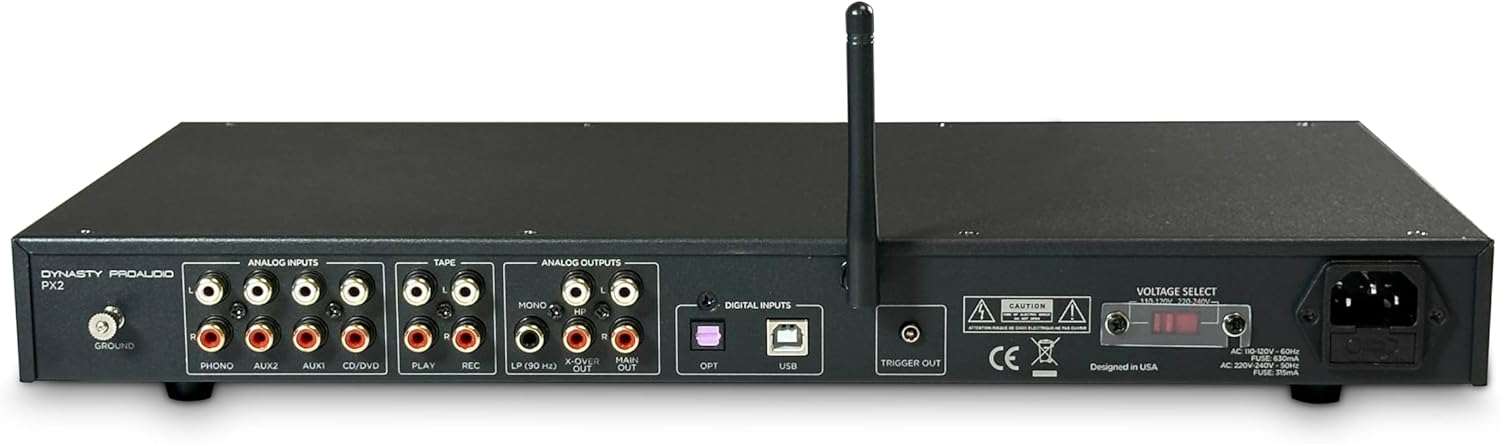
Слика: Заден дел view of the Dynasty ProAudio PX2 Preamplifier, displaying analog and digital input/output ports.
The rear panel features a comprehensive array of analog inputs (Phono, Aux1, Aux2, CD/DVD, Tape Play), analog outputs (Tape Rec, Main Out, X-Over, Sub Mono), digital inputs (Optical, USB), a ground terminal, and a trigger output. The power input with voltage selector is also located here.
5. Поставување
5.1 Врски
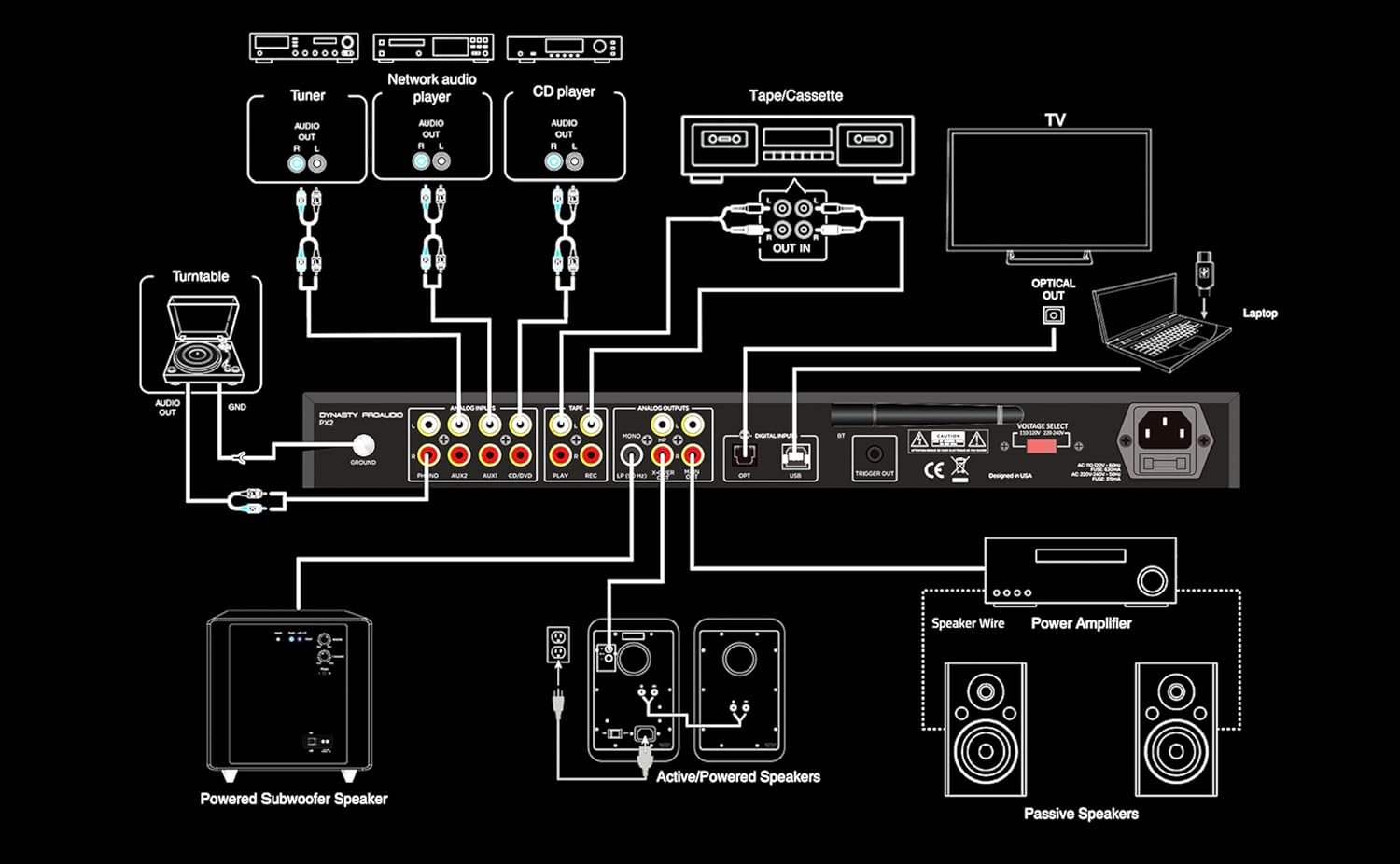
Image: A detailed connection diagram illustrating how to connect various audio sources and outputs to the PX2 preampживописен.
The PX2 offers extensive connectivity options:
- Аналогни влезови: Connect up to 4 RCA line inputs for devices like CD players, tuners, or network audio players. A dedicated RCA Phono input with RIAA preamp and ground terminal is available for turntables.
- Дигитални влезови: Use the S/PDIF (Optical) input for connecting TVs or other digital audio devices. The USB DAC accepts digital audio from a computer or other USB-supported digital audio source, supporting standard stereo PCM digital audio.
- Влез за микрофон: A front-panel 1/4” phone jack supports microphone input with a low-noise mic preamp.
- Излез за слушалки: A front-panel 1/4” phone jack provides a stereo headphone output.
- Излези: The PX2 provides Full Range Stereo, X-Over, Sub Mono, and Stereo Headphone outputs for flexible system integration.
5.2 Монтирање на решетка
The PX2 features a 1U rack-mountable design with removable feet. It can be used in a standard audio rack, on a table, or on a shelf, providing flexible placement options for any audio system.
6. Упатства за работа
6.1 Вклучување/исклучување
Press the Power button on the front panel to turn the unit on or off.
6.2 Избор на извор
Use the Source Select buttons on the front panel to choose between connected inputs (Bluetooth, Optical, USB DAC, Aux1, Aux2, CD/DVD, Phono, Tape).
6.3 Контрола на јачината на звукот
Adjust the Master Volume knob to control the overall output level. Individual input levels can be fine-tuned using the respective level controls.
6.4 Контроли на тонот
Utilize the Bass, Mid, and Treble knobs to adjust the frequency response to your preference. The Loudness control can be engaged for enhanced low-frequency response at lower volumes. The Low Filter button activates a low-cut crossover to optimize sound when using a subwoofer.
6.5 Работа со Bluetooth
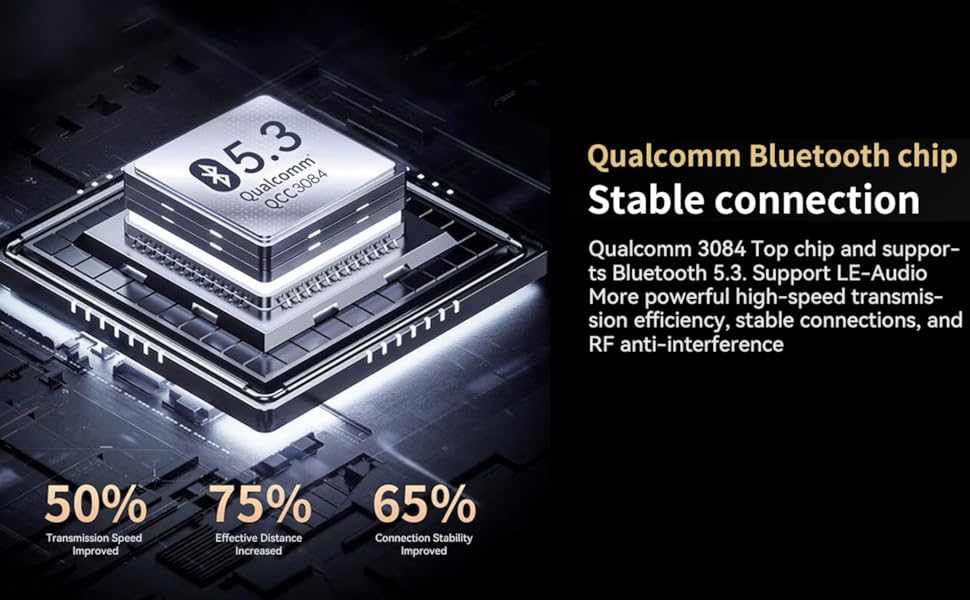
Image: A diagram highlighting the features of the Qualcomm Bluetooth 5.3 chip, including improved transmission speed, effective distance, and connection stability.
To pair a Bluetooth device, select the Bluetooth input and press the Pairing button. Пребарај за 'Dynasty ProAudio PX2' on your device and connect. The PX2 features a Qualcomm® aptX™ Lossless Bluetooth 5.3 chipset for high-speed transmission, stable connections, and RF anti-interference.
6.6 USB DAC Operation
Connect your computer or other digital audio source to the USB DAC input. The PX2 supports standard stereo PCM digital audio, allowing you to access audio stored on a thumb drive or stream from your computer.
6.7 Употреба на микрофон
Plug a 1/4” microphone into the front panel Mic In jack. Adjust the Mic Level knob to control the microphone's volume. The low-noise microphone preamp ensures clear sound.
7. Одржување
- Чистете го уредот со мека, сува крпа. Не користете течни средства за чистење.
- Чувајте го уредот чист од прашина и остатоци.
- Осигурете се дека сите врски се безбедни и без корозија.
8 Смена на проблеми
- Нема звук: Check all cable connections, ensure the correct input source is selected, and verify that the volume is not muted or set too low.
- Искривен звук: Check input levels for clipping, ensure cables are securely connected, and try adjusting tone controls.
- Проблеми со поврзувањето со Bluetooth: Ensure the PX2 is in pairing mode, your device's Bluetooth is on, and there are no obstructions between the devices. Try unpairing and re-pairing.
- Звук/Бучава: Ensure proper grounding for turntables. Check for loose connections or interference from other electronic devices.
9. Спецификации
| Карактеристика | Вредност |
|---|---|
| Димензии на производот | 17 x 8.8 x 1.12 инчи |
| Тежина на ставката | 6.4 фунти |
| Број на модел на ставка | PX2 |
| Bluetooth верзија | 5.3 with Qualcomm® aptX™ Lossless |
| Влезови | 4 RCA Line, 1 RCA Phono, 1 S/PDIF (Optical), 1 USB DAC, 1/4” Mic In |
| Излези | Full Range Stereo, X-Over, Sub Mono, 1/4” Stereo Headphone |
| Изедначување | 3-band EQ (Bass, Mid, Treble), Loudness, Low-cut Crossover |
| Дизајн | 1U Rack-mountable with removable feet |
10. Гаранција и поддршка
For warranty information and technical support, please refer to the documentation included with your product or visit the official DYNASTY PROAUDIO webлокација. Чувајте ја сметката за купување како доказ за какви било гаранциски побарувања.
11. Related Product Videos (Seller Content)
AIYIMA T1 PRO Tube Preampлафич Надview
Ова видео дава крајview of the AIYIMA T1 PRO Tube Preampлифирач, шоуasing its features and design. While not the exact PX2 model, it demonstrates a similar product type from a seller, offering insights into preamp функционалности.
Fosi Audio P4 Mini Preamp Во текот наview
Надview of the Fosi Audio P4 Mini Preamp, highlighting its features and connectivity. This video from a seller offers a look at a comparable preampлафич производ.
Балансиран предamp for Home Audio Setup
This video demonstrates a balanced preamp for home audio, suitable for 2-channel stereo and 2.1 setups. It provides context on how preamps integrate into a home audio system.
Douk Audio T8 Multi-Band EQ Tube Preamp
A brief look at the Douk Audio T8 Multi-Band EQ Tube Preamp, an XLR equalizer. This video showcases a preamp with equalization features, relevant to the PX2's capabilities.
Fosi Audio LC30 VU метар Amplifier Introduction
This video introduces the Fosi Audio LC30 VU Meter Amplifier, providing a detailed look at its design and functionality. It offers a comprehensive view of a related audio component.
Nobsound EQ9 HiFi 9-Band Stereo EQ Preamp
Надview of the Nobsound EQ9 HiFi 9-Band Stereo EQ Preamp, an analog equalizer. This video highlights equalization capabilities found in preampказните за слободни животи.


