1. Вовед
Thank you for choosing the RAPIQUE R110 Bluetooth Wireless Mouse. This manual provides detailed instructions for setting up, operating, and maintaining your new mouse. The R110 features Bluetooth 5.1 and 2.4G dual connectivity, a rechargeable USB-C battery, silent click buttons, and an ergonomic 6-button design for enhanced productivity and comfort across various operating systems.
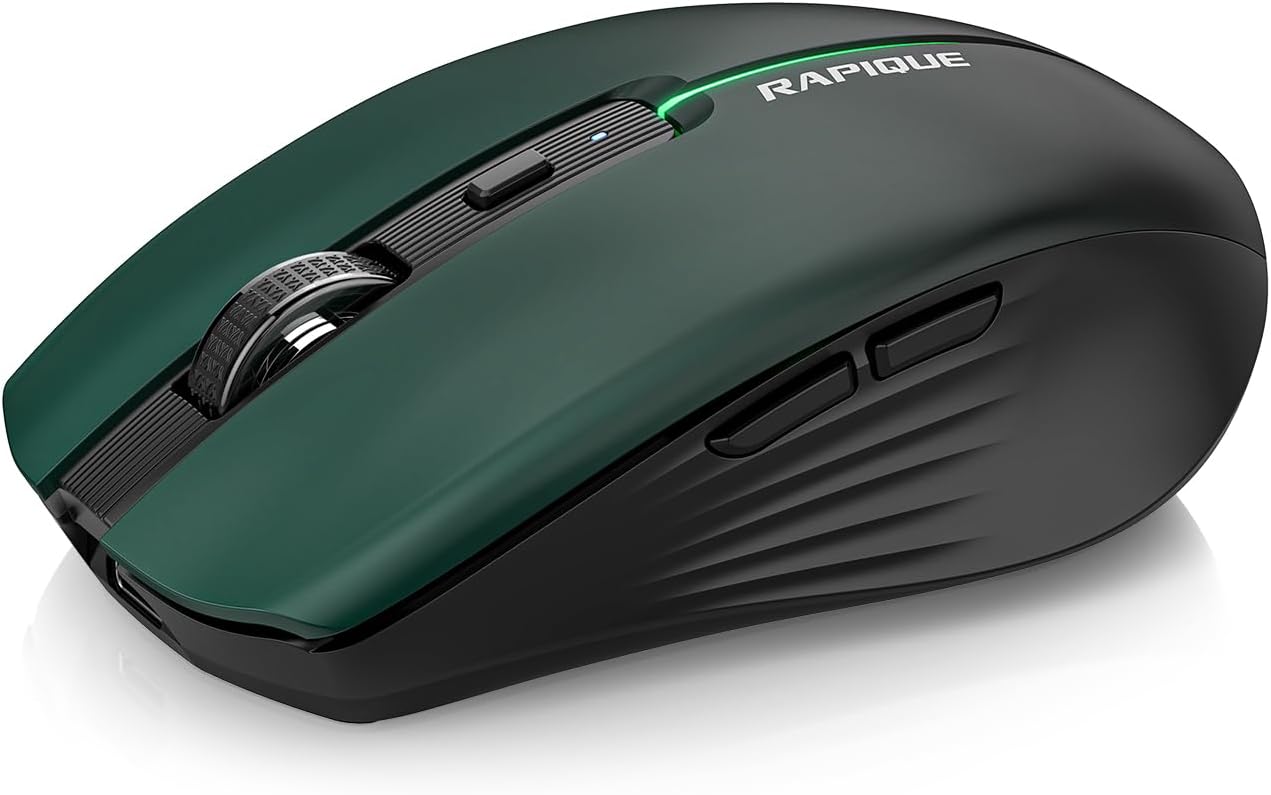
Image 1.1: The RAPIQUE R110 Bluetooth Wireless Mouse, showcasing its green gradient design.
2. Што има во кутијата
Ве молиме проверете дали сите артикли се присутни во вашиот пакет:
- Bluetooth Wireless Mouse (R110) x 1
- USB-C кабел за полнење x 1
- Упатство за употреба x 1
3. Производот завршиview
3.1 Клучни карактеристики
- Premium Deep Green-to-Black Design: Features a gradient finish with a sleek black middle and bottom shell.
- Triple-Mode Wireless Connectivity: Supports Bluetooth 5.1 (BT1 & BT2) and 2.4GHz USB receiver for seamless switching between up to three devices.
- Fast USB-C Charging & Auto Sleep: Equipped with a 650mAh rechargeable battery, charges via USB-C, and enters auto-sleep after 90 seconds of inactivity to conserve power.
- Silent Clicks & Adjustable DPI: Reduces clicking and scrolling noise by up to 90% and offers adjustable DPI settings (800/1200/1600) for precise control.
- Ergonomic & Durable Build: Contoured shape with six responsive buttons, including forward/back side keys, designed for comfort and tested for over 5 million clicks.
- Широка компатибилност: Compatible with Windows 8/10/11, Android, and macOS via Bluetooth 5.1, and non-Bluetooth devices via 2.4G USB receiver. Supports iOS 14 or later for iPhones and iPads.
3.2 Идентификација на компоненти

Слика 3.1: Експлодирано view illustrating the gradient coating, primers, and ABS material of the mouse shell.
The R110 mouse features a gradient coating and UV coating for enhanced comfort. Its construction includes durable ABS material.

Слика 3.2: Детално view of the mouse highlighting anti-slip texture, colorful breathing light, DPI adjustment button, and the mode indicator on the underside.
- Копчиња за лев/десен клик: Дизајн со тивок клик.
- Тркало за лизгање: За вертикално скролување.
- Копче DPI: Adjusts mouse sensitivity (800/1200/1600 DPI). Long-press to toggle decorative LED light.
- Копчиња за напред/назад: Located on the side for navigation.
- Приклучок за полнење USB-C: Located at the front of the mouse.
- Копче за префрлување режим: Located on the bottom, cycles between 2.4G, BT1, and BT2 modes.
- Mode Indicators (LEDs): Lights on the bottom indicate current connection mode (Red for 2.4G, Green for BT1, Blue for BT2).
- Складирање на USB приемникот: Compartment on the bottom for the 2.4G USB receiver.
4. Поставување
4.1 Полнење на глувчето
Before first use, fully charge the mouse. Connect the supplied USB-C cable to the mouse's charging port and the other end to a USB power source (e.g., computer USB port, USB wall adapter). The charging indicator light will illuminate during charging and automatically extinguish when fully charged.

Image 4.1: The USB-C charging port and the charging indicator light on the RAPIQUE R110 mouse.
4.2 Поврзување на глувчето
The R110 mouse offers three connection modes: 2.4G USB and two Bluetooth 5.1 channels (BT1, BT2). You can connect to up to three different devices simultaneously and switch between them.

Image 4.2: Visual guide for connecting the mouse in 2.4G, BT1, and BT2 modes.
4.2.1 2.4G USB Connection (Plug & Play)
- Пронајдете го USB приемникот складиран во преградата на дното од глувчето.
- Вметнете го USB приемникот во слободен USB порт на вашиот компјутер или уред.
- Slide the mode switch on the bottom of the mouse to the "2.4G" position (indicated by a red LED).
- Глувчето автоматски ќе се поврзе со вашиот уред.
4.2.2 Bluetooth конекција (BT1 / BT2)
- Slide the mode switch on the bottom of the mouse to either the "BT1" (green LED) or "BT2" (blue LED) position.
- Press and hold the mode button on the bottom of the mouse for 3-5 seconds until the corresponding LED (green for BT1, blue for BT2) flashes rapidly. This indicates the mouse is in pairing mode.
- On your device (computer, tablet, phone), open Bluetooth settings.
- Пребарај за new devices and select "RAPIQUE R110" (or similar name) from the list.
- Once paired, the LED will stop flashing and remain solid, indicating a successful connection.
Note: For iOS devices, Bluetooth 5.1 support requires iOS 14 or later.
5. Упатства за работа
5.1 Префрлување помеѓу поврзани уреди
To switch between devices connected via 2.4G, BT1, or BT2, simply slide the mode switch on the bottom of the mouse to the desired connection mode. The corresponding LED will light up.
5.2 Прилагодување на DPI чувствителноста
The mouse has three adjustable DPI settings: 800, 1200, and 1600. Press the DPI button located behind the scroll wheel to cycle through these settings. Each press will change the sensitivity, allowing you to find your preferred cursor speed.

Image 5.1: Illustration of DPI adjustment and the silent click mechanism.
5.3 LED контрола на светлото
The R110 mouse features a decorative LED light. To toggle this light on or off, long-press the DPI button.
5.4 Функција за автоматско спиење
To conserve battery life, the mouse will automatically enter sleep mode after 90 seconds of inactivity. To wake the mouse, simply click any button or move the mouse.
6. Одржување
- Чистење: Користете мека, сува крпа за чистење на глувчето. За тврдокорна нечистотија, малку дampИзмијте ја крпата со вода. Избегнувајте употреба на груби хемикалии или абразивни материјали.
- Складирање: When not in use for extended periods, store the mouse in a cool, dry place. Ensure the mouse is turned off to preserve battery life.
- Нега на батеријата: Recharge the mouse when the battery is low. Avoid fully discharging the battery frequently to prolong its lifespan.
- USB-приемник: When transporting the mouse, store the 2.4G USB receiver in its dedicated compartment on the bottom of the mouse to prevent loss.
7 Смена на проблеми
| Проблем | Можна причина | Решение |
|---|---|---|
| Глувчето не реагира. | Low battery; Incorrect connection mode; USB receiver not properly inserted (2.4G mode); Bluetooth not paired. | Charge the mouse. Ensure the mode switch is set correctly (2.4G, BT1, or BT2). For 2.4G, re-insert the USB receiver. For Bluetooth, re-pair the mouse with your device. |
| Движењето на курсорот е неправилно или бавно. | Low DPI setting; Dirty optical sensor; Uneven surface. | Press the DPI button to increase sensitivity. Clean the optical sensor on the bottom of the mouse. Use the mouse on a clean, flat surface or mouse pad. |
| Не може да се поврзе преку Bluetooth. | Глувчето не е во режим на спарување; Bluetooth на уредот е исклучен; Пречки. | Ensure the mouse is in BT1 or BT2 mode and the LED is flashing rapidly (pairing mode). Turn on Bluetooth on your device. Move closer to the device or away from other wireless devices. |
| Mouse frequently disconnects. | Low battery; Too far from receiver/device; Interference. | Charge the mouse. Ensure the mouse is within the effective range (up to 10m/33ft). Reduce interference from other wireless devices. |
8. Спецификации
| Карактеристика | Детал |
|---|---|
| Број на модел | R110 |
| Поврзување | Bluetooth 5.1 (BT1, BT2), 2.4G Wireless (USB Receiver) |
| Поставки за ДПИ | 800 / 1200 / 1600 DPI |
| Тип на батерија | Литиум-полимер што може повторно да се полни (650mAh) |
| Порта за полнење | USB-C |
| Животен век на кликнување | Над 5 милиони кликања |
| Тивок клик | Да (90% намалување на шумот) |
| Автоматско спиење | По 90 секунди неактивност |
| Компатибилност | Windows 8/10/11, Android, macOS, iOS 14+ (for iPhones/iPads) |
| Димензии | 102 мм (4.17 инчи) x 64 мм (2.51 инчи) x 35 мм (1.37 инчи) |
| Тежина на ставката | 3.84 унци |

Image 8.1: Dimensions of the RAPIQUE R110 mouse and its compact size when held in hand.
9. Гаранција и поддршка
RAPIQUE products are designed for reliability and performance. For warranty information and technical support, please refer to the official RAPIQUE webстраницата или директно контактирајте ја нивната служба за корисници. Чувајте ја сметката за купување како доказ за купување за гаранциски побарувања.
За дополнителна помош, можете да ја посетите RAPIQUE Store on Amazon.


