1. Вовед
Welcome to the DOOGEE Tab A9 Pro user manual. This guide provides essential information to help you set up, operate, and maintain your new Android tablet. Please read this manual thoroughly before using the device to ensure proper functionality and safety.
2. Што има во кутијата
The DOOGEE Tab A9 Pro package includes the following items:
- 1 x DOOGEE Tab A9 Pro Tablet
- 1 x USB тип-C кабел
- 1 x полнач
- 1 x SIM Ejector Pin
- 1 x кутија за пакување
- 1 x Упатство за употреба
- 1 x Гарантна картичка
- 1 x Заштитник на екран (претходно применет)
3. Производот завршиview
The DOOGEE Tab A9 Pro features a sleek design and powerful components for an optimal user experience.
Клучни карактеристики:
- Прикажи: 10.1-inch IPS HD Ultra-Clear Display (1280x800 pixels, 16.7 million colors, 16:10 aspect ratio, 1200:1 contrast, 2.5D cover glass).
- Процесор: Unisoc T310 Quad-core, 2 GHz.
- Меморија и складирање: 20GB RAM (4GB base + 16GB virtual), 128GB ROM, expandable up to 2TB with microSD.
- Батерија: 6580 mAh Lithium battery for extended use.
- Камери: 8MP Rear Camera, 5MP Front Camera.
- Оперативен систем: Андроид 15.
- Поврзување: Wi-Fi (2.4G/5G), Bluetooth 5.0.
- Аудио: Dual 1217 BOX Speakers, 3.5mm Audio Jack.
- Безбедност: Отклучување со лице.
- Димензии: 24.53 x 16.33 x 0.99 cm; 478 grams.
Физички компоненти:
Familiarize yourself with the tablet's physical layout.
Слика 3.1: Напред и назад view of the DOOGEE Tab A9 Pro Tablet.

Слика 3.2: Страна view showing power button, volume controls, and ports.

Figure 3.3: Available color options for the DOOGEE Tab A9 Pro Tablet.
4. Поставување
4.1 Почетно вклучување
- Притиснете и задржете го копчето за вклучување (Weak) што се наоѓа на страната од таблетот додека не се појави логото на DOOGEE.
- Следете ги упатствата на екранот за да го изберете вашиот јазик, да се поврзете на Wi-Fi мрежа и да ја поставите вашата сметка на Google.
4.2 Полнење на батеријата
Before first use, fully charge the tablet's battery.
- Поврзете го USB Type-C кабелот со приклучокот за полнење на таблетот.
- Connect the other end of the cable to the provided charger, then plug the charger into a power outlet.
- Индикаторот за полнење ќе се појави на екранот.

Figure 4.1: Illustration of the 6580 mAh high-capacity battery.
4.3 Вметнување на MicroSD картичка
To expand storage, insert a microSD card (sold separately).
- Пронајдете го држачот за SIM/microSD картичка од страната на таблетот.
- Вметнете го иглата за исфрлање на SIM картичката во малата дупка до фиоката за да ја отворите.
- Ставете ја microSD картичката во означениот слот на лежиштето.
- Нежно туркајте ја фиоката назад во таблетот додека не кликне на своето место.

Figure 4.2: Storage capacity details, including expandable memory.
5. Упатства за работа
5.1 Навигација низ Android 15
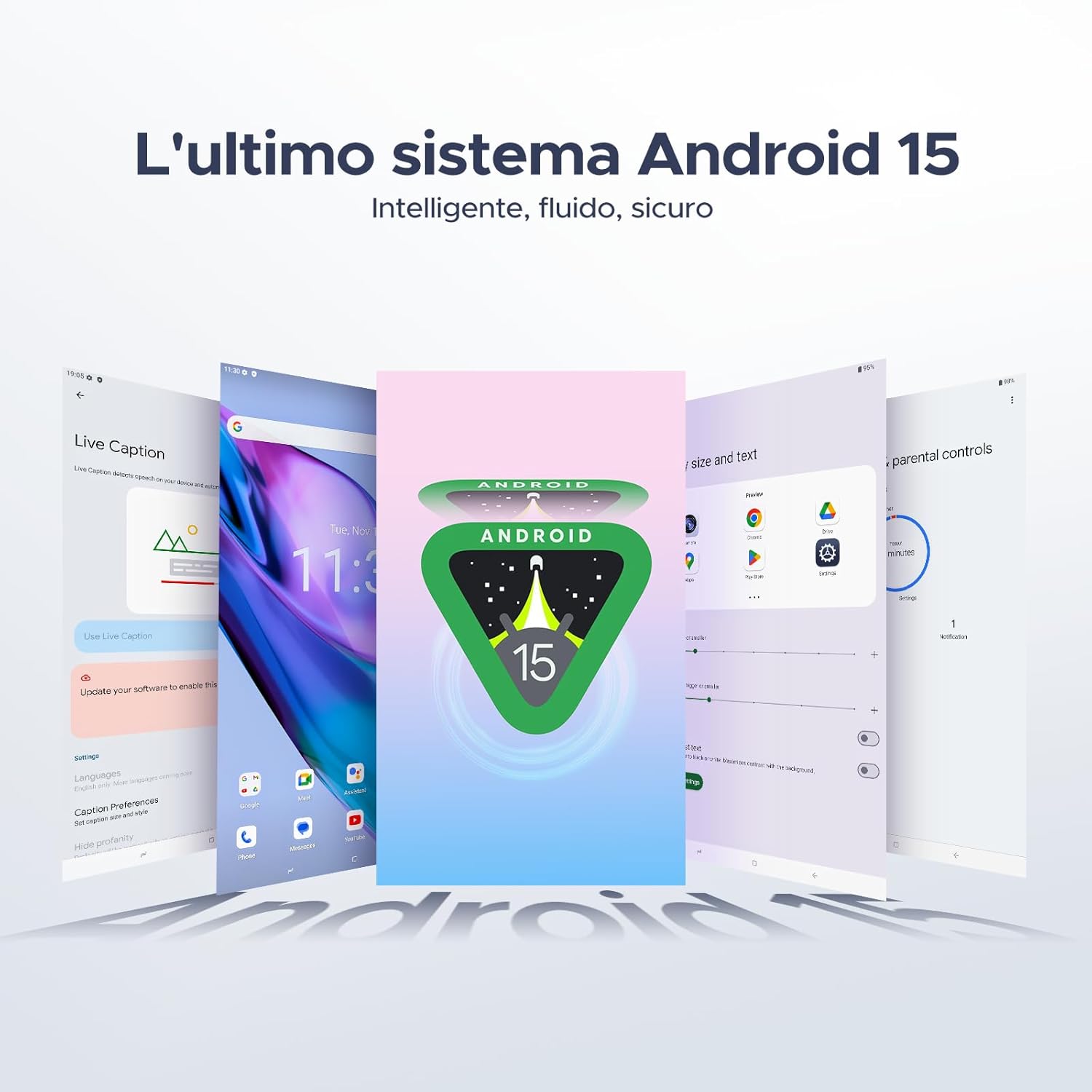
Your tablet runs on the latest Android 15 system, offering an intelligent, fluid, and secure experience.

Слика 5.1: Интерфејсот на оперативниот систем Android 15.
5.2 Карактеристики на екранот
The 10.1-inch IPS HD display provides a wide visual field. Utilize features like Eye-Caring Mode and Dark Mode for enhanced viewудобност

Figure 5.2: Details of the 10.1-inch IPS HD Ultra-Clear Display.

Слика 5.3: Режим за нега на очите и темен режим за визуелна удобност.
5.3 Употреба на камерата
Capture moments with the 8MP main camera and take clear selfies or video calls with the 5MP front camera. The tablet also supports Beauty Mode and Google Smart Camera features.

Figure 5.4: The 8MP main camera for clear photos.

Figure 5.5: The 5MP front camera for selfies and video calls.

Figure 5.6: Beauty Mode for enhancing photos.

Figure 5.7: Google Smart Camera features for enhanced photography.
5.4 Аудио и поврзување
Enjoy clear audio through the dual 1217 BOX speakers or connect headphones via the 3.5mm audio jack. The tablet supports Wi-Fi 5 (2.4G/5G) for stable and fast internet access.

Figure 5.8: Dual 1217 BOX speakers for crystal clear audio.

Figure 5.9: Standard 3.5mm audio jack for stable, distortion-free transmission.

Figure 5.10: Wi-Fi 5 for seamless connectivity.
5.5 Безбедност и приватност
Unlock your tablet effortlessly using Face Unlock. Android 15 also provides enhanced privacy features, including precise permission control, robust data encryption, and proactive app screening.

Figure 5.11: Face recognition unlock for easy access.

Figure 5.12: Enhanced privacy shield features of Android 15.
5.6 Карактеристики на продуктивноста
The tablet supports efficient split-screen multitasking and comes with WPS Office integrated for productivity on the go.

Figure 5.13: Efficient split-screen multitasking.

Figure 5.14: WPS Office integrated for PC-level productivity.
5.7 Дополнителни карактеристики
The tablet offers Sleep Mode, Multi-user System, and Parental Control features for a versatile user experience.

Figure 5.15: Discover more with Android 15 features.
5.8 Видеа за производи
Watch these official videos for a visual guide to the DOOGEE Tab A9 Pro's features.
Video 5.1: DOOGEE Tab A9 Pro product overview (Преview).
Video 5.2: DOOGEE Tab A9 Pro features highlight (Preview).
Video 5.3: DOOGEE Tab A9 Pro design and performance (Preview).
6. Одржување
6.1 Чистење на таблетот
- Користете мека крпа што не остава влакненца за чистење на екранот и телото на таблетот.
- Избегнувајте употреба на груби хемикалии или абразивни материјали, бидејќи тие може да ја оштетат површината.
6.2 Грижа за батерии
- Избегнувајте изложување на таблетата на екстремни температури.
- За оптимален век на траење на батеријата, избегнувајте често целосно празнење на батеријата.
6.3 Ажурирања на софтверот
Regularly check for and install software updates to ensure your tablet has the latest features and security enhancements. Go to Поставки > Систем > Ажурирање на системот за да проверите дали има ажурирања.
7 Смена на проблеми
If you encounter issues with your DOOGEE Tab A9 Pro, refer to the following common solutions:
| Проблем | Решение |
|---|---|
| Таблетот не се вклучува | Ensure the battery is charged. Connect the charger and wait a few minutes before attempting to power on again. If it still doesn't turn on, press and hold the power button for 10-15 seconds to force a restart. |
| Екранот не реагира | Рестартирајте го таблетот. Ако проблемот продолжи, извршете ресетирање на фабричките поставки (забелешка: ова ќе ги избрише сите податоци). |
| Проблеми со Wi-Fi конекцијата | Рестартирајте го вашиот Wi-Fi рутер и таблетот. Заборавете ја мрежата во поставките на таблетот и повторно поврзете се. Проверете дали сте во опсегот на Wi-Fi сигналот. |
| Апликациите паѓаат или замрзнуваат | Clear the cache and data for the problematic app (Settings > Apps > [App Name] > Storage > Clear Cache/Clear Data). If the issue continues, uninstall and reinstall the app. Ensure your tablet's software is up to date. |
| Батеријата брзо се троши | Reduce screen brightness, close unused apps running in the background, disable Wi-Fi/Bluetooth when not in use, and check for power-intensive apps in battery usage settings. |
Доколку овие решенија не го решат проблемот, ве молиме контактирајте ја корисничката поддршка.
8. Спецификации
Detailed technical specifications for the DOOGEE Tab A9 Pro:
| Карактеристика | Спецификација |
|---|---|
| Бренд | ДУГИ |
| Број на модел | Tab A9 PRO |
| Оперативен систем | Андроид 15 |
| Процесор | Unisoc T310 Quad-core, 2 GHz |
| RAM меморија | 20 GB (4 GB основна + 16 GB виртуелна) |
| Внатрешна меморија (ROM) | 128 GB |
| Складирање што може да се прошири | До 2 TB преку microSD картичка (се продава одделно) |
| Големина на екранот | 10.1 инчи |
| Резолуција на екранот | 1280 x 800 пиксели |
| Задна камера | 8 MP |
| Предна камера | 5 MP |
| Поврзување | Wi-Fi (802.11ac, 2.4G/5G), Bluetooth 5.0 |
| Капацитет на батеријата | 6580 милиониamper-hour (mAh) |
| Димензии на производот | 24.53 x 16.33 x 0.99 cm |
| Тежина на ставката | 478 грама |
| Боја | BLACK (also available in Glacier Blue, Meteorite Gray) |
9. Гаранција и поддршка
Your DOOGEE Tab A9 Pro comes with a manufacturer's warranty. Please refer to the included Warranty Card for details on coverage and terms. For technical support, troubleshooting assistance beyond this manual, or warranty claims, please contact DOOGEE customer service through their official webлокацијата или продавачот на мало каде што е купен производот.
За повеќе информации, посетете ја DOOGEE продавница на Amazon.


