Вовед
Thank you for choosing the Pro Breeze 25L Smart Dehumidifier. This appliance is designed to efficiently remove excess moisture from your indoor environment, helping to prevent mold, mildew, and dampness. Featuring smart Wi-Fi connectivity, a digital display, and multiple operating modes, this dehumidifier offers advanced control and convenience. Please read this manual thoroughly before operation to ensure safe and optimal performance.
Важни безбедносни инструкции
Секогаш следете ги основните безбедносни мерки на претпазливост при употреба на електрични апарати за да го намалите ризикот од пожар, електричен удар и повреди.
- Осигурете се дека напојувањето одговара на јачината на звукотtage наведено на етикетата за оценување.
- Не го користете одвлажнувачот со оштетен кабел или приклучок.
- Keep the appliance at least 20 cm (8 inches) away from walls and other objects to ensure proper airflow.
- Не го потопувајте уредот, кабелот за напојување или приклучокот во вода или други течности.
- Unplug the dehumidifier before cleaning, maintenance, or when not in use.
- Овој апарат е само за внатрешна употреба.
- Не го блокирајте влезот или излезот на воздухот.
- Надгледувајте ги децата и осигурајте се дека не си играат со апаратот.
- Не обидувајте се сами да го поправите или модифицирате уредот. Контактирајте квалификуван сервисер.
Карактеристики на производот

Image: The Pro Breeze 25L Smart Dehumidifier, showcasing its compact design and highlighting features such as Wi-Fi compatibility, 25L extraction rate, energy efficiency, and laundry mode. Dimensions are also indicated.
- Моќно одвлажнување: Extracts up to 25 liters of moisture per day, effectively combating persistent humidity, mold, and condensation in large rooms.
- Голем резервоар за вода: Features a 5.5-liter water tank with automatic shut-off when full. A drainage hose is included for continuous operation.
- Енергетски ефикасен: Utilizes a high-performance compressor, 24-hour timer, and automatic stop system to reduce energy consumption.
- Тивко работење: Designed with silent technology, making it suitable for use in bedrooms, living rooms, offices, and other quiet environments.
- Паметна контрола преку апликација: Manage all functions remotely using the free Pro Breeze app or voice commands with Alexa and Google Home (compatible with iPhone and Android).
- Digital Display & Humidity Sensor: An intuitive LED screen allows selection of fan speed and humidity levels between 30% and 80%. The smart sensor displays real-time humidity and automatically stops the dehumidifier once the target is reached.
- Повеќе режими на работа: Includes a 24-hour timer and 4 operating modes, including a dedicated Режим на сушење алишта. Also features a Заклучување за деца, Automatic Defrost Mode, и Ноќен приказ.

Image: The Pro Breeze dehumidifier positioned next to a large 25-liter water bottle, visually representing its daily moisture extraction capacity and the benefit of fewer tank emptying cycles.
Содржина на пакетот
Ве молиме означете го полето за следните ставки:
- Pro Breeze 25L Smart Dehumidifier Unit
- Црево за континуирано одводнување
- Упатство за употреба
Поставување
- Отпакување: Внимателно извадете го одвлажнувачот од пакувањето. Зачувајте го пакувањето за идно складирање или транспорт.
- Поставување: Place the dehumidifier on a firm, level surface. Ensure there is at least 20 cm (8 inches) of clear space around the air inlet and outlet to allow for efficient airflow. Avoid placing it near heat sources or in direct sunlight.
- Поврзување за напојување: Вклучете го кабелот за напојување во заземјен штекер. Осигурајте се дека јачината на звукотtage одговара на барањата на единицата.
- Инсталација на резервоар за вода: Ensure the water tank is correctly inserted into the unit. The dehumidifier will not operate if the tank is not properly seated or is full.
- Континуирана дренажа (опционално): For continuous operation without emptying the tank, connect the provided drainage hose to the continuous drainage port on the back of the unit. Route the hose to a suitable drain, ensuring it is sloped downwards to allow water to flow freely.
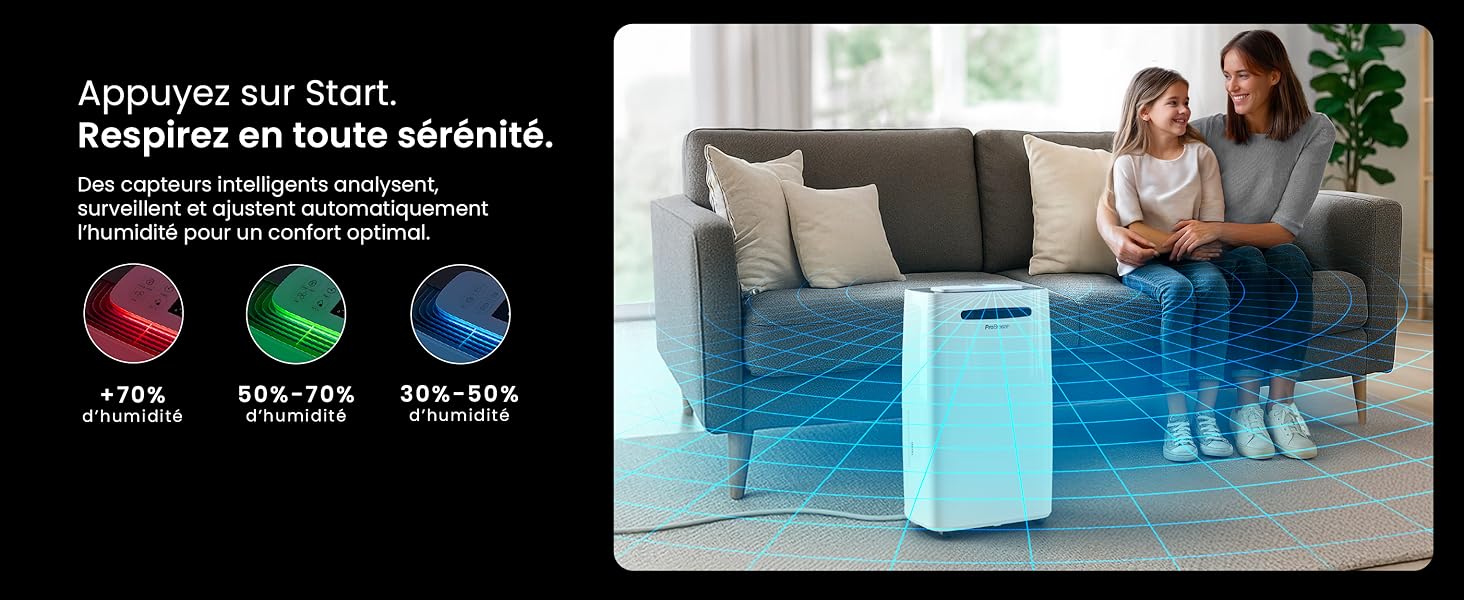
Image: The dehumidifier shown in different environments such as a garage, home office, and laundry room, illustrating its versatility and suitability for various spaces. Icons for continuous drainage and automatic defrost are also present.
Упатства за работа
Контролниот панел завршиview

Слика: Детална view of the dehumidifier's illuminated digital control panel, showing buttons for power, mode, fan speed, timer, child lock, and humidity settings, along with the LED display.
The intuitive LED display and touch controls allow for easy operation.
- Копче за вклучување: Притиснете за да го вклучите или исклучите уредот.
- Копче за режим: Cycle through available operating modes: Нормално, Сушење алишта, и Ноќен режим.
- Копче за брзина на вентилаторот: Adjust the fan speed between Ниско и Високо.
- Humidity Setting (SET %): Use the up/down arrows to set your desired humidity level (30% - 80%). The unit will operate until this level is reached.
- Копче за тајмер: Set a 24-hour timer for automatic power ON or OFF.
- Копче за заклучување за деца: Press and hold to activate/deactivate the child lock, preventing accidental changes to settings.
- Копче за прикажување: Turn the LED display lights ON or OFF, useful for night mode.
Wi-Fi and App Control

Image: A user interacting with the Pro Breeze mobile application on a smartphone, demonstrating remote control capabilities for the dehumidifier. The app shows current humidity and temperature settings.
The Pro Breeze 25L Smart Dehumidifier can be controlled remotely via the Pro Breeze app. Download the app from your smartphone's app store and follow the in-app instructions to connect your device to your home Wi-Fi network. Once connected, you can control all functions, set schedules, and monitor humidity levels from anywhere.
The unit is also compatible with Amazon Alexa and Google Home for voice control. Refer to the app's help section for detailed instructions on integrating with these smart home platforms.
Одржување
Празнење на резервоарот за вода
When the water tank is full, the dehumidifier will automatically shut off and an indicator light will illuminate. Carefully remove the water tank from the unit, empty the collected water, and reinsert the tank securely. The unit will resume operation.
Чистење на филтерот за воздух
A clogged filter can reduce efficiency. It is recommended to clean the air filter every two weeks or more frequently depending on usage and air quality.
- Исклучете го одвлажнувачот и исклучете го од штекерот.
- Лоцирајте го и извадете го филтерот за воздух (обично на задната или страничната страна од уредот).
- Исчистете го филтерот со правосмукалка или нежно измијте го со топла вода со сапуница.
- Исплакнете темелно и оставете филтерот целосно да се исуши на воздух пред повторно да го вметнете во уредот.
Чистење на надворешноста
Избришете ја надворешноста на одвлажнувачот со мека, гamp крпа. Не користете груби хемикалии, абразивни средства за чистење или растворувачи, бидејќи тие можат да ја оштетат површината.
Складирање
If storing the unit for an extended period, ensure the water tank is empty and clean, and the filter is clean and dry. Store the dehumidifier in a cool, dry place, preferably in its original packaging.
Решавање проблеми
| Проблем | Можна причина | Решение |
|---|---|---|
| Одвлажнувачот не се вклучува. | No power; water tank full or incorrectly inserted; ambient temperature too low. | Check power connection; empty and reinsert water tank; ensure room temperature is above 5°C (41°F). |
| Единицата работи, но не собира вода. | Humidity level too low; air filter clogged; room temperature too low; unit size too small for space. | Adjust desired humidity setting lower; clean air filter; ensure room temperature is adequate; consider if unit is appropriate for room size. |
| Единицата е бучна. | Unit not on a level surface; air filter clogged; internal components vibrating. | Place on a flat, stable surface; clean air filter; if noise persists, contact support. |
| Проблеми со Wi-Fi конекција. | Incorrect Wi-Fi password; unit too far from router; router issues; app issues. | Verify Wi-Fi password; move unit closer to router; restart router; reinstall Pro Breeze app. |
| Мраз се појавува на калемите. | Ниска амбиентална температура. | Уредот има функција за автоматско одмрзнување. Доколку мразот продолжи, зголемете ја температурата во просторијата. |
Спецификации
| Спецификација | Детал |
|---|---|
| Број на модел | PB-D-37W-W-EU |
| Бренд | Pro Breeze |
| Moisture Extraction Capacity | 25 литри/ден |
| Капацитет на резервоар за вода | 5.5 литри |
| Димензии (Д x Ш x В) | 38.6 cm x 26 cm x 50 cm |
| Тежина | 15.1 килограми |
| Брзини на вентилаторот | 2 |
| Посебни карактеристики | Adjustable Humidity Control, Night Mode, Continuous Drainage, Wi-Fi Connectivity, Digital Display, 24h Timer, Laundry Drying Mode, Child Lock, Automatic Defrost |
| Препорачана површина на подот | До 322 квадратни стапки (30 м²) |

Image: The Pro Breeze dehumidifier highlighting its elegant and discreet design, along with its dimensions (50cm H, 38.6cm L, 26cm P) and four easy-to-move caster wheels.
Гаранција и поддршка
Pro Breeze products are manufactured to the highest standards. This product comes with a standard manufacturer's warranty. For specific warranty details, please refer to the warranty card included in your package or visit the official Pro Breeze webсајт.
If you encounter any issues or have questions regarding your dehumidifier, please contact Pro Breeze customer support. Contact information can typically be found on the Pro Breeze webна локацијата или на пакувањето на производот.


