Производот завршиview
The ATTACK SHARK R5Ultra is a high-performance wireless gaming mouse designed for speed and precision. It features an ultra-lightweight carbon fiber composite construction, weighing only 39g, ensuring durability and comfort during extended use. Equipped with the advanced PixArt PAW3950 MAX sensor and Nordic 52840 MCU chip, it offers exceptional accuracy and a high polling rate for competitive gaming.
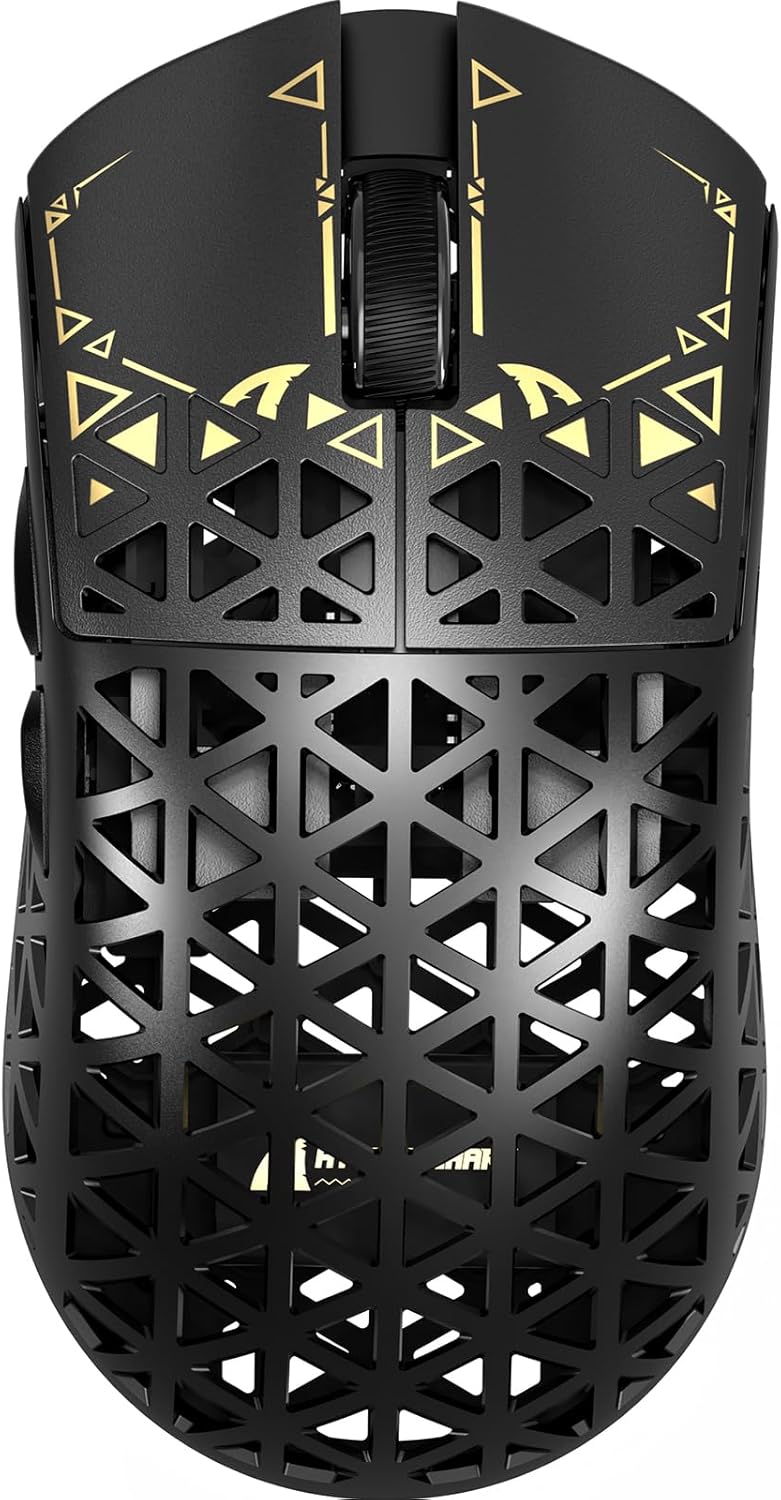
Слика: Горе view of the ATTACK SHARK R5Ultra gaming mouse, showcasing its lightweight carbon fiber design and intricate patterns.
This mouse supports tri-mode connectivity, allowing seamless switching between 2.4GHz wireless, Bluetooth, and wired USB connections. Its programmable features are managed via an innovative cloud-driven webpage, eliminating the need for traditional software installations.
Содржина на пакетот
- ATTACK SHARK R5Ultra Wireless Gaming Mouse
- USB-C кабел за полнење
- 8K Mini Receiver (USB Dongle)
- Упатство за употреба (овој документ)
- Additional PTFE feet (may be included)
Водич за поставување
1. Почетно полнење
Before first use, it is recommended to fully charge the mouse. Connect the provided USB-C cable to the mouse's charging port and the other end to a USB power source (e.g., computer USB port, USB wall adapter).
2. Режими на поврзување
The R5Ultra mouse supports three connection modes: 2.4GHz Wireless, Bluetooth, and Wired USB. A switch on the back of the mouse allows you to select your preferred mode.

Image: Diagram illustrating the tri-mode connectivity options: 2.4G Wireless with receiver, Bluetooth, and USB-C wired connection, along with charging.
2.1. Безжичен режим од 2.4 GHz
- Locate the 8K Mini Receiver (USB dongle) included in the package.
- Приклучете го USB-приемникот во достапна USB порта на вашиот компјутер.
- Switch the mode selector on the bottom of the mouse to the 2.4GHz wireless icon.
- Глувчето треба автоматски да се поврзе со ресиверот.
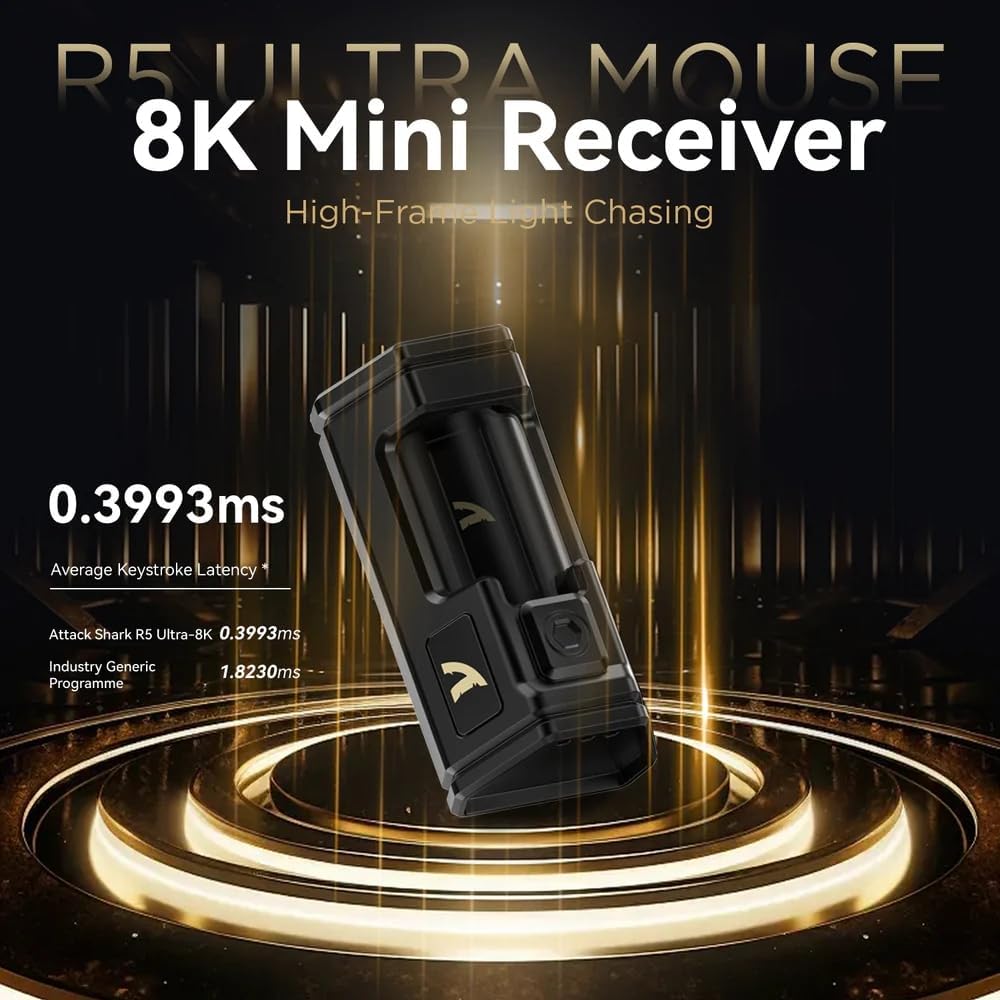
Image: Close-up of the compact 8K Mini Receiver, highlighting its low latency capabilities.
2.2. Режим на Bluetooth
- Switch the mode selector on the bottom of the mouse to the Bluetooth icon.
- На вашиот компјутер или уред, отворете ги поставките за Bluetooth и пребарајте нови уреди.
- Select "ATTACK SHARK R5Ultra" from the list of available devices to pair.
2.3. Wired USB Mode
- Connect the provided USB-C cable to the mouse and the other end to a USB port on your computer.
- Глувчето автоматски ќе се префрли во жичен режим и ќе почне да се полни.
3. Driver and Customization
The R5Ultra utilizes an AI-designed cloud-driven webpage for customization, eliminating the need for traditional software downloads. Access the customization options by visiting the official ATTACK SHARK website and navigating to the R5Ultra product page or driver section. The webpage will automatically detect your system.
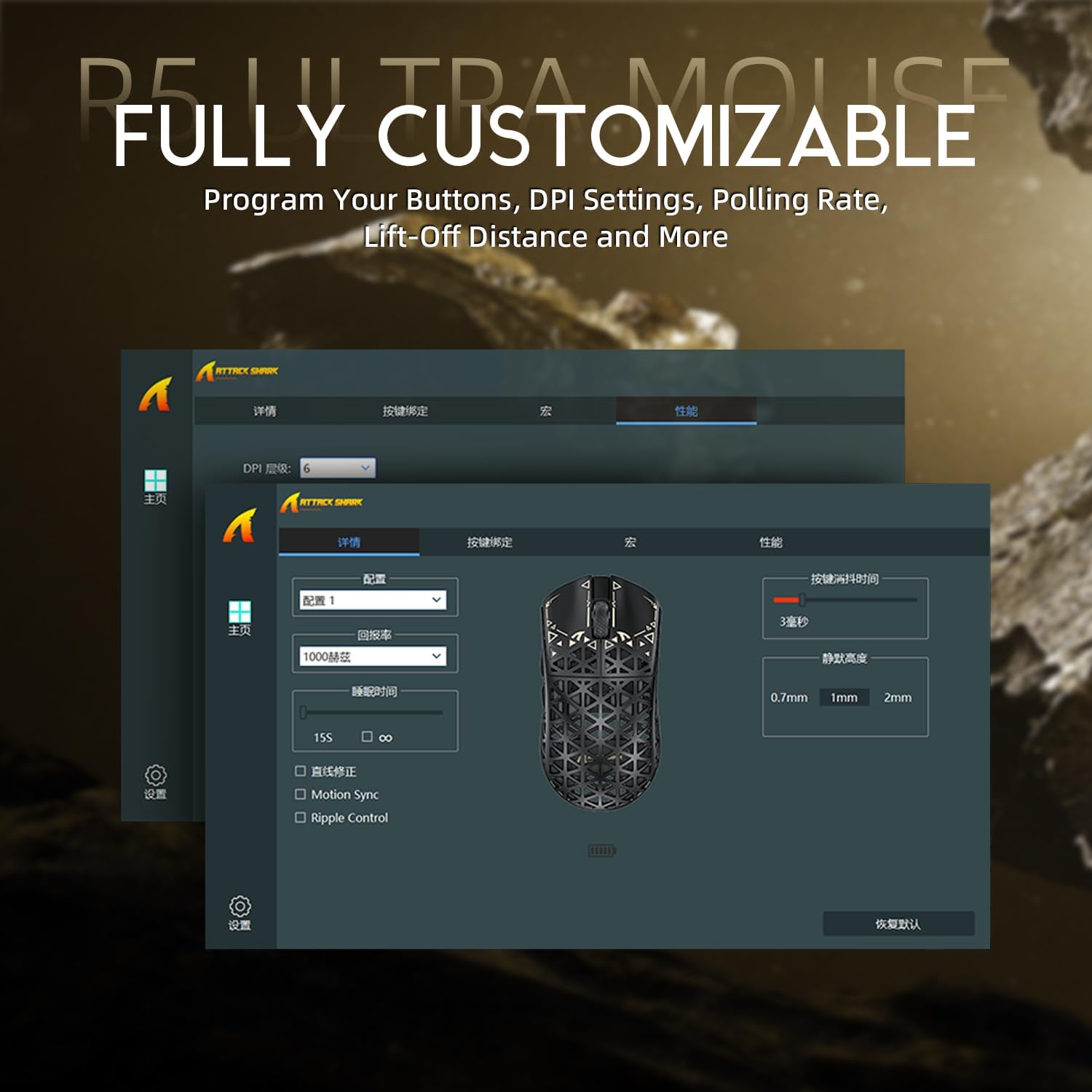
Image: Screenshot of the R5Ultra's web-based customization interface, showing options for DPI, polling rate, and button mapping.
Упатства за работа
Прилагодување на DPI
The R5Ultra mouse features a PixArt PAW3950 MAX sensor capable of up to 42,000 programmable DPI. DPI settings can be adjusted through the cloud-driven customization webpage. You can set multiple DPI stages and switch between them using a dedicated button on the mouse (if configured) or through the software.

Слика: Детална view of the PixArt PAW3950 MAX sensor, highlighting its advanced capabilities for high DPI and acceleration.
Стапка на анкети
The mouse supports an 8KHz wireless polling rate, providing extremely low latency and fast data transmission. In wired mode, a 1KHz polling rate is maintained. Higher polling rates consume more battery power. You can adjust the polling rate via the customization webpage to balance performance and battery life.
Програмабилни копчиња
The R5Ultra features multiple programmable buttons. Through the cloud-driven customization webстраница, можете:
- Remap button functions.
- Креирајте и доделувајте макроа.
- Adjust lift-off distance.
- Configure competitive modes.
Управување со батерии
To optimize battery life, consider adjusting the polling rate to a lower setting (e.g., 1KHz or 2KHz) when not engaged in competitive gaming. The mouse can be charged while in wired mode, allowing continuous use.
Клучни карактеристики
- Ultra-lightweight Design: Weighing only 39g, constructed from injection-molded carbon fiber material with a hollow design for enhanced durability and reduced weight.

Слика: Повеќекратна views of the R5Ultra mouse, showcasing its carbon fiber composite housing and lightweight structure.
- Напреден сензор: Features the PixArt PAW3950 MAX sensor, offering up to 42,000 DPI, 750 IPS speed, and 50g acceleration for precise tracking.
- Висока анкета: Supports an 8KHz wireless polling rate for minimal latency and rapid response, crucial for competitive gaming.
- Три-режимска поврзаност: Seamlessly switch between 2.4GHz wireless, Bluetooth, and wired USB connections for versatile use across various devices and platforms.
- Издржливи прекинувачи: Equipped with OMRON microswitches, rated for over 100 million clicks, ensuring long-lasting performance and crisp feedback.
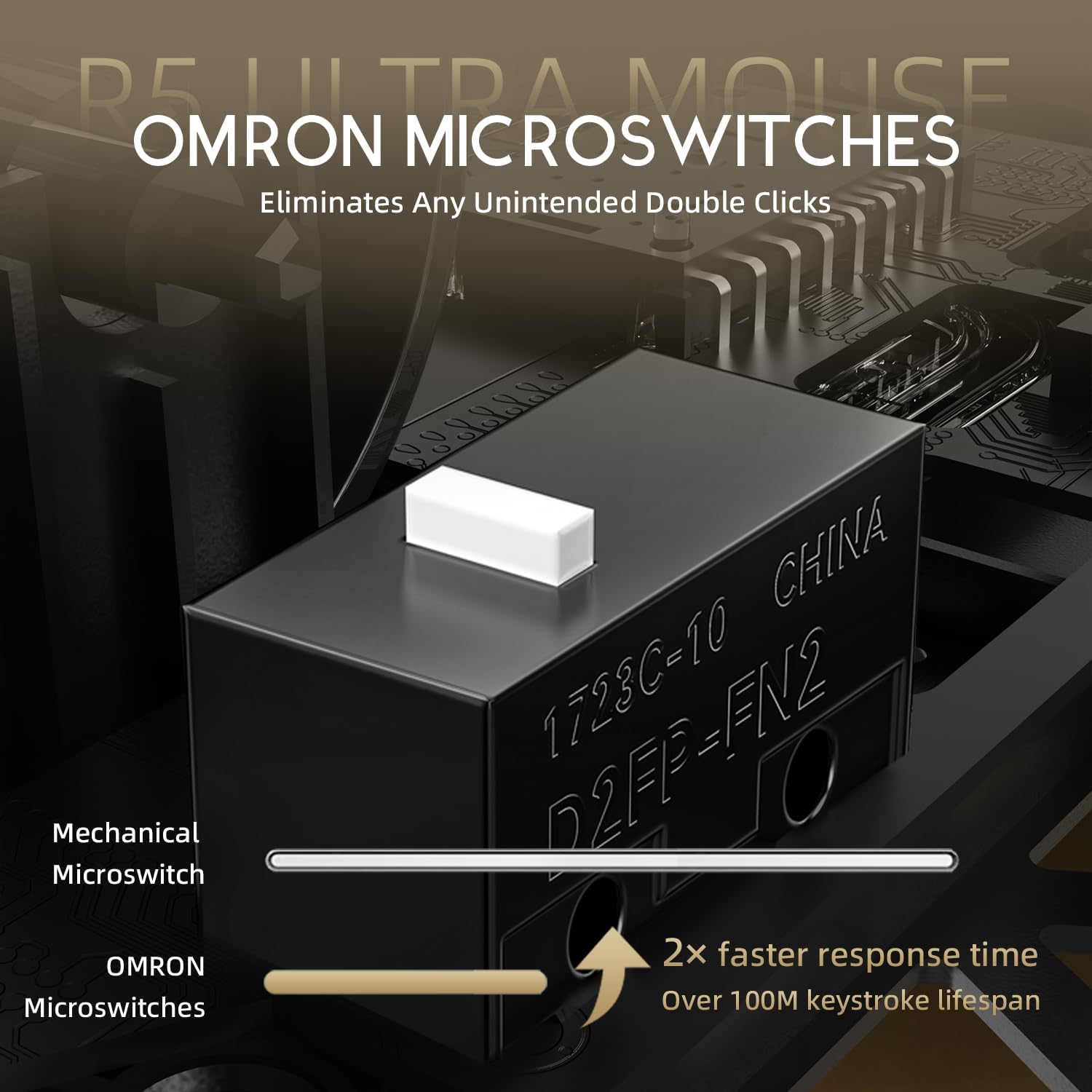
Image: Close-up of the OMRON microswitches, illustrating their mechanical design and durability for over 100 million clicks.
- Cloud-Based Driver: Innovative AI-designed driver accessible via a webpage, allowing for comprehensive customization without software installation.
- Тефлонски стапала: 100% Virgin Grade PTFE feet provide consistent and smooth glide for optimal mouse movement.
Одржување и нега
- Чистење: Користете мека, сува крпа за да ја избришете површината на глувчето. За тврдокорна нечистотија, малкуamp Може да се користи крпа, осигурувајќи се дека течноста нема да влезе во глувчето. Избегнувајте груби хемикалии или абразивни материјали.
- Одржување на сензорот: Keep the optical sensor area on the bottom of the mouse clean and free from dust or debris to ensure accurate tracking.
- Складирање: Чувајте го глувчето на ладно и суво место, подалеку од директна сончева светлина и екстремни температури.
- Нега на батеријата: Avoid fully discharging the battery frequently. For long-term storage, charge the mouse to about 50% to prolong battery life.
Решавање проблеми
Проблеми со поврзаноста
- 2.4 GHz безжичен: Ensure the USB receiver is securely plugged in and the mouse is switched to 2.4GHz mode. Try plugging the receiver into a different USB port.
- Bluetooth: Verify Bluetooth is enabled on your device and the mouse is in Bluetooth pairing mode. Remove previous pairings and re-pair if necessary.
- Wичен: Check the USB-C cable connection at both ends. Try a different USB port or cable if available.
Проблеми со следење
- Исчистете го оптичкиот сензор на дното на глувчето.
- Ensure you are using the mouse on a suitable surface (e.g., a mouse pad). Highly reflective or uneven surfaces can affect tracking.
- If experiencing issues at higher polling rates (e.g., 8KHz), try reducing the polling rate via the customization webpage to 1KHz, 2KHz, or 4KHz to see if performance improves.
- Check the mouse feet (PTFE skates) for wear or damage. Worn feet can affect glide and tracking consistency.
Батеријата брзо се троши
- Higher polling rates (e.g., 8KHz) consume more power. Reduce the polling rate if extended battery life is desired.
- Осигурајте се дека глувчето е целосно наполнето.
- Ако проблемот продолжи, контактирајте со поддршката за корисници.
Спецификации
| Карактеристика | Детал |
|---|---|
| Број на модел | R5 |
| Поврзување | 2.4G Wireless, Bluetooth, USB Wired |
| Сензор | PixArt PAW3950 MAX Optical Sensor |
| Опсег на DPI | Up to 42,000 DPI (Programmable) |
| Стапка на анкети | 8000Hz Wireless, 1000Hz Wired |
| Забрзување | 50 гр |
| IPS Speed | 750 FPS |
| Прекинувачи | OMRON Microswitches (100 Million Clicks Lifespan) |
| Тежина | Approximately 39g (Ultra-lightweight) |
| Материјал | Композит од јаглеродни влакна |
| Материјал на стапалата | 100% Virgin Grade PTFE |
| Димензии | 6.85 x 4.21 x 2.8 инчи (Димензии на пакетот) |
| Компатибилност | Windows, macOS, PCs, Laptops, Mac, Tablet Devices, Consoles |
Гаранција и поддршка
For warranty information, please refer to the warranty card included with your product or visit the official ATTACK SHARK website. If you encounter any issues not covered in this manual or require further assistance, please contact ATTACK SHARK customer support through their official webстраницата или информациите за контакт дадени со вашето купување.
You can visit the ATTACK SHARK Store for more information and support: ATTACK SHARK Store on Amazon


