1. Производот завршиview
The ShanWan Q38 is a versatile wireless Bluetooth controller designed for a wide range of gaming platforms. It features advanced controls such as Hall Effect joysticks and micro-switch buttons for enhanced precision and responsiveness.

Слика 1.1: Од горе надолу view of the ShanWan Q38 Wireless Bluetooth Controller, showcasing неговиот компактен дизајн и распоред на копчињата.
2. Содржина на пакетот
Ве молиме осигурајте се дека сите артикли се присутни во пакетот:
- ShanWan Q38 Wireless Bluetooth Controller
- USB кабел за полнење
- Упатство за употреба (овој документ)
- 1 AAA батерија (претходно инсталирана или вклучена одделно)
3. Поставување и поврзување
3.1 Полнење на контролорот
Before initial use, ensure the controller is sufficiently charged. Connect the provided USB charging cable to the controller's charging port and to a USB power source (e.g., computer, USB wall adapter). The LED indicator will show charging status.
3.2 Компатибилност
The ShanWan Q38 controller is compatible with the following platforms:
- Nintendo Switch / Switch 2 (firmware upgrade may be required for Switch 2)
- Палуба за пареа
- Компјутер (Windows)
- Android devices (phones, tablets)
- iPhone
- iPad
- macOS devices
- PS4 (as indicated by mode switch, specific compatibility may vary)

Image 3.1: The ShanWan Q38 controller demonstrating compatibility with multiple gaming platforms.
3.3 Поврзување преку Bluetooth
За да го поврзете контролерот со вашиот уред:
- Вклучување: Press and hold the Home button on the controller until the indicator lights begin to flash.
- Изберете режим: Use the mode switch located on the top edge of the controller to select the appropriate mode for your device:
- X Mode: For Mobile & Computer (Android, PC, macOS, iOS).
- S режим: For Nintendo Switch.
- P режим: For PS4 (if compatible).
- Спарување: On your device, navigate to the Bluetooth settings and search for available devices. Select "ShanWan Q38" (or similar) from the list to pair.
- Потврда: Once successfully paired, the indicator light on the controller will become solid.
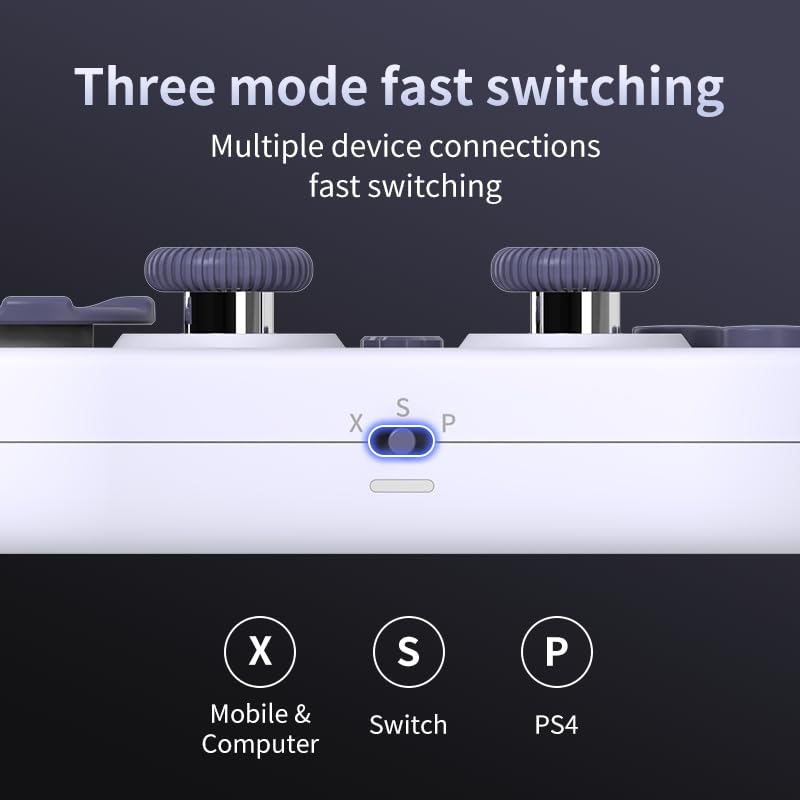
Image 3.2: Detail of the three-mode fast switching selector on the controller.
3.4 Customization and Calibration
For advanced customization, including button remapping and macro functions, download the official "gamepad space" application. This application also allows for controller calibration to ensure optimal performance.
4. Ракување со контролерот
4.1 Клучни карактеристики
- Џојстици со ефект на Хол: Provides high precision and sensitivity. The joystick height is adjustable between 5mm and 8mm for personalized comfort.
- Composite Micro-Switch Buttons: These buttons offer a tactile response similar to mechanical keyboards, providing quick and precise input.
- Mechanical Triggers: Designed for fast response times.
- Dual Micro Motors: Provides dual vibration feedback for an immersive gaming experience.
- Somatosensory Gyroscope: Equipped with a 6-axis gyroscope for motion control in supported games.

Image 4.1: Detail of the adjustable Hall Effect joysticks.

Image 4.2: Close-up of the composite micro-switch action buttons.

Image 4.3: Diagram illustrating the internal components of the composite micro-keypad.
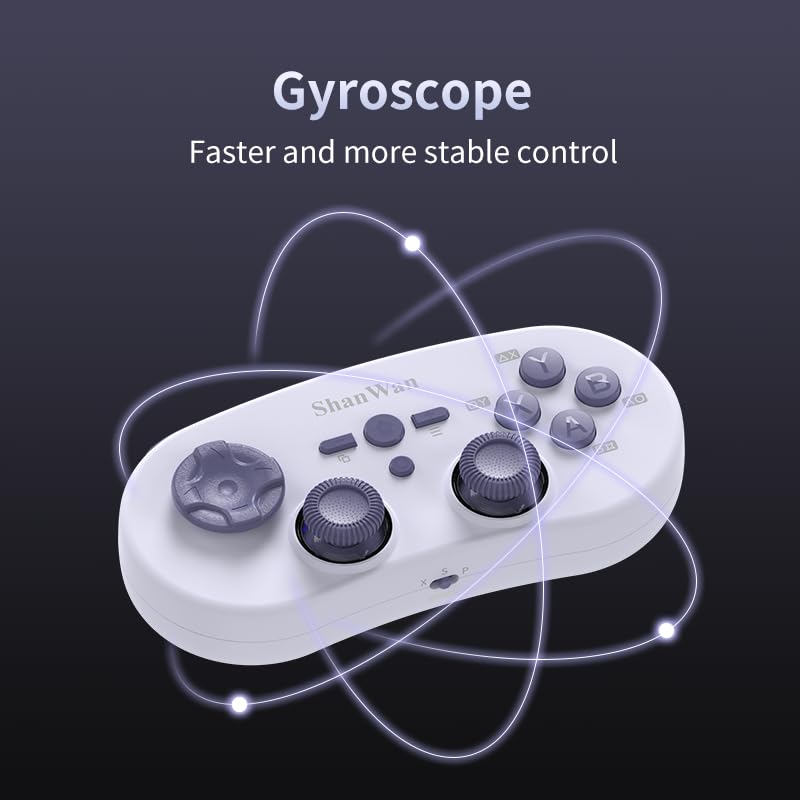
Image 4.4: Visual representation of the controller's gyroscope functionality.
4.2 Искуство со игри
The compact design allows for portability, making it suitable for gaming on the go with devices like the Nintendo Switch or smartphones.

Image 4.5: Controller in use with a Nintendo Switch.

Image 4.6: Controller paired with a smartphone for mobile gaming.
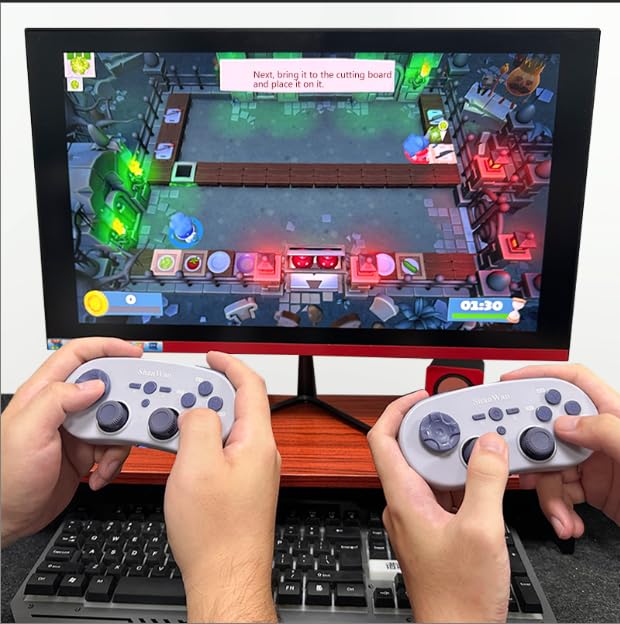
Image 4.7: Two controllers in use for multiplayer gaming on a PC.
5. Одржување
To ensure the longevity and optimal performance of your ShanWan Q38 controller, follow these maintenance guidelines:
- Чистење: Користете мека, сува крпа за да го избришете контролерот. За тврдокорна нечистотија, малкуamp Може да се користи крпа, но осигурајте се дека влагата не влегува во уредот. Избегнувајте груби хемикалии или абразивни средства за чистење.
- Складирање: Чувајте го контролерот на ладно и суво место, подалеку од директна сончева светлина и екстремни температури.
- Нега на батеријата: If using replaceable AAA batteries, remove them if the controller will not be used for an extended period to prevent leakage.
- Избегнувајте капки: Protect the controller from physical impact and drops, which can damage internal components.
6 Смена на проблеми
If you encounter issues with your ShanWan Q38 controller, refer to the following common problems and solutions:
- Контролерот не се вклучува:
- Ensure the battery is correctly inserted and has sufficient charge. Replace AAA batteries if necessary.
- Connect the controller to a power source using the USB cable to confirm if it charges.
- Difficulty Connecting via Bluetooth:
- Ensure the controller is in the correct mode (X, S, or P) for your device.
- Исклучете го и вклучете го Bluetooth-от на вашиот уред.
- Заборавете го уредот во поставките за Bluetooth и обидете се повторно да го спарите.
- Ensure the controller is within the effective range of your device.
- Buttons or Joysticks Not Responding Correctly:
- Calibrate the controller using the "gamepad space" application.
- Проверете дали има физички пречки или остатоци околу копчињата или џојстиците.
- Ensure the controller's firmware is up to date, especially for Switch 2 compatibility.
- Случајни прекини:
- Осигурајте се дека нема силни безжични пречки во близина.
- Keep the controller close to the connected device.
- Re-pair the controller if disconnections are frequent.
7. Спецификации
| Карактеристика | Детал |
|---|---|
| Број на модел | П38 |
| Производител | ШанВан |
| Поврзување | Безжичен Bluetooth |
| Компатибилност | Switch/Switch 2, Steam Deck, PC, Android, iPhone, iPad, macOS, PS4 |
| Тип на џојстик | Hall Effect, Adjustable Height (5mm-8mm) |
| Тип на копче | Composite Micro-Switch |
| Вибрации | Dual Micro Motors |
| Контрола на движење | Жироскоп со 6 оски |
| Димензии на пакетот | 5.63 x 4.53 x 1.54 инчи |
| Тежина на ставката | 4.6 унци |
| Батерии | Потребна е 1 AAA батерија (вклучена) |

Image 7.1: Physical dimensions of the ShanWan Q38 controller.
8. Гаранција и поддршка
For warranty information and customer support, please refer to the official ShanWan webстраницата или контактирајте го продавачот од кој сте го купиле производот. Зачувајте го доказот за купување за гаранциски барања.


